1
3.1.3 Viewing Processor Summary Readings
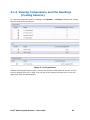
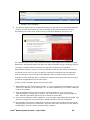
To view the processor summary readings, click System -> Processor to display processor
summary, processor configuration, and discrete sensor readings shown as follows:
Figure 3 – Processor Summary Readings
As all thresholds are not supported for all sensors, unsupported thresholds are marked with
a hyphen. Health of the sensors is also shown to indicate those that are critical and that are
not.
3.1.4 Viewing Memory Device Readings
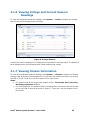
To view the processor memory device readings, click System -> Memory to display
memory device details and discrete sensor readings shown as follows:
Figure 4 – Memory Device Readings
Displays the health of each of the populated memory module. It lists the entire memory
bank supported in the Server. If a memory module is populated in the memory slot, it will
list the corresponding size, speed, and type of module. If the slot is not populated, then it
will list as not populated.
Intel® Active System Console - User Guide
21