1
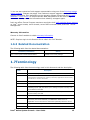
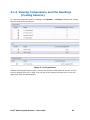
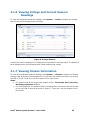
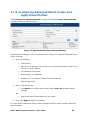
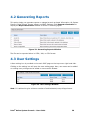
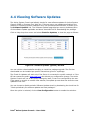
Viewing System Health in the Dashboard Viewing Other System Information as follows: o Viewing System Summary o Viewing Processor Summary Readings o Viewing Memory Device Readings o Viewing Temperature and Fan Readings (Cooling Sensors) o Viewing Voltage and Current Sensors Readings o Viewing Chassis Information o Viewing Storage Readings o Viewing Miscellaneous Readings o Viewing System Events Generating Reports Checking for software updates 1.4System Requirements This section details the software requirements, supported operating systems and the supported platforms for the Intel® Active System Console. 1.4.1 Supported Operating Systems Microsoft Windows* Server 2012 Microsoft Windows* Server 2008 R2 SP1 Red Hat* Linux* Enterprise 5.9 (x86/x64) Red Hat* Linux* Enterprise 6.4 (x86/x64) SuSE* Linux Enterprise Server 10 SP4 (x86/x64) SuSE* Linux Enterprise Server 11 SP2 (x86/x64) 1.4.2 Browser Requirements The application has been tested to run on Microsoft* Internet Explorer 7.x or later and Mozilla Firefox* 3.6 or later versions. It is best viewed in screen resolution from 1024 X 768 to 1440 X 900. Intel® Active System Console - User Guide 10