1
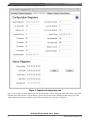
Resistive Configuration and Capacitive Configuration Tabs
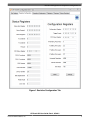
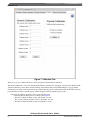
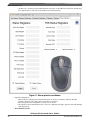
Figure 2. Capacitive Configuration tab
One or several registers can be modified at the same time. To modify a register, change the value shown on the register field
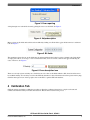
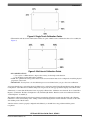
and click on the change button. A pop up window appears if an error arises while a reading or writing is in progress. This
window indicates the register name that causes the error and also the cause of the error. See Figure 3.
CRTouch GUI User Guide, Rev 3, 07/2013
4
Freescale Semiconductor, Inc.