1
Quick Start Guide
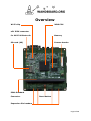
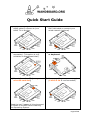
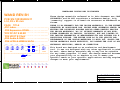
a) Connect display: use a quality
HDMI cable to connect to your
HDMI TV or Monitor.
b) Connect network: use a standard
RJ45 LAN cable to connect your
wired network (optional)
c) Connect wireless antenna (sold
separately). This option is only
available on Wandboard dual)
d) Connect a standard USB mouse
or keyboard
(Storage)
e) Insert the microSD (orange
microSD card slot)
f) Power up: Plug in a power supply
(5 VDC at 2A is recommended)
(for OS)
Read the last 2 pages of this document
to create a microSD card containing
the Operating System.
Page 9 of 13