1
VmDas User's Guide
3.2.7
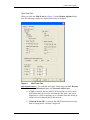
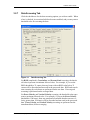
Data Screening Tab
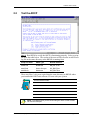
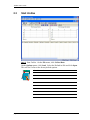
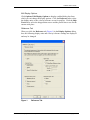
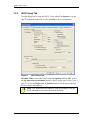
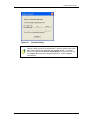
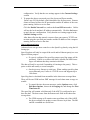
Click the checkboxes for the data screening options you wish to enable. When
a box is checked, its associated edit box becomes enabled, and you may enter a
threshold value for screening the data.
Figure 14.
Data Screening Tab
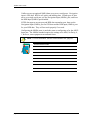
For RSSI (amplitude), Correlation, and Percent Good screening, the threshold value represents a minimum allowed value. For example, if you set the
RSSI threshold to 35 counts, then any beam with an RSSI value below 35
counts will be discarded and not used in the processed data. RSSI and correlation screening for each beam are performed on the raw data. Percent good
screening is performed on the averaged data.
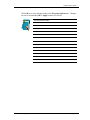
For Error Velocity and Vertical Velocity screening, the threshold value represents a maximum allowed value. For example, if you set the Error Velocity
threshold to 1500 mm/s, then any transformed ensemble that has an error velocity greater than 1500 mm/s will be discarded and not used in the processed
data. Error Velocity and Vertical Velocity screening are performed on the
transformed data, before averaging.
P/N 95A-6015-00 (September 2003)
page 41