1
VmDas User's Guide
with the same concept. Then when you want to actually use the proper
command file you just have to select the *.ini file you intend to use.
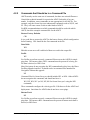
3.1.1
Setting up Data Options
When data collection or data reprocessing is started, the current data options
tell VmDas how to collect and process data.
• Data options are not used for playing back data. Editing them is not
allowed in playback mode.
• VmDas stores current data options. They persist until changed, even
if VmDas is closed and restarted.
• If the current set of data options is not satisfactory, they must be
changed before starting data collection or data reprocessing. Once
collection or reprocessing has started, it must be stopped before
changes can be made.
• Current settings can be viewed at any time when a mode is selected.
• The current data options can be replaced with a set of data options
stored in an *.INI, *.VMO, or *.VMP file. The current options can
be edited.
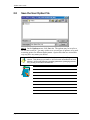
Saving Data Options
When the current data options are changed, the old version is overwritten. To
keep from losing a set of options, they should be stored in a file by clicking
Options, Save As.
• The Save As option is available only when options have been edited
but not saved in a file.
• Choose a file name that suggests the purpose of this set of data options. VmDas will add the INI extension to the name. No extension
should be supplied by the user.
• Whenever data collection starts, the current data options are automatically saved in a VMO file.
• Whenever reprocessing starts, the current data options are automatically saved in a VMP file.
• All of these files are stored as standard Windows INI files. They are
easy to read with a text editor. Editing them directly is not recommended.
P/N 95A-6015-00 (September 2003)
page 17