Download X3 User Guide - mw
Transcript
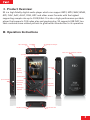
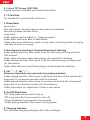
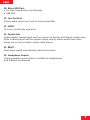
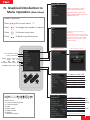
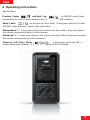
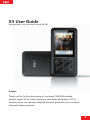
1. 2.4inch TFT Screen (240*320): Display operation interface and related information. 2. TF Card Slot: For standard TF card with 64G at its most. 3. Menu/Back: Short-press: One short-press: Go back step by step under any interfaces. Two short-presses: Go back twice. Long-press: Under playing interface: Back to“Songs operation”. Under other interfaces: Back to Main Menu. Under main menu: Both short-press or long-press, it would go back to playing interface (if music is playing). 4. Next/Upward selecting;5. Previous/Downward Selecting: Under playing interface: Short-press to go for next song and long-press for fast-forward. Under other interfaces rather than playing: Go upward for selecting. Under playing interface: Short-press to go for previous song and long-press for fast-rewind. Under other interfaces apart from playing: Go downward for selecting. 6. Vol“-”; 7. Vol“+”: Volume is adjustable even not under the playing interface. Under playing interface: Short-press to decrease one level of the volume and long-press to continuous decrease until its minimum. Under playing interface: Short-press to increase one level of the volume and long-press to continuous increase until its maximum. Under main menu: For adjustment if there is sub option. 8. On/Off/Play/Pause: *On: Long-press one second to turn on. *Off: Long-press for three seconds to turn off. *Forced shutdown: Long-press for ten seconds. *Under playing interface: Short-press for play/pause. 9. Charging Indicator: Turn red when charging and green after fully-recharged. 4