1
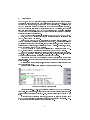
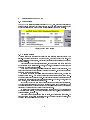
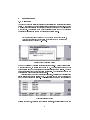
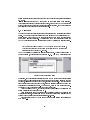
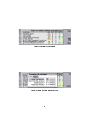
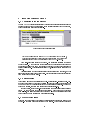
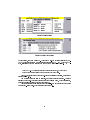
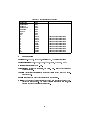
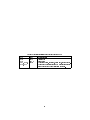
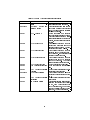
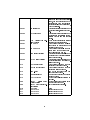
1 Overview NewTEL95, the TELNET terminal emulator, is the ideal tool for the system manager to access his system remotely and work interactively via the command line. He does not need to be near his ofce, or even have a power plug near him. He just uses the TELNET connection via the TCP/IP stack in the Nokia Communication 9300/9500. NewTEL95 has been fully tested with all the standard LINUX utilities, and supports all major escape sequences. The NewTEL95 application from NewNet Marketing for the Nokia Communication 9300/9500 gives remote access to a system via Internet connected over the mobile telephone. NewTEL95 is compliant to all the important ANSI, VT100, VT2xx, VT52, TVI950, WYSE60, and ADM3A escape sequences and is therefore ideal to access a remote LINUX, or any other UNIX system. Figure 2 shows the NewTEL95 main screen immediately after it is started. The program version and registration status are shown at the top. This page lists previous connections with the remote host address, and an optional name. The entry can then be called directly by selecting it, and pressing the Call CBA button. This list is, of course, empty the rst time that NewTEL95 is started. A TELNET call can be made to other destinations by pressing the button (TELNET ), the ping or path mode selected with either the ping or path CBA buttons. NewTEL95 has been fully tested against most escape sequence heavy applications, eg. Top - the system display, Joe - the editor, Pine - the e-mail client. In gure 1 you can see a running session connected to a remote LINUX system. The screen on the Nokia Communication 9300/9500 is smaller than the complete terminal screen, and this will mean that the user must scroll to be able read all the screen content. To scroll within the terminal screen, the shift key should be pressed together with one of the direction keys. This can be also be done automatically by using the follow mode. Figure 1: Connected to a remote system Control characters, e.g Ctrl-C, can be entered directly in NewTEL95 via the Special Chars. In addition to this, hotkeys can be dened for easy access of standard texts. These hotkeys are preloaded with the F1..F10, but the contents can be changed by the user. To ease the entry of standard text blocks, these can be stored in buffers within NewTEL95 for direct entry, and selected onto one of the buttons menu entries. Commands or stored texts can be placed on the buttons menu. 3