1
5. Simulation
The simulation of programs that have been written offline using
COSIMIR® is described in the following pages.
5.1
Settings
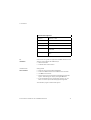
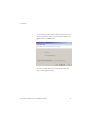
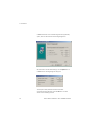
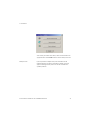
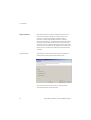
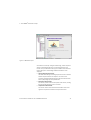
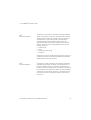
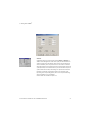
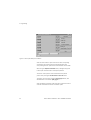
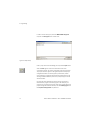
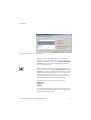
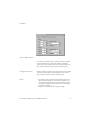
Use the menu function Execute Simulation for configuration.
Simulation
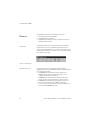
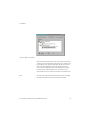
The simulation rate determines how frequently the graphic
representation is refreshed. The motion display becomes smoother, but
also slower, as the selected value for the simulation rate is reduced.
The control rate is used to calculate intermediate positions for robot
controllers, and serves as a cycle time for stored program controllers.
The control rate determines the various possible simulation rate
settings.
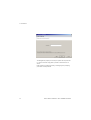
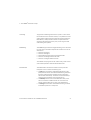
If you have selected the Real-time option, the simulation rate is
adjusted automatically. In the event of inadequate PC performance
characteristics, a real-time link may not be possible, resulting in a
continuous increase of the simulation rate. This effect can be limited by
specifying a Maximum simulation rate. The Control parameters option
is only available if the Real-time checkbox has been activated. This
parameter establishes which constant is utilised to control the
relationship between simulation time and real-time.
5.2
Example:
Workcell Simulation
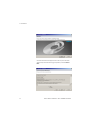
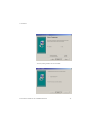
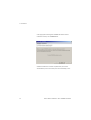
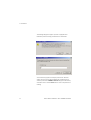
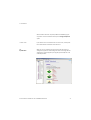
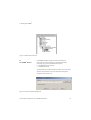
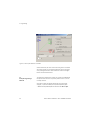
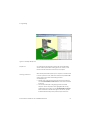
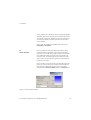
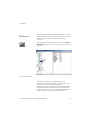
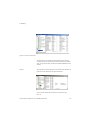
Open the First Steps RV-2AJ workcell with the First Steps Test project
from the proceeding chapter. Start the simulation with the Start
function in the Execute menu, or click the button shown in the toolbar
screenshot on the left. The program is simulated step by step.
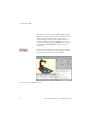
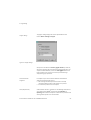
Simulation time is displayed in the Status line. The program line that is
currently being simulated is highlighted in the program window. At first,
you can execute each program step individually with the help of the
button shown in the toolbar screenshot on the left.
© Festo Didactic GmbH & Co. KG • COSIMIR® Educational
77