1
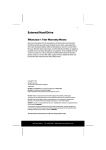
External Hard Disk with USB 1.1/2.0 and IEEE 1394 connection User Guide 1. INTRODUCTION 1.1. Package Contents Please check to ensure that your product is complete and inform us within 14 days of purchase if anything is missing. The following should be included with the hard drive: External 3.5" hard disk in compact casing USB 2.0/1.1 connection cable IEEE 1394 (FireWire/iLink) connection cable Power supply unit User guide Guarantee documents Driver software for Windows 98SE 1.2. System Requirements PC/AT compatible computer Pentium class above 200 MHz Windows 98SE/2000/ME/XP 32 MB or more USB or IEEE1394 interface 1.3. Safety Warnings Please read this chapter carefully and observe all listed notes. This will ensure reliable Operation and long life expectancy of your product. Keep these instructions with your product at all times. The proper set up, use and care can help extend the life of your product. In the event that you transfer ownership of this product, please provide these instructions to the new owner. Changing the hard disk must only be performed by a person who is experienced in repairing and upgrading PCs. Should you not possess the necessary qualifications, call in a technician. Hard disks are extremely fragile. Never let the drive fall or be pushed or shaken as this could irreversibly damage the data on the hard disk. Make sure of this especially when transporting the hard disk. We provide no guarantee for this type of damage. Follow the user guide for your PC. Only use the hard disk with the original power supply unit. The socket must be located near the equipment and be easy to reach. If the power adapter plug is pulled out, the external hard disk will be disconnected from the mains. Do not insert any objects through the slits and openings into the interior of the hard disk. This could lead to a short circuit or even cause a fire. Page 2