1
Contents
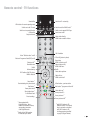
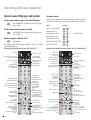
Remote control - TV functions
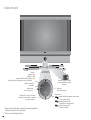
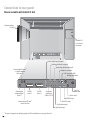
Control unit
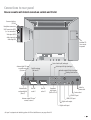
Connections to rear panel
Welcome
Integrated features
Scope of delivery
Transporting
Installation options
Note on the LCD screen
Cleaning
Disposal
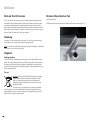
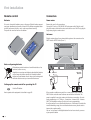
Remove the protective foil
For your safety
First installation
Remote control
Connection
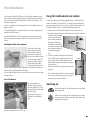
Handling the fabric hose (optional)
Use of the binders
Using the Conditional Access module
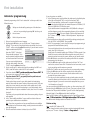
Switching on
Automatic programming
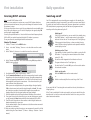
Directing DVB-T antenna
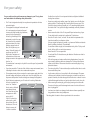
Daily operation
Switching on/off
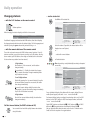
Changing stations
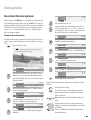
Basics about the menu operation
For the info system ...
For the index ...
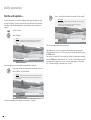
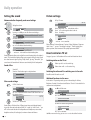
Setting the sound
Picture settings
Direct control on TV set
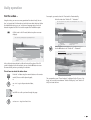
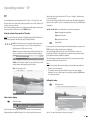
Operating modes – TV
How the coloured keys work in TV mode
Show status display
Calling the index
Call additional functions
Call timer overview
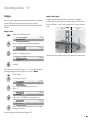
Select picture format
Move picture up/down
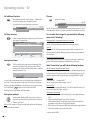
TV menu
DVB subtitles
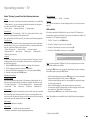
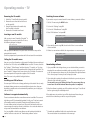
Removing the CA module
Inserting a new CA module
Installing new DVB software
Image+ menu
Image+ demo mode
-2
3
4
5
7
7
7
7
7
8
8
8
8
9
10
10
10
11
11
11
11
12
13
13
13
14
15
16
17
18
18
18
19
19
19
19
20
20
20
20
20
21
22
22
22
23
23
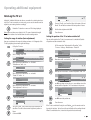
Operating modes – PIP
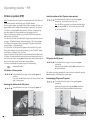
PIP picture as freeze picture
Selecting the station of the PIP picture
Select the station of the TV picture (main picture)
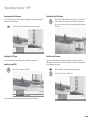
PIP scan in the PIP picture
Interchanging PIP picture/TV picture
Functions in the PIP menu
Setting the PIP type
Position of the PIP picture
Operating modes – EPG
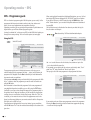
Using the EPG
EPG menu
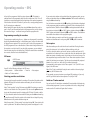
Selecting providers and stations
Data capture
Operating modes – Teletext
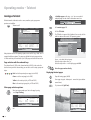
Page selection with the coloured keys
Displaying teletext pages
Programme timer recordings
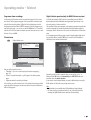
Teletext menu
Digital teletext operation (only for MHEG-5 device versions)
Operating modes – Radio
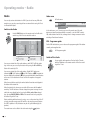
Switch on the Radio
Radio menu
EPG - Programme guide
Switch off the Radio
Operating additional equipment
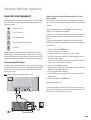
Login and connect equipment
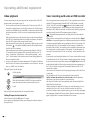
Video playback
Timer recording with video or DVD recorder
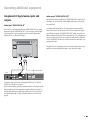
Assignment of digital audio inputs and outputs
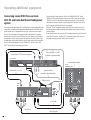
Connecting Loewe DVD Preceiver Auro 2216 PS and
Individual Sound loudspeaker system
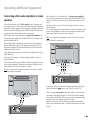
Connecting other audio amplifiers or active speakers
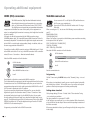
HDMI (DVI) connection
VGA/XGA connection
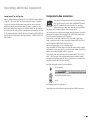
Component video connection
Operate Loewe DVD player and recorder
Rotating the TV set
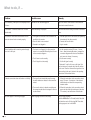
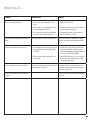
What to do, if ...
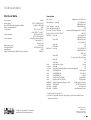
Technical data
General data
Electrical data
Accessories
Service
24
24
24
24
24
24
25
25
25
26
26
27
27
27
28
28
28
29
29
29
30
30
30
30
30
31
31
32
32
33
34
35
36
36
37
38
39
40
42
42
43
44
46