1
Ring/Plate Tensiometer TD 1C
2.3
Setting up the TD 1C
The following points should be observed when setting up the tensiometer:
1. Select its location on an accurately horizontal table so that any effect of building vibrations is largely
excluded.
2. Check that the voltage marked on the back of the external power unit agrees with the local supply
voltage
3. Plug-in the supply cable coming from external power supply into the COMMAND
4. Plug-in COMMAND cable to the TD 1C measuring stand.
5. Plug-in the power supply cable into the mains socket. Before doing this take care that the mains switch
of the external power supply should be set to 'OFF'.
6. The optional printer is connected at the back (9-pole) of TD 1C
Note: this Connector is ONLY for the printer NOT for data transfer to PC
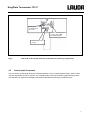
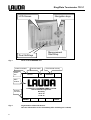
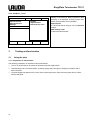
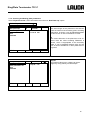
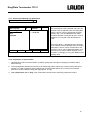
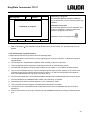
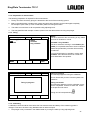
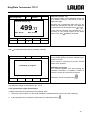
7. After checking all connections the TD 1C can be switched on at external power supply. The information
screen appears (Fig. 3)
8. Take off the plastic tube carefully which is clamped between sample table and transducer housing to
protect the measuring system and the hook. Therefor the table is moved down turning the adjusting
knob.
9