1
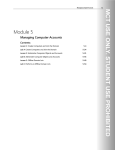
Module 4: Managing Groups This module explains how to create, modify, delete, and support group objects in Active Directory. Lessons Overview of Groups Administer Groups Best Practices for Group Management Lab : Administer Groups Implement Role-Based Management by Using Groups (Advanced Optional) Explore Group Membership Reporting Tools (Advanced Optional) Understand “Account Unknown” Permissions Lab : Best Practices for Group Management Implement Best Practices for Group Management After completing this module, students will be able to: Describe the role of groups in managing an enterprise. Administer groups with by using the built-in tools in Windows Server 2008 Describe the best practices for managing groups. Module 5: Managing Computer Accounts This module explains how to create and configure computer accounts. Lessons Create Computers and Join the Domain Administer Computer Objects and Accounts Perform an Offline Domain Join Lab : Create Computers and Join the Domain Join a computer to the Domain with the Windows Interface Secure Computer Joins Manage Computer Account Creation Lab : Administer Computer Objects and Accounts Administer Computer Objects Through Their Life Cycle Administer and Troubleshoot Computer Accounts Lab : Perform an Offline Domain Join Perform an Offline Domain Join After completing this module, students will be able to: Create computer accounts and join them to a domain. Administer computer objects and accounts by using the Windows Interface and command-line tools. Describe and perform the Offline Domain Join process. Module 6: Implementing a Group Policy Infrastructure Lanworks AG explains I Lippestraße 4 I 40221 Düsseldorf I Fon and +49how 211 950590 This module what Group Policy is, how it works, best to I www.lanworks.de implement Group Policy in your organization.