1
Installation and Operating Instructions
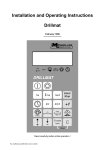
Drillmat III
Version: 20130808
30283615-02
Read and follow these operating instructions.
Keep these operating instructions in a safe place for later
reference.
Imprint
Document: Installation and Operating Instructions
Product: Drillmat III
Document number: 30283615-02-EN
Original language: German
Müller-Elektronik GmbH & Co.KG
Franz-Kleine-Straße 18
33154 Salzkotten
Germany
Phone: ++49 (0) 5258 / 9834 - 0
Fax: ++49 (0) 5258 / 9834 - 90
Email: [email protected]
Homepage: http://www.mueller-elektronik.de
Contents
1
1.1
1.2
SYSTEM DESCRIPTION ............................................................................. 5
Wire harness ................................................................................................ 5
Computer and basic equipment ................................................................... 6
2
2.1
2.2
Safety instructions ..................................................................................... 7
Disclaimer .................................................................................................... 7
Safety measures .......................................................................................... 7
3
3.1
3.2
3.3
3.4
Installation instructions - Drillmat ............................................................ 9
Computer ..................................................................................................... 9
12V socket connection to the tractor battery ................................................ 9
Wire harness ................................................................................................ 9
Sensors ........................................................................................................ 9
4
4.1
4.2
Operating instructions............................................................................. 11
Initial operation ........................................................................................... 11
Description of the entry keys ...................................................................... 11
4.2.1 Setting keys +/-
................................................................ 11
4.2.2 "Working width" key
.................................................................. 11
4.2.3 "Impulses/100m" key
................................................................. 12
4.2.4 "RPM" key
................................................................................. 12
4.2.5 "Tram line rhythm" key
4.2.6 "+1" key
............................................................... 13
...................................................................................... 15
4.2.7 "Start/Stop" key
......................................................................... 15
4.3
Description of the function keys ................................................................. 16
4.3.1 On/off device
.................................................................................. 16
4.3.2 "Start function"
Copyright Müller-Elektronik GmbH u. Co. KG, Salzkotten
..................................................... 16
Drillmat-III Installation and Operating Instructions
Page - 3 -
4.3.3 "Time" key
.................................................................................. 16
4.3.4 "Area" key
................................................................................. 16
4.3.5 "Total area" key
4.3.6 "Current area output" key
4.3.7 "Distance" key
......................................................................... 17
.......................................................... 17
........................................................................... 17
4.3.8 "Speed" key
.............................................................................. 17
4.4
Operation process ...................................................................................... 17
5
5.1
5.2
Maintenance ............................................................................................. 18
Computer ................................................................................................... 18
Sensors ...................................................................................................... 18
6
6.1
6.1.1
6.2
6.3
Error recovery .......................................................................................... 19
The device does not switch on ................................................................... 19
The computer displays HALP 00 or HALP 88 ............................................ 19
Speed is not displayed ............................................................................... 19
The area is not displayed ........................................................................... 19
7
7.1
7.2
Appendix................................................................................................... 20
EMC-Supplement to the Operating Guide.................................................. 20
EC Declaration of Conformity..................................................................... 21
Page- 4 -
Copyright Müller-Elektronik GmbH u. Co. KG, Salzkotten
Drillmat-III Installation and Operating Instructions
1
SYSTEM DESCRIPTION
The drillmat is used to monitor the seed drill, to determine the working data and for
tram line switching.
Basically the drillmat consists of:
- the board computer (installed in the cabin of the tractor) for the entry of the data required. It also serves as a monitor. In the case of a fault, an acoustic and optical
alarm is set off.
- the machine wire harness (installed on the seed drill) with a connecting cable to the
board computer.
With wheel sensor
Sensor for monitoring sowing
Sensor for monitoring the fan
Level sensor
Row marker
1.1
Wire harness
Copyright Müller-Elektronik GmbH u. Co. KG, Salzkotten
Drillmat-III Installation and Operating Instructions
Page -5-
1.2
Page - 6 -
Computer and basic equipment
Copyright Müller-Elektronik GmbH u. Co. KG, Salzkotten Drillmat-III Installation and Operating Instructions
2
Safety instructions
2.1
Disclaimer
The Drillmat III is specified exclusively for agricultural use. The manufacturer
takes no responsibility for any installation or application outwith this area.
The manufacturer does not accept liability for damage to persons or property
resulting from unspecified use. In such cases all risks are the responsibility of
the user.
Specified implementation also includes adhering to the operation and maintenance requirements stipulated by the manufacturer.
Relevant accident prevention regulations as well as other generally recognised safety, industrial, health and road traffic rules are to be adhered to. In
addition the manufacturer accepts no liability in cases where arbitrary modifications have been made to the device.
2.2
Safety measures
Warning!
!
Always pay attention to this symbol for references to important
safety precautions.
It means attention! Become alert!
It is a question of your safety.
!
Read the user's guide before using the DRILLMAT III for the first
time.
Copyright Müller-Elektronik GmbH u. Co. KG, Salzkotten
Drillmat-III Installation and Operating Instructions
Page -7-
Observe the following recommended precautions and safety instructions:
!
Before using the Drillmat III, read and understand this guide. It is of equal
importance that other operators also read and understand the manual.
!
During maintenance or when using a battery charger, switch off the power
supply.
!
Never service or repair the device when it is switched on.
!
Unauthorised opening of the device leads to the loss of any warranty claims.
!
When welding on the tractor or on an attached machine, interrupt the power
supply to the Drillmat III.
!
Only use a cloth with clear water or a little glass cleaning agent to clean the
Drillmat III
!
Operate the keys with your finger tips but avoid using finger nails.
!
Should any part of this guide remain incomprehensible after reading, contact
your dealer or Mueller-Elektronik Service for further clarification before using
the Drillmat III
!
Read carefully and observe all safety instructions in the manual.
!
Learn how to operate the Drillmat III correctly. Do not allow anyone to operate
the machine without exact instructions.
!
Keep the Drillmat III and the spare parts in good condition. Unstipulated
alterations or operation can impair the function and/or safety and affect the
life span of the machine.
Pay attention to the Safety notice for the subsequent installation of
electrical and electronic devices and/or components in chapter 7 page 20
and the EC Declaration of Conformity chapter 7.2 page 20 in the appendix
of these instructions.
!
Page - 8 -
Copyright Müller-Elektronik GmbH u. Co. KG, Salzkotten Drillmat-III Installation and Operating Instructions
3
Installation instructions - Drillmat
3.1
Computer
The computer is to be installed together with the console within the driver's field of
visibility. The distance from the radio equipment or radio antenna should be at least
1 meter.
3.2
12V socket connection to the tractor battery
For the Drillmat's current supply (computer and sensors) the 12V socket supplied is
to be connected to the tractor battery. No second device should be connected to this
12V socket. The 12V socket must be protected by a 25A safety fuse, which is to be
found in the wire connector to the brown 12 V wire.
Wire colours:
brown = + 12 Volt
blue
= ground
The battery's negative pole must always be at ground (frame, chassis).
3.3
Wire harness
The wire harness and the sensors are factory installed.
3.4
Sensors
- Wheel sensor (Hall element)
The wheel sensor is used to determine the distance covered as well as the area.
The tube clip and magnet are mounted on to the wheel. The red side must point towards the sensor. The sensor is to be mounted to the magnets on the fixture provided at a distance of 5-10mm. A connector is provided for each lead in the wire
harness.
Copyright Müller-Elektronik GmbH u. Co. KG, Salzkotten
Drillmat-III Installation and Operating Instructions
Page -9-
- Drill shaft sensor (Reed contact)
This sensor monitors the function of the drill shaft.
The tube clip and magnet are mounted on to the drill shaft. The red side must point
towards the sensor. The sensor must be mounted to the fixture provided at a distance of approximately 20 mm.
- Level sensor (capacitive)
This sensor controls the seed bin.
As soon as the surface is no longer covered with grain, the sensor switches on and
the computer sends out an alarm signal.
The sensor should be placed in the seed bin, so that it switches on as soon as the
set amount of residue is reached. The end of the sensor should protrude 20 mm
from the screw fitting.
The sensitivity can be regulated at the back of the sensor. If the sensor switches
on, the lamp on the sensor lights up.
- Row marker sensor (Reed contact)
This sensor indicates to the computer that the row markers have been switched.
The sensor is to be mounted on to a static fixture opposite the switch mechanism
for the row marker. The magnet is to be mounted on to the switch mechanism opposite the sensor at a distance of 20 mm. The magnet must momentarily be lead
past the sensor when the row indicator switches. Its end position should not be in
front of the sensor.
The tram line meter moves on one position each time the row marker switches on.
- Seed drill without track marker
The switch impulse is picked up when the top link is raised. The magnet and sensor
should be mounted so that they approach each other in a raised position at roughly
20 mm.
In working position the distance must be at least 40 mm.
- Fan sensor (Hall element)
Rpm monitor on the fan
Both magnets are to be mounted to the fixture provided. The red side must point
towards the sensor. The sensor must be mounted at a distance of 5-10 mm to the
sensors.
Page - 10 -
Copyright Müller-Elektronik GmbH u. Co. KG, Salzkotten Drillmat-III Installation and Operating Instructions
4
Operating instructions
4.1
Initial operation
The device carries out a self-test when switched on. After completion the function
last used before switch-off is automatically selected.
In the case of an electronic fault the device displays:
HALP 00
or
HALP 88.
In this case return the device for repair.
4.2
Description of the entry keys
The keyboard has two colours:
White keys
Grey keys
= function keys (display the recorded data)
= entry keys (enter the machine data) and control keys
4.2.1 Setting keys +/When the keys
required.
or
are pressed the display moves one position in the direction
Each time the key is pressed, the display moves on until the key is released.
The board computer requires the following machine data in order to operate at all:
Impulses/100m, working width, drill shaft rpm and the tram line rhythm.
4.2.2 "Working width" key
This key is used to enter the actual working width:
- Press
- Select value using the keys
and
- Press
Finally control the value entered once more by pressing the "working width" key.
Copyright Müller-Elektronik GmbH u. Co. KG, Salzkotten
Drillmat-III Installation and Operating Instructions
Page -11-
4.2.3 "Impulses/100m" key
With this key the number of impulses recorded to the computer by the wheel sensor
during a journey of 100 m is entered.
There are two possibilities to enter the data:
1. The impulse/100 m value is known
-
Press
-
Enter number of impulses with
-
Press
and
keys.
2. The impulse/100 m value is not known
- Measure out and mark a distance of100 m on the field
- Bring the vehicle in to start position
- Press
and C simultaneously
- Travel a distance of 100 m
- Press
4.2.4 "RPM" key
With the initial operation the fan's rated rpm must be communicated to the computer.
Enter as follows:
- Start up the machine
- Press
(current rpm will be displayed).
- Press
The value displayed at this moment in time is saved as the rated rpm.
If monitoring is to be switched off, the following entry is required:
- Press
(display 0)
- Press
- Rpm monitoring is now switched off
The rpm alarm is displayed by a hooting sound and the flashing of the arrow above
the rpm display every second. With the drill shaft alarm this occurs every 5 seconds.
Page - 12 -
Copyright Müller-Elektronik GmbH u. Co. KG, Salzkotten Drillmat-III Installation and Operating Instructions
4.2.5 "Tram line rhythm" key
Tram lines can be laid out automatically using the Drillmat. For this purpose the corresponding share must be closed. The working widths of the seed drill and the cultivator have to be taken into account. The tram line rhythm is calculated on the basis
of these values.
Tram line rhythm =
Working width of the cultivator
---------------------------------------------Working width of the seed drill
Example: You are using a field sprayer with a working width of 24 m and a seed drill
with a working width of 6 m. In this case the tram line rhythm is 24:6 = 4.
The calculation results in even (2, 4, 6 etc.) and uneven (1, 3, 5 etc.) rhythms. In the
case of even rhythms, the tram lines are usually laid out in 2 runs. As this tends to
be more inaccurate, the even rhythms can be laid out in one run (S rhythms e.g. 4S;
6S etc.). However, it has to be taken into consideration that the first run is carried out
with half the working width of the seed drill and subsequently begins with position 1
of the rhythm.
Using standard rhythms you can also choose if only the inside, the outside or all
tram line shares should shut off. This allows you to adjust to working with a tram line
width of e.g. 1.50 m or 1.80 m or with broad tyres.
This is not possible when using double tram line rhythms. In this case you can only
choose between beginning at the left hand boundary or the right hand boundary of
the field.
Following rhythms are supported by the Drillmat:
Rhythm no.
read out
0 :
-2 :
2-:
2 A:
3:
-4 :
4-:
4 A:
5:
-6 :
6-:
6 A:
7:
-8 :
8-:
8 A:
Rhythm
No tram line
2
2
2
3
4
4
4
5
6
6
6
7
8
8
8
Copyright Müller-Elektronik GmbH u. Co. KG, Salzkotten
Tram line
left
0
1.2
0
1.2
2
2.3
0
2.3
3
3.4
0
3.4
4
4.5
0
4.5
Drillmat-III Installation and Operating Instructions
Tram line
right
0
0
1.2
1.2
2
0
2.3
2.3
3
0
3.4
3.4
4
0
4.5
4.5
Page -13-
Rhythm no.
read out
9:
- 10 :
10 - :
10 A:
11 :
- 12 :
12 - :
12 A:
- 14 :
14 - :
14 A:
15 :
16 :
18 :
19 :
20 :
21 :
22 :
23 :
24 :
25 :
26 :
27 :
28 :
29 :
2-S:
4-S:
6-S:
8-S:
10-S:
12-S:
Page - 14 -
Rhythm
9
10
10
10
11
12
12
12
14
14
14
10 (20m/8m, 15m/6m)
beginning on the right
10 (20m/8m, 15m/6m)
beginning on the left
18 (18m/4m)
beginning on the left
18 (18m/4m)
beginning on the left
10 (20m/6m)
beginning on the left
10 (20m/6m)
beginning on the right
6 (18m/12m)
beginning on the left
6 (18m/12m)
beginning on the right
16 (24m/4.5m)
beginning on the left
16 (24m/4.5m)
beginning on the right
18 (27m/6m)
beginning on the left
18 (27m/6m)
beginning on the right
14 (28m/8m)
beginning on the left
14 (28m/8m)
beginning on the right
2 symmetrical
4 symmetrical
6 symmetrical
8 symmetrical
10 symmetrical
12 symmetrical
Tram line
left
5
5.6
0
5.6
6
6.7
0
6.7
7.8
0
7.8
2.9
Tram line
right
5
0
5.6
5.6
6
0
6.7
6.7
0
7.8
7.8
4.7
4.7
2.9
3.16
7.12
7.12
3.16
2.9
5.6
5.6
2.9
3.4
1.6
1.6
3.4
8.9
3.14
3.14
8.9
3.16
7.12
7.12
3.16
2.13
6.9
6.9
2.13
1
2
3
4
5
6
1
2
3
4
5
6
Copyright Müller-Elektronik GmbH u. Co. KG, Salzkotten Drillmat-III Installation and Operating Instructions
To adjust the tram line rhythm press
ting keys
and
. The correct rhythm is then set with the set-
. Finally the new rhythm is confirmed by pressing
.
If the correct tram line has been adjusted and set to 1, the side of the field where
work is to begin still has to be taken into account. With uneven and S rhythms, work
can begin on either side of the field. With the even rhythms 4, 8 and 12, work must
begin at the side where the closed share is, and with rhythms 6, 10 and 14 on the
opposite side of the field.
In the case of the special rhythms no.15 - 29 the side of the field where work is to
begin has to be decided first. "Beginning on the left" means that when starting the
side of the field lies on the left hand side of the tractor in the direction of travel. Consequently "beginning on the right" is the other way round.
4.2.6 "+1" key
With this key the tram lines can be switched on further manually one step at a time.
4.2.7 "Start/Stop" key
With this key the automatic switching of the tram line rhythm can be stopped and released again.
When stopped, the arrow appears above the "Stop" symbol!
Copyright Müller-Elektronik GmbH u. Co. KG, Salzkotten
Drillmat-III Installation and Operating Instructions
Page -15-
4.3
Description of the function keys
4.3.1 On/off device
Press
to switch the device on. Press
once more to switch it off.
Should the voltage supply drop below 9 volts, e.g. when starting the tractor, the
computer switches off automatically. It can be switched on again by pressing
.
4.3.2 "Start function"
Press the keys C and
to release the start function. This means that the
memory for the area, time and distance is set to 0. The time is restarted automatically by pressing this key. This function is to be carried out at the beginning of each operation.
4.3.3 "Time" key
The operating time since carrying out the "start function" (see 4.3.2) is displayed by
pressing this key. If the tractor is switched off and the computer voltage-free, the
time data entry is stopped. It restarts once the device is switched on again. The
clock can also be stopped during operation. After pressing
to stop the clock. To restart it, press
press it once again
yet again.
4.3.4 "Area" key
The area covered since carrying out the "start function" (see 4.3.2) is displayed by
pressing this key. Measurement is interrupted as soon as the computer stops receiving wheel impulses.
Page - 16 -
Copyright Müller-Elektronik GmbH u. Co. KG, Salzkotten Drillmat-III Installation and Operating Instructions
4.3.5 "Total area" key
This key is used to determine the total area for a whole season. Press the
C simultaneously at the beginning of the season to set the memory to 0.
and
4.3.6 "Current area output" key
This key is used to determine the current area output in ha/h.
4.3.7 "Distance" key
The distance covered since carrying out the "start function" (see 4.3.2) is displayed
by pressing this key.
4.3.8 "Speed" key
When this key is pressed the current speed travelled is displayed.
4.4
Operation process
Once the machine data have been entered (see 4.2), the following steps have to be
carried out before operation can begin. The row marker at the beginning of the field
is to be operated so that the right side is lowered.
Subsequently only the start function has to be carried out (see 4.3.2).
After that, each time the end of the field is reached and the row marker is switched,
tram line switching is continued automatically. Even when the computer is switched
off temporarily, the last position is stored. When the computer is switched on again,
the last setting is still available. Drilling can be carried on immediately.
During the operation process area, total area, operating time and distance are determined and speed and performance are displayed.
Copyright Müller-Elektronik GmbH u. Co. KG, Salzkotten
Drillmat-III Installation and Operating Instructions
Page -17-
5
Maintenance
5.1
Computer
The computer is maintenance-free. During the winter it should be stored at room
temperature.
5.2
Sensors
The sensors are maintenance-free.
Page - 18 -
Copyright Müller-Elektronik GmbH u. Co. KG, Salzkotten Drillmat-III Installation and Operating Instructions
6
Error recovery
When trouble-shooting keep to the intended sequence!
Error
Cause
Measures
The device does not
switch on
Polarity reversal of the voltage supply
Check polarity
Voltage supply interrupted
Check battery connection
cable; control battery clamps
and fuse
Total failure
Send in device
6.1.1 The computer displays
HALP 00 or
HALP 88
Memory error
Send in device
6.2
Impulses/100m not entered
Enter number of impulses/100m (4.2.3)
6.1
Speed is not displayed
The wheel sensor is not
Adjust the distance of the
sending any impulses to the wheel sensor to the magnet
computer, the ring in the
to 5-10mm.
display is not flashing during
the journey.
The red side of the magnet
must point towards the sensor.
Secure magnet with a nonmagnetic screw.
Connect cable in the wire
harness correctly
green = gn = signal
brown = br = + 12 volts
white = ws = 0 Volt
Sensor is defective, replace
Computer is defective, replace
Wire harness is defective,
replace
6.3
The area is not displayed
Working width not entered
Copyright Müller-Elektronik GmbH u. Co. KG, Salzkotten
Enter working width
(see 4.2.2)
Drillmat-III Installation and Operating Instructions
Page -19-
7
Appendix
7.1
EMC-Supplement to the Operating Guide
Safety notice for the subsequent installation of electrical and
electronic devices and/or components
Present-day agricultural machines are equipped with electronic components and devices, whose function can be affected by electromagnetic emission from other devices. These influences can lead to endangerment for individuals when the following
safety measures are not adhered to.
When subsequently installing electrical and electronic devices and/or components in
a machine with a connection to the electrical system, the user must take sole responsibility for testing the installation for interference with vehicle electronics or other
components. This applies in particular to the electronic controls of:
•
EHR,
•
front lifting gear,
•
power take-off shafts,
•
engine and
•
gears.
Above all it must be ensured that all subsequently installed electrical and electronic
components comply with the current version of the EMC directive 89/336/EWG and
carry the CE symbol.
In addition the following requirements must be fulfilled when upgrading with mobile
communication systems (e.g. radio, telephone):
•
•
•
•
•
Only approved devices complying to national regulations (e.g. BZT
approval in Germany) are to be installed;
The device must be securely installed;
The use of portable or mobile devices inside the vehicle is permissible
only via a connection to the permanently installed outside antenna;
The transmitting unit is to be installed in a position away from the vehicle
electronics;
An antenna should only be installed professionally ensuring that there is a
good earth connection between the antenna and the vehicle chassis.
Please refer to the manufacturer's instructions for cabling and installation as well as
for the maximum current consumption.
Page - 20 -
Copyright Müller-Elektronik GmbH u. Co. KG, Salzkotten Drillmat-III Installation and Operating Instructions
7.2
EC Declaration of Conformity
Copyright Müller-Elektronik GmbH u. Co. KG, Salzkotten
Drillmat-III Installation and Operating Instructions
Page -21-