1
KEYPAD FUNCTIONS
KEYPAD FUNCTIONS
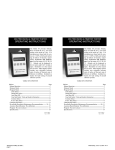
ON/OFF & BACKSPACE KEY
Turns the manometer on into the Measure Mode
and then turns the unit off from the Measure
Mode. Also serves as a backspace key when
editing in the Program Mode. The backspace
function takes the user out of a programmable register
without changing the previous setting. Pressing this key
repeatedly will return the user to the Measure Mode and
then shut off the manometer.
ON/OFF & BACKSPACE KEY
Turns the manometer on into the Measure Mode
and then turns the unit off from the Measure
Mode. Also serves as a backspace key when
editing in the Program Mode. The backspace
function takes the user out of a programmable register
without changing the previous setting. Pressing this key
repeatedly will return the user to the Measure Mode and
then shut off the manometer.
MIN/MAX & UP ARROW KEY
In the Measure Mode activates the Min/Max
function of the manometer. When activated the
the minimum value is displayed on the upper left
of the display and the maximum value on the
upper right. Min/Max values on the display are
updated every 0.1 seconds. This key also deactivates this
function. Up arrow key is used to scroll through the
programmable registers when the unit is in the Program
Mode. Once a programmable register is selected the up
arrow
can be used to edit that register.
MIN/MAX & UP ARROW KEY
In the Measure Mode activates the Min/Max
function of the manometer. When activated the
the minimum value is displayed on the upper left
of the display and the maximum value on the
upper right. Min/Max values on the display are
updated every 0.1 seconds. This key also deactivates this
function. Up arrow key is used to scroll through the
programmable registers when the unit is in the Program
Mode. Once a programmable register is selected the up
arrow
can be used to edit that register.
TARE & DOWN ARROW KEY
In the Measure Mode activates and deactivates
the display TARE function. The Tare function is
designed to set the displayed value to “0”. With
TARE activated, the letter “T” appears in the
lower left of the display. Down arrow function
is used to scroll through programmable registers with the
unit in the Program Mode. Once a programmable register
is selected the down arrow can be used to edit that
register.
TARE & DOWN ARROW KEY
In the Measure Mode activates and deactivates
the display TARE function. The Tare function is
designed to set the displayed value to “0”. With
TARE activated, the letter “T” appears in the
lower left of the display. Down arrow function
is used to scroll through programmable registers with the
unit in the Program Mode. Once a programmable register
is selected the down arrow can be used to edit that
register.
PRGM & ENTER KEY
Puts the manometer into the Program Mode
from the Measure Mode. When in the Program
Mode, pressing this key selects the
programmable register to be edited. After the
register has been edited, pressing the PRGM key enters the
new setting into the manometer’s non-volatile memory.
This key also acts as a forward space key when editing
user input such as the header name.
PRGM & ENTER KEY
Puts the manometer into the Program Mode
from the Measure Mode. When in the Program
Mode, pressing this key selects the
programmable register to be edited. After the
register has been edited, pressing the PRGM key enters the
new setting into the manometer’s non-volatile memory.
This key also acts as a forward space key when editing
user input such as the header name.
2
2