1
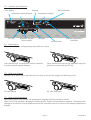
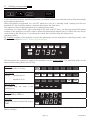
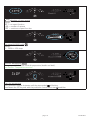
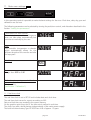
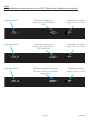
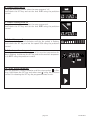
4. Select heating time t2
Using the push/turn control select the ramp segment “t2“.
Hold down the SET key and using the push/turn control set the time
00:01. (1 minute is sufficient since a setpoint-dependent waiting time
is being set.)
t2
h
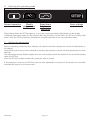
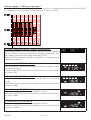
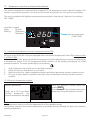
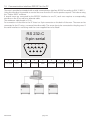
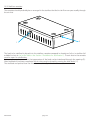
5. Select setpoint temperature
Turn push/turn control clockwise until the temperature display is
flashing. Hold down the SET the key and set the required temperature
setpoint of 180°C using the push/turn control.
t3
t2
˚C
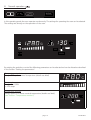
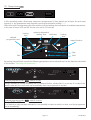
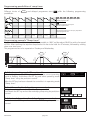
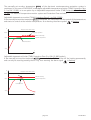
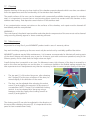
6. Select setpoint-dependent waiting time
Using the push/turn control select the symbol for setpoint-dependent
waiting time.
Hold down the SET key and set on using the push/turn control.
After the SET key has been released the function for setpoint-dependent
waiting time is stored. This ensures that, as rapidly as possible and
immediately on reaching the setpoint temperature, the oven holds the
temperature for 45 minutes (as selected above).
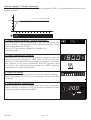
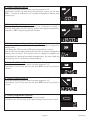
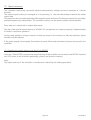
7. Select hold time t3
Using the push/turn control select the ramp segment “t3“.
Hold down the SET key and set the time 00:45 using the push/turn
control.
t3
h
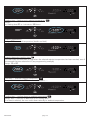
8. Select cooling time t4
Using the push/turn control select the ramp segment “t4“.
Hold down the SET key and set the time 02:00 using the push/turn
control.
t4
h
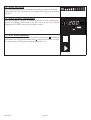
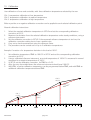
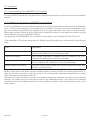
9. Select programme repeats
Using the push/turn control select the loop symbol.
Hold down the SET key and set 2 repeats using the push/turn control.
page 21
loop
EXCELLENT