1
Pan & tilt connection to control units
In the following drawing, identify the terminal block J1 in the lower printed circuit for the pan & tilt connection to
the control units:
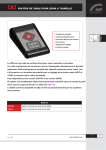
Pan & tilt connection to CBZ220/CBZ24 keyboard
WARNING: before the connection, make sure that the output voltage of CBZ220/CBZ24 keyboard
corresponds to pan & tilt voltage (Refer to the identification data of the keyboard and of the pan & tilt motor).
Where to operate: J1 terminal block in the lower printed circuit of the pan & tilt motor (see drawing)
Adjustments : connect the wires from the keyboard to the pan & tilt motor according to the following table:
CBZ220/CBZ24 output wires
WHITE
BROWN
YELLOW
GREY
PINK
GREEN
YELLOW/GREEN
Pag. 8
J1 terminal block (Pan & Tilt)
Com
Down
Up
Right
Left
Auto
PTH910 / PTH911 3201