1
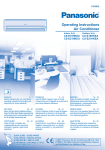
PRODUCT OVERVIEW
■ About
Remote Control Preparation
1. Press and
pull out.
Air intake
Indoor Unit
Front panel
2. Insert AAA
or R03
batteries.
Auto OFF/
ON button
Air filter
3. Press CLOCK.
Airflow
direction
louver
4. Press to
set time.
Receiver
Ionizer
5. Press again.
Do not
touch during
operation
Discharged air
6. Close the cover.
• Timer operation will be based on
current time set.
• The batteries can be used for
approximately 1 year.
Outdoor Unit
Air inlet (rear)
Remote Control Signal
• Make sure it is not obstructed.
• Maximum distances: 10m.
Air inlet (side)
• Certain fluorescent lights may
interfere with signal transmission.
Please consult your nearest dealer.
Auto OFF/ON Button
Action
Press once
Mode
Indicator
Air outlet
Remote Control
Transmitter
Automatic
COOL
Press and hold until
you hear one beep,
then release.
AUTO
Cooling
LCD display
AUTO
AUTO
FAN
Ion operation
• To turn off, press the AUTO OFF/
ON button again.
• To switch the remote control signal
receiving sound off or on.
1. Press until a single beep sound is
heard and release.
2. Press again until a double beep
sound is heard and release.
3. Press to switch the sound on or
off.
(Long beep - OFF; short beep
- ON)
4
TEMP
OFF/ON
Operation mode
MODE
Airflow direction
adjustment
Memory reset
QUIET
AIR SWIN
G
1
ON
POWERFUL
FAN SPEED
2
OFF
TIMER
RESET CL
OCK
3
SET
CANCEL
Temperature setting
Off/On
Quiet operation
Powerful operation
Fan speed selection
Timer setting
Clock setting