1
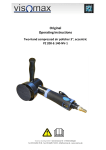
7. Operation 7.1 Notes on the operation ] Remove the setting tools before taking the compressed air tool into operation. A setting tool in a turning device part may cause injury. ] Wait until the compressed air tool has stopped before you put it down. ] Observe that self-adhering polishing pads are attached concentrically on the supporting disc. ] At interruption of the air supply or reduced operating pressure, switch off the compressed air tool. Check the operating pressure and restart at best operating pressure. ] Switch on the compressed air tool, put it onto the surface to be processed with the entire polishing surface and move it over the workpiece with moderate pressure. The polishing output and the polishing pattern are essentially determined by the choice of polishing pad, the pre-selected rotating speed and the press-on pressure. 7.2 Switching the pressure display on/off (only PZ 100-A-15-NV-1) 1 2 3 Button ON Unit Display Switching on: Push the button ON and keep it pushed for approx. 2 seconds until the display appears. Repeated short pushing of the button ON permits setting of the desired unit. The currently chosen setting is displayed by a bar in the display below the unit. Deactivation: Push the button ON and keep it pushed for approx. 2 seconds until the display goes out. DE Visomax Coating GmbH - Sonnenstrasse 55 - D-97225 Zellingen Fon 0 93 64/81 76 00 - Fax 0 93 64/81 76 029 - [email protected] - www.visomax.de 21