1
FUTURE-CENTRAL-CONTROL (FCC)
Operating instructions
Specifications
Current supply
7 – 18 Volt AC or 10 – 25 Volt DC
FCC works with every common model railroad transformer, yet we recommend a notebook power supply,
because it is stabilized and supplies sufficient power (max. 4.75 A).
Doehler & Haass offers for that purpose the specifically tested power supply PWR-100W with a slide switch
for voltages from 12 to 24 Volt DC.
Output current
Continuous output track (thermal shutdown, time constant about 1 sec.)
Continuous output bus (thermal shutdown, time constant about 1 sec.)
Peak current
(max. 1 sec.)
max. 2.5 A
max. 1.5 A
max. 6.0 A
System formats
FCC central unit permits operating of locomotive decoders for following system formats:
System name
SelecTRIX 1
SelecTRIX 2
DCC short addresses
DCC short addresses
DCC short addresses
DCC long addresses
DCC long addresses
DCC long addresses
Märklin Motorola old
Märklin Motorola new
Address range
111
9999
127
127
127
9999
9999
9999
255
255
Speed steps
31
127
14
28
126
14
28
126
14
14
functions
1
16
16
16
16
16
16
16
0
4
103 locomotives can be simultaneously operated with SelecTRIX 1 and also 32 locomotives with any other
system formats. Just driving locomotives are counted among the 32 ones.
D&H / FCC Operating instructions
Version 03/2014 (12.03.2014)
Page 1 / 7
Converting the system format can take place for instance:
•
•
•
•
•
with D&H FCC-control program (http://doehler-haass.de > Produkte > Software > FCC)
with the ST-Train light program distributed by MTTM
with TRIX Mobile Station 1 (MS1)
with “Control handy” (with D&H exchange processor)
with “Lok-Control 2000” (with D&H exchange processor)
Factory made setting: SelecTRIX 1
Connections
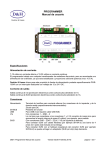
FCC can be connected with all devices with SX-Bus, as well as with all boosters and power-packs with
PX-Bus.
Front
•
•
•
Current supply by clips or low voltage socket
Side track by clips
Socket board (reserved for assembly only!)
Socket Board
Track Connector
Current Supply
LED
1
LED
2
Updatebutton
LED LED LED
3
4
5
LED LED
6
7
Back
•
•
•
•
•
USB-socket for computer connection (USB-cable A/B required)
5-pin DIN-socket for SX-Bus 1 (for driving, switching und return signal)
5-pin DIN-socket for SX-Bus 0 (data signals for track (driving) + switching/return signal)
8-pin Mini-DIN-socket for TRIX Mobile Station 1 (connected with SX-Bus 0 and PX-Bus)
5-pin DIN-socket for power-bus (PX-Bus for booster)
USB
SX-Bus 1
SX-Bus 0
MobileStation
Booster
PX-Bus
Indicators
LED1
LED2
LED3
LED4
Current supply
Track power
Normal operation
Update indicator 1
LED5
LED6
LED7
Update indicator 2
Data to PC
Data from PC
D&H / FCC Operating instructions
lights up when supply power is applied
lights up when FCC (traction current) is on
flashes when in normal operation (see page 3 above)
flashes when in normal operation (see page 3 above)
flashes during decoder-update
lights up when updating (device connected with SX-Bus or FCC)
flashes during PC-communication
flashes during PC-communication
Version 03/2014 (12.03.2014)
Page 2 / 7
Setting of operating mode "Status-LED"
In the factory made setting FCC indicates SX-Bus-activities (block-refresh rate) by flashing LED3.
This setting can be changed by writing one of the following values in CV07 by DCC-programming mode:
0
1
2
3
4
5
6
7
Cutout out, no LED on
Cutout out, bus clock-LED on
Cutout out, track clock-LED on
Cutout out, bus- and track clock-LED on
Cutout on, no LED on
Cutout on, bus clock-LED on
Cutout on, track clock-LED on
Cutout on, bus- and track clock-LED on
LED3
LED4
LED3 + LED4
LED3
LED4
LED3 + LED4
After DCC-commands a cutout can now optionally be activated. The cutout fits then as well the track port of
the FCC as the PX-Bus-port. Many power-packs/booster are also able to pass the cutout from PX-Bus to the
track signal.
This enables the connection of specific address displays which for instance display the addresses of driving
DCC-locos with activated bidirectional communication (loco address checkback signal in DCC-service,
RailCom®).
Advice:
Programming FCC over CV07 affects no locomotives standing on track!
Operating element update-button
Push button for updating FCC or D&H-locomotive decoders
Programs for FCC
To operate FCC comfortably by PC, D&H has developed a control program with following options:
•
•
Programming of locomotive decoders, controlling any number of locos, function output on bus
Program for updating all D&H developed devices and locomotive decoders (except sound modules).
Programs are downloaded as ZIP-files from D&H-website - unzipped files are copied in any directory.
Programs are available after connecting FCC to PC by a USB-cable.
FCC control programs
FCC-control program is available for download, click on:
http://doehler-haass.de > Produkte > Software > FCC
After extracting the ZIP-file the system format is chosen by clicking on:
File > Format SX1 (continuing circuit in a loop):
/ only SX1 / SX1 + SX2 / SX* DCC / DCC / SX* MM / MM / SX* DCC* MM / only SX1 /… (etc.)
Controlling one or several locomotives is carried out by:
View > New loco > Selecting system format and loco address > OKAY
D&H / FCC Operating instructions
Version 03/2014 (12.03.2014)
Page 3 / 7
>
Data for just one locomotive can be entered. The system format of the locomotive has to match the central
unit`s system format. Otherwise you get the advice: "System error: The loco could not have been requested
because already 32 locos have been requested."
Functions at control bus SX-Bus 0 or additional bus SX-Bus 1 are called by:
View > SX-BUS 0 > Double-click requested address.
D&H / FCC Operating instructions
Version 03/2014 (12.03.2014)
Page 4 / 7
Locomotive decoder - programming
Programming is carried out by: View > Loco decoder programming
Decoder can be programmed in system formats SX1 / SX2 / DCC.
System formats SX2 and DCC offer the option to readout all parameter/CVs in one single operation, by
clicking the green hook. After readout values can be listed under ***-List – File / or save. They can also be
backed up and loaded again.
Update options
Updating FCC
We generally recommend internet-download. In case of model railroad-PC is not connected with the internet,
it is possible to use another PC for backing up the update-file from the internet on a USB flash drive. Now the
file can be opened with the command open file.
The update-program can be downloaded under:
http://doehler-haass.de > Produkte > Software > Update
After extracting the zip-file selection can be made over: Digital system / Devices > Future-Central-Control
After the file has been loaded FCC will be switched from normal mode to update mode by pushing the
update-button for approximately 1.5 sec. Updating starts automatically and lasts about 3 sec.
D&H / FCC Operating instructions
Version 03/2014 (12.03.2014)
Page 5 / 7
Updating other devices
With the update-program by using FCC can presently be updated following D&H developed digital system
devices up to the latest software version:
•
•
•
•
X2X-Box
Belegtmelder
Funktionsdecoder
TRIX Mobile Station 1 (MS1)
How to set the chosen device into update-mode you can learn from the appropriate device instruction
manual.
Updating locomotive decoder
Decoder capable for update:
Decoder not capable for update:
DHxx, DHPxxx und FHxx
DHFxxx, DHLxxx und DHSxxx
Advice:
If the decoder is equipped with a buffering, it could happen that updating does not work. That depends on
the type of the decoder, on the buffering and on the connection mode. In case of doubt it is advisable to
remove buffering before updating.
Updating will be initiated by: Loco decoder > Select decoder (e.g. DH10C) > Internet-download > Select
xx.HEX > Double-click
File is now saved in FCC and can be used over and over also without PC. Use now the update-button until
LED4 lights permanently. Updating starts automatically.
Loading decoder software backed up in FCC in another decoder without PC, program mode has to be called
at first by a manual control unit, before update-button will be activated!
>
D&H / FCC Operating instructions
Version 03/2014 (12.03.2014)
Page 6 / 7
Keep operating instruction for later use!
For this item we grant two years warranty.
Super-Soft-Drive (SSD)® is a registered trademark of the company Doehler & Haass GmbH & Co. KG,
D-81249 München
SelecTRIX® is a registered trademark of the company Gebr. Märklin & Cie. GmbH,
D-73033 Göppingen
RailCom® is a registered trademark of the company Lenz Elektronik GmbH, D-35398 Gießen
© 2014 All rights reserved. It is not allowed to use, to duplicate or to distribute this manual or parts of it for
any purposes, independent of which way and means distribution takes place electronically or mechanically,
without explicit and written permission of the author.
This product must not be disposed at the end of its service life in normal household
waste. Please use the recycling depot of your community.
Nicht geeignet für Kinder unter 14 Jahren.
Not suitable for children under 14 years.
Ne convient pas aux enfants en dessous de 14 ans.
Doehler & Haass GmbH & Co. KG
Eichelhäherstraße 54
D-81249 München
Germany
www.doehler-haass.de
D&H / FCC Operating instructions
Version 03/2014 (12.03.2014)
Page 7 / 7