1
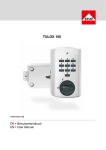
Operating Instructions - summary 82132 Code-Combi B
1 Working instructions
These instructions serve to impart the first basic functions. They do not replace the
complete operating instructions. If during the operation signals are shown which are
not described in these instructions, please consult the complete operating instructions.
!
Please keep the revision key at a safe place, but not in the same safe. If the numeric
code is not available or the electronic function is not possible, the key allows a purely
mechanical opening. If the lock is opened, the key also makes an alteration of opening
code (primary code) possible in case the opening code is not available anymore.
!
2 Signals and what they mean
Combined fitting with lever handle:
Plastic input unit:
green LED
bar handle
Aluminium input unit:
red LED
bar handle
Combined fitting with hinged handle:
combined green/red LED
bar handle
hinged handle
(safe handle)
lever handle
(safe handle)
bar handle
Fig. 1: Input units
Symbol
1x
3x
10 x
1, 2, 4, 8
or 16
minutes
3x
/
/
Signal
Green LED flashes once
Green LED remains lit up
Red LED flashes 3 times
Red LED flashes 10 times
after ON button pressed
Red LED flashes every second for
1, 2, 4, 8 or 16 minutes after 3 or
more incorrect code entries
Red LED flashes every 5 seconds
Red and green LED flash
alternately 3 times
Meaning
Valid 6-digit code entered
Lock is ready for programming
Misentry
Insufficient voltage of the battery
Lock is in blocked status
Lock is in time delay status
Lock was last opened with another code
Red and green LED flash
accompanied by an acoustic signal
Plastic control unit:
cover plate removed for key opening
Aluminium control unit:
battery compartment lid was opened to
change batteries or attempt to tamper with
lock (dismantling of the input unit)
Green LED flashes every 5
seconds accompanied by an
acoustic signal
Lock is in opening window status
Revision level 02.05.2007
Page 1/3
Operating Instructions - summary 82132 Code-Combi B
1x
Acoustic signal sounds once
2x
Acoustic signal sounds 2 times
3x
Acoustic signal sounds 3 times
E.g. end of opening window period
E.g. during programming new 6-digit code
entered
E.g. during programming invalid 6-digit
code entered
3 Opening
With works code “123456”
Press ON
Enter works code
1)
2)
3)
Within 4 seconds turn bar handle
clockwise until stop position is
reached
With personal code “******”
Press ON
Enter personal primary or secondary
code
Within 4 seconds turn bar handle
clockwise until stop position is
reached
1x
!
The lock is set at the works code 1 2 3 4 5 6 when supplied. Alter this immediately to
your own personal code for security reasons. Do not use any personal or other
similarly well known data (for example birthdays) when selecting this code.
!
In conjunction with a bolt work: after the lock has been opened 1, the
mechanic of the bolt work must be opened 2. Therefore the corresponding
safe handle must be used.
1
2
4 Alteration of primary code
!
1)
2)
3)
4)
5)
6)
7)
The lock should only be programmed with the lock and safe opened. The newly
programmed code should be tested at least twice with the safe opened.
Alteration of works code to
personal primary code
Open the lock with the works code
(see 3 or complete operating
instructions 4.1.1)
Press ON
Press P
Enter the works code “123456”
Enter new 6-digit primary code
Enter new 6-digit primary code
again
Test newly programmed primary
code by locking and opening once
more
Alteration of personal primary
code
Open the lock with the personal
primary code (see 3 or complete
operating instructions 4.1.1)
Press ON
Press P
Enter personal primary code “******”
Enter new 6-digit primary code
Enter new 6-digit primary code
again
Test newly programmed primary
code by locking and opening once
more
/2x
1x
Revision level 02.05.2007
Page 2/3
Operating Instructions - summary 82132 Code-Combi B
5 Switching on of secondary code
1)
Open lock with valid 6-digit primary code (see 3 or complete operating
instructions 4.1.1)
Press ON
Press P
Enter valid 6-digit primary code
Press P
Press 3
Enter new 6-digit secondary code
Enter new 6-digit secondary code again
Test newly programmed secondary code by locking and opening once
more
2)
3)
4)
5)
6)
7)
8)
9)
/2x
1x
6 Cancellation of secondary code
1)
Open lock with valid 6-digit primary code (see 3 or complete operating
instructions 4.1.1)
Press ON
Press P
Enter valid 6-digit primary code
Press P
Press 0
2)
3)
4)
5)
6)
1x
By pressing the key combination P and 0 all the functions programmed (secondary code, dual
code, time delay and opening window) are deleted.
7 Locking
In conjunction with a bolt work: after the door has been closed, the bolt work must
be blocked 1 and the lock must be closed 2.
2
1
1)
Turn bar handle counter clockwise until stop position reached
!
For further functions and important points, please have a look at the complete
operating instructions.
Revision level 02.05.2007
Page 3/3