1
Submenu – Lock / PIN (except ZB version)
When you call up the menu "Lock / PIN", you are prompted to enter the
PIN. The PIN consists of 4 digits. In the state when delivered, the PIN is
"0 0 0 0".
If you change the PIN, don´t forget the new PIN. Forgetting the PIN
is the equivalent of losing a key. If you forget the PIN, please
contact our technical support.
Technical support in Germany, located in Mülheim an der Ruhr:
Telephone 0208 82 68 102
Fax
0208 82 68 377
e-mail
[email protected]
From outside of Germany, please prefix the country code:
Telephone +49 208 82 68 102
Fax
+49 208 82 68 377
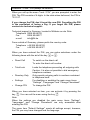
When you have entered the PIN, you can make selections under the
following items with the aid of the key
• Direct Call
or
:
To switch on the direct call
To enter the direct call number
• Total Lock
Locks the telephone preventing all outgoing calls
Caution: It is also not possible to dial emergency
telephone numbers
• Directory Only
Only permits outgoing calls to numbers contained
in telephone book
• Settings
For disabling or enabling the main menu items
“Settings”, “Languages” and “Change Phonebook”
• Change PIN
To change the PIN
When you have selected an item, you can activate it by pressing the
key
. You can exit the menu using the key
.
Note:
When the settings are disabled the main menu items “Settings”,
“Languages” and “Change Phonebook” are only accessible after
entering the PIN.
The menu item "Default Settings" resets all settings except, however,
the PIN you may have changed and the language.
25