1
Connecting a headset (optional accessory)
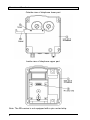
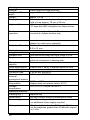
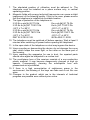
Remove the sealing plug (6) and tighten the M20x1.5 cable gland
cap. Guide the specially-manufactured wire with the headset socket
(included in the delivery of the headset) through the cable screw cap
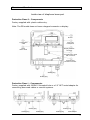
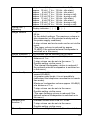
and place it on the terminals 5 through 10 (HSM+, HSM-, HSR+,
HSR-, HSS1, HSS2) in accordance with the connection diagram.
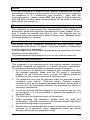
Only the wire included in the delivery for the headset should be used
because otherwise the IP66 housing protection standard is not
guaranteed.
Connecting a second earpiece (optional accessory)
Remove the sealing plug (6) and tighten the M20x1.5 cable gland
cap. Insert the wire of the second earpiece and place it on the
terminals 7 and 8 (HSR+, HSR-) in accordance with the connection
diagram.
Prior to assembly, check cover seal for tightness.
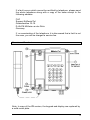
Using the plug connector (7), plug the ribbon cable onto the pin contact
strip (8) in the upper part of the housing.
Attach the upper part of the telephone and fasten it to the lower part of
the telephone with the four cover screws (2).
Upon disassembly of optional accessories, suited blind plugs must be
used to close the resulting openings.
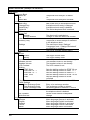
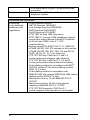
Connection diagram
17