1
Network Configuration
Wireless, Wireless Plus, and Internal Wireless Plus Print Servers
Wireless, Wireless Plus, and Internal Wireless Plus
Print Servers
This section provides details on working with a wireless print server.
Configuration
You can configure the Wireless Print Server for use with your printer running APL-I firmware
using DHCP, SGD, or Telnet.
Important • For more detailed information on wireless print servers, see the ZebraNet®
Wireless User Guide.
Supported Protocols
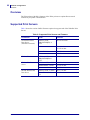
All network features described in the Wireless User Guide are supported with
APL-I firmware except:
• APL-I is not a ZebraLink enabled firmware.
• The ZebraLink Alerts are not supported.
• FTP, POP3, SMTP, and SNMP are not supported.
• Mirroring is not supported.
• No web pages are supported.
Defaulting the Wireless PS
You can default the Wireless Print Server to factory settings using the default network menu
on the printer’s control panel. For more information, see the specific wireless user guide.
11/24/09
APL-I Reference Guide
14177L-003
93