1
Safety Information
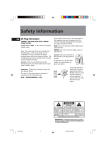
CAUTION!
Invisible laser radiation when open. Avoid exposure
to beam. Class 1 laser product. This system must be
opened only by qualified technicians to prevent
accidents caused by the laser beam.
LASER λ = 780 nm, P max = 5 mW
Rating Information: At bottom of the unit
this unit comply with the existing requirements
In accordance with the rating plate
of the unit, this unit complies with
current standards concerning
electrical safety and electromagnetlc
compatibillity.
CAUTION – INVISIBLE LASER RADIATION
WHEN OPEN AND INTERLOCKS FAILED OR
DEFEATED. AVOID EXPOSURE TO BEAM.
ATTENTION – RAYONNEMENT LASER INVISIBLE
DANGEREUX EN CAS D'OUVERTURE ET LORSQUE
LA SECURITE EST NEUTRALISEE.
EXPOSITION DANGEREUSE AU FAISCEAU.
ADVARSEL!
USYNLIG LASERSTRĀLING, NĀR ENHEDEN ER ĀBEN
OG SIKKERHEDSAFBRYDERNE ER UDE AF
FUNKTION ELLER OMGĀET. UNDGĀ EKSPONERING
FOR STRĀLEN.
VORSICHT!
UNSICHTBARE LASERSTRAHLUNG BEI GEÖFFNETER
ABDECKUNG, FALLS SICHERHEITS-VERRIEGELUNG NICHT
EINGERASTET IST ODER WENN SIE BEEINTRÄCHTIG
IST. SETZEN SIE SICH NICHT DEM LASERSTRAHL AUS!
Please respect the environment.
Before throwing any batteries away,
consult your distributor who may be
able to take them back for specific
recycling.
CLASS 1 LASER PRODUCT
LASER KLASSE 1
LASERAPPARAT AV KLASS 1
AREIL A LASER DE CLASSE 1
LUOKAN 1 LASERLAITE
LASERPRODUKT AF KLASSE 1
VARNING!
OSYNLIG LASERSTRĀLNING NÄR DENNA
DEL ÄR ÖPPNAD OCH SPÄRRARNA ÄR
URKOPPLADE. TITTA EJ IN I STRĀLEN.
VARO
AVATTAESSA JA OHITETTAESSA SUOJALUKITUS
OLET ALTTIINA NÄKYMÄTTÖMÄLLE
LASERSÄTEILYLLE. ÄLÄ KATSO SÄTEESEEN.
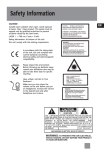
CAUTION
RISK OF ELECTRIC SHOCK
DO NOT OPEN
THE LIGHTNING
FLASH AND ARROWHEAD WITHIN THE
TRIANGLE IS A
WA R N I N G S I G N
ALERTING YOU OF
"DANGEROUS
VOLTAGE" INSIDE
THE PRODUCT.
CAUTION: TO REDUCE THE
RISK OF ELECTRIC SHOCK,
DO NOT REMOVE COVER
(OR BACK). NO USERS E RV I C E A B L E PA R T S I N S I D E . R E F E R S E RV I C I N G
TO QUALIFIED SERVICE
PERSONNEL.
THE EXCLAMATION
POINT WITHIN THE
TRIANGLE IS A
WARNING
SIGN
ALERTING YOU OF
I M P O R TA N T
INSTRUCTIONS
A C C O M PA N Y I N G
T H E P R O D U C T.
SEE MARKING ON BOTTOM / BACK OF PRODUCT
WARNING: TO PREVENT FIRE OR ELECTRICAL
SHOCK HAZARD, DO NOT EXPOSE THIS PRODUCT
TO RAIN OR MOISTURE.
TM9237 EN
1
6/24/05, 5:36 PM
EN
Contents
EN
General controls
Safety information
CD player ............................................... 4
Before you begin ................................. 1
Tape player ........................................... 5
General controls ................................... 2
Troubleshooting tips ............................ 6
Display ................................................... 3
Maintenance ......................................... 7
EN
LEVEL
M
N
I
.
Radio ..................................................... 3
More Information ................................. 8
VO
LU M E M A X
.
LW
FM
MW
106
(OFF)
TAPE
1400
24
RADIO
CD
104
BAND
MW
FM
120
22
O
< TUNING >
108
25 170
SELECT
100
20 100
- ON
FF
80
18
16
60
kH
97
93
88
x10z
S
DBB
MH
AT
MI
PE
RE
CLOSE
.
OG
PR
Before you begin
EN
TRACK
Useful Advice
Battery Power
Do not use your system immediately after
transporting it from a cold place to a warm
place, as condensation may cause the system to
malfunction. If moisture forms inside this
system, it may not operate properly. To correct
the problem, turn off the power and wait about
30 minutes for moisture to evaporate
You can insert 6 D-sized
alkaline batteries (not
supplied) and you can take
your stereo just about
anywhere. Open the battery
compartment door on the
back of the unit by pressing
down on the arrow and pulling out the cover.
Insert batteries in the battery compartment.(See
diagram)
Never leave the tray open as dust could cover
the laser lens and/or the tray could be bumped
into accidentally
Do not place the system near wet areas such as
bathrooms and pool side. Avoid storing the
system at humid places or near abnormally
heated areas.
Power is continuously supplied to the system. To
disconnect power completely, unplug the power
cord from the power outlet.
Ensure minimum distance around the apparatus
for sufficient ventilation.The ventilation should
not be impeded by covering the ventilation
openings with items, such as newspaper, etc.
No naked flame source, such as lighted candles,
should be placed on the apparatus.
Attention should be paid to enviornment
aspects of battery disposal.
The apparatus shall not be exposed to dripping
or splashing and that no objects filled with
liquids, such as vases, shall be placed on the
apparatus.
MIN. VOLUME MAX.
PLAY
PAUSE
F.FWD
REW
PLAY
REC.
— increases or decreases output volume
DBBS – turns on/ off digital bass boost system
REPEAT – repeats one track or entire disc playback
PROG. – enters program mode for CD playing
TRACK
– searches / skips CD track forward or backward
PLAY PAUSE – starts or pauses CD play
STOP – stops CD playback
OPEN
Note that the AC line cord must be
unplugged from the jack on the back of
the unit to operate on batteries.
STOP/EJ.
SELECT – selects among TAPE (OFF), RADIO and CD mode
– opens the CD compartment door
MIX– plays CD tracks randomly
CLOSE – push to close the disc compartment door
BAND – selects between MW/FM band
< TUNING > – rotate to search for radio stations
Important
Important:
Be sure to remove batteries when
storing the set for more than 30 days.
Leaky batteries can badly damage the
system. Always return tape operatioin buttons to
their off position before storing. This will relieve
pressure on certain parts in the tape recorder that
might deform after long periods of time. Be sure
to dispose of leaky, weak or dead batteries
properly according to federal, state, and local
regulations. To prevent injury or damage, do not
reverse batteries and do not mix battery type.
Cassette Player
PAUSE
STOP/EJ.
F.FWD
REW
PLAY
REC.
PAUSE – pauses tape playback or recording
STOP/ EJ. – stops tape playback, winding or recording, opens cassette door
F. FWD/ REW – winds tape forward or backward
PLAY – starts tape playback
REC – starts tape recording
1
TM9237 EN
PORTABLE CD PLAYER
RADIO CASSETTE RECORDER
CD MULTIFUNCTION DISPLAY
PAUSE
This system is fitted with a laser. To avoid
accidents, it is to be opened by qualified
technicians only.
z
X
OP
STOP
2
2-3
6/24/05, 5:36 PM
CD player
Display
EN
Playing disc
Program mode
SELECT
Random Playback
EN
(OFF)
PROG.
Track number (shows during
disc playback)
Mix play
This unit is compatible with audio CD-R
discs.
TAPE
RADIO
CD
1. Selects CD from the SELECT switch.
REPEAT 1
ALL
Repeat mode (REPEAT 1 - repeat
current track, REPEAT ALL - repeat
entire disc)
2. Press OPEN
door.
to open disc compartment
3. Insert a disc with label face up.
4. Push CLOSE to close disc compartment door.
Total number of track on disc can be read
from display.
Radio
5. Press PLAY/PAUSE to begin CD playback.
Tuning to a station
SELECT
(OFF)
1. Select RADIO from the SELECT
switch.
4. Adjust MIN. VOLUME MAX. to your desired
listening level.
TAPE
RADIO
CD
2. Slide BAND to select between MW/FM band.
3. Rotate < TUNING > to select radio station.
Tip
Tip:
Extend or reposition the antenna for
better FM reception. Move the unit
for better MW receptions
6. Press
or
to skip to previous
or next track respectively.
7. Press and hold
or
to
search quickly current track backward or
forward respectively.
8. Adjust MIN. VOLUME MAX. to your desired
listening level.
9. Press PLAY/PAUSE or STOP to pause or stop
disc playback respectively. To resume
playback, press PLAY/PAUSE again.
During playback, press
randomly.
to play tracks
In stop mode, press
to activate random
function and press PLAY/PAUSE
to
begin random playback.
The
icon appears on display when random
playback is activated.
Press
again for de-selection.
Programming
1. Press PROG. to enter program mode. The
program location will flash once on the
display. Then the track number stored in the
memory location will keep flashing.
If the memory location is empty, 00 will be
flashing.
2. Press
or
to select the track
you want to program.
3. Press PROG. again to confirm your selection
and access the next program location.
Repeating
4. Repeat steps 2 to 3 to program to a
maximum of 20 tracks.
Press REPEAT once to repeat current track and
REPEAT 1 icon shows on display.
5. Press PLAY/PAUSE
in program mode to
start program playback (PROG. indicator
remains lit on the display).
Press STOP
to return to normal playback
mode.
Press REPEAT twice to repeat entire disc and
REPEAT ALL icon shows on display.
Press REPEAT a third time to turn off repeat
mode.
Tip
Tip:
Note
Note:
When random playback is
activated, only Repeat All can be
selected.
If you are in normal playback mode
but want to play the saved program.
Press PROG. and then PLAY
PLAY.
Clearing program list
Your program will be erased once you open the
disc compartment door or change to another
source mode (e.g. radio, tape).
3
TM9237 EN
4
4-5
6/24/05, 5:36 PM
Tape player
EN
Troubleshooting tips
Playing a tape
SELECT
1. Select TAPE from the SELECT switch.
(OFF)
TAPE
RADIO
CD
2. Press STOP/EJ. to open the tape
deck door.
3. Insert a tape into the door and push the
door closed.
4. Press REW or F.FWD. to wind the tape to the
desired starting position. Press STOP/EJ. to
stop winding.
5. Press PLAY to start playback, PAUSE to
pause playback (release the button to
resume playback) and STOP/EJ. to stop
playback.
Recording to tape
From radio
4. Tune to the station to be recorded.
Problem
Solution
5. Press REC and PLAY together to begin
recording.
System doesn’t turn on
• Unplug the unit for a moment, and then plug it back in.
• Check the outlet by plugging in another device
6. Press PAUSE or STOP to pause or stop
recording respectively.
No sound
• Adjust volume setting.
• Make sure you’ve selected the correct function
From CD
Poor radio reception
• Adjust the antenna for better reception
• Try turning off electrical appliances near the unit, such as hair dryers,
vacuum cleaners, or fluorescent lights
CD doesn’t play
• Make sure you’ve put a CD in the tray
• Make sure the CD’s label is facing up
• Try another CD
• Make sure that Pause mode is not activated
• Make sure CD function is selected
CD sound skips
• Clean the CD (as explained in “Maintenance”)
• Check CD for warping, scratches, or other damage
• Check for vibration or shock that may affect the unit; move the set if necessary.
1. Insert a tape into the deck.
EN
2. Select CD from the SELECT switch.
3. Insert the disc to be recorded.
4. Select the track or program to be recorded.
5. Press REC and PLAY together to begin
recording.
6. Play the track or program to be recorded.
7. Press PAUSE or STOP to pause or stop
recording respectively.
1. Insert a tape into the deck.
2. Select RADIO from the SELECT selector.
3. Slide BAND to access the desired radio band.
ESD Remarks:
In case of malfunction due to electrostatic discharge, just reset the unit (reconnecting the power supply
may be required) to resume normal operation.
Tip
Tip:
For better recording quality, use
normal bias tape (Type I) only.
The descriptions and characteristics in this owner’s manual are for the purpose of general reference only and not as a
guarantee. In order to provide you with the highest quality product, we may make changes or modifications without
prior notice. The English version serves as the final reference on all product and operational details should any
discrepancies arise in other languages.
5
TM9237 EN
6
6-7
6/24/05, 5:36 PM
Maintenance
Cleaning the exterior
• Disconnect the system from AC power
before cleaning the exterior of the unit with
a soft dust cloth
• Clean the exterior with a soft clean cloth or
slightly moistened chamois leather. DO NOT
use solvents as it may cause damage to the
unit.
Handling CDs
• Do not touch the signal surfaces. Hold CDs
by the edges, or by one edge and the hole.
Notes on CD-R/ CD-RW Disc
• CD-R discs that are recorded using personal
computers or other CD-R recorders may not
be played on this unit due to the difference
in recording platforms.
• Do not affix any type of labels to either side
(recordable or labeled side) of a CD-R disc as
this may result in the disc malfunctioning.
• To avoid damages to the CD-R disc, do not
open the disc compartment door while the
disc is being read. This may take more then
30 seconds.
• Do not affix labels or adhesive tapes to the
label surfaces. Do not scratch or damage the
label.
• Do not load an unrecorded CD-R disc into
the unit.
• CDs rotate at high speeds inside the player.
Do not use damaged (cracked or warped)
CDs
Cassettes
• Make sure CDs are stored in their original
case after use. Keep them away from damp,
humid or abnormally heated places.
• To protect your recordings from accidental
erasure on one or both sides of your
cassette, snap out the tab at the top of the
cassette. If you decide later to record on the
tape, seal the hole with a piece of adhesive
tape. (Refer to diagram on the right)
Cleaning CDs
A
CD Lens Care
• When your CD lens gets dirty it can also
cause the system to output poor sound
quality. To clean the lens you will need to
purchase a CD lens cleaner which can
maintain the output sound quality of your
system. For instructions on cleaning the CD
lens, refer to the ones accompanying the
lens cleaner.
60
• Do not use record cleaning sprays or
antistatic agents on CDs. Also, never clean
CDs with benzene, thinner, or other volatile
solvents which may cause damage to disc
surface.
A
• If a CD becomes dirty, wet a soft cloth in
water, wring it out well, wipe the dirt away
gently, and then remove any water drops
with a dry cloth.
A
• Dirty CDs can cause poor sound quality.
Always keep CDs clean by wiping them
gently with a soft cloth from the inner edge
toward the outer perimeter.
A
EN
More information
• Quit Slacking - A little bit of
slack in your tapes can cause
scratches on the tape, or worse
yet, the tape could break. If you
notice some slack in the tape,
use a pencil to tighten it up before you
insert it.
A
Safety Precautions
• Never open the cabinet under any
circumstances. Any repairs or internal
adjustments should be made only by a trained
technician.
• Never operate this product with the cabinet
removed.
• Do not use your System immediately after
transporting it from a cold place to a warm
place, as condensation may cause the system
to malfunction.
• Keep your unit away from humid areas and
abnormally hot places.
• Do not touch the player with wet hands. If
any liquid enters the player cabinet, take the
player to a trained technician for inspection.
• This compact disc player uses a laser to read
the music on the disc. The laser mechanism
corresponds to the cartridge and stylus of a
record player. Although this product
incorporates a laser pick-up lens, it is
completely safe when operated according to
directions.
• Discs rotate at high speed inside the player.
Do not use damaged, warped, or cracked
discs.
• Do not touch the pick-up lens which is located
inside the disc compartment. To keep dust
from collecting on the pick-up lens, do not
leave the compartment door open for an
extended period of time. If the lens becomes
dirty, clean it with a soft brush, or use an air
blower brush designed for camera lenses.
• The apparatus shall not be exposed to
dripping and splashing.
Important Battery
Information
• Remove the batteries to avoid leakage if you
do not use your system for more than one
month.
• Discard leaky batteries immediately as leaking
batteries may cause skin burns or other
personal injuries. Dispose of batteries in the
proper manner, according to provincial and
local regulations.
• Any battery may leak electrolyte under the
following circumstances:
- if mixed with a different battery type,
- if inserted incorrectly,
7
TM9237 EN
- if all batteries are not replaced at the same
time,
- if disposed of in fire, or
- if an attempt is made to charge a battery
not intended to be recharged
Don’t Infringe
This product should only be used for the
purposes for which it is sold, that is,
entertainment, violating no copyright law. Any
attempts to use this product for which it is not
intended is unlawful and therefore not
condoned by Thomson.
Your THOMSON product is
designed and manufactured
with high quality materials and
components which can be
recycled and reused.
This symbol means that electrical
and electronic equipment, at their end-of-life,
should be disposed of separately from your
household waste.
Please, dispose of this equipment at your local
community waste collection/recycling centre.
In the European Union there are separate
collection systems for
used electrical and electronic product.
Please, help us to conserve the environment we
live in!
Technical Specification
Power supply: 230V~50Hz
Dimensions (H x W x D mm):
Unit size - TM9237: 180 x 305 x275
Tape deck: Response curve: 125Hz-8kHz (-5dB)
CD player: Response curve (+/- 2dB): 60Hz to
20 kHz
Rating Plate: Look for it at the bottom of the
set.
8
8-9
6/24/05, 5:36 PM
EN