1
CS580 EN
6/10/04
2:25 PM
Page 27
CD and mp3 Playback
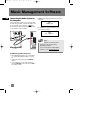
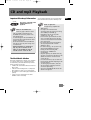
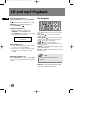
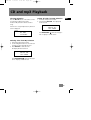
For a SmartTrax CD, when you enter into one of
the folders in the root directory, the
corresponding icon lights on the left side of the
title to show your location. For example, if you
enter into the Artist category, the ARTIST icon
will light.
If you press RIGHT / ENTER
to enter further
into a folder where all the songs are listed, Song
icon will light.
EN
SmartTrax
SONG
ARTIST1 S1
ARTIST1 S2
SmartTrax
ARTIST
ARTIST1
ARTIST2
SMART TRAX
HOME DIRECTORY
Press ENTER/RIGHT
to enter selected
category.
Press ENTER/RIGHT
to enter category
in Home Directory.
SmartTrax
SmartTrax
ARTIST
GENRE
Press DOWN
down the list.
SmartTrax
ARTIST
Press BACK/LEFT
to return to Home
Directory.
ARTIST1
ARTIST2
Press BACK/LEFT
to return to previous
menu level.
SONG
Press PLAY/PAUSE
to play all songs in
Artist category starting
from the first title.
to move
SmartTrax
ALBUM
SONG
Press PLAY/PAUSE
to play all folders in
Album category
starting with the
first album.
SmartTrax
SmartTrax
SONG
0:08
ALBUM 1-1
SONG
0:08
ARTIST1-1
Press CD INFO repeatedly
to view track details.
Continue to press DOWN
and it will go back
to the top of the menu.
SmartTrax
ARTIST1-1
ARTIST1-2
SmartTrax
ARTIST
GENRE
ARTIST
0:08
ARTIST1-1
Press CD INFO repeatedly
to view track details.
SmartTrax
ALBUM
0:08
ALBUM 1
22