1
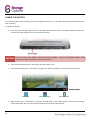
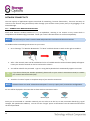
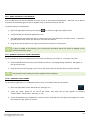
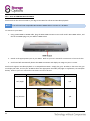
CHARGE THE BATTERY It is recommended to fully charge Scroll Excel overnight before first use. This will help prolong the useful life of the built-in battery. To charge the battery: Insert the mains charger plug into the 5V DC socket (located to the left of the USB socket) on Scroll Excel. Connect the mains adapter to a UK 3-pin electrical socket. CAUTION Do not use any mains adapter other than the one supplied. Using an incompatible adapter could damage the tablet and poses the potential risk of fire. If Scroll Excel is powered off, it will charge until the battery is full. If Scroll Excel is powered on, the battery charge status will be indicated on screen by the battery meter: Battery is full 10 Battery is discharging Battery is charging When Scroll Excel is connected to a computer via USB cable, it will “trickle charge”; the battery will charge via the USB socket, but at a much slower rate than via the DC 5V mains adapter.