1
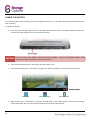
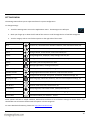
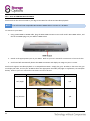
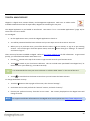
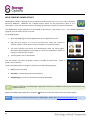
12.2 – APPLICATIONS & WIDGETS Applications: Applications provide expanded functionality to Scroll Excel. A selection of applications is pre-loaded onto your Scroll Excel tablet, and more can be downloaded from various websites. Applications usually take over the full screen when in use. You can use the physical “Home” and “Return” buttons to quit a full-screen application. Widgets: Widgets give enhanced functionality to Scroll Excel’s desktop by providing live updates such as news headlines, e-mail notifications, current time, and more. Some widgets are preinstalled, and others are installed along with their application counterparts. 12.3 – PRE-INSTALLED APPLICATIONS These applications are pre-installed on Scroll Excel: Adobe Flash® Advanced Task Killer Browser Calculator Calendar Camera Clock Downloads Email File Manager Gallery Hi-Q MP3 Recorder Music Scroll Apps Scroll Help Search Settings YouTube To access and launch the pre-installed applications, touch the Applications menu. icon on the Home screen to display the 12.4 – PRE-INSTALLED WIDGETS These widgets are pre-installed on Scroll Excel: Analog clock: Bookmark: Bookmarks: Calendar: Contact: Email: Displays a real time graphical analogue clock on the desktop Displays a single web page bookmark on the desktop Displays multiple web page bookmarks on the desktop in a group Displays upcoming appointments in your calendar Add one of your e-mail contacts to the desktop Shows real time updates to your e-mail inbox Please see http://www.android.com for more information about widgets. 17