1
English
12
#
Item
Description
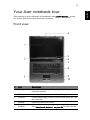
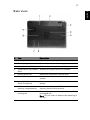
6
Power button
Turns the computer on and off.
7
Status
indicators
Light-Emitting Diodes (LEDs) that light up to show the
status of the computer's functions and components.
8
Keyboard
For entering data into your computer.
9
Touchpad
Touch-sensitive pointing device which functions like a
computer mouse.
10
Click buttons
(left, center
and right)
The left and right buttons function like the left and
right mouse buttons; the center button serves as a 4-way
scroll button.
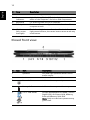
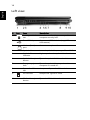
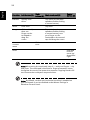
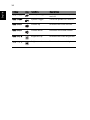
Closed front view
#
Item
Description
1
Icon
Speakers
Left and right speakers deliver stereo
audio output.
2
Latch
Locks and releases the lid.
3
Power indicator
Indicates the computer's power status.
4
Battery indicator
Indicates the computer's batttery status.
5
5-in-1 card reader
Accepts MultiMediaCard (MMC), Secure
Digital (SD), xD-Picture Card, Memory
Stick and Memory Stick PRO.
Note: Only one card can operate at any
given time.