1
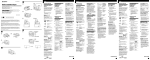
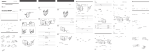
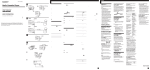
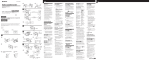
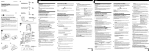
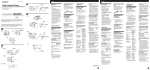
3-864-138-13(1) English D FX487 Radio Cassette Player Db œ œ HOLD Aa VOL Operating Instructions VOL VOL Bb n Dc WM-FX487/FX485/FX483 3 SET Sony Corporation © 1998 Printed in Malaysia MENU MENU M-FX485 © WM-FX483- WM-FX487 MODE ≥ 1 b REW The instructions in this manual are for WM-FX487, WM-FX485 and WM-FX483. Before you start reading, check your model number. WM-FX487 is the model used for illustration purposes. Any differences in operation are clearly indicated in the text, for example, “FX487 only”. 2 µ FF FF œ To remove the belt clip (see Fig. B-a) Display L Dc p a p NR° SET ¡ Note 30 DOLBY Da œ p 1 EIAJ* REW c A b a FX485 FX483 24 38 2 1 MODE 2 HOLD HOLD FX487 MODE aNR 3 MENU¡ SET TYPE I METAL TYPE II CrO2 TYPE IV SET c MENU SET SET MENU MENU 4 • D a • The battery remainder mark may temporarily show a lower level during fast forwarding or rewinding or use in extremely low temperatures. • When replacing batteries, replace both batteries within 30 seconds; otherwise all the memories including the preset radio stations will be canceled. Battery life (Approx. hours) TAPE≥ EIAJ° lectronic Industries Association of Japan Sony HF MODE aNR 7.5 14 1 Connect the headphones/ earphones to 2. 2 Wear the “L” marked side to the left ear and the “R” marked side to the right ear. If the earphones do not fit to your ears or the sound is unbalalnced, turn round the earphones a little to fit to your ears firmly. The batteries are exhausted. Replace them with new ones. FX485/FX483 FF (see Fig. C) µ N° z • Connecting the Headphones/ Earphones The battery power is decreasing. MENU ¡ • Condition The battery power is full. To attach the belt clip (see Fig. B-b) µ R œ REW a Å 2 µ Dry Battery (see Fig. A-a) Replace the batteries when “n” flashes in the display. The battery remainder mark has 3 steps to show the remaining battery power. C œ FX487 FX487 SET ¡ SET œ With the supplied belt clip, you can wear your Walkman on a belt for convenient use. When to replace the batteries MENU ¡ TAPE TAPE Preparing a Power Source Open the battery compartment lid, and insert two R6 (size AA) dry batteries with correct polarity. FF HOLD HOLD WM-FX487° Ba R6 AA FX485/FX483 FX487 To use the belt clip œ° zOperating the Walkman Playing a Tape (see Fig. D-a) 1 Open the cassette holder and insert a cassette. 2 Make sure the HOLD function is turned off. If it is on, slide the HOLD switch to turn it off. 3 Press MENU repeatedly to set the cursor to TAPE in the display. Then press SET to select the tape type. No message: normal (TYPE I) METAL: CrO2 (TYPE II) or metal (TYPE IV) 4 Press œ (play) to start playing then adjust the volume. (EIAJ*) Sony alkaline LR6 (SG) Tape playback 24 Radio reception 38 Sony R6P (SR) 7.5 14 * Measured value by the standard of EIAJ (Electronic Industries Association of Japan). (Using a Sony HF series cassette tape) Notes • The battery life may shorten depending on the operation of the unit. VOL B For maximum performance we recommend that you use alkaline batteries. A b b a Ac Walkman VOL AC-E30HG DC IN 3V p° AC-E30HG C OPEN 2 FX485/FX483 FX487 2 To play the other side p FF REW REW Walkman OPEN WALKMAN Sony WALKMAN is a registered trademark of Sony Corporation. ”Getting Started ” a If the battery compartment lid comes off Attach it as shown (see Fig. A-b). House Current (mains) (see Fig. A-c) Connect the AC power adaptor AC-E30HG (not supplied) to the DC IN 3V jack and to the mains. Do not use any other AC power adaptor. Specifications for AC-E30HG varies for each area. Check your local voltage and the shape of plug before purchasing. Polarity of the plug stop playback fast forward rewind play the same side from the beginning (Rewind Auto Play function) play the other side from the beginning (Skip Reverse function) Press (see Fig. D-b) œ (play) during playback p FF during stop REW during stop REW during playback FF during playback To select playback mode (see Fig. D-c) Press MENU repeatedly to set the cursor to MODE in the display. Then press SET to select the desired mode. To play Both sides repeatedly Both sides once from the side facing the cassette holder Select a Å To play a tape recorded with Dolby* NR system (FX487/ FX485 only) (see Fig. D-c) Press MENU repeatedly to set the cursor to a NR (Dolby noise reduction) in the display. Then press SET to show “ON”. * Dolby noise reduction manufactured under license from Dolby Laboratories Licensing Corporation. “DOLBY”and the double-D symbol a are trademarks of Dolby Laboratories Licensing Corporation. When adjusting the volume on the Walkman (FX487 only) Set the VOL control on the remote control at maximum. When adjusting the volume on the remote control (FX487 only) Set the VOL control on the Walkman slightly above the appropriate level. Note on the cassette holder When opening the cassette holder, press the p (stop) button and make sure the tape is stopped by checking through the cassette window, then slide the OPEN switch. If the cassette holder is opened before the tape is stopped, the tape may loosen and be damaged. (turn over) English E FX487 a FX485/FX483 On the unit HOLD HOLD VOL VOL Ea p•RADIO OFF TUNING +/– 1 HOLD RADIO ON /BAND 2 RADIO ON/BAND • Ga HOLD TUNING +/– p•RADIO OFF b HOLD AM 4 SET 40°C R6 AA 3 Press RADIO ON/BAND repeatedly to select AM, FM1, FM2 or FM3. 4 • TUNING +/– Walkman Press RADIO ON/BAND to turn on the radio. SET ¡ MB MEGA BASS • GRV GROOVE MENU 90 /or/ • F • Press p•RADIO OFF . FM: 65–74 • Walkman™ PRESET +/– FX487 To turn off the radio MB Walkman AM¶ 87.5–108 MHz Eb 531–1,602 kHz Gb RADIO ON /BAND FX487 1~5 87.5–108MHz AM: 530–1,710 kHz • BAND (RADIO ON•BAND) AVLS 30–14,000 Hz FX485/FX483 MENU ¡ FX485/FX483 2 MENU ¡ FM MODE © FM SENS Press TUNING+/– to tune in to the desired station. If you keep pressing TUNING+/– for a few seconds, the Walkman will start tuning to the stations automatically. GRV p• RADIO OFF (LOCAL DX) FM SENS (MONO ST) FM MODE Make sure the HOLD function is turned off. If it is on, slide the HOLD switch to turn it off. 2 0°C • SOUND ≥ TUNING +/– ¡ SET MENU • MENU ¡ RADIO ON/BAND ¡ FM1 FM2 FM3 1 AVLS • RADIO ON/BAND ¡ 3 FX485/FX483 • SET ¡ Gb FX487 Listening to the Radio (see Fig. E-a) • AVLS ≥ 8–300Ω SET ¡ SET ¡ To improve the broadcast reception • For AM: The Walkman has a built-in antenna. Reorient the Walkman horizontally to obtain optimum AM reception. • For FM (see Fig. E-b): Extend the cord of the remote control , the aerial (FX487 only). Extend the headphones/earphones cord, the aerial (FX485/FX483 only). If the reception is still not good, press MENU repeatedly to set the cursor to FM MODE or FM SENS in the display. Then press SET to choose the mode for best reception. Note 1~5 • 3V AVLS • Do not remove the power sources while listening to the radio, or the received stations may not be stored. R6 AA • RADIO ON/BAND FX487: • G a AVLS 115.5¥83.5¥35.5 mm • FX485/FX483: z F FX487 115.5¥83.5¥34.0 mm • HOLD 150g° 20 FM1 FM2 FM3 AM 10 5 230g• CHK-1W 1 1 Tune in the station you wish to store. (Follow steps 1-4 in “Listening to the Radio”.) 2 Press and hold one of the 1-5 buttons for more than 2 seconds.The display flashes twice with a beep sound, and the station is preset. If a station is already stored, the new station replaces the old one. 1 • • 1–4 FX487 1 2 FX487 You can store radio stations into the unit’s memory. You can preset up to 20 radio stations, 5 for each FM1, FM2, FM3 or AM bands. • HOLD b Presetting Radio Stations (see Fig. F) FX485/ FX483° 1 1–5 ¡ 2¨ • Walkman FX485/FX483 • To play the preset radio stations MODE AVLS SOUND MODE AVLS SOUND SET SET MENU 1 1 Press RADIO ON/BAND to select the band. 2 Press the corresponding button (1-5) on the unit. Or press PRESET+/– on the remote control (FX487 only). RADIO ON/BAND ¡ MENU 2 1-5 PRESET – FX487° Using Other Functions To lock the controls (see Fig. G-a) Set the HOLD switch to the direction of the arrow to lock the controls. To emphasize bass sound (see Fig. G-b) Press MENU repeatedly to set the cursor to SOUND in the display. Then, press SET to select the desired mode. With each press, the indications change as follows. MB (MEGA BASS) : emphasizes bass sound GRV (GROOVE) : emphasizes deeper bass sound No message: off (normal) Notes • If the sound is distorted with the mode “GRV”, select the mode “MB” or no message. • Bass emphasis may not show great effect if the volume is turned up too high. To protect your hearing— AVLS (Automatic Volume Limiter System) function (see Fig. G-b) When you set the AVLS function to active, the maximum volume is kept down to protect your ears. Press MENU repeatedly to set the cursor to AVLS in the display. Then press SET to show “ ”. Notes • If the sound is distorted when you listen to the bass-boosted sound with the AVLS function, turn down the volume. • The AVLS setting may be canceled when you replace the batteries. z Additional Information Precautions On batteries • Do not charge a dry battery. • Do not carry the dry or rechargeable batteries with coins or other metallic objects. It can generate heat if the positive and negative terminals of the batteries are accidentally contacted by a metallic object. • When you do not use the Walkman for a long time, remove the battery to avoid any damage caused by battery leakage and subsequent corrosion. • Do not drop the unit or give a shock to the unit, or it may cause a malfunction. • Do not leave the unit in a location near heat sources, or in a place subject to direct sunlight, excessive dust or sand, moisture, rain, mechanical shock, or in a car with its windows closed. • The LCD display may become hard to see or slow down when using the unit at high temperatures (above 40°C/104°F) or at low temperatures (below 0°C/32°F). At room temperature, the display will return to its normal operating condition. • If the unit has not been used for long, set it in the playback mode and warm it up for a few minutes before inserting a tape. On tapes longer than 90 minutes We do not recommend the use of tapes longer than 90 minutes except for a long continuous playback. They are very thin and tend to be stretched easily. On the remote control (FX487 only) Use the supplied remote control only with this unit. On headphones/earphones Road safety Do not use headphones/earphones while driving, cycling, or operating any motorized vehicle. It may create a traffic hazard and is illegal in some areas. It can also be potentially dangerous to play your headphones/earphones at high volume while walking, especially at pedestrian crossings. You should exercise extreme caution or discontinue use in potentially hazardous situations. Preventing hearing damage Do not use headphones/earphones at high volume. Hearing experts advise against continuous, loud and extended play. If you experience a ringing in your ears, reduce volume or discontinue use. Caring for others Keep the volume at a moderate level. This will allow you to hear outside sounds and to be considerate to the people around you. Troubleshooting The volume cannot be turned up. • If “ ” appears for AVLS display, press SET so that “ ” disappears. The sound is unstable or no audio. • Insert two R6 (size AA) batteries properly. • Replace all batteries if they are weak. The display shows incorrect information. • The batteries are weak. Replace the batteries with new ones. Specifications Radio section Frequency range FM: 65–74/87.5–108 MHz (Eastern Europe) 87.5–108 MHz (Other countries) AM: 530–1,710 kHz (North, Central and South America) 531–1,602 kHz (Other countries) Tape section Frequency response (Dolby NR off) Playback: 30–14,000 Hz Output Headphones/earphones (2 jack) Load impedance 8–300 ohms General Power requirements 3V Two R6 (size AA) batteries Dimensions (w/h/d) FX487: Approx. 115.5 x 83.5 x 35.5 mm (45⁄8 x 33⁄8 x 17⁄16 inches) incl. projecting parts and controls FX485/FX483: Approx. 115.5 x 83.5 x 34.0 mm (45⁄8 x 33⁄8 x 13⁄8 inches) incl. projecting parts and controls Mass Approx. 150 g (5.3 oz)/Approx. 230 g (8.2 oz) incl. batteries and a cassette Supplied accessories Stereo headphones or Stereo earphones with remote control (1) (FX487 only) Stereo headphones or Stereo earphones (1) (FX485/FX483 only) Belt clip (1) Design and specifications are subject to change without notice. Maintenance To clean the tape head and path Use the cleaning cassette CHK-1W (not supplied) every 10 hours of use. Note • Use only the recommended cleaning cassette. To clean the exterior Use a soft cloth slightly moistened with water. Do not use alcohol, benzine or thinner. Note • Clean the headphones/earphones plug periodically.