1
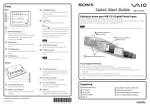
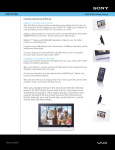
Immediately Ready for Use after Turning the Power on Turn the power on. The Home screen appears. Displaying photos Fully enjoy photos, music, and information VGF-CP1 Quick Reference Guide The following features are available on the VGF-CP1 Playing back music Displaying photos Displaying information* Configuring settings (Ex.) Displaying photos on Memory Stick media Playing back music Press on the remote control, select [ by pressing and press (ENTER). Photos] Select the folder including the target photo by pressing on the remote control, and press (ENTER). Select [ Memory Stick] by pressing on the remote control, and press (ENTER.) Select a photo by pressing on the remote control, and press (ENTER). The photo is displayed. * An Internet environment and a wireless network connection are required. Displaying information* 4-105-823-31 (1) © 2008 Sony Corporation Printed in Japan You can easily enjoy your photos, music and information* by creating various frames. * An Internet environment and a wireless network connection are required. Enjoying Full Use of “Frames” Turn the power on. The Home screen appears. The Benefits of Using “Frames” Create a frame by pressing OPTIONS while displaying photos. Enjoy photos and information at the same time Select the [Photos and Info] frame. You can now display information from Google News UK (for U.K. model)/Google News (for U.S.A. model) or the current time together with your favorite photos. Creatively combine photos and music Select the [Photos] frame. You can display your photos in a specified folder one by one with special effects and music. Check photos from friends at the same time Select the [Shared] frame*. You can now simultaneously display your photos and those of your friends, uploaded on the Web photo organizer. Up to 4 members can be registered for each Shared frame. By creating various types of frames, you can easily enjoy photos, music and information.* This unit includes frames of sample images and music as an example to the user. Enjoy photos taken this time some years ago Select the [Memories] frame. You can now display all your nostalgic photos taken in ‘this time some years ago’. Create your frames by pressing OPTIONS while playing back music. What are “Frames”? A Frame is a collection of your favorite photos, music and/or information*. Created frames are displayed in the Home screen and can be directly selected. Enjoy your favorite music You can create a Music frame. Your favorite music will then be played back directly form the Home screen. What’s the advantage of using “Frames”? (1)Without any complicated operations, your favorite photos, music or information can be directly selected. (2)You can combine and enjoy your favorite photos, music and/or information at the same time. Create your frames by pressing OPTIONS while displaying information*. Check the latest news You can create a News frame while displaying Google News UK (for UK model)/Google News (for USA model). How do I create a “Frame”? Display photos, music or information that you wish to create as a frame, then press OPTIONS and select [Create new frame]. Check your favorite Web info You can create an RSS frame when displaying RSS feeds for which you have been registered. For further details about frames, see the other side. * An Internet environment and a wireless network connection are required. * An Internet environment and a wireless network connection are required.