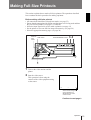
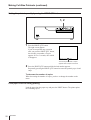
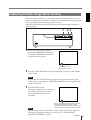
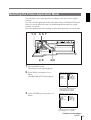
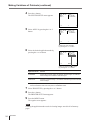
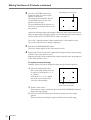
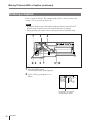
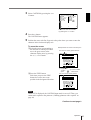
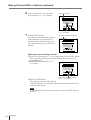
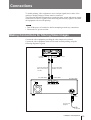
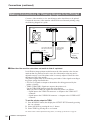
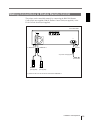
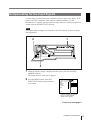
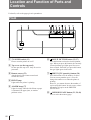
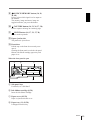
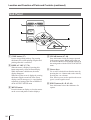
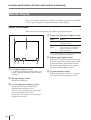
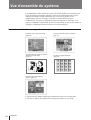
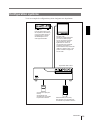
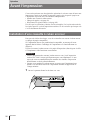
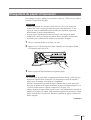
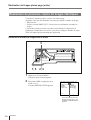
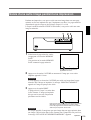
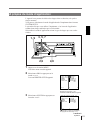
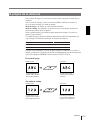
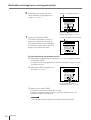
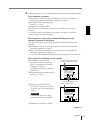
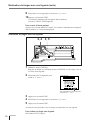
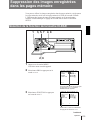
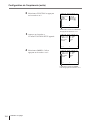
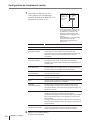
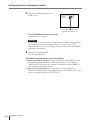
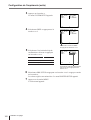
1
3-860-610-11 (1) UP-2100/2100SD Color Video Printer Operating Instructions Page 2 Before operating this unit, please read this manual thoroughly and retain it for future reference. Mode d’emploi Page 90 Avant la mise en service de cet appareil, prière de lire attentivement ce mode d’emploi que l’on conservera pour toute référence ultérieure. UP-2100 UP-2100SD 1997 by Sony Corporation English Owner’s Record The model and serial numbers are located at the rear. Record these number in the space provided below. Refer to these numbers whenever you call upon your Sony dealer regarding this product. Model No. Serial No. WARNING To prevent fire or shock hazard, do not expose the unit to rain or moisture. To avoid electrical shock, do not open the cabinet. Refer servicing to qualified personnel only. For the customers in the U.S.A. This equipment has been tested and found to comply with the limits for a Class A digital device, pursuant to Part 15 of the FCC Rules. These limits are designed to provide reasonable protection agaist harmful interference when the equipment is operated in a commercial environment. This equipment generates, uses, and can radiate radio frequency energy and, if not installed and used in accordance with the instruction manual, may cause harmful interference to radio communications. Operation of this equipment in a residential area is likely to cause harmful interference in which case the user will be required to correct the interference at his own expense. You are cautioned that any changes or modifications not expressly approved in this manual could void your authority to operate this equipment. This device requires shielded interface cables to comply with FCC emission limits. 2 Tabel of Contents Introduction About This Manual ............................................................ 5 System Overview .............................................................. 6 System Configuration....................................................... 7 Operation Before Printing .................................................................. 8 Loading an Ink Ribbon Cartridge .................................... 8 Loading Paper ................................................................ 11 Selecting the Input Signal .............................................. 13 Making Full-Size Printouts ............................................. 15 Making Multiple Copies of Identical Printouts .............. 18 Capturing Another Image While Printing ...................... 21 Making Variations of Printouts ...................................... 22 Selecting the Printer Application Mode ......................... 23 About the Memory ......................................................... 25 Making a Printout of Multiple Different Reduced Images ....................................................................... 29 Making Printouts of Identical Images ............................ 38 Making Printouts With a Caption ................................... 39 Entering a Caption .......................................................... 40 Deleting the Images Stored to Memory Pages ............. 45 Setting the Function of the CLEAR Button ................... 45 Deleting Images ............................................................. 47 Installation and Adjustment Supplied Accessories ..................................................... 49 Assembly ........................................................................ 50 Ink Ribbon Cartridge and Paper .................................... 50 Preparing the Remote Control Unit ............................... 51 Connections .................................................................... 53 Making Connections for Storing Video Images ............. 53 Making Connections for Viewing Images to be Printed ............................................................. 54 Making Connections to Enable Remote Control ........... 55 Continue to next page m Tabel of Contents 3 Tabel of Contents Installation and Adjustment (Continued) Setting Up the Printer ..................................................... 56 Compensating for the Input Signals ............................... 57 Adjusting the Printout Color .......................................... 59 Changing the Printout Size/Printout Area ...................... 62 Selecting the Operation Mode for Automatic Printing Capabilities................................................................ 65 Erasing the Screen Display ............................................ 69 Selecting Whether the Operation and Error Tones Sound .................................................... 71 Others Precautions ...................................................................... 73 Safety .............................................................................. 73 Installation ...................................................................... 73 Cleaning ......................................................................... 74 Specifications .................................................................. 75 Error/Warning Messages ................................................ 77 If the paper jams ............................................................. 79 Troubleshooting .............................................................. 81 Location and Function of Parts and Controls .............. 82 Front ............................................................................... 82 Sub Panel ........................................................................ 84 Rear ................................................................................ 85 Monitor Display ............................................................. 86 Index ................................................................................. 88 4 Tabel of Contents Introduction About This Manual This manual is divided into four chapters. This section explains the organization of this manual. Introduction Describes the features and system configuration of the color video printer. Operation Describes actual printing once all connections and adjustments have been made, as explained in the next chapter. You will be able to make various types of printouts after reading through this chapter. Installation and adjustment Describes how to make connections and make adjustments using the menus displayed on the video monitor. Once all connections and adjustments have been made, there should be no need to perform these operations again during normal printing operations. These operations must, however, be performed after reinstalling, or if the picture quality degrades, or if adjustment becomes necessary because the peripheral equipment is changed. Also covered is the use of the printer’s remote control unit (not supplied). Others Notes the precautions to be observed when using the printer, lists errors, warnings and their handling, and explains troubleshooting. Also provided is information on the locations and functions of parts and controls, and the on-screen messages and menus used to operate the printer. Should you encounter any unfamiliar terms or items while reading this manual, consult the index at the end of the manual. Conventions used Cross references Throughout this manual you will find references to other sections of the manual that contain related information. Important note Note . They explain points that Be sure to read the sections of the manual marked Note you should be aware of to operate the printer correctly and prevent malfunctions. Index Use the index, in addition to the table of contents, to find information you need when using the printer. Monitor displays Some monitor displays illustrated in this manual may differ slightly from the acutal display. The operation of the printer, however, remains as described in this manual. Introduction 5 System Overview The UP-2100/2100SD color video printer is designed for capturing images from video equipment such as VTR and for printing out high-resolution images, either in 256 shades in full color (about 150 dpi). You can make various types of printouts. You can also add a caption onto the printout. You can operate the daily printer operation by using the buttons and setup the printer interactively by picking from displayed menus. Printouts that can be made with the printer Printout of a full-size image (page 15) Printout of 16 reduced images (page 29) Printout of two reduced images Capturing the center of the screen (page 29) Printout of identical images (page 38) Printout of four reduced images (page 29) In addition to the above printouts of multiple reduced images, printouts of multiple reduced images with white borders can be made. You can add a caption onto printouts introduced here. 6 Introduction System Configuration The following shows an example printer system configuration. Video source Provides the video input for printing. Connect a video source such as video recorder, video disk player or similarly. Video monitor Displays the images received from the video source (source image) and the image to be printed (memory source). Also displays the printer menus and messages. When the printer power switch is set to off, you can view the image of the video source. Color Video Printer Foot switch (not supplied) Allows you to operate the printer remotely. Remote control unit (not supplied) Allows you to operate the printer remotely. Introduction 7 Operation Before Printing This section describes the following operations that must be made prior to starting printing after mounting the paper tray and paper cover on the printer and making the necessary connections. • Loading an ink ribbon cartridge (see below) • Loading paper (see page 11) • Selecting the input signal (see page 13) Once the above operations have been completed, there should be no need to repeat them during routine printing. Perform them only when absolutely necessary. Loading an Ink Ribbon Cartridge To make printouts, an ink ribbon cartridge and paper (which are compaticble) must be loaded. If the printer detects an incompatible combination, an error message appears. Use the ink ribbon cartridge and print paper (supplied) to check if the video printer functions properly. Notes • Use only ink ribbon cartridge and paper “UPC-2010 Color Printing Pack”, that are designed for use with this printer. Failing to do so is likely to result in unsatisfactory printing or malfunctions. • When replacing the ink ribbon cartridge, do not turn off the power. Turning off the power will cause the image stored in the memory to be lost. 8 Operation 1 Open the front panel by pulling the front panel top toward you. 2 Remove the ink ribbon cartridge by pushing the ink ribbon cartridge itself. The ink ribbon cartridge pops out. When you use the printer first, this operation is not required. Note Never put your hand into the ink ribbon compartment. The thermal head becomes very hot. You may burn yourself if you touch it. When the ink ribbon cartridge cannot be ejected Turn the power off, then back on again. Then, after a while, press the ink ribbon cartridge. In this case, the image in memory will be lost. 3 Remove any slack from the ink ribbon. If the ribbon is left slack, it may be damaged when inserted. Wind the spool until the not-used part comes to the right end. 4 Insert the ink ribbon cartridge firmly until it stops. When the ink ribbon cartridge cannot be inserted Turn the power off, then back on gain. Then, insert the ink ribbon cartridge. 5 Close the front panel. Operation 9 Before Printing (continued) Notes When using ink ribbon cartridge • Once an ink ribbon cartridge has been completely used, replace it. Ink ribbon cartridges are not reusable. • Do not touch the ink ribbon cartridge or place it in a dusty location. Finger prints or dust on the ink ribbon will result in imperfect printing or malfunction of the head. When storing ink ribbon cartridge • Avoid placing the ink ribbon cartridge in a location subject to: — high temperatures — high humidity — excessive dust — direct sunlight • Store a partially used ink ribbon cartridge in its original packaging. If your ink ribbon should tear Repair the tear with transparent tape. There should be no problem with using the remaining portion of the ribbon. Transparent tape Turn the spool in the direction of the arrow to remove any slack until the transparent tape cannot be seen. 10 Operation Loading Paper To load paper, follow the procedure below. Be careful not to touch the printing surface. Notes • Use only ink ribbon cartridge and paper “UP-2010 Color Printing Pack”, that are designed for use with this printer. Failing to do so is likely to result in unsatisfactory printing or malfunctions. • When loading the paper while the printer is operating, do not turn off the power. Turning off the power will cause the image stored in memory to be lost. • Do not touch the ink ribbon when handling the paper. 1 2 Open the front panel by pulling the front panel top towards you. 3 Place the paper in the paper tray. Push the part marked with PUSH on the paper tray. The paper tray pops out. Notes • When adding paper to a partly full tray, be careful that the total number of sheets does not exceed the limit. If you exceed this limit, paper jams may occur. The limit is the amount of paper coutained in one printing pack. For detailed information on the maximum amount of paper that the paper tray can hold, see “Ink Ribbon Cartridge and Paper” page 50. • Load the paper so that it lays flat in the paper tray. If the paper is curled, it will overflow from the paper tray and the printing position may shift. If this happens, load fewer sheets in the paper tray. Continue to next page m Operation 11 Before Printing (continued) Place the paper in the paper tray with the printing surface facing up Printing surface Riffle the paper Set the paper securely under the tab. PU SH Front 4 Slide the paper tray back into the printer until it clicks into place. 5 Close the front panel. Notes When handling the paper Do not touch the printing surface. Dust or finger prints are likely to cause unsatisfactory printing or malfunction of the head. Hold the paper by the printing surface protection sheet. When storing the paper • Avoid storing the paper in a location subject to: — high temperatures — high humidity — excessive dust — direct sunlight • Use the original package for storing unused paper. 12 Operation Selecting the Input Signal Before printing, select the input signal (the input connector to which the signal to be printed is being input—VIDEO or S-VIDEO. Once you have selected the input signal, this setting remains effective until you select another source. 1 2, 6 4 1 3, 5 Turn on the video monitor and the printer. The right screen appears. Video monitor screen Q1 A 2 Press the MENU button. The screen previously opened appears. 3 Select IN by pressing the ı or ∫ button. 1 S I NP U T SE T UP CO L OR n n n / P I X / L A Y / P R N / I N / OUT / I NP U T SE L V I DEO/SV 2 HUE CO L OR 0 0 GA I N OF FSET 0 A GC OF F / ON Q1 A 1 S By switching IN to green with the ı or ∫ button, INPUT SETUP appears. Continue to next page m Operation 13 Before Printing (continued) 4 Select INPUT SEL by pressing the ◊ or √ button. I NP U T SE T UP CO L OR n n n / P I X / L A Y / P R N / I N / OUT / I NP U T SE L V I DEO/ SV 2 HUE CO L OR 0 0 GA I N OF FSET 0 A GC OF F / ON Q1 A 1 S Position the cursor to INPUT SEL by pressing the ◊ or √ button. 5 Select the input signal by pressing the ı or ∫ button. I NP U T SE T UP CO L OR n n n / P I X / L A Y / P R N / I N / OUT / I NP U T SE L V / S V I DEO 2 H UE CO L OR 0 0 GA I N OF FSET 0 A GC OF F / ON Q1 A 1 S Switch the desired input signal to green by pressing the ı or ∫ button. The selected input signal turns green and is spelled out. 6 14 Operation Source signal of the image to be printer Video monitor and printer window display (the selected input signal is spelled out) Signal from video equipment connected to the VIDEO INPUT connector V n VIDEO Signal from video equipment connected to the S-VIDEO INPUT connector SV n S VIDEO Press the MENU button. The regular screen appears. Making Full-Size Printouts This section explains how to make a full-size printout. The operations described here constitute the basic procedure for making a printout. Before making a full-size printout • All connections should have already been made. (see page 53) • Ensure that the appropriate ink ribbon cartridge/paper set is being used and that they are correctly loaded. (see pages 8, 11 and 50) • Select the input signal to be used to make a printout. (see page 13) • Set the printer to store one full-size image into memory. (see page 29) • Select the appropriate memory page. (see page 28) DISPLAY STOP button OFF button 34 SOURCE/MEMORY button 1 1 Turn on the video monitor and the printer. 2 Start the video source. This operation is done using the controls of the video equipment acting as the source. Q1 A 1 S Shows that the image from source equipment is displayed on the video monitor screen. Continue to next page m Operation 15 Making Full-Size Printouts (continued) 3 Press the CAPTURE button at the instant when the image you want to print appears on the screen. The image is captured into memory. The memory image is displayed on the screen. Which image appears after this, the source image or memory image, depends on the setting made with AUTO LIVE on the FUNCTION SETUP menu (page 34). Q1 A 1 M Shows that the image captured in memory is displayed on the video monitor screen. If the stored image is blurred A quickly moving image may be blurred when printed. Should this occur, change the MEMORY setting to FIELD on the LAYOUT SETUP menu. Although the blur should be eliminated, the ultimate print quality will be slightly degraded. To change the image in memory 1 To display the source image when the memory image is displayed on the screen, press the SOURCE/MEMORY button . 2 Press the CAPTURE button at the instant the image you want to print appears. The previous image is replaced with the new one. 4 Press the PRINT button. It takes about 60 seconds to make a printout. The printout pops out from the paper tray. Q1 A 1 M Blinks while printing During color printing: Printing start - yellow - magenta cyan - printing end Note • Do not turn off the power during printing. If you do so, paper may not be ejected and may jam in the printer. • Do not pull the paper from the paper cover until printing has been completed. • You can not change the printer application mode or settings on the WINDOW SETUP menu during printing. 16 Operation To stop printing Press the STOP button. After the current printing is completed, the remaining printing is cancelled and the printer stops its operation. If the printer does not print The printer will fail to print in the following cases: • While an error message is displayed on the monitor screen. — In this case, the paper is ejected without printed even if you press the PRINT button. Proceed as described in “Error/Warning Messages” on page 77. • Image is not stored in the memory. — Image data stored in the memory is lost if you turn off the power. Cature the image into memory again, then press the PRINT button. When you want to see an image that is hidden below a screen message You can erase the screen message from the video monitor screen by pressing the DISPLAY OFF button. The screen message disappears. To disply a screen message, press the DISPLAY OFF buton again. If a black line appears on the printout Sometimes, a black line appears on the printout, although it does not appear on the video monitor. This black line can be eliminated from the printout. (see “Changing the Printout Size/Printout Area” page 62) If the image quality of printouts is not satisfactory You can adjust the image quality of the printouts. (See “Adjusting the Printout Color” pages 59) Notes When storing your printouts: • Avoid storing the printout in a location subject to high temperatures, high humidity, excessive dust and direct sunlight. • Do not stick tape on a printout. Also, avoid leaving a plastic eraser on a printout or placing a printout in contact with materials which contain plasticizer (under a desk mat, for example). • Do not allow alcohol or other volatile organic solvents to come into contact with the printouts. Operation 17 Making Full-Size Printouts (continued) Making Multiple Copies of Identical Printouts You can make up to 9 copies of identical printouts. The following two methods are available to set the number of printouts. • On the menu • Using the PRINT QTY button. However, you cannot decrease the number of printouts. The following steps can be performed either before you start printing or while printing. You can change the designated number of copies any time during printing. Setting the printout quantity on the menu 3 1, 5 2, 4 1 Press the menu botton. The menu previously opened appears. 2 Select PRN by pressing the ı or ∫ button. The PRINTER SETUP menu arrears. PR I N T E R SE T UP CO L OR n n n / P I X / L A Y / P R N / I N / OUT / P R I N T QT Y 1 1~9 GA MMA D / NORMA L / L SYSTEM PRE SS F U NCT I ON PRE SS Q1 A 1 S By switching PRN to green by pressing the ı or ∫ button, PRINTER SETUP appears. 18 Operation 3 Select PRINT QTY by pressing the ◊ or √ button. PR I N T E R SE T UP CO L OR n n n / P I X / L A Y / P R N / I N / OUT / P R I N T QT Y 1 1~9 GA MMA D / NORMA L / L SYSTEM PRE SS F U NCT I ON PRE SS Q1 A 1 1 S Position the cursor to PRINT QTY by pressing the ◊ or √ button. 4 Set the number of copies by pressing the ı or ∫ button. When setting Button To increase the quantity ∫ To decrease the quantity ı PR I N T E R SE T UP CO L OR n n n / P I X / L A Y / P R N / I N / OUT / P R I N T QT Y 9 1~9 GA MMA D / NORMA L / L SYSTEM PRE SS F U NCT I ON PRE SS Q9 A 1 S Quantity of copies 5 Press the MENU button. The regular screen appears. Operation 19 Making Full-Size Printouts (continued) Setting the printout quantity by using the PRINT QTY button 1, 2 1 Press the PRINT QTY button. The right screen appears. If you do not perform any operation after you press the PRINT QTY button, the currently set number of copies appears for 2 or 3 seconds, after which it disappears. P R I N T QT Y 1 1–9 The currently set number of copies appears within a couple of seconds. 2 Press the PRINT QTY button until the desired number appears. Repeatedly pressing the PRINT QTY button increases the quantity up to 9 and stops. To decrease the number of copies When decreasing the number of copies, you have to change the number on the menu. If the paper runs out during printing Load the paper into the paper tray and press the PRINT button. The printer prints the remaining copies. 20 Operation Capturing Another Image While Printing While the printer is printing, you can capture another image into another memory page to be printed once the printer becomes free. The usable memory pages depend on the type of printouts and settings. (pages 25 and 26) When the FIELD memory mode is selected, you can capture another image into another memory. 1 1 2 3 Select the desired memory page by pressing the MEMORY PAGE button. Pressing the MEMORY PAGE button switches the memory page. Q 1 A2 1 S The available memory pages appear in white. 2 Press the CAPTURE button at the instant the image you want to print appears on the screen. Note If you press the CAPTURE button to caputwe the image into memory page whose image is being printed, “PRINTING MEMORY” appears and the image cannot be captured. 3 Press the PRINT button. The image captured in step 2 is queued. The image is printed as soon as all previous printing jobs have been completed. Q 1 A2 Note 1 M Memory page whose image has been queued for printing (blinks white on the video monitor) The memory page display returns to white on the video monitor once printing has been completed. Another image cannot be stored into a memory page into which an image has already been queued for printing. In such a case, the “PLEASE WAIT RESERVED MEMORY” appears. Operation 21 Making Variations of Printouts You can store various kinds of images into memory and make variations of printouts using the images captured into memory. Variations of printouts that the printer can produce The following variations of printout of the images stored in memory can be made. Printout of a full-size image ABC Printout of 16 reduced images Printout of two reduced images a) Capturing the center of the screen ABC123 Printout of four reduced images A B C 123 XYZ 456 Printout of identical images b) DEF DEF DEF DEF a) In 2H print mode, the image in the center of the screen is captured in memory. Video monitor ABC Printout ABC123 123 2H of MULTI PIX The range to be captured b) 4 or 16 identical images are printed in one proitout in one sheet of paper. 22 Operation Selecting the Printer Application Mode The unit allows you to make printouts according to your need, such as regular printouts. You can select the application mode of the printer on the SYSTEM SETUP menu. When you use the printer first time, the standard application mode for regular printouts is selected. Select the application mode according to what kind of printouts you want to make. 1, 9 3, 5, 7 2, 6 4, 8 1 Press the MENU button. The menu previouly opened appears. 2 Select PRN by pressing the ı or ∫ button. The PRINTER SETUP menu apperas. PR I N T E R SE T UP CO L OR n n n / P I X / L A Y / P R N / I N / OUT / P R I N T QT Y 1 1~9 GA MMA D / NORMA L / L SYSTEM PRE SS F U NCT I ON PRE SS Q1 A 1 S By switching PRN to green by pressing the ı or ∫ button, PRINTER SETUP appears. 3 Select SYSTEM by pressing the ◊ or √ button. PR I N T E R SE T UP CO L OR n n n / P I X / L A Y / P R N / I N / OUT / P R I N T QT Y 1 1~9 GA MMA D / NORMA L / L SYSTEM PRE SS F U NCT I ON PRE SS Q1 A 1 S Position the cursor to SYSTEM by pressing the ◊ or √ button. Continue to next page m Operation 23 Making Variations of Printouts (continued) 4 Press the ∫ button. The SYSTEM SETUP menu appears. S Y S T EM SE T UP CO L OR n n n P R N SE TUP P RE S S B EE P OF F / ON A PP L I . ST A NDA R D / Q1 A 5 Select APPLI. by pressing the ◊ or √ button. 1 S S Y S T EM SE T UP CO L OR n n n P R N SE TUP P RE S S B EE P OF F / ON A PP L I . ST A NDA R D / Q1 A 1 S Position the cursor to APPLI. by pressing the ◊ or √ button. 6 Select the desired application mode by pressing the ı or ∫ button. S Y S T EM SE T UP CO L OR n n n P R N SE TUP P RE S S B EE P OF F / ON A PP L I . / D UP L I CATE Q1 A DUP1 S Switch the desired mode to green by pressing the ı or ∫ button. Application mode Printout STANDARD Printout with a full-size image, two different reduced images, four different reduced images and 16 different reduced images DUPLICATE Printouts of a full-size imagea), four identical reduced images and 16 identical reduced images a) The printer prints in field mode when a full-size image printout is selected in DUPLICATE mode. It is recommended to make a full-size printout in STANDARD mode. 7 8 Select PRN SETUP by pressing the ◊ or √ button. 9 Press the MENU button. The regular screen appears. Press the ∫ button. The PRINTER SETUP menu appears. Note Chaning the appliction mode results in clearing images stored in all of memory pages. 24 Operation About the Memory To make printouts, it is first necessary to capture the image into memory. When capturing the image, there are two ways to use the memory, one is frame mode and the other is field mode. Frame mode: A image is captured in one memory. Field mode: A memory is divided into two, and images can be captured in each. A memory in which an image is captured is called memory page in this manual. The number of usable memory pages depends on the type of the selected reduced images and memory mode. Reduced image Memory mode Number of memory pages 1/2H/4/16 Frame 1 (A) 1/2H Field 2 (A1, A2) When you select four-reduced image mode or 16-reduced image mode, the unit selects automatically frame mode regardless of the setting of MEMORY on the LAYOUT SETUP menu. In frame mode Video monitor screen Q1 A 1 Printout S The image displayed in the video monitor is captured in the memory page A. A still subject can be printed with high resolution. In field mode Video monitor screen Q1 A 1 1 Printout S The image displayed in the video monitor is captured in the memory page A1. A quickly moving subject can be printed without blurring. Operation 25 Making Variations of Printouts (continued) Selecting the memory mode Note You can select the desired memory page only when 1 or 2H is selected in STANDARD mode. 1, 5 3 2, 4 1 Press the MENU button. The menu just before opened appears. 2 Select LAY by pressing the ı or ∫ button. L A Y OU T S E T UP CO L OR n n n / P I X / L A Y / P R N / I N / OUT / MEMORY F R AME / F I E L D MUL T I P I X 1 / 2H / 4 / 16 S E P A RA T E OF F / ON WI N DOW PRE SS C A P T I ON PRE SS Q1 A 1 By switching LAY to green by pressing the ı or ∫ button, LAYOUT SETUP appears. 26 Operation S 3 Select MEMORY by pressing the ◊ or √ button. L A Y OU T S E T UP CO L OR n n n / P I X / L A Y / P R N / I N / OUT / MEMORY F R AME / F I E L D MUL T I P I X 1 / 2H / 4 / 16 S E P A RA T E OF F / ON WI N DOW PRE SS C A P T I ON PRE SS Q1 A 1 S Position the cursor to MEMORY by pressing the ◊ or √ button. 4 Select the desired memory mode by pressing the ı or ∫ button. L A Y OU T S E T UP CO L OR n n n / P I X / L A Y / P R N / I N / OUT / MEMORY F R AME / F I E L D MUL T I P I X 1 / 2H / 4 / 16 S E P A RA T E OF F / ON WI N DOW PRE SS C A P T I ON PRE SS Q1 A 1 1 S Switch the desired memory mode to green by pressing the ı or ∫ button. Frame: We recommend that, whenever possible, you print in this mode. Field: Select this mode to reduce blurring when you print a quickly moving image. 5 Press the MENU button. The regular screen appears. Operation 27 Making Variations of Printouts (continued) Selecting a memory page MEMORY PAGE button To select a memory page, press the MEMORY PAGE button. Q1 A2 1 S Select the desired memory page by pressing the MEMORY PAGE button. Note The memory page whose image is being printed is blinking on the video monitor screen. Even if you select this blinking page, you cannot capture the image in this page. 28 Operation Making a Printout of Multiple Different Reduced Images You can store multiple images into a memory page and make a printout with those reduced images. This section explains how to make a printout with multiple reduced images. A printout having multiple reduced images is done by following the procedure below. • Determining the number of reduced images. (on this page) • Selecting the image on the video monitor after capturing the image (page 33) • Setting the printer application mode to STANDARD (page 23) Selecting the number of reduced images to be captured in memory 1, 7 3, 5 2, 4, 6 1 Press the MENU button. The menu just before opened appears. 2 Select LAY by pressing the ı or ∫ button. L A Y OU T S E T UP CO L OR n n n / P I X / L A Y / P R N / I N / OUT / MEMORY F R AME / F I E L D MUL T I P I X 1 / 2H / 4 / 16 S E P A RA T E OF F / ON WI N DOW PRE SS C A P T I ON PRE SS Q1 A 1 S By switching LAY to green by pressing the ı or ∫ button, LAYOUT SETUP appears. Continue to next page m Operation 29 Making Variations of Printouts (continued) 3 Select MULTI PIX by pressing the ◊ or √ button. L A Y OU T S E T UP CO L OR n n n / P I X / L A Y / P R N / I N / OUT / MEMORY F R AME / F I E L D MUL T I P I X 1 / 2H / 4 / 16 S E P A RA T E OF F / ON WI N DOW PRE SS C A P T I ON PRE SS Q1 A 1 S Position the cursor to MULTI PIX by pressing the ◊ or √ button. 4 Select the desired type of reduced-images printout by pressing the ı or ∫ button. L A Y OU T S E T UP CO L OR n n n / P I X / L A Y / P R N / I N / OUT / MEMORY F R AME / F I EL D MUL T I P I X 1 / 2H / 4 / 16 S E P ARA T E OF F / ON WI NDOW PRE SS C A P T I ON PRE SS Q1 A 2H S Switch the desired type of reducedimage printout to green by pressing the ı or ∫ button. Displayed type Number of reduced images 1 1 (Full-size image) 2H 2 (Two reduced images around the center of the screen) 4 4 (Four reduced images) 16 16 (16 reduced images) To make a printout of reduced images with white borders, go to step 5. To make a printout without white borders, go to step 7. 30 Operation 5 Select SEPARATE by pressing the ◊ or √ button. L A Y OU T S E T UP CO L OR n n n / P I X / L A Y / P R N / I N / OUT / MEMORY F R AME / F I E L D MUL T I P I X 1 / 2H / 4 / 16 S E P A RA T E OF F / ON WI N DOW PRE SS C A P T I ON PRE SS Q1 A 2H S Position the cursor to SEPARATE by pressing the ◊ or √ button. Note In the LAYOUT SETUP menu, if items such as MEMORY and SEPARATE are not effective, DUPLICATE is selected. In such a case, select the STANDARD mode in the SYSTEM SETUP menu first. 6 Select whether the images are printed with or without white borders by pressing the ı or ∫ button. When you select Settings Printouts without white borders OFF Printouts with white borders ON L A Y OU T S E T UP CO L OR n n n / P I X / L A Y / P R N / I N / OUT / MEMORY F R AME / F I E L D MUL T I P I X 1 / 2H / 4 / 16 S E P A RA T E OF F / ON WI N DOW PRE SS C A P T I ON PRE SS Q1 A 2HF S Switch the desired mode to green by pressing the ı or ∫ button. 7 Press the MENU button. The regular screen appears. Operation 31 Making Variations of Printouts (continued) To select the desired type of reduced-image printout using the MULTI PICTURE button You can select the number of reduced images using the MULTI PICTURE button on the front panel. 1, 2 1 Press the MULTI PICTURE button. The current setting appears. The video monitor screen is reset to the regular screen after a few seconds. MUL T I P I X 1 / 2H / 4 / 16 The currently selected type of reduced-image printout is lit green. 2 Press the MULTI PICTURE button until the desired type of reduced-image printout appears. Repeatedly pressing the MULTI PICTURE button switches the type of reducedimage printout For detailed information on the type of reduced-image printout, see “Selecting the number of reduced images to be captured in memory”. (page 29) 32 Operation Selecting the images on the video monitor after capturing the image You can select which image appears on the video monitor, source image or memory after capturing the image. 1, 7 3, 5 4 2, 6 1 Press the MENU button. The menu just before opened appears. 2 Select PRN by pressing the ı or ∫ button. PR I N T E R SE T UP CO L OR n n n / P I X / L A Y / P R N / I N / OUT / P R I N T QT Y 1 1~9 GA MMA D / NORMA L / L SYSTEM PRE SS F U NCT I ON PRE SS Q1 A 1 S By switching PRN to green by pressing the ı or ∫ button, PRINTER SETUP appears. 3 Select FUNCTION by pressing the ◊ or √ button. PR I N T E R SE T UP CO L OR n n n / P I X / L A Y / P R N / I N / OUT / P R I N T QT Y 1 1~9 GA MMA D / NORMA L / L SYSTEM PRE SS F U NCT I ON PRE SS Q1 A 1 S Position the cursor to FUNCTION by pressing the ◊ or √ button. Continue to next page m Operation 33 Making Variations of Printouts (continued) 4 Press the ∫ button. The FUNCTION SETUP menu appears. F UNC T I ON S E T U P CO L OR : n n n P R N SE TUP P RE S S A U T O L I V E OF F / ON I MME D . CA P OF F / ON R M 2 F UN C PR I N T / C L EAR ALL / Q1 A 5 Select AUTO LIVE by pressing the ◊ or √ button. 1 S F UNC T I ON S E T U P CO L OR : n n n P R N SE TUP P RE S S A U T O L I V E OF F / ON I MME D . CA P OF F / ON R M 2 F UN C PR I N T / C L EAR ALL / Q1 A 1 S Position the cursor to AUTO LIVE by pressing the ◊ or √ button. 6 Select which the image appears on the video monitor after the image is captured by pressing the ı or ∫ button. F UNC T I ON S E T U P CO L OR : n n n P R N SE TUP P RE S S A U T O L I V E OF F / ON I MME D . CA P OF F / ON R M 2 F UN C PR I N T / C L EAR ALL / Q1 A 1 S Switch the desired mode to green by pressing the ı or ∫ button. 7 When you select Setting The image captured in memory appears just after the printer captures the image, and the memory image remains on the video monitor screen. OFF The image stored in memory appears just after the printer captures the image, then after a few seconds, the source memory appears, whenever you press the CAPTURE button. ON Press the MENU button. The regular screen appears. To return to the PRINTER SETUP menu In step 9, position the cursor to PRN SETUP and press the ∫ button. The PRINTER SETUP menu appears again. 34 Operation Making a printout with multiple reduced images This subsection explains how to make printouts of multiple reduced images taking, as an example, the making of a printout of four reduced images. Before making the printout of four reduced images • Select the type of the four-reduced image and whether to put the white borders a). (see page 29) • Select the appropriate memory page. (see page 28) • Select which image will appear after the image has been stored into memory, the memory image or source image. (see page 33) a) When the type of four reduced images or 16 reduced images is selected, the frame mode is automatically selected. 32 5 1 Start the video source. This operation is done using the controls of the video equipment acting as the source. Blinks green to indicate that an image will be captured here. Q1 A 4 The memory page into which four reduced images are captured. Type of multiple reduced images S Indicates that the images from video equipment is displayed on the screen. Indicates that the white borders are not attached around images. When the white border is attached, 4F appears. Continue to next page m Operation 35 Making Variations of Printouts (continued) 2 Press the CAPTURE button at the instant the image you want to print appears on the screen. The image has been stored to the star (*) that blinked green on the video monitor screen in step 1. The green blinking star (referred to as the cursor) on the monitor moves to the next position. The blinking green cursor moves. Q1 A 4 M At this time, the image captured in memory is displayed on the video monitor screen. However, the image to be displayed after a few seconds depends on the setting of AUTO LIVE in the FUNCTION SETUP menu. (see page 33) Go to step 3 when the memory image remains on the video monitor screen. Go to step 4 when the source image is displayed. 3 Press the SOURCE/MEMORY button. The source image appears on the video monitor screen. 4 Repeat steps 2 and 3 until you have captured four images when the memory image remains on the video monitor screen. Repeat step 2 until you have captured four images when the source image appears on the video monitor screen. To replace a captured image Example: When you want to change the image stored to the third position. 1 Select the third position where there is the image which you want to replace by pressing the ◊, √, ı or ∫ button. Pressing the ◊, √, ı or ∫ button moves the cursor one position vertically or horizontally. Q1 A 4 M Press the ◊, √, ıor ∫ button until the third cursor blinks green. 2 Start the video source. If the memory image is displayed, press the SOURCE/MEMORY button to display the source image. 3 Press the CAPTURE button at the instant the image you want to print appears. The previously stored image is replaced with the newly stored image. 36 Operation To skip a previously captured image When an image has already been captured, the previously captured image can be replaced by pressing the CAPTURE button. Skip the corresponding image by pressing the ◊, √, ı or ∫ button. 5 Press the PRINT button. The four reduced images are printed on one sheet of paper. Making a printout with an insert You can make printouts with an insert which is reduced image. Example: To make a printout with one of four reduced images inserted. The operation to make a printout with one of 16 reduced images is the same. 1 Display the full-size image stored in memory. (Follow steps 1 to 3 of “Making FullSize Printouts” on page 15.) 2 Set the multiple reduced image type to 4 (without white borders). (See “Selecting the number of reduced images to be captured in memory” on page 29.) 3 Capture the image to be inserted. 1 Select the position where a reduced image is to be inserted by pressing the ◊, √, ı or ∫ button. Move the green cursor to the position where the reduced image is inserted. Q1 A 4 S 2 Press the CAPTURE button at the instant the image you want to insert appears. The image is captured to the position selected in step 1. 4 Press the MULTI PICTURE button. The full-size image with an insert appears on the video monitor. 5 Press the PRINT button. The image with an insert is printed. Operation 37 Making Variations of Printouts (continued) Making Printouts of Identical Images The unit supports the application mode such as DUPLICATE that allows you to make a printout for identical images. This DUPLICATE mode allows you to make a printout with a full-size image, identical six reduced images or 16 reduced images. Before making printouts with identical images • Select the application mode DUPLICATE. (page 23) • Decide the number of images. (page 29) 2 3 1 Start the video source. This operation is done using the controls of the video equipment acting as the source. 2 Press the CAPTURE button at the instant the image you want to print appears on the screen. To replace a stored image 1 When the memory image remains on the video monitor screen, press the SOURCE/ MEMORY button to display the source image. 2 Press the CAPTURE button at the instant the image you want to print appears. The previously copied identical images are replaced with the newly captured copied images. 3 38 Operation Press the PRINT button. The identical reduced images of the same size are printed in a single printout. Making Printouts With a Caption A caption, such as data or comments, can be added to a printout below the image. You can input up to 48 characters. About the CAPTION menu A caption is entered from the CAPTION menu. You can input caption in any printer application mode and make a printout with a caption. Note A caption may not be cleary printed in Field mode. A brief explanation of each item of the CAPTION menu is given below. Character display area The cursor lit green indicates the position where a character can be entered. ON: displayed when printing with a caption OFF: displayed when printing without a caption (OFF is displayed as the factory-setting) C A P T I ON ON 1 A B CDE F GH I J K L MN O PQR S T U VWX Y Z 01 23456789+ – =% The entered characters are displayed here. Character entry area The character or symbol where the cursor is placed is highlighted green and this highlighted character is to be entered. Symbols and words can be used to enter a caption. Symbols and words can be used to enter a caption Monitor display Function INS Inserts one character without easing the highlighted character. DEL Deletes a highlighted character and characters back by one. SP Puts one space at the position of the highlighted character as erasing that character. One space is left. OFF Selects to print without a caption. ON Selects to print with a caption. EXIT Returns from the CAPTION menu to LAYOUT SETUP menu. SHIFTa) Selects either capital letters or lower-case letters. a) By highlighting SHIFT green and pressing the EXEC button, capital letters are changed to lowercase letters, or lower-case letters are changed to capital letters in the character entry area. Operation 39 Making Printouts With a Caption (continued) Entering a Caption Enter a caption as follows. The setting remains effective until you enter a new setting - even if you turn the power off. Notes • If you turn off the power of the printer without returning to the LAYOUT SETUP menu or regular screen, the entered characters are cleared. • During printing, you cannot enter or edit caption in the CAPTION menu. 1 3 6, 9 2 7 4 1 Press the MENU button. The menu just before opened appears. 2 Select LAY by pressing the ı or ∫ button. 5, 10 L A Y OU T S E T U P COL OR n n n / P I X / L A Y / P R N / I N / OUT / MEMORY F R AME / F I E L D MUL T I P I X 1 / 2H / 4 / 16 S E P A RA T E OF F / ON WI N DOW PRE SS C A P T I ON PRE SS Q1 A 1 By switching LAY to green by pressing the ı or ∫ button, LAYOUT SETUP appears. 40 Operation S 3 Select CAPTION by pressing the ◊ or √ button. L A Y OU T S E T U P COL OR n n n / P I X / L A Y / P R N / I N / OUT / MEMORY F R AME / F I E L D MUL T I P I X 1 / 2H / 4 / 16 S E P A RA T E OF F / ON WI N DOW PRE SS C A P T I ON PRE SS Q1 A 1 S Position the cursor to CAPTION by pressing the ◊ or √ button. 4 Press the ∫ button. The CAPTION menu appears. 5 Position the cursor (the line lit green) to the point where you want to enter the character in the character display area. To move the cursor: 1 Select the arrow corresponding to the direction in which you want to move the green cursor in the character display area, by pressing the ◊, √, ı or ∫ button. Example: Move the cursor to the left by two. The cursor is curenily positioned here. C A P T I ON ON 3 A B CDE F GH I J K L MN O PQR S T U VWX Y Z 01 23456789+ – =% 2 Press the EXEC button. Each time you press the EXEC button, the cursor moves one position in the designated direction. 1 Highlight the 2 Press the EXEC ı button button twice. green. The cursor moves to this position. C A P T I ON ON 1 A B CDE F GH I J K L MN O PQR S T U VWX Y Z 01 23456789+ – =% Note When OFF is displayed, the CAPTION input mode is set to off. Thus, you cannot add a caption to the printouts. (“Making printouts with a caption” on page 44) Continue to next page m Operation 41 Making Printouts With a Caption (continued) 6 Select the character you want to enter by pressing the ◊, √, ı or ∫ button. Example: To enter S C A P T I ON ON 1 A B CDE F GH I J K L MN O PQR S T U VWX Y Z 01 23456789+ – =% Highlight S green by pressing the ◊, √, ı or ∫ button. 7 Press the EXEC button. The character selected in step 6 appears at the point where the green cursor is positioned in the character display area, after which the cursor moves to the next position. The cursor moves to this position. C A P T I ON ON S 2 A B CDE F GH I J K L MN O PQR S T U VWX Y Z 01 23456789+ – =% When you enter the wrong character 1 Select ı by pressing the ◊, √, ı or ∫ button, then press the EXEC button. The cursor moves back by one and the character entered in step 6 is highlighted green. 2 Select DEL by pressing the ◊, √, ı C A P T I ON ON 1 S or ∫ button. A B CDE F GH I J K L MN O PQR S T U VWX Y Z 01 23456789+ – =% Switch DEL to green by pressing the ◊, √, ı or ∫ button. 3 Press the EXEC button. The character selected in 1 is deleted. When the character to be deleted is placed among entered characters, the characters back by one. Note A dark change of the monitor screen may occur after the EXEC button is pressed. 42 Operation 8 Repeat steps 5, 6 and 7 to enter the remaining characters of the caption. To enter a space 1 Position the green cursor to the point where you want to enter a space by performing the operations explained in step 5. 2 Select SP by pressing the ◊, √, ı or ∫ button. 3 Press the EXEC button. A single space is entered and the green cursor moves to the next position. If there is a character at the position where the space is entered, that character is deleted and a single space is left. To replace a previously entered character without changing the number of characters You can replace a previously entered character with a new one. 1 Position the green cursor to the character to be replaced by performing the operations explained in step 5. 2 Overwrite the invalid character with the correct character by performing the operations explained in steps 6 and 7. The previously entered character is replaced with the new one. To add characters midway 1 Position the cursor to the position where a character is to be added by performing the operations explained in step 5. Example: To Add a character between A and B 2 Select INS by pressing the ◊, √, ı or ∫ button. 1 Move the cursor to B (B is highlighted green). C A P T I ON ON A BC A B CDE F GH I J K L MN O PQR S T U VWX Y Z 01 23456789+ – =% 2 Switch INS to green 3 Press the EXEC button. A single space is inserted between A and B and the green cursor is positioned at the space. Note A dark change of the monitor screen may occur after the EXEC button is pressed. Cursor (lit green) C A P T I ON ON A BC A B CDE F GH I J K L MN O PQR S T U VWX Y Z 01 23456789+ – =% 4 Enter the character to be added. Continue to next page m Operation 43 Making Printouts With a Caption (continued) 9 Select EXIT by pressing the ◊, √, ı or ∫ button. 10Press the EXEC button. The entered characters are stored in the memory. The LAYOUT SETUP menu appears. To return to the regular screen Press the MENU button in step 9. The entered characters are stored in the memory and the regular screen appears. Making printouts with a caption 2, 4 3, 5 1 Display the CAPTION menu. For details of how to display the CAPTION menu, see steps 1 to 4 in “Entering a Caption”. 2 Select ON by pressing the ◊, √, ı or ∫ button. C A P T I ON OF F 1 A B CDE F GH I J K L MN O PQR S T U VWX Y Z 01 23456789+ – =% Switch ON to green by pressing the ◊, √, ı or ∫ button. 3 4 5 Press the EXEC button. Select EXIT by pressing the ◊, √, ı or ∫ button. Press the EXEC button. After this, all printouts are made with a caption. 44 Operation To make a printout without a caption Select OFF in step 2. Deleting the Images Stored to Memory Pages You can delete images captured to memory pages, form either all of memory pages or a single memory page, by using the CLEAR button. Whether images of all memory pages or single memory page are deleted depends on the setting of CLEAR on the FUNCTION SETUP menu. Setting the Function of the CLEAR Button 1 3, 5, 7 4, 8 2, 6 1 Press the MENU button. The menu just before opened appears. 2 Select PRN by pressing the ı or ∫ button. PR I N T E R SE T UP CO L OR n n n / P I X / L A Y / P R N / I N / OUT / P R I N T QT Y 1 1~9 GA MMA D / NORMA L / L SYSTEM PRE SS F U NCT I ON PRE SS Q1 A 1 S By switching PRN to green by pressing the ı or ∫ button, PRINTER SETUP appears. 3 Select FUNCTION by pressing the ◊ or √ button. FU NC T I ON S E T UP CO L OR n n n / P I X / L A Y / P R N / I N / OUT / P R I N T QT Y 1 1~9 GA MMA D / NORMA L / L SYSTEM PRE SS F U NCT I ON PRE SS Q1 A 1 S Position the cursor to FUNCTION by pressing the ◊ or √ button. Continue to next page m Operation 45 Deleting the Images Stored to Memory Pages (continued) 4 Press the ∫ button. The FUNCTION SETUP menu appears. FU NC T I ON S E T UP CO L OR n n n PRE SS P R N SE T UP A U T O L I V E OF F / ON I MME D . C A P. OF F / ON PR I N T / R M 2 F U NC ALL / C L E AR Q1 A 5 Select CLEAR by pressing the ◊ or √ button. 1 S FU NC T I ON S E T UP CO L OR n n n PRE SS P R N SE T UP A U T O L I V E OF F / ON I MME D . C A P. OF F / ON PR I N T / R M 2 F U NC ALL / C L E AR Q1 A 1 S Position the cursor to CLEAR by pressing the ◊ or √ button. 6 Select the function of the CLEAR button by pressing the ı or ∫ button. FU NC T I ON S E T UP CO L OR n n n PRE SS P R N SE T UP A U T O L I V E OF F / ON I MME D . C A P. OF F / ON PR I N T / R M 2 F U NC ALL / C L E AR Q1 A 1 S Switch the desired function to green by pressing the ı or ∫ button. 7 Function of the CLEAR button Settings To deactivate the CLEAR button OFF To delete images of all memory pages ALL To delete images of a single memory page PAGE Select PRN SETUP by pressing the ◊ or √ button. FU NC T I ON S E T UP CO L OR n n n PRE SS P R N SE T UP A U T O L I V E OF F / ON I MME D . C A P. OF F / ON PR I N T / R M 2 F U NC ALL / C L E AR Q1 A 1 S Position the cursor to PRN SETUP by pressing the ◊ or √ button. 8 Press the ∫ button. The PRINTER SETUP menu appears. Once you set the function of the CLEAR button, the CLEAR button functions according to the setting until the function setting is changed. To return to the regular screen Press the MENU button. 46 Operation Deleting Images You can delete images captured to memory pages, either from all memory pages or a single memory pages. If the source image is displayed on the video monitor, press the CLEAR button once so that the memory image will be displayed. Deleting images in all memory pages simultaneously Before deleting images in all memory pages Set CLEAR to ALL on the FUNCTION SETUP menu. Note You cannot restore images once they have been deleted. CLEAR button Press the CLEAR button. All images stored in the printer are cleared. Operation 47 Deleting the Images Stored to Memory Pages (continued) Deleting images in a certain memory page Before deleting images Set CLEAR to PAGE on the FUNCTION SETUP menu. 3 48 Operation 2 1 Press the SOURCE/MEMORY button when the source image is displayed on the video monitor screen. The image stored in memory is displayed on the screen. 2 Select the memory page from which images are to be deleted by pressing the MEMORY PAGE button. 3 Press the CLEAR button. The image in the memory page selected in the step 2 is deleted. Installation and Adjustment Supplied Accessories The printer is packed together with the following accessories. Check that nothing is missing from your package. Paper cover (1) Paper tray (1) PU SH AC power cord (1) Color printing pack a) (1) Warranty card (1) Operating Instructions (1) a) Use the ink ribbon cartridge and paper for operation check. Notes • Retain the original carton and packing materials in case you have to transport the unit in the future. • Remove the ink ribbon cartridge and paper tray when transporting the printer. Installation and Adjustment 49 Supplied Accessories (continued) Assembly Attach the supplied paper cover, paper tray and ink ribbon cartridge to the printer. For details of how to assemble them, see the pages given in parentheses. Printer Ink ribbon cartridge (page 8) PU SH Paper tray (page 11) Paper cover Ink Ribbon Cartridge and Paper Both paper and an ink ribbon cartridge are necessary for printing. Use the ink ribbon with the paper contained in the same package. UPC-2010 Color Printing Pack Contains color ink ribbon cartridge and paper. Color ink ribbon cartridge 1 roll A-6 (4 1⁄4 × 5 3⁄4 inches) size paper 200 sheets Note You cannot use the self-laminating color printing pack and self-adhesive color printing pack for sticker with this printer. 50 Installation and Adjustment Preparing the Remote Control Unit The following remote control units (not supplied) allow you to control the printer remotely. • RM-5500 Remote Control Unit: Used to connect to the REMOTE 1 connector • RM-91 Remote Control Unit, FS-20/36 Foot Switch: Used to connect to the REMOTE 2 connector. The operations to be remotely controlled by the above remote control units depend on the remote operation settings made with the FUNCTION SETUP menu. (“Selecting the Operating Mode for Automatic Printing Capabilities” page 65) Using the RM-5500 remote control unit (not supplied) The RM-5500 Remote Control Unit can be used either as a wireless type or wired type. The buttons on the remote control unit duplicate those on the front panel of the printer. (see “Front” page 82 and “Sub Panel” page 84) You can use the remote control unit’s buttons which have the same name as the one on the printer. Inserting batteries Install the batteries in the remote control unit before using it. 1 2 Remove the battery compartment cover. 3 Replace the cover. Insert the two R6 (size AA) 1.5 V batteries. Note the polarity. Be careful to insert the batteries correctly. Battery life The battery life depends on how much you use the remote control unit. Install fresh batteries as soon as you notice the unit’s range becoming shorter. Notes When using the batteries: • Remove the batteries from the remote control unit if you do not intend to use it for an extended period of time. The batteries may leak if you leave them in the remote control unit. • Should the batteries leak, clean the battery case thoroughly with a soft cloth and install fresh batteries. • Be careful to insert the batteries correctly. Note the polarity, as indicated inside the battery compartment. • Replace exhausted batteries with fresh ones. Never mix a fresh battery with a used battery or with a different kind of battery. Installation and Adjustment 51 Preparing the Remote Control Unit (continued) Using the RM-5500 remote control unit (not supplied) as a wireless unit When using the remote control unit as a wireless unit, aim the head of the remote control unit at the remote sensor on the printer. With fresh batteries, the range of the remote control unit is about 3 meters. Using the RM-91/FS-20/36 The operation of the RM-91 Remote Control Unit (not supplied) and FS-20 Foot Switch (not supplied) can be controlled remotely by sending a pulse signal to the REMOTE 2 connector in addition to the remote operation setting on the FUNCTION SETUP menu. FS-36 (not supplied) has three switches that have different functions. For detailed information on how to use those switches, refer to the manual supplied with the FS-36. 52 Installation and Adjustment Connections To enable printing, video equipment to act as an input signal source, and a video monitor to display images or menus must be connected. The following diagrams illustrate how to make the input, output and remote control connections. Use this as a guide when connecting the necessary signals to and from the equipment to be used for printing. Notes • Turn off the power of each device before attempting to make any connections. • Connect the AC power cord last. Making Connections for Storing Video Images Connect the video equipment providing the video images to be printed. Connect the video equipment which will be used in actual printing, using the following diagram as a guide. Video equipment to S-VIDEO output connector to composite video output connector Connecting cable (with DIN 4-pin connectors) YC-15EV 75-ohm coaxial cable with BNC connectors to S-VIDEO INPUT to VIDEO INPUT INPUT S-VIDEO REMOTE 1 UP-2100/2100SD OUTPUT VIDEO S-VIDEO VIDEO 2 ~ AC IN to AC IN AC power cord (supplied) to wall outlet Installation and Adjustment 53 Connections (continued) Making Connections for Viewing Images to be Printed Connect a video monitor to view stored images and to check those to be printed. Connect the necessary video monitor which will be used in actual printing, using the following diagram as a guide. INPUT S-VIDEO REMOTE 1 OUTPUT VIDEO S-VIDEO VIDEO 2 ~ AC IN to S-VIDEO OUTPUT to VIDEO OUTPUT UP-2100/2100SD Video monitor to AC IN Connecting cable (with DIN 4-pin connectors) YC-15EV 75-ohm coaxial cable with BNC connectors to S-VIDEO input connector AC power cord (supplied) to wall outlet to composite video input connector p When the video monitor color does not match to that of a printout It is difficult to image printout results because the video monitor color does not match to that of a printout. In such a case, the video monitor color may not be adjusted correctly even if the printer color is correctly adjusted. Check the color adjustment of the video monitor. The printer outputs either of the following two kinds of video signals according to the printer setting described below. • EE (E to E): Signals are output to the monitor after being processed by the printer‘s circuitry. • THRU (THROUGH): Signals are output to the printer as is. Use the THROUGH signal to check the video monitor. When you select THRU, the signal flow inside the printer is as follows. — Signal input to the VIDEO IN connector n Outputs to the VIDEO OUT connector. — Signal input to the S VIDEO IN connector n Outputs to the S VIDEO OUT connector. To set the printer output to THRU 1 Press the MENU button, then display the OUTPUT SETUP menu by pressing the ı or ∫ button. 2 Select SOURCE by pressing the ◊ or √ button. 3 Select THRU by pressing the ı or ∫ button. For details of how to make adjustments using menus, see “Setting Up the Printer” on page 56. 54 Installation and Adjustment Making Connections to Enable Remote Control The printer can be controlled remotely by connecting the RM-5500 Remote Control Unit (not supplied), RM-91 Remote Control Unit (not supplied), or the FS-20/36 Foot Switch (not supplied). UP-2100/2100SD INPUT S-VIDEO REMOTE 1 OUTPUT VIDEO S-VIDEO VIDEO 2 ~ AC IN to REMOTE 1 to REMOTE 2 to AC IN AC power cord (supplied) to wall outlet RM-5500 (not supplied) RM-91a) (not supplied) a) Either FS-20 or FS-36 can be also connected to REMOTE 2. Installation and Adjustment 55 Setting Up the Printer You can set up the printer specification. Once you have adjusted and stored, the printer operates according to the setting until those values are modified. You can set up the printer according to the intended purpose, connected equipment or your individual preferences. Menu Functions to be set Reference page PICTURE ADJUST Adjusting the sharpness. 59 LAYOUT SETUP • Selecting the memory mode • Selecting the type of printouts • Selecting whether white borders are added to multiple reduced images. 26 29 31 CAPTION a) Entering a caption 40 WINDOW SETUP a) Changing the printout size/printout area. 62 PRINTER SETUP • Setting the print quantity • Adjusting the tone of printout 18 60 SYSTEM SETUP b) • Selecting whether the operation and error tones sound. • Selecting the application mode (printer operation mode) 71 23 FUNCTION SETUP • Selecting the image which appears after storing the image into memory, source image or memory image. • Selecting the timing of the pulse signal input to the REMOTE 2 connector • Selecting operation mode for automatic printing capabilities of remote commanders connected to REMOTE 2 connector. • Setting the function of the CLEAR button 34 • Selecting the input signal • Compensating for the input signals. 13 Erasing the screen display. 69 INPUT SETUP OUTPUT SETUP 65 67 45 57 a) This menu is the sub menu of the LAYOUT SETUP menu. b) This is the sub menu of the PRINTER SETUP menu. This section explains the following settings and adjustments. • Compensating for the input signals (page 57) • Adjusting the sharpness (page 59) • Adjusting the tone of the printout (page 60) • Changing the printout size/printout area (page 62) • Selecting the operating mode for automatic printing capability (page 65) • Erasing the screen display (page 69) • Selecting whether to enable the operation and error tones (page 71) 56 Installation and Adjustment Compensating for the Input Signals A video image recorded under poor conditions may be of poor color quality. If the signal is an NTSC composite video signal or separate luminance (Y) and chrominance (C) signals, you can correct the color and level of the input signal to a certain extent on the INPUT SETUP menu. Note You cannot adjust an image once it has been stored in memory. Restore an image after adjustment. 1 2 3 1 When the memory image is displayed on the screen, press the SOURCE/ MEMORY button. The image from the video source appears. 2 Press the MENU button, then select INPUT SETUP menu by pressing the ı or ∫ button. I NP U T SE T UP CO L OR n n n / P I X / L A Y / P R N / I N / OUT / I NP U T SE L V IDEO / SV 0 HUE CO L OR 0 0 GA I N OF FSET 0 A GC O F F / ON Q1 A 1 S Switch IN to green by pressing the ı or ∫ button. INPUT SETUP menu appears. Continue to next page m Installation and Adjustment 57 Setting Up the Printer (continued) 3 Perform the adjustments as follows. 1 Select the adjustment item by pressing the ◊ or √ button. 2 Perform the adjustment by pressing the ı or ∫ button. I NP U T SE T UP CO L OR n n n / P I X / L A Y / P R N / I N / OUT / I NP U T SE L V IDEO / SV 0 HUE CO L OR 0 0 GA I N OF FSET 0 A GC O F F / ON Q1 A 1 S 2 Make adjustment by pressing the ı or ∫ button. 1 Position the cursor to the desired item by pressing the ◊ or √ button. To adjust the color intensity, hue and contrast Adjustment Menu adjustment Button and operation result item ∫ button ı button Hue HUE a) The hue becomes greenish. The hue becomes purplish. Color intensity COLOR a) The color intensity strengthens. The color intensity weakens. Contrast GAIN The contrast strengthens. The contrast weakens. Brightness OFFSET Becomes brighter Becomes darker a) Adjust the color such that skin tones appear natural. When the printout or monitor image appears blackish or whitish Adjust the input signal to the optimum level for printing. Menu adjustment item Selection AGC (Automatic Gain Control) ON OFF 4 58 Installation and Adjustment Press the MENU button. The regular screen appears. When selecting Normal (when the proper signal is input) When the printout or monitor image appears blackish or whitish. Adjusting the Printout Color You can adjust the printout quality by adjusting sharpness and tone (GAMMA) of the printout. Adjusting the sharpness You can adjust printout sharpness. 4 2, 3 1 1 Press the MENU button, then select PICTURE ADJUST menu by pressing the ı or ∫ button. PI CT U R E A D J U S T CO L OR : n n n / P I X / L A Y / P R N / I N / OUT / S H A R P N E S S 5 1~8 Q1 A 1 S Switch PIX to green by pressing the ı or ∫ button. PICTURE ADJUST menu appears. 2 Select SHARPNESS by pressing the ◊ or √ button. PI CT U R E A D J U S T CO L OR : n n n / P I X / L A Y / P R N / I N / OUT / S H A R P N E S S 5 1~8 Q1 A 1 S Position the cursor to SHARPNESS by pressing the ◊ or √ button. Continue to next page m Installation and Adjustment 59 Setting Up the Printer (continued) 3 4 Select the desired sharperss by pressing the ı or ∫ button. You can set the sharpness to any of 8 steps from 1 to 8. A setting of step 5 corresponds to the standard sharpness. PI CT U R E A D J U S T CO L OR : n n n / P I X / L A Y / P R N / I N / OUT / S H A R P N E S S 2 1~8 When selecting Content of settings Q1 A To make a soft outline Toward step 1 To make a normal outline Centered (step 5) To make a sharp outline To the right (toward step 8) 1 S The number and the corresponding sharpness increase every time you press the ∫ button. The number and the corresponding sharpness decrease every time you press the ı button. Press the MENU button. The regular screen appears. Adjusting the tone of the printout You can adjust the tone so that the details in the white or black part is clearly printed. 4 2, 3 1 1 Press the MENU button, then select PRINTER SETUP menu by pressing the ı or ∫ button. PR I N T E R SE T UP CO L OR n n n / P I X / L A Y / P R N / I N / OUT / P R I N T QT Y 1 1~9 GA MMA D / NORMA L / L SYSTEM PRE SS F U NCT I ON PRE SS Q1 A 1 S Switch PRN to green by pressing the ı or ∫ button. PRINTER SETUP menu appears. 60 Installation and Adjustment 2 Select GAMMA by pressing the ◊ or √ button. PR I N T E R S E T UP CO L OR n n n / P I X / L A Y / P R N / I N / OUT / P R I N T QT Y 1 1~9 GA MMA D / NORMA L / L SYSTEM PRE SS F U NCT I ON PRE SS Q1 A 1 S Position the cursor to GAMMA by pressing the ◊ or √ button. 3 Select the desired tone by pressing the ı or ∫ button. PR I N T E R S E T UP CO L OR n n n / P I X / L A Y / P R N / I N / OUT / P R I N T QT Y 1 1~9 GA MMA D / NORMA L / L SYSTEM PRE SS F U NCT I ON PRE SS Q1 A 1 S Switch the desired tone to green by pressing the ı or ∫ button. 4 When selecting Setting To make a printout of an image where there are a lot of white or light-colored areas. DARKER To make a printout of a normal image. NORMAL To make a printout of an image where there are a lot of black or dark-colored areas. LIGHTER Press the MENU button. Installation and Adjustment 61 Setting Up the Printer (continued) Changing the Printout Size/Printout Area When you print an image that is narrower or wider than the standard screen size, a black frame may be printed or the image may be partially cut. In such a case, you can change the screen size. Or, a black line may be produced on the printout even though it does not appear on the video monitor. Any portion for which there is no video signal is printed in black. This may occur when you make printouts after connecting a different video source or play back different video software. In such a case, you can adjust the printout area by moving the screen either horizontally or vertically. When a black frame appears around the printout, even after the printout area has been shifted, narrow the printout size because the image has been overscanned beyond the range of the regular screen. 6 2, 3, 4, 5 1 1 Press the MENU button, then select LAYOUT SETUP menu by pressing the ı or ∫ button. L A Y OU T S E T UP CO L OR n n n / P I X / L A Y / P R N / I N / OUT / MEMORY F R AME / F I E L D MUL T I P I X 1 / 2H / 4 / 16 S E P A RA T E OF F / ON WI N DOW PRE SS C A P T I ON PRE SS Q1 A 1 S Switch LAY to green by pressing the ı or ∫ button. LAYOUT SETUP menu appears. 2 Select WINDOW by pressing the ◊ or √ button. L A Y OU T S E T UP CO L OR n n n / P I X / L A Y / P R N / I N / OUT / MEMORY F R AME / F I E L D MUL T I P I X 1 / 2H / 4 / 16 S E P A RA T E OF F / ON WI N DOW PRE SS C A P T I ON PRE SS Q1 A 1 Position the cursor to WINDOW by pressing the ◊ or √ button. 62 Installation and Adjustment S 3 Press the ∫ button. The WINDOW SETUP menu appears. W I NDOW S E T UP CO L OR n n n L A Y SE T U P P R E S S 00 D OT ( S ) H S T AR T 00 D OT ( S ) V S T AR T 720 D OT S H W I DT H 468 D OT S V W I DT H Q1 A 4 1 S Adjust the printer according to the obtained printout. 1 Select the item to be adjusted by pressing the ◊ or √ button. 2 Perform the adjustment by pressing the ı or ∫ button. When a black frame is printed or the image is partially cut Adjust the printout size by using the H WIDTH and V WIDTH items from the menu. Adjusting the printout size horizontally. W I NDOW S E T UP CO L OR n n n L A Y SE T U P P R E S S 00 D OT ( S ) H S T AR T 00 D OT ( S ) V S T AR T 720 D OT S H W I DT H 468 D OT S V W I DT H Q1 A 1 S Adjusting the printout size vertically. When selecting Adjustment item Button to be used Adjustment result To change the size, adjust the H-WIDTH position of the right edge. The left edge remains fixed. (The screen size changes horizontally.) ∫ button Widened at the right edge. ı button Narrowed with the left edge remaining fixed. To change the size, adjust the V-WIDTH position of the bottom edge. The top edge remains fixed. (The screen size changes vertically.) ∫ button Enlarged downwards. ı button Vertical sized reduced with the top edge remaining fixed. Continue to next page m Installation and Adjustment 63 Setting Up the Printer (continued) When a black line appears on the printout Adjust the printout area according to the position of the line on the printout, by using the H START and V START items on the menu. When the black line is at the right or left edge W I NDOW S E T UP CO L OR n n n L A Y SE T U P P R E S S 00 D OT ( S ) H S T AR T 00 D OT ( S ) V S T AR T 720 D OT S H W I DT H 468 D OT S V W I DT H Q1 A 1 S When the black line is at the top or bottom Position where Menu adjustment the black line appears item On the right H START ∫ button (horizontal direction) On the left At the top Button to be used V START (vertical direction) At the bottom Adjustment result The image position shifts to the right with the size remaining as is. ı button The image position shifts to the left with the sized remaining as is. ∫ button The image position shifts up with the size remaining as is. ı button The image position shifts down with the size remaining as is. To clear the adjusted value Press the MENU button from the WINDOW SETUP menu. The adjusted values are cleared and the values are reset to the original ones. Note When a black line still appears, even after adjusting H START or V START, change the printout size. 5 Select LAY SETUP by pressing the ◊ or √ button, then press the ∫ button. The adjusted values are stored. The LAYOUT SETUP menu appears. 6 Press the MENU button. The regular screen appears. To check the adjustment result Cature a new image and print it to check that no black frame appears on the printout, that the image is not partially cut, and that no black line appears. 64 Installation and Adjustment Selecting the Operation Mode for Automatic Printing Capabilities You can control the printer with either of the following options. • RM-5500 Remote Control Unit (not supplied): Connected to REMOTE 1 connector • RM-91 Remote Control Unit, FS-20/36 Foot Switch (not supplied): Connected to REMOTE 2 connector (“Making Connections to Enable Remote Control” page 55) Using the menu, you can assign desired functions to the remote control unit connected to the REMOTE 2 connector. In addition to the above, the printer can be remotely controlled by a pulse signal input to REMOTE 2. (see pages 76). 8 2, 3, 4, 5, 6, 7 1 1 Press the MENU button, then select PRINTER SETUP menu by pressing the ı or ∫ button. PR I N T E R SE T UP CO L OR n n n / P I X / L A Y / P R N / I N / OUT / P R I N T QT Y 1 1~9 GA MMA D / NORMA L / L SYSTEM PRE SS F U NCT I ON PRE SS Q1 A 1 S Switch PRN to green by pressing the ı or ∫ button. PRINTER SETUP menu appears. Continue to next page m Installation and Adjustment 65 Setting Up the Printer (continued) 2 Select FUNCTION by pressing the ◊ or √ button. FU NC T I ON S E T UP CO L OR n n n / P I X / L A Y / P R N / I N / OUT / P R I N T QT Y 1 1~9 GA MMA D / NORMA L / L SYSTEM PRE SS F U NCT I ON PRE SS Q1 A 1 S Position the cursor to FUNCTION by pressing the ◊ or √ button. 3 Press the ∫ button. The FUNCTION SETUP menu appears. FU NC T I ON S E T UP CO L OR n n n P R N SE TU P P R E S S A U TO L I V E OF F / ON I MM ED. CA P. OF F / ON RM2 F U NC PR I NT / ALL / CL E AR Q1 A 4 Select IMMED. CAP by pressing the ◊ or √ button. 1 S FU NC T I ON S E T UP CO L OR n n n P R N SE TU P P R E S S A U TO L I V E OF F / ON I MM ED. CA P. OF F / ON RM2 F U NC PR I NT / ALL / CL E AR Q1 A 1 S Position the cursor to IMMED. CAP by pressing the ◊ or √ button. 66 Installation and Adjustment 5 Select the desired timing to capture the image by pressing the ı or ∫ button. FU NC T I ON S E T UP CO L OR n n n P R N SE TU P P R E S S A U TO L I V E OF F / ON I MM ED. CA P. OF F / ON RM2 F U NC PR I NT / CL E AR ALL / Q1 A 1 S Switch the desired timing selection to green by pressing the ◊ or √ button. Timing Selection To capture the image just after the CAPTURE command is received a) To capture the image with the timing pulse input to REMOTE 2 connector ON b) OFF a) When IMMED. CAP is set to ON, display the source image on the video monitor when sending the timing pulse to the printer. The printer operation is only to capture the image when receiving the pulse. b) For detailed information on the timing pulse to REMOTE 2 connector, see page 76. Notes • To control the printer remotely using the remote control unit, set the IMMED.CAP item on the FUNCTION SETUP menu to OFF. • To send the puls signal on an accurate timing to the REMOTE 2 connector using a computer, set the IMMED.CAP item to ON. 6 Select RM2 FUNC by pressing the ◊ or √ button. FU NC T I ON S E T UP CO L OR n n n PRE SS P R N SE T UP A U T O L I V E OF F / ON I MME D . C A P. OF F / ON PR I NT / R M 2 F U NC ALL / C L E AR Q1 A 1 S Position the cursor to RM2 FUNC by pressing the ◊ or √ button. Continue to next page m Installation and Adjustment 67 Setting Up the Printer (continued) 7 Select the function that you want to assign to the remote control unit connected to the REMOTE 2 connector by pressing the ı or ∫ button. FU NC T I ON S E T UP CO L OR n n n PRE SS P R N SE T UP A U T O L I V E OF F / ON I MME D . C A P. OF F / ON PR I NT / R M 2 F U NC ALL / C L E AR Q1 A 1 S Switch the desired function to green by pressing the ◊ or √ button. When > is displayed, another function can be selected by pressing the ∫ button. When < and > are displayed, another function can be selected by pressing either the ı or ∫ button. Items to be selected Operation PRINT Printing whenever you press the switch. C & PRINT (CAPTURE & PRINT) Capturing an image to a memory page and printing a memory image. If you press the switch while printing is being performed, the selected image is queued, with the queued image being printed once printing has been completed. CYCLIC-C (CYCLIC CAPTURE) Capturing images to memory pages cyclically whenever you press the switch. The printer continues to capture images, replacing that previously stored with a new one. CAP-STOP (CAPTURE STOP) Capturing images to a memory page. Once images have been captured to all the memory pages, the printer stops storing images and the message HIT ANY KEY appears. BACK-SP (CAPTURE BACK) The pointer (green ) returns to its former position whenever you press the switch. POINTER+ The pointer (green ) moves to the next position whenever you press the switch. STOP Stopping printing whenever you press the switch. An paper which is currently being printed will be ejected. CAP/SRC (CAPTURE/SOURCE) When the source image is displayed, the image is captured to memory whenever you press the switch. When the memory image is displayed, the source image appears whenever you press the switch. 8 68 Installation and Adjustment PRINT & PAGE Starting to print when you press the switch if the image has been captured in the memory, and at the same time moving to the next memory page. If the image has not been captured in the memory page, the printer does not work correctly when you press the switch of the remote control unit. SRC & CAP (SOURCE & CAPTURE) When you press and hold down the switch of the remote conttrol unit, the source image appears on the monitor screen and captures the image at the instant you release the switch. Press the MENU button. The regular screen appears. Erasing the Screen Display You can erase a screen display with the menu when, for example, it is hard to see the image that is hidden behind the screen display . The printer operation is identical, regardless of whether screens are displayed. 4 2, 3 1 1 Press the MENU button, then select OUTPUT SETUP menu by pressing the ı or ∫ button. OU T P U T SE T UP CO L OR n n n / P I X / L A Y / P R N / I N / OUT / OF F / ON D I S PL AY SOURCE T HR U / E E Q1 A 1 S Switch OUT to green by pressing the ı or ∫ button. OUTPUT SETUP menu appears. 2 Select DISPLAY by pressing the ◊ or √ button. OU T P U T SE T UP CO L OR n n n / P I X / L A Y / P R N / I N / OUT / OF F / ON D I S PL AY SOURCE T HR U / E E Q1 A 1 S Position the cursor to DISPLAY by pressing the ◊ or √ button. Continue to next page m Installation and Adjustment 69 Setting Up the Printer (continued) 3 Select OFF by pressing the ı or ∫ button. PR I N T E R SE T UP CO L OR n n n / P I X / L A Y / P R N / I N / OUT / D I S PL AY OF F / ON SOURCE T HR U / E E Switch OFF to green by pressing the ı or ∫ button. To display screen messages Select ON in step 3. Note If you set the printer output signal specification to THRU (through), screen messages do not appear, even when you switch ON to green. However, error messages can appear at any time. 4 Press the MENU button. The regular screen appears. To temporarily erase the monitor display When the MENU screen arrears: While the DISPLAY OFF button on the sub panel is held down, the screen display disappears, even if DISPLAY OFF is set to ON. Upon releasing the DISPLAY OFF button, the screen display appears again. When the regular screen arrears: The screen messages switches on the and off whenever you press the DISPLAY OFF button, regardless of the menu setting on the OUTPUT SETUP menu. 70 Installation and Adjustment Selecting Whether the Operation and Error Tones Sound Whenever you press a button on the front panel or sub panel, the operation tone sounds (one time). When an error occurs, the alarm tone sounds (three times). You can turn these tones on and off with menu. 2, 3, 4, 5, 6 7 1 1 Press the MENU button, then select PRINTER SETUP menu by pressing the ı or ∫ button. PR I N T E R SE T UP CO L OR n n n / P I X / L A Y / P R N / I N / OUT / P R I N T QT Y 1 1~9 GA MMA D / NORMA L / L SYSTEM PRE SS F U NCT I ON PRE SS Q1 A 1 S Switch PRN to green by pressing the ı or ∫ button. PRINTER SETUP menu appears. 2 Select SYSTEM by pressing the ◊ or √ button. P R I N T SE T UP CO L OR n n n / P I X / L A Y / P R N / I N / OUT / P R I N T QT Y 1 1~9 GA MMA D / NORMA L / L SYSTEM PRE SS F U NCT I ON PRE SS Q1 A 1 S Position the cursor to SYSTEM by pressing the ◊ or √ button. Continue to next page m Installation and Adjustment 71 Setting Up the Printer (continued) 3 Press the ∫ button. The SYSTEM SETUP menu appears. S Y S T E M S E T U P CO L OR n n n P R N SE TUP P RE S S B EE P OF F / ON A PP L I . ST A NDA R D / Q1 A 4 Select BEEP by pressing the ◊ or √ button. 1 S S Y S T E M S E T U P CO L OR n n n P R N SE TUP P RE S S B EE P OF F / ON A PP L I . ST A NDA R D / Q1 A 1 S Position the cursor to BEEP by pressing the ◊ or √ button. 5 Select whether the operation and error tones sound by pressing the ı or ∫ button. When selecting Selection To disable the tones OFF To sound the tones ON S Y S T E M S E T U P CO L OR n n n P R N SE TUP P RE S S B EE P OF F / ON A PP L I . ST A NDA R D / Q1 A 1 S Display the desired operation in capital letters by pressing the ı or ∫ button. 72 6 Select PRN SETUP by pressing the ◊ or √ button, then press the ∫ button. The adjusted values are stored. The PRINTER SETUP menu appears. 7 Press the MENU button. The regular screen appears. Installation and Adjustment Others Precautions Safety • Operate the printer using the power source specified in “Specifications” (page 75) • Be careful not to damage the power cable by placing or dropping heavy objects on it; it is dangerous to use the unit with a damaged power cable. • If you do not intend to use the unit for a long time, disconnect the power cable. • Unplug the power cable by grasping the plug, not the cable itself. • Do not disassemble the unit. • Do not remove the cover. There is a danger of electric shock from the internal parts. • Be careful not to spill water or other liquids on the unit, or to allow combustible or metallic material to enter the cabinet. If used with foreign matter in the cabinet, the unit is liable to fail, or present a risk of fire or electric shock. • Ventilation holes are provided to prevent the unit from overheating. Be careful not to obstruct them with other units or by covering the unit with a cloth etc. • If the unit malfunctions or if a foreign body falls into the cabinet, disconnect the power immediately and consult your Sony service facility or your Sony dealer. Installation • Avoid placing the unit in a location subject to: — mechanical vibration — high humidity — excessive dust — direct or excessive sunlight — extremely high or low temperatures • Do not use other electronic equipment near the unit. The unit will not work properly in strong electromagnetic fields. • Do not place a heavy object such as a monitor on the printer. Condensation • If the printer is subject to wide and sudden changes in temperature, such as when it is moved from a cold room to a warm room or when it is left in a room with a heater that tends to produce large amounts of moisture, condensation may form inside the printer. In such cases the printer will probably not work properly, and may even develop a fault if you persist in using it. If condensation forms, turn off the power and leave the printer to stand for at least one hour. • If the printing pack is subjected to wide and sudden changes in temperature, condensation may form on the ink ribbon or paper. This will cause the printer to malfunction. Also, if the printing pack is used in this state, spots are likely to appear on the printout. Therefore, avoid storing the printing pack in locations subject to wide and sudden changes of temperature. • To store a half-used printing pack, replace it in its original packing and reseal the package. If possible, keep the sealed printing pack in a cool, dark location. To subsequently use the printing pack, place it, in its sealed package, in a warm room for several hours. Doing so prevents condensation from forming when the printing pack is removed from its package. Others 73 Precautions (continued) Location To prevent internal heat built-up, leave enough room around the printer for air to circulate through the vents on the left hand side of the cabinet. On transportation Do not transport the printer with the supplied accessories. Doing so may cause malfunction. Cleaning Clean the cabinet, panel and controls with a soft dry cloth, or a soft cloth lightly moistened with a mild detergent solution. Do not use any type of solvent, such as alcohol or benzine, which may damage the finish. 74 Others Specifications Power requirements 120 V AC, 50/60 Hz Power consumption About 1.8 A max. at 25°C, 120 V AC Operating temperature 5°C to 35°C (41°F to 95°F) Operating humidity 20 % to 80 % (no condensation allowed) Storage and transport temperature –20°C to 60°C (–4°F to 140°F) Storage and transport humidity 20 % to 90 % (no condensation allowed) Dimensions About 370 × 125 × 417 mm (w/h/d) (14 5⁄8 × 5 × 16 3⁄4 inches) Mass About 14 kg (15 lb 14 oz) Printing system Sublimation heat transfer printing Thermal head 6.1 dot/mm (512 dots) Total gradation 256 levels each for yellow, magenta, and cyan Printing time Approximately 60 seconds TV system NTSC/EIA standards Input connectors S VIDEO (Separate luminance (Y) and chrominance (C) signals): 4-pin mini-DIN × 1 Y: 1 Vp-p C: 0.29 Vp-p color burst 75 ohms (terminated), sync negative VIDEO (NTSC composite video signal): BNC connector × 1 1 Vp-p, 75 ohms (terminated), sync negative AC IN (for power input) Output connectors S VIDEO (Separate luminance (Y) and chrominance (C) signals): 4-pin mini-DIN × 1 Y: 1 Vp-p C: 0.29 Vp-p color burst 75 ohms (terminated), sync negative VIDEO (NTSC composite video signal): BNC connector × 1 1 Vp-p, 75 ohms (terminated), sync negative Controls connectors REMOTE 1 : special mini jack × 1 For RM-5500 Remote Control Unit (not supplied) REMOTE 2 (automatic printing connector): Stereo mini jack : × 1 For RM-91 Remote Control Unit or FS-20/36 Foot Switch (not supplied) (see “Selecting the Operation Mode for Automatic Printing Capabilities” page 65) Supplied accessories Color printing pack (1) Paper tray (1) Paper cover (1) AC power cord (1) Warranty card (1) Operating Instructions (1) Optional accessories Color printing pack UPC-2010 RM-5500 remote control unit RM-91 remote control unit FS-20 foot switch FS-36 foot switch Others 75 Specifications (continued) Using the automatic printing capabilities (REMOTE 2) If you send the remote control pulse signals illustrated through the REMOTE 2 connector, the printer is remotely controlled according to the remote control setting. (see page 65) Turn on the power of the printer and display the source image on the monitor screen. Send a remote control pulse signal at the timing shown below. The timing depends on the setting on item IMMED. CAP of the FUNCTION SETUP menu. Note When AUTO LIVE of the FUNCTION-SETUP menu is set to OFF, the memory image is displayed on the screen after the image is captured in memory. In such a case, whenever you store the image, press the SOURCE/MEMORY button so that the source image appears on the video monitor. Displaying the memory image does not allow to capture the image with the correct timing. When IMMED. CAP. is set to ON Remote 2 connector pin assignment V-SYNC 0 Remote control pulse signal GND BUSY MIN 1 2 3 8 Captured image vRP tRPE tRPW FL2 FL1 CN5 1 2 3 Notation Parameter tRPE Time within which 3 a remote control pulse should be cleared to zero. tRPW Length of a remote control pulse. VRP Amplitude of a remote control pulse. Note The remote control pulse signal examples introduced here are one of the typical operation timing. The timing may be affected due to the selected memory page and print type. When IMMED. CAP. is set to OFF V-SYNC Remote control MIN pulse (IN) signal BUSY (OUT) 0 1 7 8 9 MIN Time within which 3 a remote control pulse should be cleared to zero. tRPW Length of a remote control pulse. VRP Amplitude of a remote control pulse. TYP MAX Unit Remarks — 10 msec — 100 — — msec — — — 5 V This value is based on TTL standards. Captured image VRP tRPE Others 6 tRPW tRPE Notation Parameter 76 5 MIN TYP MAX Unit Remarks — 12 msec — 100 — — msec — — — 5 V This value is based on TTL standards. Note This mode is effective only the source image is displayed on the monitor screen. If the memory image is displayed, the image will not be captured even if the pulse is sent to the printer. Be sure to display the source image when sending the pulse. Design and specifications are subject to change without notice. Error/Warning Messages There are two kinds of messages: error messages and warning messages. This section lists these messages together with their possible causes and remedies. Note the messages and act accordingly. Error messages If a problem occurs, the ALARM lamp lights orange and an error message stating the problem appears on the monitor. Message Possible cause and remedies MECHA TROUBLE: HEAD • The ink ribbon cartridge is not loaded correctly n Check the ink ribbon cartridge and load it correctly. (page 8) • The paper has jammed inside the printer. n Check the position where paper has jammed and remove any jammed paper from the printer. (page 79) MECHA TROUBLE: TRAY The paper tray has got out of position. n Contact your Sony service facility or your Sony dealer to clear error status. MECHA TROUBLE: PLATEN The paper has jammed inside the printer. MECHA TROUBLE: LOAD n Check the position where paper has jammed and remove any jammed paper from the printer. (page 79) MECHA TROUBLE: EJECT MECHA TROUBLE: CHUCK CHECK RIBBON • The ink ribbon cartridge is defective. n Replace the defective ink ribbon cartridge with the new one. (page 8) • The ink ribbon has torn. n Repair the tear. (page 10) • The ink ribbon cartridge that can not be used with this printer has been loaded. n Load the appropriate ink ribbon cartridge. (page 50) PAPER JAMMING The paper has jammed inside the printer. n Check the position where paper has jammed and remove any jammed paper from the printer. (page 79) SENSOR TROUBLE Sensor trouble has occurred. n The printer must not be operated any further. Turn off the power immediately and contact your Sony service facility or your Sony dealer. END OF RIBBON The ink ribbon has been exhausted. n Replace the old one with a new ink ribbon cartridge. (page 8) (The ink ribbon cannot be reused.) INSERT RIBBON The ink ribbon cartridge is not loaded. n Load the ink ribbon cartridge. (page 8) SET PAPER • Paper has been exhausted. n Load the paper. (page 11) • The paper tray is not installed. n Install the paper tray. (page 11) Continue to next page m Others 77 Error/Warning Messages (continued) Message Possible cause and remedies INSERT RIBBON AND PAPER The ink ribbon cartridge and paper are not loaded. n Load the ink ribbon cartridge and paper. (pages 8 and 11) REMOVE PRINTS The maximum number of printouts has accumulated on the paper cover. n Remove the printouts from the paper cover. (page 79) REMOVE PAPER: TRAY The paper jams around the paper tray as it is being fed into the ribbon area. n Remove any jammed paper. (page 79) Warning messages In the case of a warning, only warning messages appear. The ALARM lamp does not light. 78 Warning message Possible causes and remedies PLEASE WAIT NOW PRINTING The printer is printing, preventing any other operation. n Wait until the printer finishes printing, then retry the operation. HIT ANY KEY This message appears when the remote control unit is used in CAPTURE STOP mode and when the printer stops capturing images to memory pages once images have been captured to all memory pages. n Press any button. Printer operation is enabled after this. INPUT MISMATCH • The TV system of the signal input from the source equipment (VTR, video camera and so on) is not compatible with the TV system of your printer. n Check the signal of TV system and input the correct one. • The signal other than the video signal (such as audio signal and similar) is input. n Input the correct video signal. PLEASE WAIT RESERVED MEMORY Printing is queued for the selected memory page. n Retry the operation once the printer finishes printing. PLEASE WAIT PRINTING MEMORY The image captured in the selected memory page is being printed. n Retry the operation once the printer finishes printing. NO INPUT The printer is not receiving an input signal from equipment corresponding to the input selected on the INPUT SETUP menu. n Check the input signal selected on the INPUT SETUP menu. (page 13) n Check whether the video equipment is outputting a video signal in playback mode. n Check that the connections between signal source equipment and the printer are secure. (page 65) NO IMAGE The image is not captured in memory. n Capture the image in memory then start printing. (page 15) PLEASE WAIT HEAD IN COOLING The thermal head has overheated. n Leave the printer until the head cools down and this message disappears. The printer starts printing automatically. PLEASE WAIT SET IN COOLING The inside of the printer has overheated. n Leave the printer until its inside cools down and this message disappears. The printer starts printing automatically. Others If the paper jams If the paper jams after pressing the PRINT button, the message stating that paper jammed appears on the video monitor. Follow the steps below to remove the jammed paper. When the jammed paper is removed, you do not need to continue operation explained below. Stop operation and reset removed paper cover, paper tray or ink ribbon holder if any. 1 2 Open the front panel. If any printouts have been ejected to the paper cover and have accumulated on the paper cover, remove them. If not go to the next step. Printouts 3 4 Turn off the power of the printer. 5 Slowly pull the paper into the paper tray. Remove the paper tray. When you can see paper inside the printer, go to step 5. When you cannot see paper, go to step 8. Note Never attempt to pull a jammed paper down, up, backwards, or forwards, the paper may tangle or tear. If you cannot pull the paper, go to the next step. Paper 6 Remove the paper tray. If the paper has jammed around the slot where the paper is fed, remove it. Continue to next page m Others 79 Error/Warning Messages (continued) 7 Load the paper into the paper tray correctly. Do not reuse the paper put back in step 5. Discard that paper. Set the paper securely under the tab 8 9 Remove the ink ribbon cartridge. If there is a jammed paper, slowly pull out the paper. If the ink ribbon cartridge cannot be removed, the printer must not be operated. Contact your Sony service facility. Re-insert the removed paper tray, paper cover or ink ribbon cartridge if you removed, then close the front panel. 10Turn on the power of the printer. When the message does not appear, you can use the printer as normal. However, the image captured to memory have been cleared. Capture the image to memory again. If the same message appears again, the printer must not be operated. Turn off the power immediately and contact your Sony service facility. 80 Others Troubleshooting The following troubleshooting checks will help you correct the most common problems you may encounter with your unit. Before proceeding with these trouble checks, first check that the power cord is firmly connected. Should the problem persist, unplug the unit and contact your Sony dealer or local authorized Sony service facility. Symptoms Possible causes and remedies Nothing appears on the monitor even if • The POWER switch of the printer is not set to ON. n Set the POWER switch of the printer to ON. you press any operation buttons. • The POWER switch of the monitor is not set to ON. n Set the POWER switch of the monitor to ON. • Connections may not be correct. n Check connections and rectify, if necessary. (see page 53) No message appears on the regular screen. The incorrect signal is input. In this case, first check the monitor by pressing the SOURCE/MEMORY button to display the image stored in memory. If an image appears, the monitor is working correctly. n Select another input signal by using the INPUT SETUP menu (see page 13) Or, set the connected video equipment to playback mode, if it is currently set to another mode such as stop mode. No message or image appears on the If an image captured in memory appears when the SOURCE/MEMORY button is pressed, regular screen. SOURCE on the OUTPUT SETUP menu is set to THRU. n Change the SOURCE setting to EE. (see page 54) The printer does not print. An error message appears on the display. n Perform the steps described in “Error Messages” on page 77. A black line appears on the printout. Any portion for which there is no signal is printed in black. n Shift the printout area. Capture a new image and print it. (see page 62) The printer produces a printout with a black frame. Any portion for which there is no signal is printed in black. n Make the printout narrower. Capture a new image and print it. (see page 62) The printed image is partially cut out. Only part of the video signal has been stored. n Make the printout size wider. (see page 62) Capture a new image and print it. The printout is blurred. A quickly moving image has been stored. n Set MEMORY on the LAYOUT SETUP menu to FIELD. The printout color is very pale. The paper is not loaded correctly. n Check which side of the paper is the printing side, then load the paper again. (see page 11). Characters of a caption is deformed. FIELD of the memory mode is selected, or DUP1 of the printer application mode is selected. n Select FRAME or change the printer application mode from DUPLICATE to STANDARD. (see pages 23 and 26) Others 81 Location and Function of Parts and Controls For details, refer to the pages given in parentheses. Front 1 U POWER switch (13) 6 Press to turn the printer on or off. 2 Top cover (on the top panel) Do not open this top cover. Only for service personnel. 3 Remote sensor (52) 7 Aim the head of the remote control unit toward this sensor. PRINT QTY (quantity) button (20) Press this button to set the number of copies. You can set any number up to 9. You can change the number even when the printer is printing. However, you cannot decrease the number of copies using this button. In such a case, reduce the number of copies on the PRINTER SETUP menu. 4 PRINT lamp Lights while the printer is printing. 5 ALARM lamp (77) Lights in orange when the ink ribbon or paper is exhausted, the paper jams, or another problem occurs. MULTI PICTURE button (32, 37) Press this button to select the desired printout type. When you press this button, the currently selected printout type lights green for two or three seconds. Each time you press this button, the type lights green in the order. 8 MEMORY PAGE button (21, 28, 48) Press to select the memory page. 82 Others 9 SOURCE/MEMORY button (16, 36, 38, 48) Press to select which signal is to be output to the monitor. The memory image and source image are toggled each time you press this button. 0 CAPTURE button (16, 21, 36, 37, 38) Press to capture an image to a memory page. !¡ PRINT button (16, 17, 21, 37, 38) Press to make a printout. !™ Paper ejection slot The printout is ejected here. !£ Front door Pull the top on the front door toward you to open it. Opening the front panel reveals the sub panel buttons, ink ribbon cartridge, paper tray and paper cover. When the front panel is open a b c d a Sub panel keys For details, see “Sub Panel” b Ink ribbon cartridge (8, 50) Insert the ink ribbon cartridge. c Paper cover (49, 50) Paper is ejected onto this cover. d Paper tray (11, 49, 50) Load paper into this tray. Others 83 Location and Function of Parts and Controls (continued) Sub Panel STOP CLEAR DISPLAY OFF MENU EXEC 1 STOP button (17) Press to stop printing midway. By pressing this button, the current printing complete and printing after this is cancelled. 2 DISPLAY OFF (17, 70) When the menu is displayed, pressing this button temporarily clears the menu display. While this button is held down, the menu display disappears. When the regular screen is displayed, pressing this button toggles on and off of the screen display (such as messages, Q1, A and similar) regardless of setting of the item of DISPLAY on the OUTPUT SETUP menu 3 MENU button Press this button to display or clear the menus on the screen and printer window displays. 84 Others 4 CLEAR button (47, 48) Press this button to clear the images captured in the memory pages. Which images that can be cleared with the CLEAR button depends on the setting made with the FUNCTION SETUP menu. 5 Cursor keys Use to select a desired item from the menu by pressing the ◊ or √ button and set the value by pressing the ı or ∫ button. Also, these keys are used to position the cursor (green ) on the regular screen. 6 EXEC button (41, 42, 43, 44) Press this button to enter the characters of a caption. Rear INPUT S-VIDEO REMOTE 1 OUTPUT VIDEO S-VIDEO VIDEO 2 ~ AC IN 1 REMOTE 1 connector (special mini jack) (55) Used to connect the RM-5500 Remote Control Unit (not supplied) to be used as wired remote control unit. 2 REMOTE 2 connector (stereo mini jack) (55, 76) Used to connect the RM-91 Remote Control Unit (not supplied), the FS-20 or FS-36 Foot Switch. Or input remote control pulse signals for automatic printing. 4 OUTPUT connectors (54) Used to connect the video monitor. Connector Connectable equipment S-VIDEO Video equipment with Y/C separated input connector. VIDEO Video equipment with composite video signal input connector 5 ~ AC IN connector Used to connect the printer to a wall outlet with the supplied power cord. 3 INPUT (input signal) connectors (53) Used to connect the video equipment supplying the source image. Connector Connectable equipment S-VIDEO Video equipment with Y/C separated output connector. VIDEO Video equipment with composite video signal output connector Others 85 Location and Function of Parts and Controls (continued) Monitor Display There are two types of display: the regular screen display and menu screen display. The two types of display are explained using the monitor display. Regular screen display When you first turn on the printer, the regular screen message appears. 4 Printer operation mode display section C Display Meaning 1, 2H, 4, 16 Indicates the printout type in STANDARD made. DUP1, DUP4, DUP16 Indicates the duplicate mode in which full-or identical four- or 16-reduced images are printed in one paper in DUPLICATE mode. a) When the SEPARATE (image with the white borders) is set to ON, F is attached. For example, 4F. Q1 An 2HF M 1 C (Caption) display section C is displayed in white when the printer is set to print a caption consisting of the date and/or comments. 2 Message display section Messages are displayed. 3 S or M (image type) display section This indicates the type of image being displayed on the monitor screen. S (Source): The image from the input signal source is displayed on the screen. M (Memory): The image stored in memory is displayed on the screen. 86 Others 5 Memory page display section Indicates the currently selected memory page. While the image in the memory page is being printed, the memory page indication blinks. The memory page whose memory image is queued to be printed lights in green. 6 Q (print quantity) display Indicates the number of copies to be printed. This item blinks while the printer is busy. Menu screen Menu screen tree chart The menu screen configuration is shown using the tree-chart. For details, refer to the pages indicated in ( ). PICTURE ADJUST menu (page 59) PI CTUR E A D J U S T CO L OR : n n n / P I X / L A Y / PRN / I N / OUT / S H A R P N E S S 5 1~ 8 WINDOW SETUP menu (pages 62) Q1 A 1 W I NDOW S E T U P CO L OR : n n n L A Y SE T U P P R E S S 00 DOT S H START 00 DOT S V START 720 DOTS H W I DTH 468 DOTS V W I DTH S LAYOUT SETUP menu (pages 26, 29, 31) L A Y OU T S E T UP CO L OR n n n / P I X / L A Y / PRN / I N / OUT / MEMORY F R AME / F I E L D MUL T I P I X 1 / 2H / 4 / 16 S E P A RA T E OF F / ON WI N DOW PRE SS C A P T I ON PRE SS Q1 A 1 S CAPTION menu (page 39) C A P T I ON OF F Q1 A 1 S PRINTER SETUP menu (pages 18, 60) Regular screen A B CDE F GH I J K L MN O PQR S T U VWX Y Z 01 23456789+ – =% PR I N T E R SE T UP CO L OR n n n / P I X / L A Y / PRN / I N / OUT / P R I N T QT Y 1 1~9 GA MMA D / NORMA L / L SYSTEM PRE SS F U NCT I ON PRE SS Q1 A 1 S Q1 A 1 SYSETM SETUP menu (pages 23, 71) S Y S T EM SE T UP CO L OR n n n P R N SE TUP P RE S S B EE P OF F / ON A PP L I . ST A NDA R D / S INPUT SETUP menu (pages 13, 57) I NP U T SE T UP CO L OR n n n / P I X / L A Y / PRN / I N / OUT / I NP U T SE L V I DEO / SV 2 HUE CO L OR 0 GA I N 0 OF FSET 0 A GC OF F / ON Q1 A 1 Q1 A F UNC T I ON S E T U P CO L OR : n n n P R N SE TUP P RE S S A U T O L I V E OF F / ON I MME D . CA P OF F / ON R M 2 F UN C PR I N T / C L EAR ALL / S OU T P U T SE T UP CO L OR n n n / P I X / L A Y / PRN / I N / OUT / OF F / ON D I S PL AY SOURCE T HR U / E E 1 S FUNCTON SETUP menu (pages 34, 45, 66, 67) OUTPUT SETUP menu (page 69) Q1 A 1 Q1 A 1 S S Menu screen display Example: SYSTEM SETUP menu screen Menu name Cursor Item Indicates the ribbon type and the numb er of printouts that can be still made for the ink ribbon inserted. PR I N T E R SE T UP CO L OR n n n / P I X / LA Y / PRN / I N / OUT / P R I N T QT Y 1 1~9 GA MMA D / NORMA L / L SYSTEM PRE SS F U NCT I ON PRE SS Q1 A 1 Selection Indicates that the sub menu arrears by pressing button after position the cursor here. S Others 87 Index A, B F, G, H P, Q Accessories (supplied) 49 Adjusting input signal 57 printout area 62 printout color 59 printout size 62 printout tone 60 sharpness of the printout 59 Assembly 50 Automatic printing pulse signal 76 selecting operation mode 68 Foot switch 51, 55, 65 Full-size printout making 15 setting 30 FUNCTION SETUP menu 34, 45, 66, 67 Paper ink ribbon and paper 50 loading 11 notes on storing 12 removing the jammed paper 79 Paper jams 79 Paper 11, 50 PICTURE ADJUST menu 59 Precautions cleaning 74 condensation 73 installation 73 safety 73 transportation 74 Print quantity setting 18 PRINTER SETUP menu 18, 60 Printing capturing another images while printing 21 eliminating the blur 16 if a black line appears on the printout 17 if the image quality of printouts is not satisfactory 17 if the paper runs out during printing 20 if the printer does not print 17 if the stored image is blurred 16 making a full-size printout 15 making a printout of multiple reduced images 29 making a printout of identical reduced images 38 making a printout with a caption 44 making a printout with an insert 37 Making printouts with white borders 31 printing remotely 51 selecting the memory page 28 selecting the printout type 29 Printing pack 50 Printout area 62 Printout size 62 Printout quality adjusting the sharpness 59 compensating for the input signals 57 eliminating the blur 16 Printouts with a black line 64 with black frame 63 partially cut 63 notes on storing 17 Printouts variations 6, 22 Pulse signals 76 C Caption CAPTION menu 39 entering 40 making a printout with a caption 44 Changing the printout size/printout area 62 Cleaning 74 Color printing pack 50 Condensation precautions 73 Connections for enabling remote control 55 for storing video images 53 for viewing images to be printed on the video monitor 54 D Deleting the images stored in memory pages deleting all images stored in the printer 47 deleting images in a certain memory page 48 setting the function of the CLEAR button to be used for deleting images 45 Display erasing screen display 69 monitor display 86 E Eliminating the blur 16 Entering a caption adding characters midways 43 entering a caption 40 entering a space 43 replacing a previously entered character 43 when you enter a wrong character 42 Error messages 77 88 Others I, J, K Ink ribbon cartridge and paper 50 Ink Ribbon cartridge loading 8 if your ink ribbon should tear 10 notes on storing 10 notes on using 10 removing 8 Installation precautions 73 L Loading an ink ribbon cartridge 8 Loading paper 11 Location and function of parts and controls front 82 monitor display 86 rear 85 sub panel 84 Location precautions 74 M, N, O Memory page selecting the memory page 28 usable memory page 25 Menu CAPTION input screen 39 FUNCTION SETUP menu 34, 56, 66, 67 INPUT SETUP menu 13, 57 LAYOUT SETUP menu 26, 29, 31 OUTPUT SETUP menu 54, 69 PICTURE ADJUST menu 59 PRINTER SETUP menu 18, 60 SYSTEM SETUP menu 23, 71 WINDOW SETUP menu 62 Menu screen tree chart 87 Menu screen display 87 Monitor display 86 OUTPUT SETUP menu 54, 69 R, S Remote control unit (not supplied) foot switch 51, 55, 65 remote control unit 51, 55, 65 Safety precautions 73 Screen display erasing 69 erasing temporarily 17 Selecting the input signal 13 Setting up the printer with menu adjusting the sharpness 59 changing the printout area/printout size 62 compensating for the input signal 57 erasing the screen display 69 selecting operation mode for automatic printing capabilities 65 selecting whether to enable the operation and error tones 71 Sharpness 59 Specifications 75 Supplied accessories assembly 50 supplied accessories 49 System configuration 7 System overview 6 SYSTEM SETUP menu 23, 71 T to W Troubleshooting 81 Using the automatic printing capabilities 65 Warning messages 78 Others 89 Français AVERTISSEMENT Pour prévenir tout risque d’incendie ou d’électrocution, garder cet appareil à l’abri de la pluie et de l’humidité. Pour prévenir tout risque d’électrocution, ne pas ouvrir le boîtier. Confier l’entretien de cet appareil exclusivement à un personnel qualifié. 90 Table des matières Introduction A propos de ce mode d’emploi ...................................... 93 Vue d’ensemble du système .......................................... 94 Configuration système ................................................... 95 Opération Avant l’impression .......................................................... 96 Installation d’une cassette à ruban encreur .................... 96 Chargement du papier d’impression .............................. 99 Sélection du signal d’entrée ......................................... 101 Réalisation de tirages pleine page .............................. 103 Réalisation de plusieurs copies de tirages identiques .. 106 Saisie d’une autre image pendant une impression ....... 109 Variantes de tirages ...................................................... 110 A propos du mode d’application .................................. 111 A propos de la mémoire ............................................... 113 Réalisation d’un tirage à images multiples différentes en réduction ............................................................. 117 Réalisation de tirages pour photo d’identité................. 126 Réalisation de tirages avec une légende .................... 127 Saisie d’une légende ..................................................... 128 Suppression des images enregistrées dans les pages mémoire ......................................................... 133 Sélection de la fonction de la touche CLEAR ............. 133 Suppression d’images................................................... 135 Installation et réglage Accessoires fournis ...................................................... 137 Assemblage .................................................................. 138 Cassette à ruban encreur et papier d’impression ...... 138 Préparation de la télécommande ................................. 139 Raccordement ............................................................... 141 Raccordement pour la mémorisation d’images vidéo .. 141 Raccordement pour la visualisation des images à imprimer sur un moniteur vidéo ............................................. 142 à suivre m Table des matières 91 Table des matières (suite) Installation et réglage (suite) Raccordement pour permettre la commande à distance de l’imprimante ....................................................... 143 Configuration de l’imprimante ..................................... 144 Compensation pour les signaux d’entrée ..................... 145 Réglage des couleurs des tirages .................................. 147 Changement du format d’impression/zone d’impression ............................................................ 150 Sélection du mode de fonctionnement pour les impressions automatiques ....................................... 153 Suppression de l’affichage à l’écran ............................ 157 Sélection de l’activation des bips de confirmation et d’erreur ................................................................ 159 Autres Précautions .................................................................... 161 Sécurité ......................................................................... 161 Installation .................................................................... 161 Entretien ....................................................................... 162 Spécifications ................................................................ 163 Messages d’erreur/avertissement ............................... 165 En cas de bourrage du papier ....................................... 167 Dépannage ..................................................................... 169 Emplacement et fonction des composants et des commandes ............................................................... 170 Partie frontale ............................................................... 170 Panneau secondaire ...................................................... 172 Arrière .......................................................................... 173 Affichage du moniteur ................................................. 174 Index ............................................................................... 176 92 Table des matières Introduction A propos de ce mode d’emploi Ce manuel se compose de quatre chapitres. La section suivante présente la structure du mode d’emploi. Introduction Description des fonctions et de la configuration système de cette imprimante vidéo couleur. Utilisation Description de la procédure d’impression proprement dite après que tous les raccordements et réglages ont été effectués conformément aux instructions du chapitre suivant. Ce chapitre vous explique comment réaliser les différents types d’impressions. Installation et réglage Description des raccordements et des réglages au moyen des menus affichés sur le moniteur vidéo et sur la fenêtre d’affichage de l’imprimante. Lorsque tous les raccordements et réglages auront été effectués, il ne sera plus nécessaire de recommencer ces opérations durant les opérations d’impression normales. Ces opérations doivent cependant à nouveau être exécutées après une réinstallation ou si la qualité de l’image se dégrade ou encore si un réglage s’avère nécessaire à la suite d’un changement de périphérique. Cette section présente également l’utilisation de la télécommande de l’imprimante (non fournie). Divers Remarques concernant les précautions à prendre dans le cadre de l’utilisation de l’imprimante, les listes d’erreurs, les avertissements et leur traitement ainsi que le guide de dépannage. Cette section fournit également des informations sur l’emplacement et la fonction des composants et des commandes ainsi que sur les messages et les écrans de menu servant à commander l’imprimante. Si vous rencontrez des termes ou des paramètres qui ne vous sont pas familiers, consultez l’index à la fin du manuel. Conventions utilisées Renvois au texte Vous rencontrerez tout au long de ce mode d’emploi une série de renvois à d’autres chapitres ou sections qui comportent des informations en rapport avec le sujet traité. Remarque importante Lisez attentivement les sections précédées de la mention Remarque . Elles portent sur divers points importants dont vous devez tenir compte pour exploiter correctement cette imprimante et éviter tout risque de dysfonctionnement. Index Utilisez l’index en plus de la table des matières pour trouver les informations dont vous avez besoin au sujet de l’utilisation de cette imprimante. Ecrans du moniteur Certains écrans de moniteur illustrés dans le présent mode d’emploi peuvent légèrement différer des écrans réellement affichés. Le fonctionnement de l’imprimante reste cependant identique à celui qui est expliqué dans le présent mode d’emploi. Introduction 93 Vue d’ensemble du système Les imprimantes vidéo couleur de la série UP-2100/2100SD ont été conçues pour saisir des images provenant d’appareils vidéo tels qu’un magnétoscope et pour imprimer des images à haute résolution, que ce soit en 256 teintes ou en quadrichromie (environ 150 ppp). Vous pouvez réaliser différents types d’impressions. Vous pouvez également ajouter une légende sur un tirage. Vous pouvez commander l’exploitation de base de l’imprimante au moyen des touches et configurer l’imprimante interactivement via les menus affichés. Impressions réalisables au moyen de cette imprimante Impression pleine page d’une image (page 103) Impression de seize images en réduction (page 117) Impression de deux images en réduction Saisie du centre de l’écran (page 117) Impression d’images identiques (page 126) Impression de quatre images en réduction (page 117) L’impression des images réduites peut également se faire avec des bordures. Vous pouvez ajouter une légende sur les tirages présentés sur cette page. 94 Introduction Configuration système Voici un exemple de configuration système intégrant cette imprimante. Source vidéo Fournit l’entrée vidéo en vue de l’impression. Raccordez-y une source vidéo comme un magnétoscope, un lecteur de vidéodisques ou tout autre appareil similaire. Moniteur vidéo Affiche les images transmises par la source vidéo (image source) et l’image à imprimer (source mémoire). Affiche également les menus de l’imprimante et les messages. Lorsque le commutateur d’alimentation de l’imprimante est réglé sur la position “OFF”, vous pouvez visualiser l’image de la source vidéo. Imprimante vidéo couleur Commande au pied (non fournie) Ces appareils vous permettent de commander l’imprimante à distance. Télécommande (non fournie) Ces appareils vous permettent de commander l’imprimante à distance. Introduction 95 Opération Avant l’impression Cette section présente une description des opérations à exécuter avant de lancer une impression et après avoir installé le magasin à papier et le réceptacle à papier sur l’imprimante et procédé aux raccordements indispensables. • Installez une cassette à ruban encreur • Chargez du papier (voir page 99) • Sélectionnez le signal d’entrée (voir page 101) Une fois que les opérations ci-dessus ont été accomplies, il n’est plus nécessaire de les répéter pour les cycles d’impression routiniers. Ne les exécutez que lorsque cela s’avère absolument nécessaire. Installation d’une cassette à ruban encreur Pour pouvoir réaliser des tirages, vous devez installer une cassette à ruban encreur et charger du papier compatibles. Si l’imprimante détecte une combinaison incompatible, un message d’erreur apparaît dans la fenêtre d’affichage de l’imprimante et le fonctionnement est désactivé. Utilisez la cassette à ruban encreur et le papier d’impression (fournis) pour vérifier si l’imprimante vidéo fonctionne correctement. Remarques • Utilisez uniquement des cassettes à ruban encreur et un “jeu d’impression couleur UPC-2010” conçus spécifiquement pour cette imprimante. Le non respect de cette recommandation peut entraîner des résultats d’impression insatisfaisants ou des dysfonctionnements. • Lorsque vous remplacez le ruban encreur, ne mettez pas l’imprimante hors tension. Une mise hors tension de l’imprimante entraîne la suppression de l’image mémoire. 1 96 Opération Ouvrez le panneau frontal en le tirant vers vous. 2 Retirez la cassette à ruban encreur en appuyant sur la cartouche elle-même. La cassette à ruban encreur s’éjecte. Cette opération n’est pas nécessaire la première fois que vous utilisez l’imprimante. Remarque N’introduisez jamais les doigts dans le compartiment du ruban encreur. La tête thermique atteint en effet une température très élevée et vous risquez de vous brûler si vous la touchez. Si la cassette à ruban encreur ne peut être éjectée Mettez successivement l’imprimante hors et puis à nouveau sous tension. Appuyez ensuite sur la cassette à ruban encreur au bout d’un moment. Dans ce cas, l’image mémoire est perdue. 3 Tendez le ruban encreur. Si le ruban n’est pas correctement tendu, il risque d’être endommagé lors de son insertion. Rembobinez le ruban jusqu’à ce que la partie non utilisée arrive à l’extrémité droite. Opération 97 Avant l’impression (suite) 4 Introduisez fermement la cassette à ruban encreur jusqu’à ce qu’elle s’encliquette. Si la cassette à ruban encreur ne peut être introduite Mettez successivement l’imprimante hors puis sous tension. Ensuite, introduisez la cassette à ruban encreur. 5 Refermez le panneau frontal. Remarques Utilisation des cassettes à ruban encreur • Lorsqu’une cassette à ruban encreur est complètement usée, remplacez-la. Les cassettes à ruban encreur ne sont pas réutilisables. • Ne touchez pas le ruban encreur proprement dit et ne placez pas la cassette dans un endroit poussiéreux. La présence de traces de doigts ou de poussières sur le ruban encreur entraîne une impression imparfaite ou un dysfonctionnement de la tête. Rangement des rubans encreur • Evitez de placer la cassette à ruban encreur dans un endroit soumis à: — des températures élevées; — une humidité importante; — des poussières en excès; — au rayonnement direct du soleil. • Rangez les cassettes à ruban encreur partiellement utilisées dans leur emballage d’origine. Si votre ruban encreur se déchire Réparez-le au moyen de bande adhésive transparente. L’utilisation de la partie restante du ruban ne devrait poser aucun problème. Bande adhésive transparente Tournez la bobine dans le sens de la flèche jusqu’à ce que la bande adhésive transparente ne soit plus visible sur le ruban. 98 Opération Chargement du papier d’impression Pour charger du papier, appliquez la procédure ci-dessous. Veillez à ne pas toucher la surface d’impression du papier. Remarques • Utilisez uniquement des cassettes à ruban encreur et un “jeu d’impression couleur UPC-2010” conçus spécifiquement pour cette imprimante. Le non respect de cette recommandation peut entraîner des résultats d’impression insatisfaisants ou des dysfonctionnements. • Ne mettez pas l’imprimante hors tension lorsque vous chargez du papier d’impression. Sinon, les images enregistrées dans la mémoire seront perdues. • Ne touchez pas le ruban encreur lorsque vous manipulez du papier. 1 2 Ouvrez le panneau frontal en le tirant vers vous. 3 Placez le papier d’impression dans le magasin à papier. Appuyez sur la zone du magasin à papier identifiée par l’inscription PUSH. Le magasin à papier est éjecté. Remarques • Si vous ajoutez du papier dans un magasin partiellement chargé, veillez à ne pas dépasser la capacité totale du magasin. Un chargement excessif du magasin à papier risque d’entraîner un bourrage de l’imprimante. La limite correspond à la quantité de papier contenue dans le jeu d’impression. Pour plus de détails sur la capacité maximum en papier du magasin à papier, voir “Cassette à ruban encreur et papier d’impression” à la page 138. • Chargez le papier d’impression de façon à ce qu’il soit parfaitement à plat dans le magasin. Si le papier est ondulé, il dépassera du magasin et la position de l’image risque d’être décalée. En pareil cas, diminuez la quantité de papier d’impression dans le magasin. à suivre m Opération 99 Avant l’impression (suite) Surface d’impression Placez le papier d’impression dans le magasin à papier avec la surface d’impression (face lisse sans inscriptions) vers le haut. Déramez le papier. Glissez correctement le papier sous l’onglet. PU SH Avant 4 Réintroduisez le magasin à papier dans l’imprimante jusqu’à ce qu’il s’encliquette. 5 Refermez le panneau frontal. Remarques Manipulation du papier d’impression Ne touchez pas la surface d’impression. De la poussière ou des traces de doigts risquent d’entraîner des résultats d’impression insatisfaisants ou un dysfonctionnement de la tête d’impression. Manipulez le papier par la feuille de protection de la surface d’impression. Rangement du papier d’impression • Evitez de ranger le papier d’impression dans un endroit soumis à: — des températures élevées; — une humidité importante; — des poussières en excès; — au rayonnement direct du soleil. • Rangez le papier non utilisé dans son emballage d’origine. 100 Opération Sélection du signal d’entrée Avant d’exécuter un tirage, sélectionnez le signal d’entrée (le connecteur d’entrée via lequel le signal à imprimer est transmis — VIDEO ou S-VIDEO). Lorsque vous avez sélectionné le signal d’entrée, ce réglage reste opérant jusqu’à ce que vous sélectionniez une autre source. 1 2, 6 4 1 3, 5 Mettez le moniteur vidéo et l’imprimante sous tension. L’écran droit apparaît. Ecran du moniteur vidéo Q1 A 2 Appuyez sur la touche MENU. L’écran suivant apparaît. 3 Sélectionnez IN en appuyant sur la touche ı ou ∫. 1 S I NP U T SE T UP CO L OR n n n / P I X / L A Y / P R N / I N / OUT / I NP U T SE L V I DEO/SV 2 HUE CO L OR 0 0 GA I N OF FSET 0 A GC OF F / ON Q1 A 1 S Commutez IN sur le vert en appuyant sur la touche ı ou ∫. L’indication INPUT SETUP apparaît. à suivre m Opération 101 Avant l’impression (suite) 4 Sélectionnez INPUT SEL en appuyant sur la touche ◊ ou √. I NP U T SE T UP CO L OR n n n / P I X / L A Y / P R N / I N / OUT / I NP U T SE L V I DEO/ SV 2 HUE CO L OR 0 0 GA I N OF FSET 0 A GC OF F / ON Q1 A 1 S Positionnez le curseur sur INPUT SEL en appuyant sur la touche ◊ ou √. 5 Sélectionnez le signal d’entrée en appuyant sur la touche ı ou ∫. I NP U T SE T UP CO L OR n n n / P I X / L A Y / P R N / I N / OUT / I NP U T SE L V / S V I DEO 2 H UE CO L OR 0 0 GA I N OF FSET 0 A GC OF F / ON Q1 A 1 S Commutez le signal d’entrée voulu sur le vert en appuyant sur la touche ı ou ∫. Le signal d’entrée sélectionné devient rouge et est mis en évidence. Signal source de l’image à imprimer 6 102 Opération Moniteur vidéo et fenêtre d’affichage de l’imprimante (le signal d’entrée sélectionné est mis en évidence) Signal transmis par l’appareil vidéo raccordé via le connecteur VIDEO INPUT V n VIDEO Signal transmis par l’appareil vidéo raccordé via le connecteur S-VIDEO INPUT SV n S VIDEO Appuyez sur la touche MENU. L’écran normal apparaît. Réalisation de tirages pleine page Cette section explique comment réaliser des tirages pleine page. Les opérations décrites ci-après constituent la procédure de base pour la réalisation de tirages. Avant d’exécuter un tirage pleine page • Tous les raccordements doivent déjà avoir été réalisés (voir page 141). • Assurez-vous que la combinaison du ruban encreur et de papier d’impression utilisée est compatible et qu’ils sont correctement chargés (voir pages 96, 99 et 138). • Sélectionnez le signal d’entrée à utiliser pour la réalisation du tirage (voir page 101). • Réglez l’imprimante en vue de l’enregistrement d’une image pleine page dans la mémoire (voir page 117). • Sélectionnez la page mémoire appropriée (voir page 116). Touche DISPLAY OFF Touche STOP Touche SOURCE/ MEMORY 34 1 1 Mettez le moniteur vidéo et l’imprimante sous tension. 2 Démarrez la source vidéo. Cette opération est exécutée au moyen des commandes appareil vidéo faisant office de source. Q1 A 1 S Indique que l’image de l’équipement source est affichée à l’écran. à suivre m Opération 103 Réalisation de tirages pleine page (suite) 3 Appuyez sur la touche CAPTURE au moment où l’image que vous voulez imprimer apparaît à l’écran. L’image est saisie dans la mémoire. L’image mémoire est affichée sur l’écran. L’image qui s’affiche après celle-là, à savoir l’image source ou l’image mémoire, dépend du réglage effectué avec AUTO LIVE dans le menu FUNCTION SETUP (page 122). Q1 A 1 M Indique que l’image saisie en mémoire est affichée sur le moniteur. Si l’image mémorisée est floue Une image animée d’un mouvement rapide peut s’avérer floue à l’impression. Si cela se produit, changez le réglage MEMORY sur FIELD dans le menu CONF. LAYOUT. Bien que le flou doit avoir été éliminé, la qualité d’impression ultime sera légèrement altérée. Pour changer l’image mémoire 1 Pour afficher l’image source lorsque l’image mémoire est affichée sur l’écran, appuyez sur la touche SOURCE/MEMORY. 2 Appuyez sur la touche CAPTURE au moment où l’image que vous voulez imprimer apparaît. L’image précédente est remplacée par la nouvelle. 4 Appuyez sur la touche PRINT. Il faut environ 35 secondes pour réaliser un tirage. Le tirage est éjecté sur le plateau d’impression. Q1 A 1 M Clignote pendant l’impression Impression couleur: Début d’impression - jaune - magenta cyan - fin d’impression 104 Opération Remarques • Ne mettez pas l’imprimante hors tension durant une impression. Sinon, il se peut que le papier ne soit pas éjecté et reste coincé dans l’imprimante. • Ne tirez pas le papier du réceptacle à papier avant que l’impression soit terminée. • Vous ne pouvez pas modifier le mode d’application de l’imprimante ou les réglages du menu WINDOW SETUP en cours d’impression. Pour arrêter l’impression Appuyez sur la touche STOP. Une fois que l’impression en cours est terminée, l’impression restante est annulée. Si l’imprimante ne fonctionne pas L’imprimante refuse d’imprimer un tirage dans les cas suivants: • Un message d’erreur apparaît sur l’écran du moniteur. — Dans ce cas, le papier est éjecté sans avoir été imprimé, même si vous appuyez sur la touche PRINT. Procédez de la façon décrite dans la section “Messages d’erreur/avertissement” à la page 165. • Aucune image n’est enregistrée dans la mémoire. — Les données d’image enregistrées dans la mémoire sont perdues si vous mettez l’imprimante hors tension. Réenregistrez l’image dans la mémoire et appuyez ensuite à nouveau sur la touche PRINT. Pour visualiser une image dissimulée par un message sur l’écran Vous pouvez supprimer le message affiché sur l’écran du moniteur vidéo en appuyant sur la touche DISPLAY OFF. Le message disparaît de l’écran. Pour afficher un message à l’écran, appuyez de nouveau sur la touche DISPLAY OFF. Si une ligne noire apparaît sur le tirage Il arrive qu’une ligne noire apparaisse sur le tirage alors qu’elle n’apparaît pas sur le moniteur vidéo. Cette ligne noire peut être éliminée du tirage (voir “Changement du format d’impression/zone d’impression” à la page 150). Si la qualité d’image des tirages n’est pas satisfaisante Vous pouvez régler la qualité d’image des tirages (Voir “Réglage des couleurs des tirages” aux pages 147). Remarques Rangement de vos tirages: • Evitez de ranger les tirages dans un endroit soumis à des températures élevées, une humidité importante, des poussières en excès et au rayonnement direct du soleil. • N’apposez pas de bande adhésive sur un tirage. De même, évitez de laisser une gomme en plastique sur un tirage ou de mettre un tirage directement en contact avec des matériaux contenant des plastifiants (sous un sous-main, par exemple). • Veillez à ce que les tirages ne soient jamais en contact avec de l’alcool ou d’autres solvants organiques volatiles. Opération 105 Réalisation de tirages pleine page (suite) Réalisation de plusieurs copies de tirages identiques Vous pouvez imprimer jusqu’à 9 copies d’un même tirage. Appliquez l’une des deux méthodes suivantes pour définir le nombre de tirages. • Dans le menu • Utilisez la touche PRINT QTY. Vous ne pouvez pas diminuer le nombre de tirages. La procédure suivante peut être exécutée avant de démarrer l’impression ou pendant que l’impression est en cours. Vous pouvez changer le nombre de copies défini à n’importe quel moment durant l’impression. Définition du nombre de tirages dans le menu 3 1, 5 2, 4 1 Appuyez sur la touche MENU. Le dernier menu consulté apparaît. 2 Sélectionnez PRN en appuyant sur la touche ı ou ∫. Le menu PRINTER SETUP apparaît. PR I N T E R SE T UP CO L OR n n n / P I X / L A Y / P R N / I N / OUT / P R I N T QT Y 1 1~9 GA MMA D / NORMA L / L SYSTEM PRE SS F U NCT I ON PRE SS Q1 A 1 S Commutez PRN sur le vert en appuyant sur la touche ı ou ∫. L’indication PRINTER SETUP apparaît. 106 Opération 3 Sélectionnez PRINT QTY en appuyant sur la touche ◊ ou √. PR I N T E R SE T UP CO L OR n n n / P I X / L A Y / P R N / I N / OUT / P R I N T QT Y 1 1~9 GA MMA D / NORMA L / L SYSTEM PRE SS F U NCT I ON PRE SS Q1 A 1 1 S Positionnez le curseur PRINT QTY en appuyant sur la touche ◊ ou √. 4 Définissez le nombre de copies en appuyant sur la touche ı ou ∫. Réglage du nombre de copies Touche Pour augmenter ∫ Pour diminuer ı PR I N T E R SE T UP CO L OR n n n / P I X / L A Y / P R N / I N / OUT / P R I N T QT Y 9 1~9 GA MMA D / NORMA L / L SYSTEM PRE SS F U NCT I ON PRE SS Q9 A 1 S Nombre de copies 5 Appuyez sur la touche MENU. L’écran normal apparaît. Opération 107 Réalisation de tirages pleine page (suite) Définition du nombre de copies à l’aide de la touche PRINT QTY 1, 2 1 L’écran droit apparaît. Si vous n’exécutez aucune opération après avoir appuyé sur la touche PRINT QTY, le nombre de copies sélectionné apparaît pendant 2 ou 3 secondes, après quoi il disparaît. P R I N T QT Y 1 1–9 Le nombre de copies sélectionné apparaît pendant deux secondes. 2 Appuyez sur la touche PRINT QTY jusqu’à ce que le nombre voulu apparaisse. Des pressions répétées sur la touche PRINT QTY augmentent le nombre jusqu’à 9, où il s’arrête. Pour diminuer le nombre de copies Pour diminuer le nombre de copies, vous devez changer le nombre dans le menu. Si la réserve de papier s’épuise en cours d’impression Chargez le papier d’impression dans le magasin et appuyez sur la touche PRINT. L’imprimante imprime les tirages restants. 108 Opération Saisie d’une autre image pendant une impression Pendant une impression, vous pouvez saisir une autre image dans une autre page mémoire et elle sera imprimée dès que l’imprimante sera libre. Les pages mémoire dépendent du type de tirages et des réglages. (Pages 113 et 114) Lorsque le mode de mémoire FIELD est sélectionné, vous pouvez saisir une autre image en mémoire. 1 1 2 3 Sélectionnez la page mémoire voulue en appuyant sur la touche MEMORY PAGE. Une pression sur la touche MEMORY PAGE commute la page mémoire. Q 1 A2 1 S Les pages mémoire disponibles apparaissent en blanc. 2 Appuyez sur la touche CAPTURE au moment où l’image que vous voulez imprimer apparaît à l’écran. Remarque Si vous appuyez sur la touche CAPTURE pour saisir une image dans la page mémoire dont l’image est imprimée, le message “PRINTING MEMORY” apparaît et l’image ne peut pas être saisie. 3 Appuyez sur la touche PRINT. L’image saisie à l’étape 2 est mise dans la file d’attente. L’image est imprimée dès que tous les travaux d’impression précédents ont été réalisés. Q 1 A2 1 M Page mémoire dont l’image a été mise dans la file d’attente d’impression (clignote en blanc sur le moniteur vidéo) L’écran de page mémoire redevient blanc sur le moniteur vidéo lorsque l’impression est terminée. Remarque Il n’est pas possible d’enregistrer une autre image dans une page mémoire dont une image a déjà été mise dans la file d’attente pour l’impression. En pareil cas, le message “PLEASE WAIT RESERVED MEMORY” apparaît. Opération 109 Variantes de tirages Vous pouvez enregistrer différents types d’images dans la mémoire et effectuer des variantes de tirages à l’aide des images saisies dans la mémoire. Variantes de tirages que l’imprimante peut produire Vous pouvez réaliser les variantes de tirages au départ des images enregistrées dans la mémoire. Impression d’une image pleine page ABC Impression de seize images en réduction Impression de deux images en réduction a) Saisie du centre de Impression de quatre l’écran images en réduction ABC123 A B C 123 XYZ 456 Impression d’étiquettes adhésives c) DEF DEF DEF DEF a) Pour le paramètre de mode d’impression 2H, l’image au centre de l’écran est saisie dans la mémoire. Moniteur vidéo ABC Impression ABC123 123 2H de MULTI PIX Zone à saisir b) 4 ou 18 images identiques sont imprimés en un tirage sur une page. 110 Opération A propos du mode d’application L’appareil vous permet de réaliser des tirages selon vos besoins, tels que des tirages normaux. Vous pouvez sélectionner le mode d’application de l’imprimante dans le menu SYSTEM SETUP. La première fois que vous utilisez l’imprimante, c’est le mode d’application standard pour tirages ordinaires qui est sélectionné. Sélectionnez le mode d’application suivant le type de tirages que vous voulez réaliser. 1, 9 3, 5, 7 2,6 4,8 1 Appuyez sur la touche MENU. Le dernier menu consulté apparaît. 2 Sélectionnez PRN en appuyant sur la touche ı ou ∫. Le menu PRINTER SETUP apparaît. PR I N T E R SE T UP CO L OR n n n / P I X / L A Y / P R N / I N / OUT / P R I N T QT Y 1 1~9 GA MMA D / NORMA L / L SYSTEM PRE SS F U NCT I ON PRE SS Q1 A 1 S Commutez PRN sur le vert en appuyant sur la touche ı ou ∫. L’indication PRINTER SETUP apparaît. 3 Sélectionnez SYSTEM en appuyant sur la touche ◊ ou √. PR I N T E R SE T UP CO L OR n n n / P I X / L A Y / P R N / I N / OUT / P R I N T QT Y 1 1~9 GA MMA D / NORMA L / L SYSTEM PRE SS F U NCT I ON PRE SS Q1 A 1 S Positionnez le curseur sur SYSTEM en appuyant sur la touche ◊ ou √. à suivre m Opération 111 Variantes de tirages (suite) 4 Appuyez sur la touche ∫. Le menu SYSTEM SETUP apparaît. S Y S T EM SE T UP CO L OR n n n P R N SE TUP P RE S S B EE P OF F / ON A PP L I . ST A NDA R D / Q1 A 5 Sélectionnez APPLI. en appuyant sur la touche ◊ ou √. 1 S S Y S T EM SE T UP CO L OR n n n P R N SE TUP P RE S S B EE P OF F / ON A PP L I . ST A NDA R D / Q1 A 1 S Positionnez le curseur sur APPLI. en appuyant sur la touche ◊ ou √. 6 Sélectionnez le mode d’application voulu en appuyant sur la touche ı ou ∫. S Y S T EM SE T UP CO L OR n n n P R N SE TUP P RE S S B EE P OF F / ON A PP L I . / D UP L I CATE Q1 A DUP1 S Commutez le mode voulu sur le vert en appuyant sur la touche ı ou ∫. Mode d’application Impression Standard Impression d’une image pleine page, de deux images différentes en réduction, de quatre images différentes en réduction et de seize images différentes en réduction DUPLICATE Impression d’une image pleine pagea), de quatre images différentes en réduction et de seize images différentes en réduction a) L’imprimante imprime en mode champ lorsqu’un tirage pleine page est sélectionné en mode DUPLICATE. Il est recommandé de réaliser un tirage pleine page en mode STANDARD. 7 8 9 Sélectionnez PRN SETUP en appuyant sur la touche ◊ ou √. Appuyez sur la touche ∫. Le menu PRINTER SETUP apparaît. Appuyez sur la touche MENU. L’écran normal apparaît. Remarque La modification du mode d’application entraîne la suppression des images conservées dans toutes les pages mémoire. 112 Opération A propos de la mémoire Pour réaliser des tirages, il convient en premier lieu d’enregistrer l’image dans la mémoire. Pour la saisie de l’image, vous avez deux possibilités d’utiliser la mémoire, à savoir le mode d’image et le mode de champ. Mode d’image: Une image est saisie dans une mémoire. Mode de champ: Une mémoire est divisée en deux et des images peuvent être saisies dans chacune des deux parties. Dans le présent manuel, une mémoire dans laquelle une image a été saisie est appelée “page mémoire”. Le nombre de pages mémoire utilisables dépend du modèle de l’imprimante, du type d’images en réduction sélectionné et du mode de mémoire. Image réduite Mode de mémoire Nombre de pages mémoire 1/2H/4/16 Image 1 (A) 1/2H Champ 2 (A1, A2) Lorsque vous sélectionnez le mode de quatre images en réduction ou le mode 16 images en réduction, l’appareil sélectionne automatiquement le mode d’image quel que soit le réglage de MEMORY dans le menu LAYOUT SETUP. En mode d’image Moniteur vidéo Q1 A 1 Impression S L’image affichée sur le moniteur vidéo est saisie dans la page mémoire A. Un objet fixe peut être imprimé avec une grande résolution. En mode de champ Impression Moniteur vidéo Q1 A 1 1 S L’image affichée sur le moniteur vidéo est saisie dans la page mémoire A1. Il se peut qu’un sujet animé d’un mouvement rapide soit imprimé avec un léger flou. Opération 113 Variantes de tirages (suite) Sélection du mode de mémoire Remarque Vous pouvez sélectionner la page mémoire uniquement lorsque 1 ou 2H est sélectionné en mode STANDARD. 1, 5 3 2, 4 1 Appuyez sur la touche MENU. Le dernier menu consulté apparaît. 2 Sélectionnez LAY en appuyant sur la touche ı ou ∫. L A Y OU T S E T UP CO L OR n n n / P I X / L A Y / P R N / I N / OUT / MEMORY F R AME / F I E L D MUL T I P I X 1 / 2H / 4 / 16 S E P A RA T E OF F / ON WI N DOW PRE SS C A P T I ON PRE SS Q1 A 1 S Commutez LAY sur le vert en appuyant sur la touche Sélectionnez LAY en appuyant sur la touche ı ou ∫. L’indication LAYOUT SETUP apparaît. 114 Opération 3 Sélectionnez MEMORY en appuyant sur la touche ◊ ou √. L A Y OU T S E T UP CO L OR n n n / P I X / L A Y / P R N / I N / OUT / MEMORY F R AME / F I E L D MUL T I P I X 1 / 2H / 4 / 16 S E P A RA T E OF F / ON WI N DOW PRE SS C A P T I ON PRE SS Q1 A 1 S Positionnez le curseur sur MEMORY en appuyant sur la touche ◊ ou √. 4 Sélectionnez le mode de mémoire voulu en appuyant sur la touche ı ou ∫. L A Y OU T S E T UP CO L OR n n n / P I X / L A Y / P R N / I N / OUT / MEMORY F R AME / F I E L D MUL T I P I X 1 / 2H / 4 / 16 S E P A RA T E OF F / ON WI N DOW PRE SS C A P T I ON PRE SS Q1 A 1 1 S Commutez le mode de mémoire voulu sur le vert en appuyant sur la touche ı ou ∫. Frame: Nous vous conseillons, dans la mesure du possible, de réaliser vos impressions dans ce mode. Field: Sélectionnez ce mode pour réduire le flou lorsque vous imprimez une image animée d’un mouvement rapide. 5 Appuyez sur la touche MENU. L’écran normal apparaît. Opération 115 Variantes de tirages (suite) Sélection d’une page mémoire Touche MEMORY PAGE Pour sélectionner une page mémoire, appuyez sur la touche MEMORY PAGE. Q1 A2 1 S Sélectionnez la page mémoire désirée en appuyant sur la touche MEMORY PAGE. Remarque La page mémoire dont l’image se trouve en cours d’impression clignote. Même si vous sélectionnez cette page clignotante, vous ne pouvez pas saisir l’image dans cette page. 116 Opération Réalisation d’un tirage à images multiples différentes en réduction Vous pouvez enregistrer des images multiples dans une page mémoire et réaliser une impression de ces images en réduction. Cette section vous explique comment réaliser une impression d’images multiples en réduction. Appliquez la procédure ci-dessous pour réaliser une impression d’images multiples en réduction. • Déterminez le nombre d’images en réduction (sur cette page). • Sélectionnez l’image qui apparaîtra après que l’image aura été enregistrée dans la mémoire, l’image mémoire ou l’image source (voir page 121). • Définissez le mode d’application de l’imprimante sur STANDARD (page 111). Sélection du nombre d’images réduites à enregistrer dans la mémoire 1, 7 3, 5 2, 4, 6 1 Appuyez sur la touche MENU. Le dernier menu consulté apparaît. 2 Sélectionnez LAY en appuyant sur la touche ı ou ∫. L A Y OU T S E T UP CO L OR n n n / P I X / L A Y / P R N / I N / OUT / MEMORY F R AME / F I E L D MUL T I P I X 1 / 2H / 4 / 16 S E P A RA T E OF F / ON WI N DOW PRE SS C A P T I ON PRE SS Q1 A 1 S Commutez LAY sur le vert en appuyant sur la touche ı ou ∫. L’indication LAYOUT SETUP apparaît. à suivre m Opération 117 Variantes de tirages (suite) 3 Sélectionnez MULTI PIX en appuyant sur la touche ◊ ou √. L A Y OU T S E T UP CO L OR n n n / P I X / L A Y / P R N / I N / OUT / MEMORY F R AME / F I E L D MUL T I P I X 1 / 2H / 4 / 16 S E P A RA T E OF F / ON WI N DOW PRE SS C A P T I ON PRE SS Q1 A 1 S Positionnez le curseur sur MULTI PIX en appuyant sur la touche ◊ ou √. 4 Sélectionnez le type d’impression d’images en réduction voulu en appuyant sur la touche ı ou ∫. L A Y OU T S E T UP CO L OR n n n / P I X / L A Y / P R N / I N / OUT / MEMORY F R AME / F I E L D MUL T I P I X 1 / 2H / 4 / 16 S E P A RA T E OF F / ON WI N DOW PRE SS C A P T I ON PRE SS Q1 A 2H S Commutez le type d’impression d’images en réduction voulu sur le vert en appuyant sur la touche ı ou ∫. Type affiché Nombre d’images réduites 1 1 (Image pleine page) 2H 2 (Deux images réduites autour du centre de l’écran) 4 4 (Quatre images réduites) 16 16 (Seize images réduites) Pour réaliser une impression d’images réduites avec des bords blancs, passez à l’étape 5. Pour réaliser une impression sans bords blancs, passez à l’étape 7. 118 Opération 5 Sélectionnez SEPARATE en appuyant sur la touche ◊ ou √. L A Y OU T S E T UP CO L OR n n n / P I X / L A Y / P R N / I N / OUT / MEMORY F R AME / F I E L D MUL T I P I X 1 / 2H / 4 / 16 S E P A RA T E OF F / ON WI N DOW PRE SS C A P T I ON PRE SS Q1 A 2H S Positionnez le curseur sur SEPARATE en appuyant sur la touche ◊ ou √. Remarque Dans le menu LAYOUT SETUP, si des paramètres tels que MEMORY et SEPARATE ne sont pas opérants, DUPLICATE est sélectionné. Dans pareil cas, sélectionnez d’abord le mode STANDARD dans le menu SYSTEM SETUP. 6 Déterminez si les images doivent être imprimées avec ou sans bords blancs en appuyant sur la touche ı ou ∫. Si vous sélectionnez Réglages Tirages sans bords blancs OFF Tirages avec bords blancs ON L A Y OU T S E T UP CO L OR n n n / P I X / L A Y / P R N / I N / OUT / MEMORY F R AME / F I EL D MUL T I P I X 1 / 2H / 4 / 16 S E P ARA T E OF F / ON WI NDOW PRE SS C A P T I ON PRE SS Q1 A 2HF S Commute le mode voulu sur le vert en appuyant sur la touche ı ou ∫. 7 Appuyez sur la touche MENU. L’écran normal apparaît. Opération 119 Variantes de tirages (suite) Pour sélectionner le type d’impression d’images en réduction voulu à l’aide de la touche MULTI PICTURE Vous pouvez sélectionner le nombre d’images réduites à l’aide de la touche MULTI PICTURE du panneau frontal. 1, 2 1 Appuyez sur la touche MULTI PICTURE. Le réglage sélectionné apparaît. L’écran du moniteur vidéo revient à l’écran normal au bout de quelques secondes. MUL T I P I X 1 / 2H / 4 / 16 Le type d’impression d’images en réduction sélectionné est allumé en vert. 2 Appuyez sur la touche MULTI PICTURE jusqu’à ce que le type d’image multiple voulu apparaisse. Plusieurs pressions consécutives sur la touche MULTI PICTURE permettent de commuter le type d’impression d’images en réduction. Pour plus de détails sur le type d’impression d’images en réduction, voir “Sélection du nombre d’images réduites à enregistrer dans la mémoire” à la page 117. 120 Opération Sélection des images sur le moniteur vidéo après saisie de l’image Vous pouvez sélectionner l’image qui apparaît comme image source du moniteur vidéo ou image mémoire après avoir saisi l’image à l’aide du menu FUNCTION SETUP. 1, 7 3, 5 4 2, 6 1 Appuyez sur la touche MENU. Le dernier menu consulté apparaît. 2 Sélectionnez PRN en appuyant sur la touche ı ou ∫. PR I N T E R SE T UP CO L OR n n n / P I X / L A Y / P R N / I N / OUT / P R I N T QT Y 1 1~9 GA MMA D / NORMA L / L SYSTEM PRE SS F U NCT I ON PRE SS Q1 A 1 S Commutez PRN sur le vert en appuyant sur la touche ı ou ∫. L’indication PRINTER SETUP apparaît. 3 Sélectionnez FUNCTION en appuyant sur la touche ◊ ou √. PR I N T E R SE T UP CO L OR n n n / P I X / L A Y / P R N / I N / OUT / P R I N T QT Y 1 1~9 GA MMA D / NORMA L / L SYSTEM PRE SS F U NCT I ON PRE SS Q1 A 1 S Positionnez le curseur sur FUNCTION en appuyant sur la touche ◊ ou √. à suivre m Opération 121 Variantes de tirages (suite) 4 Appuyez sur la touche ∫. Le menu FUNCTION SETUP apparaît. F UNC T I ON S E T U P CO L OR : n n n P R N SE TUP P RE S S A U T O L I V E OF F / ON I MME D . CA P OF F / ON R M 2 F UN C PR I N T / C L EAR ALL / Q1 A 5 Sélectionnez AUTO LIVE en appuyant sur la touche ◊ ou √. 1 S F UNC T I ON S E T U P CO L OR : n n n P R N SE TUP P RE S S A U T O L I V E OF F / ON I MME D . CA P OF F / ON R M 2 F UN C PR I N T / C L EAR ALL / Q1 A 1 S Positionnez le curseur sur AUTO LIVE en appuyant sur la touche ◊ ou √. 6 Sélectionnez l’image qui apparaît sur le moniteur vidéo après que l’image a été saisie en appuyant sur la touche ı ou ∫. F UNC T I ON S E T U P CO L OR : n n n P R N SE TUP P RE S S A U T O L I V E OF F / ON I MME D . CA P OF F / ON R M 2 F UN C PR I N T / C L EAR ALL / Q1 A 1 S Commutez le mode voulu sur le vert en appuyant sur la touche ı ou ∫. 7 Si vous sélectionnez Réglage L’image enregistrée dans la mémoire apparaît juste après avoir été saisie par l’imprimante et l’image mémoire reste sur l’écran du moniteur vidéo. OFF L’image enregistrée dans la mémoire apparaît juste après avoir été saisie par l’imprimante et, au bout de quelques secondes, la mémoire source apparaît, chaque fois que vous appuyez sur la touche CAPTURE. ON Appuyez sur la touche MENU. L’écran normal apparaît. Pour revenir au menu PRINTER SETUP A l’étape 9, positionnez le curseur sur PRN SETUP et appuyez sur la touche ∫. Le menu PRINTER SETUP apparaît à nouveau. 122 Opération Réalisation d’un tirage à images multiples en réduction Cette sous-section vous explique comment réaliser des tirages d’images multiples en réduction. A titre d’exemple, nous vous expliquons comment réaliser un tirage de quatre images en réduction. Avant de réaliser le tirage de quatre images en réduction • Sélectionnez le type d’impression de quatre images en réduction et s’il faut insérer des bords blancs (voir page 117). • Sélectionnez la page mémoire appropriée (voir page 116). • Sélectionnez l’image qui apparaîtra après que l’image aura été enregistrée dans la mémoire, l’image mémoire ou l’image source (voir page 121). a) Si le type d’impression à quatre images en réduction ou à seize images en réduction est sélectionné, le mode d’image est automatiquement sélectionné. 3 2 5 1 Démarrez la source vidéo. Cette opération est exécutée à l’aide des commandes de l’appareil vidéo faisant office de source. Clignote en vert pour indiquer qu’une image sera mémorisée ici. Q1 A La page mémoire dans laquelle les quatre images en réduction sont enregistrées. 4 Type d’images multiples réduites S Indique que les images de l’appareil vidéo sont affichées sur l’écran. Indique que des bords blancs sont ajoutés aux images. Lorsque la bordure blanche est ajoutée, 4F apparaît. à suivre m Opération 123 Variantes de tirages (suite) 2 Appuyez sur la touche CAPTURE au moment où l’image que vous voulez imprimer apparaît à l’écran. L’image a été sauvegardée sous l’étoile (*) qui clignotait en vert sur l’écran du moniteur vidéo. L’étoile clignotant en vert (servant de curseur) sur le moniteur se déplace sur la position suivante. Le curseur vert clignotant se déplace. Q1 A 4 M A ce stade, l’image enregistrée dans la mémoire est affichée sur l’écran du moniteur vidéo. L’image devant être affichée au bout de quelques secondes dépend cependant du réglage de AUTO LIVE dans le menu FUNCTION SETUP (voir page 121). Passez à l’étape 3 si l’image mémoire reste à l’écran du moniteur vidéo. Passez à l’étape 4 si l’image source est affichée à l’endroit où l’image suivante doit être mémorisée. 3 Appuyez sur la touche SOURCE/MEMORY. L’image source apparaît sur l’écran du moniteur vidéo. 4 Répétez les étapes 2 et 3 jusqu’à ce que vous ayez saisi quatre images si l’image mémoire reste sur l’écran du moniteur vidéo. Répétez l’étape 2 jusqu’à ce que vous ayez saisi quatre images si l’image source apparaît sur l’écran du moniteur vidéo. Pour remplacer une image enregistrée Exemple: Si vous voulez changer l’image enregistrée à la troisième position. 1 Sélectionnez la troisième position, dont vous voulez remplacer l’image, en appuyant sur la touche ◊, √, ı ou ∫. Une pression sur la touche ◊, √, ı ou ∫ déplace le curseur d’une position. Verticalement ou horizontalement. Q1 A 4 M Appuyez sur la touche ◊, √, ı ou ∫ jusqu’à ce que le troisième curseur se mette à clignoter. 2 Démarrez la source vidéo. Si l’image mémoire est affichée, appuyez sur la touche SOURCE/ MEMORY pour afficher l’image source. 3 Appuyez sur la touche CAPTURE au moment où l’image que vous voulez imprimer apparaît. L’image précédemment mémorisée à cet endroit est remplacée par la nouvelle image enregistrée. Pour sauter une image précédemment mémorisée Si une image a déjà été mémorisée, l’image précédemment mémorisée peut être remplacée en appuyant sur la touche CAPTURE. Sautez l’image correspondante en appuyant sur la touche ◊, √, ı ou ∫. 5 124 Opération Appuyez sur la touche PRINT. Les quatre images réduites sont imprimées sur une feuille de papier. Réalisation d’un tirage avec une incrustation Vous pouvez réaliser des tirages avec une incrustation constituée par une image réduite. Exemple: Pour réaliser un tirage avec une des quatre images réduites incrustée. La procédure de réalisation d’un tirage avec une des seize images réduites est la même. 1 Affichez l’image pleine page enregistrée dans la mémoire. (Exécutez les étapes 1 à 3 de la procédure “Réalisation de tirages pleine page” à la page 103.) 2 Réglez le type d’image multiple réduite sur 4 (sans bords blancs). (Voir “Sélection du nombre d’images réduites à enregistrer dans la mémoire” à la page 117.) 3 Mémorisez l’image à incruster. 1 Sélectionnez la position où une image réduite doit être incrustée en appuyant sur la touche ◊, √, ı ou ∫. Déplacez le curseur vert sur la position où l’image réduite doit être incrustée. Q1 A 4 S 2 Appuyez sur la touche CAPTURE au moment où l’image que vous voulez incruster apparaît. L’image est mémorisée à la position sélectionnée à l’étape 1. 4 Appuyez sur la touche MULTI PICTURE. L’image pleine page avec une incrustation apparaît sur le moniteur vidéo. 5 Appuyez sur la touche PRINT. L’image avec une incrustation est imprimée. Opération 125 Variantes de tirages (suite) Réalisation de tirages pour photo d’identité L’imprimante supporte les modes d’application tels que DUPLICATE permettant de réaliser des tirages pour photos d’identité. Ce mode DUPLICATE vous permet de réaliser un tirage avec une image pleine page, six images identiques en réduction ou 16 images en réduction. Avant de réaliser des tirages avec des images identiques • Sélectionnez le mode d’application DUPLICATE. (page 111) • Choisissez le nombre d’images. (page 117) 2 3 1 Démarrez la source vidéo. Cette opération est exécutée à l’aide des commandes de l’appareil vidéo faisant office de source. 2 Appuyez sur la touche CAPTURE au moment où l’image que vous voulez imprimer apparaît à l’écran. Pour remplacer une image mémorisée 1 Si l’image mémoire est toujours sur l’écran du moniteur vidéo, appuyez sur la touche SOURCE/MEMORY pour afficher l’image source. 2 Appuyez sur la touche CAPTURE au moment où l’image que vous voulez imprimer apparaît. Les images identiques précédemment copiées sont remplacées par les nouvelles images copiées qui viennent d’être saisies. 3 126 Opération Appuyez sur la touche PRINT. Les images identiques réduites au même format sont imprimées sur un seul tirage. Réalisation de tirages avec une légende Une légende, comme une date ou des commentaires, peuvent être ajoutées sous l’image en vue du tirage. Vous pouvez introduire jusqu’à 48 caractères. A propos du menu CAPTION Les légendes sont saisies via le menu CAPTION. Vous pouvez introduire une légende dans n’importe quel mode d’application de l’imprimante et réaliser un tirage avec une légende. Remarque Une légende peut être imprimée clairement en mode de champ. Nous présentons ci-dessous une brève explication de chaque paramètre du menu CAPTION. Zone d’affichage des caractères Le curseur allumé en vert indique la position où vous pouvez introduire un caractère. Les caractères introduits sont affichés ici. ON: affiché durant une impression avec légende. OFF: affiché durant une impression sans légende (OFF s’affiche comme réglage par défaut). C A P T I ON ON 1 A B CDE F GH I J K L MN O PQR S T U VWX Y Z 01 23456789+ – =% Zone de saisie des caractères Le caractère ou le symbole où le curseur est placé est mis en évidence en vert et c’est ce caractère mis en évidence qui est introduit. Vous pouvez utiliser des symboles et des mots pour introduire une légende. Vous pouvez utiliser des symboles et des mots pour introduire une légende. Ecran du moniteur Fonction INS Insère un caractère sans supprimer le caractère mis en évidence. DEL Supprime le caractère mis en évidence et les caractères situés en arrière reculent d’une position. SP Place un espace à la position du caractère mis en évidence de façon à effacer ce caractère et à ne laisser qu’un espace. OFF Sélectionne l’impression sans légende. ON Sélectionne l’impression avec légende. Retourne du menu CAPTION au menu CONF. LAYOUT. EXIT SHIFT a) Sélectionne les lettres capitales ou les minuscules. a) En mettant SHIFT en évidence en vert et en appuyant sur la touche EXEC, les majuscules sont transformées en minuscules ou les minuscules en majuscules dans la zone de saisie des caractères. Opération 127 Réalisation de tirages avec une légende (suite) Saisie d’une légende Introduisez une légende selon la procédure suivante. Le réglage reste effectif jusqu’à ce que vous introduisiez un nouveau réglage - même si vous mettez l’imprimante hors tension. Remarques • Si vous mettez l’imprimante hors tension sans revenir au menu LAYOUT SETUP ou à l’écran normal, les caractères introduits seront perdus. • En cours d’impression, vous ne pouvez pas introduire ou modifier de légende dans le menu CAPTION. 1 3 6, 9 2 7 4 1 Appuyez sur la touche MENU. Le dernier menu consulté apparaît. 2 Sélectionnez LAY en appuyant sur la touche ı ou ∫. 5, 10 L A Y OU T S E T U P COL OR n n n / P I X / L A Y / P R N / I N / OUT / MEMORY F R AME / F I E L D MUL T I P I X 1 / 2H / 4 / 16 S E P A RA T E OF F / ON WI N DOW PRE SS C A P T I ON PRE SS Q1 A 1 S Commutez LAY sur le vert en appuyant sur la touche ı ou ∫. L’indication LAYOUT SETUP apparaît. 128 Opération 3 Sélectionnez CAPTION en appuyant sur la touche ◊ ou √. L A Y OU T S E T U P COL OR n n n / P I X / L A Y / P R N / I N / OUT / MEMORY F R AME / F I E L D MUL T I P I X 1 / 2H / 4 / 16 S E P A RA T E OF F / ON WI N DOW PRE SS C A P T I ON PRE SS Q1 A 1 S Positionnez le curseur sur CAPTION en appuyant sur la touche ◊ ou √. 4 Appuyez sur la touche ∫. Le menu CAPTION apparaît. 5 Positionnez le curseur (la ligne allumée en vert) à l’endroit de la zone d’affichage des caractères où vous voulez introduire le caractère. Pour déplacer le curseur: 1 Sélectionnez la flèche correspondant au sens dans lequel vous voulez déplacer le curseur vert dans la zone d’affichage des caractères en appuyant sur la touche ◊, √, ı ou ∫. Exemple: Déplacez le curseur de deux positions vers la gauche. Le curseur est actuellement positionné ici. C A P T I ON ON 3 A B CDE F GH I J K L MN O PQR S T U VWX Y Z 01 23456789+ – =% 1 Mettez en évidence en vert la touche ı. 2 Appuyez sur la touche EXEC. Chaque fois que vous appuyez sur la touche EXEC, le curseur se déplace d’une position dans le sens sélectionné. 2 Appuyez deux fois sur la touche EXEC. Le curseur se déplace sur cette position. C A P T I ON ON 1 A B CDE F GH I J K L MN O PQR S T U VWX Y Z 01 23456789+ – =% Remarque Si OFF est affiché, cela signifie que le mode de saisie CAPTION est désactivé. Vous ne pouvez donc pas ajouter de légende aux tirages (voir “Réalisation de tirages avec une légende” à la page 132). à suivre m Opération 129 Réalisation de tirages avec une légende (suite) 6 Sélectionnez le caractère que vous voulez introduire en appuyant sur la touche ◊, √, ı ou ∫. Exemple: Pour introduire la lettre “S” C A P T I ON ON 1 A B CDE F GH I J K L MN O PQR S T U VWX Y Z 01 23456789+ – =% Mettez “S” en évidence en vert en appuyant sur la touche ◊, √, ı ou ∫. 7 Appuyez sur la touche EXEC. Le caractère sélectionné à l’étape 6 apparaît à l’endroit où le curseur vert est positionné dans la zone d’affichage des caractères, après quoi le curseur se déplace sur la position suivante. Le curseur se déplace sur cette position. C A P T I ON ON S 2 A B CDE F GH I J K L MN O PQR S T U VWX Y Z 01 23456789+ – =% Si vous introduisez un caractère erroné 1 Sélectionnez ı en appuyant sur la touche ◊, √, ı ou ∫ et appuyez ensuite sur la touche EXEC. Le curseur recule d’une position et le caractère introduit à l’étape 6 est mis en évidence en vert. 2 Sélectionnez DEL en appuyant sur la touche ◊, √, ı ou ∫. C A P T I ON ON S 1 A B CDE F GH I J K L MN O PQR S T U VWX Y Z 01 23456789+ – =% Commutez DEL sur le vert en appuyant sur la touche ◊, √, ı ou ∫. 3 Appuyez sur la touche EXEC. Le caractère sélectionné à l’étape 1 est effacé. Lorsque le caractère à effacer se trouve parmi les caractères saisis, les caractères reculent d’une position. Remarque L’écran peut devenir noir après une pression sur la touche EXEC. 130 Opération 8 Répétez les étapes 5, 6 et 7 pour introduire les caractères restants de la légende. Pour introduire un espace 1 Positionnez le curseur vert sur la position où vous voulez introduire un espace en exécutant les opérations expliquées à l’étape 5. 2 Sélectionnez SP en appuyant sur la touche ◊, √, ı ou ∫. 3 Appuyez sur la touche EXEC. Un seul espace est introduit et le curseur vert se déplace sur la position suivante. S’il y a un caractère à la position où vous placez un espace, ce caractère s’efface pour ne laisser qu’un espace. Pour remplacer un caractère introduit précédemment sans changer le nombre de caractères Vous pouvez remplacer un caractère introduit précédemment par un autre caractère. 1 Positionnez le curseur vert sur le caractère à remplacer en exécutant les opérations expliquées à l’étape 5. 2 Ecrasez le caractère invalide avec le caractère correct en exécutant les opérations expliquées aux étapes 6 et 7. Le caractère précédemment introduit est remplacé par le nouveau caractère. Pour ajouter des caractères parmi d’autres 1 Positionnez le curseur sur la 1 Déplacez le curseur sur B (B est mis en évidence en vert). position où un caractère doit être inséré en exécutant les opérations C A P T I ON ON expliquées à l’étape 5. A BC Exemple: Pour ajouter un caractère entre A et B A B CDE F GH I J K L MN O PQR S T U VWX Y Z 2 Sélectionnez INS en appuyant sur la 01 23456789+ – =% touche ◊, √, ı ou ∫. 2 Commutez INS sur le vert 3 Appuyez sur la touche EXEC. Un espace est inséré entre A et B et le curseur vert se positionne sur cet espace. Remarque L’écran peut devenir noir après une pression sur la touche EXEC. Curseur (allumé en vert) C A P T I ON ON A BC A B CDE F GH I J K L MN O PQR S T U VWX Y Z 01 23456789+ – =% 4 Introduisez le caractère à ajouter. à suivre m Opération 131 Réalisation de tirages avec une légende (suite) 9 Sélectionnez exit en appuyant sur la touche ◊, √, ı ou ∫. 10Appuyez sur la touche EXEC. Les caractères introduits sont enregistrés dans la mémoire. Le menu LAYOUT SETUP apparaît. Pour revenir à l’écran normal Appuyez sur la touche MENU à l’étape 9. Les caractères introduits sont enregistrés dans la mémoire et l’écran normal apparaît. Réalisation de tirages avec une légende 2, 4 3, 5 1 Affichez le menu CAPTION. Pour plus de détails sur l’affichage du menu CAPTION, voir les étapes 1 à 4 de la “Saisie d’une légende”. 2 Sélectionnez ON en appuyant sur la touche ◊, √, ı ou ∫. C A P T I ON OF F 1 A B CDE F GH I J K L MN O PQR S T U VWX Y Z 01 23456789+ – =% Commutez ON sur le vert en appuyant sur la touche ◊, √, ı ou ∫. 3 4 5 Appuyez sur la touche EXEC. Sélectionnez exit en appuyant sur la touche ◊, √, ı ou ∫. Appuyez sur la touche EXEC. Au terme de cette procédure, tous les tirages sont imprimés avec une légende. Pour réaliser un tirage sans légende Sélectionnez OFF à l’étape 2. 132 Opération Suppression des images enregistrées dans les pages mémoire Vous pouvez effacer les images enregistrées dans les pages mémoire, soit de toutes les pages mémoire soit d’une seule page mémoire à l’aide de la touche CLEAR. L’effacement des images de toutes les pages mémoire ou d’une seule page mémoire est déterminé par le réglage de CLEAR dans le menu FUNCTION SETUP. Sélection de la fonction de la touche CLEAR 1 3, 5, 7 4, 8 2, 6 1 Appuyez sur la touche MENU. Le dernier menu consulté apparaît. 2 Sélectionnez PRN en appuyant sur la touche ı ou ∫. PR I N T E R SE T UP CO L OR n n n / P I X / L A Y / P R N / I N / OUT / P R I N T QT Y 1 1~9 GA MMA D / NORMA L / L SYSTEM PRE SS F U NCT I ON PRE SS Q1 A 1 S Commutez PRN sur le vert en appuyant sur la touche ı ou ∫. L’indication PRINTER SETUP apparaît. 3 Sélectionnez FUNCTION en appuyant sur la touche ◊ ou √. FU NC T I ON S E T UP CO L OR n n n / P I X / L A Y / P R N / I N / OUT / P R I N T QT Y 1 1~9 GA MMA D / NORMA L / L SYSTEM PRE SS F U NCT I ON PRE SS Q1 A 1 S Positionnez le curseur sur FUNCTION en appuyant sur la touche ◊ ou √. à suivre m Opération 133 Suppression des images enregistrées dans les pages mémoire (suite) 4 Appuyez sur la touche ∫. Le menu FUNCTION SETUP apparaît. FU NC T I ON S E T UP CO L OR n n n PRE SS P R N SE T UP A U T O L I V E OF F / ON I MME D . C A P. OF F / ON PR I N T / R M 2 F U NC ALL / C L E AR Q1 A 5 Sélectionnez CLEAR en appuyant sur la touche ◊ ou √. 1 S FU NC T I ON S E T UP CO L OR n n n PRE SS P R N SE T UP A U T O L I V E OF F / ON I MME D . C A P. OF F / ON PR I N T / R M 2 F U NC ALL / C L E AR Q1 A 1 S Positionnez le curseur sur CLEAR en appuyant sur la touche ◊ ou √. 6 Sélectionnez la fonction de la touche CLEAR en appuyant sur la touche ı ou ∫. FU NC T I ON S E T UP CO L OR n n n PRE SS P R N SE T UP A U T O L I V E OF F / ON I MME D . C A P. OF F / ON PR I N T / R M 2 F U NC ALL / C L E AR Q1 A 1 S Commutez la fonction voulue sur le vert en appuyant sur la touche ı ou ∫. 7 Fonction de la touche CLEAR Réglages Pour désactiver la touche CLEAR OFF Pour effacer les images de toutes les pages mémoire ALL Pour effacer les images d’une seule page mémoire PAGE Sélectionnez PRINTER SETUP en appuyant sur la touche ◊ ou √. FU NC T I ON S E T UP CO L OR n n n PRE SS P R N SE T UP A U T O L I V E OF F / ON I MME D . C A P. OF F / ON PR I N T / R M 2 F U NC ALL / C L E AR Q1 A 8 Opération S Positionnez le curseur sur PRN SETUP en appuyant sur la touche ◊ ou √. Appuyez sur la touche ∫. Le menu PRINTER SETUP apparaît. Lorsque vous avez défini la fonction de la touche CLEAR, la touche CLEAR fonctionne conformément au réglage sélectionné jusqu’à ce que vous changiez à nouveau la fonction. Pour revenir à l’écran normal Appuyez sur la touche MENU. 134 1 Suppression d’images Vous pouvez effacer les images enregistrées dans des pages mémoire, soit de toutes les pages mémoire soit d’une seule page mémoire. Si l’image source est affichée sur le moniteur vidéo, appuyez une fois sur la touche CLEAR de façon à ce que l’image mémoire soit affichée. Suppression simultanée des images de toutes les pages mémoire Avant de supprimer les images de toutes les pages mémoire Réglez CLEAR sur ALL dans le menu FUNCTION SETUP. Remarque Vous ne pouvez pas restaurer les images une fois qu’elles ont été supprimées. Touche CLEAR Appuyez sur la touche CLEAR. Toutes les images mémorisées dans l’imprimante sont effacées. Opération 135 Suppression des images enregistrées dans les pages mémoire (suite) Suppression des images d’une page mémoire déterminée Avant de supprimer les images Réglez CLEAR sur PAGE dans le menu FUNCTION SETUP. 3 136 Opération 2 1 Appuyez sur la touche SOURCE/MEMORY lorsque l’image source est affichée sur l’écran du moniteur vidéo. L’image enregistrée dans la mémoire est affichée sur l’écran. 2 Sélectionnez la page mémoire dont les images doivent être effacées en appuyant sur la touche MEMORY PAGE. 3 Appuyez sur la touche CLEAR. L’image dans la page mémoire sélectionnée à l’étape 2 est effacée. Installation et réglage Accessoires fournis L’imprimante est fournie avec les accessoires suivants. Vérifiez bien si rien ne manque dans le paquet contenant votre imprimante. Réceptacle à papier (1) Magasin à papier (1) PU SH Cordon d’alimentation (1) Jeu d’impression couleur a) (1) Carte de garantie (1) Mode d’emploi (1) a) Utilisez la cassette à ruban encreur et du papier pour en contrôler le bon fonctionnement. Remarques • Conservez le carton et les matériaux de conditionnement d’origine pour le cas où vous devriez transporter l’appareil. • Retirez la cassette à ruban encreur et le magasin à papier lorsque vous transportez l’imprimante. Installation et réglage 137 Accessoires fournis (suite) Assemblage Installez le réceptacle à papier, le magasin à papier et la cassette à ruban encreur fournis sur l’imprimante. Pour plus de détails sur la manière de les assembler, reportez-vous aux pages indiquées entre parenthèses. Printer Cassette à ruban encreur (page 96) PU SH Magasin à papier (page 99) Réceptacle à papier Cassette à ruban encreur et papier d’impression Pour réaliser des impressions, vous avez besoin de papier d’impression et d’une cassette à ruban encreur. Utilisez le ruban encreur et le papier d’impression emballés dans le même conditionnement. Ensemble pour impression couleur UPC-2010 Contient une cassette à ruban encreur couleur et du papier d’impression. Cassette à ruban encreur couleur 1 rouleau 200 feuilles de papier format A6 (4 1/4 × 5 3/4 pouces) Remarque 138 Installation et réglage Vous ne pouvez pas utiliser le jeu d’impression couleur autolaminant ni le jeu d’impression couleur pour étiquettes adhésives avec cette imprimante. Préparation de la télécommande Les télécommandes suivantes (non fournies) vous permettent de commander l’imprimante à distance. • Télécommande RM-5500: A raccorder au connecteur REMOTE 1. • Télécommande RM-91, commande au pied FS-20/36: A raccorder au connecteur REMOTE 2. Les opérations pouvant être commandées à distance au moyen des télécommandes ci-dessus dépendent de la sélection du mode de commande à distance opérée dans le menu FUNCTION SETUP (“Sélection du mode de fonctionnement pour les impressions automatiques” à la page 153). Utilisation de la télécommande RM-5500 (non fournie) La télécommande RM-5500 peut être utilisée comme une télécommande sans fil ou comme une télécommande filaire. Les touches de la télécommande sont les mêmes que les touches du panneau frontal de l’imprimante (voir “Partie frontale” à la page 170 et “Panneau secondaire” à la page 172). Vous pouvez utiliser les touches de la télécommande qui portent le même nom que celles de l’imprimante. Introduction des piles Introduisez les piles dans la télécommande avant de l’utiliser. 1 2 Retirez le couvercle du compartiment à piles. 3 Replacez le couvercle. Introduisez les deux piles R6 (AA) de 1,5 V. Respectez la polarité. Veillez à installer les piles dans le bon sens. Autonomie des piles L’autonomie des piles dépend de la fréquence d’utilisation de la télécommande. En règle générale, les piles offrent une autonomie d’environ six mois. Remplacez les piles dès que vous constatez que la portée efficace de votre télécommande raccourcit. Remarques Lorsque vous utilisez les piles: • Retirez les piles de la télécommande si vous prévoyez de ne pas l’utiliser pendant une période prolongée. Les piles risquent de fuir si vous les laissez dans la télécommande. • Si les piles ont fuit, nettoyez soigneusement le compartiment à piles à l’aide d’un chiffon doux et installez-y de nouvelles piles. • Installez les piles dans le bon sens en en respectant la polarité indiquée à l’intérieur du compartiment à piles. • Remplacez les piles usagées par de nouvelles piles. N’utilisez jamais une pile neuve et une pile usagée en même temps, ni des piles de différents types. Installation et réglage 139 Préparation de la télécommande (suite) Utilisation de la télécommande RM-5500 (non fournie) comme télécommande sans fil Si vous utilisez la télécommande comme une télécommande sans fil, dirigez la tête de la télécommande vers le capteur de télécommande de l’imprimante. Avec des piles neuves, la télécommande offre une portée efficace d’environ 3 mètres. Utilisation de la télécommande RM-91/FS-20/36 (non fournie) Le fonctionnement de la télécommande RM-91 et de la commande au pied FS-20 peut être contrôlé à distance en envoyant un signal d’impulsion au connecteur REMOTE 2 en plus du réglage opérationnel de commande à distance dans le menu FUNCTION SETUP. La FS-36 (non fourni) dispose de trois commutateurs présentant différentes fonctions. Pour plus de détails sur l’utilisation de ces commutateurs, reportez-vous au mode d’emploi fourni avec la FS-36. 140 Installation et réglage Raccordement Pour permettre l’impression, l’appareil vidéo doit servir de source de signal d’entrée et vous devez raccorder un moniteur vidéo pour afficher les images ou les menus. Les diagrammes suivants présentent comment établir les raccordements d’entrée, de sortie et de commande à distance. Utilisez-les comme guides de référence pour la connexion des signaux requis de et vers l’appareil à utiliser en vue de l’impression. Remarques • Mettez tous les appareils hors tension avant de procéder à quelque raccordement que ce soit. • Raccordez le cordon d’alimentation en dernier lieu. Raccordement pour la mémorisation d’images vidéo Raccordez l’appareil vidéo transmettant les images vidéo à imprimer. Raccordez l’appareil vidéo qui sera utilisé pour l’impression proprement dite en prenant le diagramme suivant comme guide de référence. Appareil vidéo vers le connecteur de sortie S-VIDEO vers le connecteur de sortie vidéo composite Câble coaxial de 75 ohms à connecteurs BNC Câble de connexion YC-15EV (avec connecteurs DIN à 4 broches) vers S-VIDEO INPUT vers VIDEO INPUT UP-2100/2100SD INPUT S-VIDEO REMOTE 1 OUTPUT VIDEO S-VIDEO VIDEO 2 ~ AC IN vers AC IN Cordon d’alimentation (fourni) vers une prise murale Installation et réglage 141 Raccordement (suite) Raccordement pour la visualisation des images à imprimer sur un moniteur vidéo Raccordez un moniteur vidéo pour pouvoir visualiser les images mémorisées et contrôler celles qui doivent être imprimées. Raccordez le moniteur vidéo qui sera utilisé pour l’impression proprement dite en utilisant le diagramme suivant comme guide de référence. UP-2100/2100SD INPUT S-VIDEO REMOTE 1 OUTPUT VIDEO S-VIDEO VIDEO 2 ~ AC IN vers S-VIDEO OUTPUT Câble de connexion YC-15EV (avec connecteurs DIN à 4 broches) vers connecteur d’entrée SVIDEO vers VIDEO OUTPUT vers AC IN Câble coaxial de 75 ohms à connecteurs BNC Cordon d’alimentation (fourni) vers une prise murale vers le connecteur d’entrée vidéo composite Moniteur vidéo pLorsque les couleurs du moniteur vidéo ne correspondent pas à celles du tirage Il est difficile d’obtenir des résultats de tirage identiques parce que les couleurs du moniteur vidéo ne correspondent pas à celles du tirage. Dans pareil cas, il est possible que les couleurs du moniteur vidéo ne soient pas ajustées correctement, même si les couleurs de l’imprimante sont réglées correctement. Vérifiez le réglage des couleurs de votre moniteur vidéo. L’imprimante sort l’un des deux types de signaux vidéo suivants en fonction du réglage de l’imprimante décrit ci-dessous. • EE (E à E): Les signaux sont émis vers le moniteur après avoir été traités par les circuits de l’imprimante. • THRU (THROUGH): Les signaux sont émis vers l’imprimante tels quels. Utilisez le signal THROUGH pour contrôler le moniteur vidéo. Lorsque vous sélectionnez THRU, le débit du signal à l’intérieur de l’imprimante est le suivant. — Entrée du signal vers le connecteur VIDEO IN n Sortie vers le connecteur VIDEO OUT. — Entrée du signal vers le connecteur S VIDEO IN n Sortie vers le connecteur S VIDEO OUT. 142 Installation et réglage Pour régler la sortie d’imprimante sur THRU 1 Appuyez sur la touche MENU, puis affichez le menu OUTPUT SETUP en appuyant sur la touche ı ou ∫. 2 Sélectionnez SOURCE en appuyant sur la touche ◊ ou √. 3 Sélectionnez THRU en appuyant sur la touche ı ou ∫. Pour plus de détails sur les réglages à l’aide des menus, reportez-vous à “Configuration de l’imprimante” à la page 144. Raccordement pour permettre la commande à distance de l’imprimante Cette imprimante peut être commandée à distance en raccordant une télécommande RM-5500 (non fournie), une télécommande RM-91 (non fournie) ou une commande au pied FS-20/36 (non fournie). UP-2100/2100SD INPUT S-VIDEO REMOTE 1 OUTPUT VIDEO S-VIDEO VIDEO 2 ~ AC IN vers REMOTE 1 vers REMOTE 2 vers AC IN Cordon d’alimentation (fourni) vers une prise murale RM-5500 RM-91 (non fournie) (non fournie) a) FS-20 ou FS-36 peuvent être connectés indifféremment à REMOTE 2. Installation et réglage 143 Configuration de l’imprimante Vous pouvez configurer les spécifications de l’imprimante. Lorsque vous avez réglé et mémorisé les paramètres voulus, l’imprimante fonctionne conformément à ces paramètres jusqu’à ce que vous les modifiiez à nouveau. Vous pouvez régler l’imprimante en fonction de l’utilisation que vous comptez en faire, d’un appareil raccordé ou encore de vos préférences individuelles. Menu Fonctions à régler PICTURE ADJUST Réglage de la netteté des tirages. 147 LAYOUT SETUP • Sélection du mode de mémoire • Sélection du type de tirage • Sélection de l’ajout de bords aux images multiples en réduction 114 117 119 Saisie d’une légende 128 Modification du format/zone d’impression. 150 PRINTER SETUP • Réglage du nombre de tirages • Réglage de la tonalité des tirages 106 148 SYSTEM SETUP b) • Sélection de l’activation des bips de confirmation et d’erreur • Sélection du mode d’application (mode de fonctionnement de l’imprimante) 159 • Sélection de l’image qui apparaît après l’enregistrement de l’image dans la mémoire, l’image source ou l’image mémoire • Sélection de la synchronisation du signal d’impulsion entré via le connecteur REMOTE 2 • Sélection du mode de fonctionnement pour l’activation de l’impression automatique par les télécommandes raccordées au connecteur REMOTE 2 • Sélection de la fonction de la touche CLEAR 122 INPUT SETUP • Sélection du signal d’entrée • Compensation pour les signaux d’entrée 101 145 OUTPUT SETUP Suppression de l’affichage à l’écran 157 CAPTION a) WINDOW SETUP a) FUNCTION SETUP Page de référence 111 153 155 133 a) Ce menu est le sous-menu du menu LAYOUT SETUP. b) C’est le sous-menu du menu PRINTER SETUP. Cette section explique les réglages et ajustements suivants. • Compensation pour les signaux d’entrée (page 145) • Réglage de la netteté des tirages (page 147) • Réglage de la tonalité des tirages (page 148) • Changement du format d’impression/zone d’impression (page 150) • Sélection du mode de fonctionnement pour l’impression automatique (page 153) • Suppression de l’affichage à l’écran (page 157) • Sélection de l’activation des bips de confirmation et d’erreur (page 159) 144 Installation et réglage Compensation pour les signaux d’entrée Si le signal est un signal vidéo composite NTSC ou des signaux de luminance (Y) et de chrominance (C) séparés, vous pouvez corriger dans une certaine mesure les couleurs et le niveau du signal d’entrée dans le menu INPUT SETUP. Remarque Vous ne pouvez pas régler une image après qu’elle a été enregistrée dans la mémoire. Restaurez une image après réglage. 1 2 3 1 Si l’image mémoire est affichée sur l’écran, appuyez sur la touche SOURCE/ MEMORY. L’image de la source vidéo apparaît. 2 Appuyez sur la touche MENU et sélectionnez ensuite le menu INPUT SETUP en appuyant sur la touche ◊ ou √. I NP U T SE T UP CO L OR n n n / P I X / L A Y / P R N / I N / OUT / I NP U T SE L V IDEO / SV 0 HUE CO L OR 0 0 GA I N OF FSET 0 A GC O F F / ON Q1 A 1 S Commutez IN sur le vert en appuyant sur la touche ◊ ou √. Le menu INPUT SETUP apparaît. à suivre m Installation et réglage 145 Configuration de l’imprimante (suite) 3 Procédez aux réglages comme suit. 1 Sélectionnez le paramètre à régler en appuyant sur la touche ◊ ou √. 2 Procédez au réglage en appuyant sur la touche ı ou ∫. I NP U T SE T UP CO L OR n n n / P I X / L A Y / P R N / I N / OUT / I NP U T SE L V IDEO / SV 0 HUE CO L OR 0 0 GA I N OF FSET 0 A GC O F F / ON Q1 A 1 S 2 Procédez au réglage en appuyant sur la touche ı ou ∫. 1 Positionnez le curseur sur le paramètre voulu en appuyant sur la touche ◊ ou √. Pour régler l’intensité des couleurs, la teinte et le contraste Réglage Teinte Paramètre de Touche et résultat réglage du menu Touche ∫ HUE a) a) Touche ı La teinte devient plus verdâtre. La teinte devient plus rougeâtre. L’intensité des couleurs augmente. L’intensité des couleurs diminue. Intensité des couleurs COLOR Contraste GAIN Le contraste augmente. Le contraste diminue. Luminosité OFFSET La luminosité augmente. La luminosité diminue. a) Réglez les couleurs de façon à ce que les visages apparaissent naturels. Si l’image imprimée ou affichée sur le moniteur apparaît noirâtre ou blanchâtre Réglez le signal d’entrée sur le niveau optimal en vue de l’impression. 4 146 Installation et réglage Paramètre de réglage du menu Sélection Pour sélectionner AGC (réglage automatique du gain) ON Normal (si le signal correct est entré) OFF Si l’image imprimée ou affichée sur le moniteur apparaît noirâtre ou blanchâtre. Appuyez sur la touche MENU. L’écran normal apparaît. Réglage des couleurs des tirages Vous pouvez ajuster la qualité des tirages en réglant la netteté et la tonalité (GAMMA) du tirage. Réglage de la netteté Vous pouvez régler la netteté des tirages. 4 2, 3 1 1 Appuyez sur la touche MENU et sélectionnez ensuite le menu PICTURE ADJUST en appuyant sur la touche ı ou ∫. PI CT U R E A D J U S T CO L OR : n n n / P I X / L A Y / P R N / I N / OUT / S H A R P N E S S 5 1~8 Q1 A 1 S Commutez PIX sur le vert en appuyant sur la touche ı ou ∫. Le menu PICTURE ADJUST apparaît. 2 Sélectionnez SHARPNESS en appuyant sur la touche ◊ ou √. PI CT U R E A D J U S T CO L OR : n n n / P I X / L A Y / P R N / I N / OUT / S H A R P N E S S 5 1~8 Q1 A 1 S Positionnez le curseur sur SHARPNESS en appuyant sur la touche ◊ ou √. à suivre m Installation et réglage 147 Configuration de l’imprimante (suite) 3 4 Sélectionnez la netteté voulue en appuyant sur la touche ı ou ∫. Vous pouvez régler la netteté sur l’une des 8 graduations allant de 1 à 8. Le réglage sur la graduation 5 correspond à la netteté standard. Pour sélectionner Valeur de réglage Pour obtenir des contours adoucis Vers la graduation 1 Pour obtenir des contours normaux Centre (graduation 5) Pour obtenir des contours nets Vers la droite (vers la graduation 8) PI CT U R E A D J U S T CO L OR : n n n / P I X / L A Y / P R N / I N / OUT / S H A R P N E S S 2 1~8 Q1 A 1 S Le numéro et la netteté correspondante augmentent chaque fois que vous appuyez sur la touche ∫. Le numéro et la netteté correspondante diminuent chaque fois que vous appuyez sur la touche ı. Appuyez sur la touche MENU. L’écran normal apparaît. Réglage de la tonalité des tirages Vous pouvez régler la tonalité de façon à ce que les détails des parties blanches ou noires apparaissent clairement sur les tirages. 4 2, 3 1 1 Appuyez sur la touche MENU et sélectionnez ensuite le menu PRINTER SETUP en appuyant sur la touche ı ou ∫. PR I N T E R SE T UP CO L OR n n n / P I X / L A Y / P R N / I N / OUT / P R I N T QT Y 1 1~9 GA MMA D / NORMA L / L SYSTEM PRE SS F U NCT I ON PRE SS Q1 A 1 S Commutez PRN sur le vert en appuyant sur la touche ◊ ou √. Le menu PRINTER SETUP apparaît. 148 Installation et réglage 2 Sélectionnez GAMMA en appuyant sur la touche ◊ ou √. PR I N T E R S E T UP CO L OR n n n / P I X / L A Y / P R N / I N / OUT / P R I N T QT Y 1 1~9 GA MMA D / NORMA L / L SYSTEM PRE SS F U NCT I ON PRE SS Q1 A 1 S Positionnez le curseur sur GAMMA en appuyant sur la touche ◊ ou √. 3 Sélectionnez la tonalité voulue en appuyant sur la touche ı ou ∫. PR I N T E R S E T UP CO L OR n n n / P I X / L A Y / P R N / I N / OUT / P R I N T QT Y 1 1~9 GA MMA D / NORMA L / L SYSTEM PRE SS F U NCT I ON PRE SS Q1 A 1 S Commutez la tonalité voulue sur le vert en appuyant sur la touche ı ou ∫. Pour sélectionner Réglage Pour réaliser un tirage d’une image comportant de nombreuses zones blanches DARKER 4 Pour réaliser un tirage d’une image normale NORMAL Pour réaliser un tirage d’une image comportant de nombreuses zones noires LIGHTER Appuyez sur la touche MENU. Installation et réglage 149 Configuration de l’imprimante (suite) Changement du format d’impression/zone d’impression Lorsque vous imprimez une image plus étroite ou plus large que la taille de l’écran standard, il se peut qu’un cadre noir soit imprimé ou que l’image soit partiellement coupée. Dans ce cas, vous pouvez changer le format de l’écran. Il se peut également qu’une ligne noire apparaisse sur les tirages même si elle n’apparaît pas sur le moniteur vidéo. Les parties pour lesquelles il n’y a pas de signal vidéo sont imprimées en noir. Cela peut se produire lorsque vous réalisez des tirages après avoir raccordé une autre source vidéo ou exploité un autre logiciel vidéo. Dans ce cas, vous pouvez ajuster la zone d’impression en déplaçant l’écran horizontalement ou verticalement. Si un cadre noir apparaît encore autour du tirage après que vous avez décalé la zone d’impression, réduisez le format d’impression parce que l’image a été surbalayée au-delà de la plage de l’écran normal. 6 2, 3, 4, 5 1 1 Appuyez sur la touche MENU et sélectionnez ensuite menu LAYOUT SETUP en appuyant sur la touche ı ou ∫. L A Y OU T S E T UP CO L OR n n n / P I X / L A Y / P R N / I N / OUT / MEMORY F R AME / F I E L D MUL T I P I X 1 / 2H / 4 / 16 S E P A RA T E OF F / ON WI N DOW PRE SS C A P T I ON PRE SS Q1 A 1 S Commutez LAY sur le vert en appuyant sur la touche ◊ or √. Le menu LAYOUT SETUP apparaît. 2 Sélectionnez WINDOW en appuyant sur la touche ◊ ou √. L A Y OU T S E T UP CO L OR n n n / P I X / L A Y / P R N / I N / OUT / MEMORY F R AME / F I E L D MUL T I P I X 1 / 2H / 4 / 16 S E P A RA T E OF F / ON WI N DOW PRE SS C A P T I ON PRE SS Q1 A 150 Installation et réglage 1 S Positionnez le curseur sur WINDOW en appuyant sur la touche ◊ ou √. 3 Appuyez sur la touche ∫. Le menu WINDOW SETUP apparaît. W I NDOW S E T UP CO L OR n n n L A Y SE T U P P R E S S 00 D OT ( S ) H S T AR T 00 D OT ( S ) V S T AR T 720 D OT S H W I DT H 468 D OT S V W I DT H Q1 A 4 1 S Réglez l’imprimante en fonction du tirage obtenu. 1 Sélectionnez le paramètre à régler en appuyant sur la touche ◊ ou √. 2 Procédez au réglage en appuyant sur la touche ı ou ∫. Si un cadre noir est imprimé ou si l’image est partiellement coupée Ajustez le format d’impression à l’aide des paramètres H WIDTH et V WIDTH du menu. Réglage horizontal du format d’impression W I NDOW S E T UP CO L OR n n n L A Y SE T U P P R E S S 00 D OT ( S ) H S T AR T 00 D OT ( S ) V S T AR T 720 D OT S H W I DT H 468 D OT S V W I DT H Q1 A 1 S Réglage vertical du format d’impression Pour sélectionner Paramètre de réglage Touche à actionner Résultat du réglage Pour changer le format, ajustez la H-WIDTH position du bord droit. Le bord gauche reste fixe. (La taille de l’écran change horizontalement.) Touche ∫ Agrandi vers le bord droit Touche ı Réduit avec le bord gauche fixe Pour changer le format, ajustez la V-WIDTH position du bord inférieur. Le bord supérieur reste fixe. (La taille de l’écran change verticalement.) Touche ∫ Agrandi vers le bas Touche ı Taille verticale réduite avec le bord supérieur fixe. à suivre m Installation et réglage 151 Configuration de l’imprimante (suite) Si une ligne noire apparaît sur les tirages Ajustez le format d’impression en fonction de la position de la ligne sur les tirages à l’aide des paramètres H START et V START du menu. Si la ligne noire se situe sur le bord gauche ou droit W I NDOW S E T UP CO L OR n n n L A Y SE T U P P R E S S 00 D OT ( S ) H S T AR T 00 D OT ( S ) V S T AR T 720 D OT S H W I DT H 468 D OT S V W I DT H Q1 A 1 S Si la ligne noire se situe dans le haut ou dans le bas Position où la ligne Paramètre de Touche à noire apparaît réglage du menu actionner A droite H START Touche ∫ (horizontalement) La position de l’image est décalée vers la droite, le format restant inchangé. Touche ı La position de l’image est décalée vers la gauche, le format restant inchangé. Touche ∫ La position de l’image est décalée vers le haut, le format restant inchangé. Touche ı La position de l’image est décalée vers le bas, le format restant inchangé. A gauche Dans le haut Résultat du réglage V START (verticalement) Dans le bas Pour annuler la valeur réglée Appuyez sur la touche MENU dans le menu WINDOW SETUP. Les valeurs réglées sont annulées et les paramètres sont ramenés aux valeurs de réglage initiales. Remarque S’il y a toujours une ligne noire après que vous avez réglé H START ou V START, changez le format d’impression. 5 Sélectionnez LAY SETUP en appuyant sur la touche ◊ ou √ et appuyez ensuite sur la touche ∫. Les valeurs de réglage sont mémorisées. Le menu LAYOUT SETUP apparaît. 6 Appuyez sur la touche MENU. L’écran normal apparaît. Pour vérifier le résultat du réglage Mémorisez une nouvelle image et imprimez-la pour vérifier si un cadre noir n’apparaît plus sur le tirage, si l’image n’est pas coupée et si aucune ligne noire n’apparaît. 152 Installation et réglage Sélection du mode de fonctionnement pour les impressions automatiques Vous pouvez commander l’imprimante avec l’une des options suivantes. • Télécommande RM-5500 (non fournie): A raccorder au connecteur REMOTE 1 • Télécommande RM-91, commande au pied FS-20/36 (non fournies): A raccorder au connecteur REMOTE 2 (“Raccordement pour permettre la commande à distance de l’imprimante” à la page 143) En vous aidant du menu, vous pouvez assigner les fonctions de votre choix à la télécommande raccordée au connecteur REMOTE 2. De plus, l’imprimante peut être commandée à distance par un signal d’impulsion entré via REMOTE 2 (voir page 164). 8 2, 3, 4, 5, 6, 7 1 1 Appuyez sur la touche MENU et sélectionnez ensuite le menu PRINTER SETUP en appuyant sur la touche ı ou ∫. PR I N T E R SE T UP CO L OR n n n / P I X / L A Y / P R N / I N / OUT / P R I N T QT Y 1 1~9 GA MMA D / NORMA L / L SYSTEM PRE SS F U NCT I ON PRE SS Q1 A 1 S Commutez PRN sur le vert en appuyant sur la touche ◊ ou √. Le menu PRINTER SETUP apparaît. à suivre m Installation et réglage 153 Configuration de l’imprimante (suite) 2 Sélectionnez FUNCTION en appuyant sur la touche ◊ ou √. FU NC T I ON S E T UP CO L OR n n n / P I X / L A Y / P R N / I N / OUT / P R I N T QT Y 1 1~9 GA MMA D / NORMA L / L SYSTEM PRE SS F U NCT I ON PRE SS Q1 A 1 S Positionnez le curseur sur FUNCTION en appuyant sur la touche ◊ ou √. 3 Appuyez sur la touche ∫. Le menu FUNCTION SETUP apparaît. FU NC T I ON S E T UP CO L OR n n n P R N SE TU P P R E S S A U TO L I V E OF F / ON I MM ED. CA P. OF F / ON RM2 F U NC PR I NT / ALL / CL E AR Q1 A 4 Sélectionnez IMMED. CAP en appuyant sur la touche ◊ ou √. 1 S FU NC T I ON S E T UP CO L OR n n n P R N SE TU P P R E S S A U TO L I V E OF F / ON I MM ED. CA P. OF F / ON RM2 F U NC PR I NT / ALL / CL E AR Q1 A 1 S Positionnez le curseur sur IMMED. CAP en appuyant sur la touche ◊ ou √. 154 Installation et réglage 5 Sélectionnez la synchronisation voulue pour saisir l’image en appuyant sur la touche ı ou ∫. FU NC T I ON S E T UP CO L OR n n n P R N SE TU P P R E S S A U TO L I V E OF F / ON I MM ED. CA P. OF F / ON RM2 F U NC PR I NT / CL E AR ALL / 1 Q1 A S Positionnez le curseur sur IMMED. CAP en appuyant sur la touche ◊ ou √. TSynchronisation Sélection a) Pour saisir l’image juste après la réception de l’instruction CAPTURE ON Pour saisir l’image avec l’impulsion de synchronisation entrée via le connecteur REMOTE 2 b) OFF a) Lorsque IMMED. CAP est mis sur ON, affichez la source de l’image sur le moniteur vidéo lors de l’envoi de l’impulsion de synchronisation vers l’imprimante. Le fonctionnement de l’imprimante sert uniquement à saisir l’image lors de la réception de l’impulsion. b) Pour plus de détails sur l’impulsion de synchronisation transmise via le connecteur REMOTE 2, voir page 164. Remarques • Pour commander l’imprimante à distance à l’aide de la télécommande, réglez le paramètre IMMED.CAP du menu FUNCTION SETUP sur OFF. • Pour envoyer un signal d’impulsion sur une synchronisation précise vers le connecteur REMOTE 2 à l’aide d’un ordinateur, mettez le paramètre IMMED. CAP sur ON. 6 Sélectionnez RM2 FUNC en appuyant sur la touche ◊ ou √. FU NC T I ON S E T UP CO L OR n n n PRE SS P R N SE T UP A U T O L I V E OF F / ON I MME D . C A P. OF F / ON PR I NT / R M 2 F U NC ALL / C L E AR Q1 A 1 S Positionnez le curseur sur RM2 FUNC en appuyant sur la touche ◊ ou √. à suivre m Installation et réglage 155 Configuration de l’imprimante (suite) 7 Sélectionnez la fonction que vous voulez attribuer à la télécommande raccordée au connecteur REMOTE 2 en appuyant sur la touche ı ou ∫. FU NC T I ON S E T UP CO L OR n n n PRE SS P R N SE T UP A U T O L I V E OF F / ON I MME D . C A P. OF F / ON PR I NT / R M 2 F U NC ALL / C L E AR Q1 A 1 S Commutez la fonction voulue sur le vert en appuyant sur la touche ◊ ou √. Si l’indication > est affichée, cela signifie qu’une autre fonction peut être sélectionnée en appuyant sur la touche ∫. Si les indications < et >sont affichées, une autre fonction peut être sélectionnée en appuyant sur la touche ı ou ∫. Paramètres à sélectionner Opération 8 156 Installation et réglage PRINT Impression par une pression sur la touche. C & PRINT (CAPTURE & PRINT) Saisie d’une image dans une page mémoire et impression d’une image mémoire. Si vous appuyez sur la touche alors que l’impression est en cours, l’image sélectionnée est mise dans la file d’attente et l’image en attente est imprimée à la fin du cycle d’impression. CYCLIC-C (CYCLIC CAPTURE) Saisie cyclique d’images dans des pages mémoire chaque fois que vous appuyez sur la touche. L’imprimante continue la saisie d’images en remplaçant l’image précédemment enregistrée par une nouvelle image. CAP-STOP (CAPTURE STOP) Saisie d’images dans une page mémoire. Lorsque des images ont été saisies dans toutes les pages mémoire, l’imprimante interrompt la saisie d’images et le message HIT ANY KEY apparaît. BACK-SP (CAPTURE BACK) Le pointeur (vert) revient à la position précédente chaque fois que vous appuyez sur la touche. POINTER+ Le pointeur (vert) se déplace sur la position suivante chaque fois que vous appuyez sur la touche. STOP Arrêt de l’impression lorsque vous appuyez sur la touche. La feuille de papier en cours d’impression est éjectée. CAP/SRC (CAPTURE/SOURCE) Lorsque l’image source est affichée, l’image est saisie dans la mémoire lorsque vous appuyez sur la touche. Lorsque l’image mémoire est affichée, c’est l’image source qui apparaît lorsque vous appuyez sur la touche. PRINT & PAGE Démarrage de l’impression lorsque vous appuyez sur la touche si l’image a été saisie dans la mémoire et si vous passez simultanément à la page mémoire suivante (l’image n’est pas saisie dans la page mémoire même si vous appuyez sur la touche de la télécommande). Si l’image n’a pas été saisie dans la page mémoire, l’imprimante ne fonctionne pas correctement lorsque vous appuyez sur la touche de la télécommande. SRC & CAP (SOURCE & CAPTURE) Lorsque vous maintenez la touche de la télécommande enfoncée, l’image source apparaît sur l’écran du moniteur et la saisie de l’image est exécutée au moment où vous relâchez la touche. Appuyez sur la touche MENU. L’écran normal apparaît. Suppression de l’affichage à l’écran Vous pouvez supprimer un affichage à l’écran à l’aide du menu si, par exemple, il est difficile de voir l’image dissimulée par un affichage à l’écran. Le fonctionnement de l’imprimante est identique, que des affichages soient à l’écran ou non. 4 2, 3 1 1 Appuyez sur la touche MENU et sélectionnez ensuite le menu OUTPUT SETUP en appuyant sur la touche ı ou ∫. OU T P U T SE T UP CO L OR n n n / P I X / L A Y / P R N / I N / OUT / OF F / ON D I S PL AY SOURCE T HR U / E E Q1 A 1 S Commutez OUT sur le vert en appuyant sur la touche ◊ ou √. Le menu OUTPUT SETUP apparaît. 2 Sélectionnez DISPLAY en appuyant sur la touche ◊ ou √. OU T P U T SE T UP CO L OR n n n / P I X / L A Y / P R N / I N / OUT / OF F / ON D I S PL AY SOURCE T HR U / E E Q1 A 1 S Positionnez le curseur sur DISPLAY en appuyant sur la touche ◊ ou √. à suivre m Installation et réglage 157 Configuration de l’imprimante (suite) 3 Sélectionnez OFF en appuyant sur la touche ı ou ∫. PR I N T E R SE T UP CO L OR n n n / P I X / L A Y / P R N / I N / OUT / D I S PL AY OF F / ON SOURCE T HR U / E E Commutez OFF sur le vert en appuyant sur la touche ı ou ∫. Pour afficher des messages à l’écran Sélectionnez ON à l’étape 3. Remarque Si vous réglez le signal de sortie de l’imprimante sur THRU (through) dans les spécifications, les messages n’apparaissent pas à l’écran, même si vous commutez ON sur le vert. Les messages d’erreur éventuels peuvent cependant apparaître à tout moment. 4 Appuyez sur la touche MENU. L’écran normal apparaît. Pour effacer provisoirement l’écran du moniteur Lorsque l’écran MENU apparaît: Tout en maintenant la touche DISPLAY OFF du panneau secondaire enfoncée, l’affichage disparaît de l’écran, même si DISPLAY OFF est réglé sur ON. Dès que vous relâchez la touche DISPLAY OFF, l’affichage réapparaît à l’écran. Lorsque l’écran normal apparaît: Les messages à l’écran s’affichent et disparaissent chaque fois que vous appuyez sur la touche DISPLAY OFF, quel que soit le réglage du menu OUTPUT SETUP. 158 Installation et réglage Sélection de l’activation des bips de confirmation et d’erreur Chaque fois que vous appuyez sur une touche du panneau frontal ou du panneau secondaire, un bip de confirmation est émis (une fois). Lorsqu’une erreur survient, le bip d’erreur retentit (trois fois). Vous pouvez activer et désactiver ces bips à l’aide du menu. 2, 3, 4, 5, 6 7 1 1 Appuyez sur la touche MENU et sélectionnez ensuite le menu PRINTER SETUP en appuyant sur la touche ı ou ∫. PR I N T E R SE T UP CO L OR n n n / P I X / L A Y / P R N / I N / OUT / P R I N T QT Y 1 1~9 GA MMA D / NORMA L / L SYSTEM PRE SS F U NCT I ON PRE SS Q1 A 1 S Commutez PRN sur le vert en appuyant sur la touche ◊ ou √. Le menu PRINTER SETUP apparaît. 2 Sélectionnez SYSTEM en appuyant sur la touche ◊ ou √. P R I N T SE T UP CO L OR n n n / P I X / L A Y / P R N / I N / OUT / P R I N T QT Y 1 1~9 GA MMA D / NORMA L / L SYSTEM PRE SS F U NCT I ON PRE SS Q1 A 1 S Positionnez le curseur sur SYSTEM en appuyant sur la touche ◊ ou √. à suivre m Installation et réglage 159 Configuration de l’imprimante (suite) 3 Appuyez sur la touche ∫. Le menu SYSTEM SETUP apparaît. S Y S T E M S E T U P CO L OR n n n P R N SE TUP P RE S S B EE P OF F / ON A PP L I . ST A NDA R D / Q1 A 4 Sélectionnez BEEP en appuyant sur la touche ◊ ou √. 1 S S Y S T E M S E T U P CO L OR n n n P R N SE TUP P RE S S B EE P OF F / ON A PP L I . ST A NDA R D / Q1 A 1 S Positionnez le curseur sur BEEP en appuyant sur la touche ◊ ou √. 5 Sélectionnez l’activation des bips de confirmation et d’erreur en appuyant sur la touche ı ou ∫. Pour sélectionner Sélectionnez La désactivation des bips OFF L’activation des bips ON S Y S T E M S E T U P CO L OR n n n P R N SE TUP P RE S S B EE P OF F / ON A PP L I . ST A NDA R D / Q1 A 1 S Commutez le mode de fonctionnement voulu sur le vert en appuyant sur la touche ı ou ∫. 160 Installation et réglage 6 Sélectionnez PRN SETUP en appuyant sur la touche ◊ ou √ et appuyez ensuite sur la touche ∫. Les valeurs réglées sont mémorisées. Le menu PRINTER SETUP apparaît. 7 Appuyez sur la touche MENU. L’écran normal apparaît. Autres Précautions Sécurité • Faites uniquement fonctionner l’imprimante sur la tension d’alimentation stipulée dans les “Spécifications” (page 163). • Veillez à ne pas endommager le câble d’alimentation secteur en déposant ou en laissant tomber des objets lourds dessus. Il est dangereux d’utiliser cet appareil si le câble d’alimentation secteur est endommagé. • Si vous n’avez pas l’intention d’utiliser cet appareil avant longtemps, déconnectez le câble d’alimentation secteur. • Débranchez le câble d’alimentation en saisissant la fiche. Ne tirez en aucun cas sur le cordon proprement dit. • Ne démontez pas l’appareil. • N’enlevez pas le couvercle. Vous courez le risque d’être électrocuté par un contact avec les composants internes. • Veillez à ne pas répandre d’eau ou un autre liquide sur l’appareil; prévenez toute pénétration éventuelle de matériaux combustibles ou métalliques dans le châssis. En cas de pénétration d’un corps étranger à l’intérieur du boîtier, l’appareil est susceptible de tomber en panne, de prendre feu ou de provoquer une électrocution si vous l’utilisez. • L’appareil comporte des ouïes de ventilation destinées à éviter toute surchauffe. Ne les obstruez pas en installant d’autres appareils à côté ou en recouvrant l’unité d’une étoffe, etc. • Si l’imprimante fonctionne incorrectement ou si un corps étranger pénètre à l’intérieur du châssis, déconnectez immédiatement le cordon d’alimentation secteur et consultez votre revendeur Sony. Installation • N’installez pas l’appareil dans un endroit soumis à: — des vibrations mécaniques; — une humidité importante; — de la poussière en excès; — au rayonnement direct du soleil; — des températures extrêmement basses ou élevées. • N’utilisez pas d’autres appareils électroniques à proximité de l’appareil. L’imprimante ne fonctionnera pas correctement si elle se trouve dans un puissant champ électromagnétique. • Ne posez pas d’objets lourds tels qu’un moniteur sur l’imprimante. Autres 161 Précautions (suite) A propos de la condensation • Si l’imprimante est soumise à des variations de température brutales et importantes comme lors de son transfert d’une pièce froide dans une pièce chaude ou lorsqu’elle est laissée dans une pièce dont le système de chauffage tend à produire beaucoup d’humidité, de la condensation peut se former à l’intérieur de l’imprimante. Cette condensation risque d’entraîner un dysfonctionnement de l’imprimante, voire de provoquer une défaillance si vous persistez à l’utiliser. Si de la condensation se forme, mettez l’imprimante hors tension et laissez-la sécher pendant au moins une heure. • Si le jeu d’impression est soumis à des variations de température importantes et brutales, de la condensation risque de se former sur le ruban encreur ou sur le papier d’impression. Cette condensation est susceptible de provoquer un dysfonctionnement de l’imprimante. De plus, si le jeu d’impression est utilisé dans cet état, des taches apparaîtront probablement au tirage. Evitez par conséquent d’entreposer le jeu d’impression dans un endroit soumis à des variations de température importantes et brutales. • Pour entreposer un jeu d’impression entamé, rangez-le dans son emballage d’origine et scellez de nouveau celui-ci. Conservez si possible le jeu d’impression scellé dans un lieu frais à l’abri de la lumière. Avant de réutiliser ce jeu d’impression, laissez-le reposer dans son emballage scellé pendant plusieurs heures dans une pièce chauffée. Cette mesure de précaution prévient la formation de condensation lors de l’extraction du jeu d’impression de son emballage. Lieu d’installation Pour éviter toute surchauffe interne, veillez à assurer un espace dégagé suffisant autour de l’imprimante de façon à ce que de l’air puisse circuler par les ouïes de ventilation sur le côté gauche du châssis. A propos du transport Ne transportez pas l’imprimante avec les accessoires fournis. Vous risquez sinon de provoquer un dysfonctionnement. Entretien Nettoyez le châssis, la console et les commandes au moyen d’un chiffon doux et sec ou d’un chiffon légèrement imprégné d’une solution détergente neutre. Abstenez-vous d’utiliser un solvant quelconque tel que de l’alcool ou de la benzine qui risqueraient de ternir le fini de l’appareil. 162 Autres Spécifications Puissance de raccordement 120 V CA, 50/60 Hz Consommation électrique Approx. 1,8 A max. à 25 °C, 120 V CA Température d’utilisation 5 à 35 °C (41 à 95 °F) Humidité d’utilisation 20 à 80 % (sans condensation) Température de stockage et de transport –20 à 60 °C (–4 à 140 °F) Humidité de stockage et de transport 20 à 90 % (sans condensation) Dimensions Approx. 370 × 125 × 417 mm (l/h/p) (14 5⁄8 × 5 × 16 3⁄4 pouces) Masse Approx. 14 kg (15 lb 14 oz) Système d’impression Impression thermique par sublimation du transfert d’encre Tête thermique 6,1 points/mm (512 points) Gradations 256 niveaux pour le jaune, le magenta et le cyan Temps d’impression Approx. 60 secondes Système de télévision Normes NTSC/EIA Connecteurs d’entrée S VIDEO (signaux de luminance (Y) et de chrominance (C) séparés): miniconnecteur DIN à 4 broches × 1 Y: 1 Vcc C:Impulsion de synchronisation couleur 0,29 Vcc 75 ohms (terminaison), sync négative VIDEO (signal vidéo composite NTSC) Connecteur BNC × 1 1 Vcc, 75 ohms (terminaison), sync négative AC IN (entrée d’alimentation) Connecteurs de sortie S VIDEO (signaux de luminance (Y) et de chrominance (C) séparés): miniconnecteur DIN à 4 broches × 1 Y: 1 Vcc C: Impulsion de synchronisation couleur 0,29 Vcc 75 ohms (terminaison), sync négative VIDEO (signal vidéo composite NTSC) Connecteur BNC × 1 1 Vcc, 75 ohms (terminaison), sync négative Connecteurs de commande REMOTE 1: miniprise spéciale × 1 Télécommande RM-5500 (non fournie) REMOTE 2 (connecteur d’impression automatique): Miniprise stéréo: × 1 Télécommande RM-91 ou commande au pied FS-20/36 (non fournies) (voir “Sélection du mode de fonctionnement pour les impressions automatiques” à la page 153) Accessoires fournis Jeu d’impression couleur (1) Magasin à papier (1) Réceptacle à papier (1) Cordon d’alimentation (1) Carte de garantie (1) Mode d’emploi (1) Accessoires en option Jeu d’impression couleur UPC-2010 Télécommande RM-5500 Télécommande RM-91 Commande au pied FS-20 Commande au pied FS-36 Autres 163 Spécifications (suite) Exploitation de la fonction d’impression (REMOTE 2) Si vous envoyez les signaux d’impulsion de commande à distance illustrés via le connecteur REMOTE 2, l’imprimante est commandée à distance conformément au réglage de commande à distance (voir page 153). Mettez l’imprimante sous tension et affichez l’image source sur l’écran du moniteur. Envoyez un signal de commande à distance suivant la synchronisation indiquée ci-dessous. La synchronisation dépend du réglage du paramètre IMMED. CAP dans le menu FUNCTION SETUP. Remarque Si AUTO LIVE dans le menu FUNCTIONSETUP est réglé sur OFF, l’image mémoire est affichée sur l’écran après qu’elle a été enregistrée dans la mémoire. Dans ce cas, appuyez sur la touche SOURCE/MEMORY chaque fois que vous mémorisez une image de façon à ce que l’image source apparaisse sur le moniteur vidéo. L’affichage de l’image mémoire ne vous permet pas d’enregistrer l’image avec la synchronisation correcte. Si IMMED. CAP. est réglé sur ON V-SYNC Assignation des broches du connecteur REMOTE 2 Signal d’impulsion de commande à distance GND BUSY MIN FL1 8 vRP tRPE Si IMMED. CAP. est réglé sur OFF 1 5 6 7 tRPW tRPE 8 9 MIN TYP MAX Unité Remarques Délai dans lequel une impulsion de commande à distance doit être ramenée à zéro. 3 — 10 msec — tRPW Longueur d’une impulsion de commande à distance. 100 — — msec — VRP Amplitude d’une impulsion de commande à distance. — — 5 V Remarque Les exemples de signaux d’impulsion de commande à distance présentés ici illustrent la synchronisation de fonctionnement typique. La synchronisation peut être affectée par la page mémoire et le type d’impression sélectionnés. 164 3 tRPE 3 0 2 Image enregistrée Notation Paramètre CN5 1 2 V-SYNC 1 tRPW FL2 Signal d’impulsion de MIN commande (IN) à distance BUSY (OUT) 0 Cette valeur est basée sur les normes TTL. Image enregistrée VRP Remarque Notation Paramètre MIN TYP MAX Unité Remarques tRPE Délai dans lequel une impulsion de commande à distance doit être ramenée à zéro. 3 — 12 msec — Ce mode n’est opérant que si l’image source est affichée sur l’écran du moniteur. Si l’image mémoire est affichée, l’image ne sera pas mémorisée même si l’impulsion est envoyée à l’imprimante. N’oubliez pas d’afficher l’image source lorsque vous envoyez l’impulsion. tRPW Longueur d’une impulsion de commande à distance. 100 — — msec — La conception et les spécifications sont sujettes à modifications sans préavis. VRP Amplitude d’une impulsion de commande à distance. — — 5 V Autres Cette valeur est basée sur les normes TTL. Messages d’erreur/avertissement Il y a deux types de messages: les messages d’erreur et les messages d’avertissement. Cette section énumère ces messages et mentionne leur cause possible et leurs remèdes. Prenez note du message et appliquez les actions requises. Messages d’erreur Si un problème survient, le témoin ALARM s’allume et un message d’erreur précisant le problème apparaît sur le moniteur. Message Causes possibles et remèdes MECHA TROUBLE: HEAD • La cassette à ruban encreur n’a pas été chargée correctement. n Vérifiez la cassette à ruban encreur et chargez-la correctement (page 96). • Le papier s’est coincé à l’intérieur de l’imprimante. n Localisez l’endroit où le papier s’est coincé et retirez le papier coincé de l’imprimante (page 167). MECHA TROUBLE: TRAY Le bac d’alimentation est sorti de son logement. Consultez le service après-vente Sony ou votre revendeur Sony pour remédiez à ce problème. MECHA TROUBLE: PLATEN Le papier s’est coincé à l’intérieur de l’imprimante. MECHA TROUBLE: LOAD n Localisez l’endroit où le papier s’est coincé et retirez le papier coincé de l’imprimante (page 167). MECHA TROUBLE: EJECT MECHA TROUBLE: CHUCK CHECK RIBBON • La cassette à ruban encreur est défectueuse. n Remplacez la cassette à ruban encreur défectueuse (page 96). • Le ruban encreur s’est déchiré. n Réparez la déchirure (page 98). • Une cassette à ruban encreur compatible avec cette imprimante a été installée. n Chargez le papier approprié (page 138). PAPER JAMMING Le papier s’est coincé à l’intérieur de l’imprimante. n Localisez l’endroit où le papier s’est coincé et retirez le papier coincé de l’imprimante (page 167). SENSOR TROUBLE Le capteur présente une défaillance. n Vous ne pouvez plus utiliser l’imprimante. Mettez immédiatement l’imprimante hors tension et consultez le service après-vente Sony ou votre revendeur Sony pour remédiez à ce problème. END OF RIBBON Le ruban encreur est épuisé. n Remplacez la cassette à ruban encreur (voir page 96). (Le ruban encreur ne peut être réutilisé.) INSERT RIBBON La cassette à ruban encreur n’a pas été chargée. n Chargez la cassette à ruban encreur (page 96). SET PAPER • Le papier est épuisé. n Chargez du papier (voir page 99). • Le bac d’alimentation n’est pas installé. n Installez le bac d’alimentation (page 99). Autres 165 Messages d’erreur/avertissement (suite) Message Causes possibles et remèdes INSERT RIBBON AND PAPER La cassette à ruban encreur et le papier n’ont pas été chargés. nChargez la cassette à ruban encreur et du papier (pages 96 et 99). REMOVE PRINTS Le nombre maximum de tirages est atteint sur le réceptacle à papier. n Retirez les tirages du réceptacle à papier (page 167). REMOVE PAPER: TRAY Le papier s’est coincé au niveau du bac d’alimentation lors de son transfert vers la zone du ruban. n Retirez le papier coincé (voir page 167). Messages d’avertissement En cas d’avertissement, seuls les messages d’avertissement apparaissent. Le témoin ALARM ne s’allume pas. 166 Message d’avertissement Causes possibles et remèdes PLEASE WAIT NOW PRINTING Une impression est en cours, ce qui empêche toute autre opération. n Attendez la fin de l’impression avant de réessayer. HIT ANY KEY Ce message apparaît lorsque la télécommande est utilisée en mode CAPTURE STOP et que l’imprimante interrompt la mémorisation d’images dans les pages mémoire lorsque des images ont été enregistrées dans toutes les pages mémoire. n Appuyez sur une touche quelconque. L’imprimante sera ensuite à nouveau opérationnelle. INPUT MISMATCH • Le système de télévision du signal transmis par l’appareil source (magnétoscope, caméra vidéo, etc.) n’est pas compatible avec le système de télévision de votre imprimante. n Vérifiez le système de télévision du signal et entrez un signal correct. • Un signal autre qu’un signal vidéo (par ex., un signal audio ou similaire) est entré. n Entrez un signal vidéo correct. PLEASE WAIT RESERVED MEMORY La commande d’impression est dans la file d’attente pour la page mémoire sélectionnée. n Réessayez l’opération après la fin de l’impression en cours. PLEASE WAIT PRINTING MEMORY L’image enregistrée dans la page mémoire sélectionnée est en cours d’impression. n Réessayez l’opération après la fin de l’impression en cours. NO INPUT L’imprimante ne reçoit aucun signal d’entrée de l’appareil correspondant à l’entrée sélectionnée dans le menu INPUT SETUP. n Vérifiez le signal d’entrée sélectionné dans le menu INPUT SETUP (page 101). n Vérifiez si l’appareil vidéo transmet un signal vidéo en mode de lecture. n Vérifiez les connexions entre l’appareil transmettant le signal source et l’imprimante (page 141). NO IMAGE L’image n’a pas été enregistrée dans la mémoire. n Enregistrez l’image dans la mémoire et relancez ensuite l’impression (page 103). PLEASE WAIT HEAD IN COOLING La tête thermique est en surchauffe. n Laissez l’imprimante jusqu’à ce que la tête thermique ait refroidi et que ce message ait disparu. L’imprimante reprendra automatiquement l’impression. PLEASE WAIT SET IN COOLING L’intérieur de l’imprimante est en surchauffe. n Laissez l’imprimante jusqu’à ce que l’intérieur ait refroidi et que ce message ait disparu. L’imprimante reprendra automatiquement l’impression. Autres En cas de bourrage du papier Si un bourrage papier se produit après que vous avez appuyé sur la touche PRINT, le message signalant un bourrage de papier apparaît sur le moniteur vidéo. Appliquez la procédure suivante pour dégager le papier coincé. Lorsque vous avez retiré le papier coincé, vous ne devez poursuivre l’opération expliquée ci-dessous. Interrompez l’opération et réinstallez le réceptacle à papier, le bac d’alimentation ou la cassette à ruban encreur que vous auriez éventuellement retiré. 1 2 Ouvrez le panneau frontal. Si des tirages ont été éjectés dans le réceptacle à papier et se sont empilés dans le réceptacle à papier, retirez-les. Tirages 3 4 Mettez l’imprimante hors tension. 5 Tirez lentement le papier dans le bac d’alimentation. Retirez le bac d’alimentation. Si vous voyez du papier à l’intérieur de l’imprimante, passez à l’étape 5. Si vous ne voyez pas de papier, passez à l’étape 8. Remarque Ne tirez jamais une feuille de papier coincée vers le bas, le haut, l’arrière ou l’avant, car le papier risque sinon de s’emmêler ou de se déchirer. Si vous ne parvenez pas à retirer le papier, passez à l’étape suivante. Papier 6 Retirez le bac d’alimentation. Si le papier s’est coincé au niveau de la fente d’introduction du papier, retirezle. à suivre m Autres 167 Messages d’erreur/avertissement (suite) 7 Placez du papier dans le bac d’alimentation correctement. Ne réutilisez pas le papier retiré à l’étape 5. Jetez ce papier. Placez le papier convenablement sous la languette 8 Retirez la cassette à ruban encreur. S’il y a une feuille de papier coincée, retirez lentement le papier. Si la cassette à ruban encreur ne peut être enlevée, l’imprimante ne peut plus être utilisée. Mettez-la immédiatement hors tension et consultez le service après-vente Sony. 9 Réintroduisez le bac d’alimentation, le réceptacle à papier ou la cassette à ruban encreur que vous avez enlevée et refermez le panneau frontal. 10Mettez l’imprimante sous tension. Si le message ne réapparaît pas, vous pouvez à nouveau utiliser l’imprimante normalement. L’image enregistrée dans la mémoire a cependant été effacée. Réenregistrez l’image dans la mémoire. Si le même message réapparaît à nouveau, l’imprimante ne peut plus être utilisée. Mettez-la immédiatement hors tension et consultez le service aprèsvente Sony. 168 Autres Dépannage Le guide de dépannage que voici vous aidera à remédier à la plupart des problèmes courants que vous pourriez rencontrer dans le cadre de l’utilisation de cette imprimante. Avant de procéder à ces contrôles, vérifiez toutefois si le cordon d’alimentation est correctement branché. Si le problème persiste, mettez l’imprimante hors tension et consultez votre revendeur Sony ou le service aprèsvente agréé. Symptômes Causes possibles et remèdes Aucune indication n’apparaît sur le moniteur lorsque vous appuyez sur l’une des touches de commande. • Le commutateur POWER de l’imprimante n’est pas réglé sur ON. n Réglez le commutateur POWER de l’imprimante sur ON. • Le commutateur POWER du moniteur n’est pas réglé sur ON. n Réglez le commutateur POWER du moniteur sur ON. • Il est possible que les raccordements ne soient pas corrects. n Vérifiez les raccordements et rectifiez-les si nécessaire (voir page 141). Aucun message n’apparaît sur l’écran normal. Le signal entré est incorrect. Dans ce cas, contrôlez d’abord le moniteur en appuyant sur la touche SOURCE/MEMORY de façon à afficher l’image enregistrée dans la mémoire. Si une image apparaît, c’est que le moniteur fonctionne correctement. n Sélectionnez un autre signal d’entrée via le menu INPUT SETUP (voir page 101). Ou alors activez l’appareil vidéo raccordé en mode de lecture s’il se trouve en ce moment dans un autre mode que le mode d’arrêt. Aucun message et aucune image n’apparaît sur l’écran normal. Si une image enregistrée dans la mémoire apparaît lorsque vous appuyez sur la touche SOURCE/MEMORY, c’est que le paramètre SOURCE du menu OUTPUT SETUP est réglé sur THRU. n Changez le réglage de SOURCE sur EE (voir page 142). L’imprimante n’imprime pas. Un message apparaît dans la fenêtre d’affichage. n Exécutez la procédure décrite dans la section “Messages d’erreur à la page 165. Une ligne noire apparaît sur les tirages. Une zone pour laquelle il n’y a pas de signal est imprimée en noir. n Décalez la zone d’impression. Enregistrez une nouvelle image et imprimez-la (voir page 150). L’imprimante produit un tirage avec un cadre noir. Une zone pour laquelle il n’y a pas de signal est imprimée en noir. n Rétrécissez la largeur du tirage. Enregistrez une nouvelle image et imprimez-la (voir page 150). L’image imprimée est partiellement coupée. Seule une partie du signal vidéo a été mémorisée. n Elargissez la largeur du tirage (voir page 150). Enregistrez une nouvelle image et imprimezla. Le tirage est flou. Une image animée d’un mouvement rapide a été enregistrée. n Réglez MEMORY dans le menu LAYOUT SETUP sur FIELD. Les couleurs du tirage sont très pâles. Le papier n’a pas été chargé correctement. n Vérifiez le positionnement de la face d’impression du papier et réinstallez le papier (voir page 99). Les caractères de la légende sont déformés. FIELD du mode mémoire est sélectionné, ou DUP1 du mode d’application de l’imprimante est sélectionné. n Sélectionnez FRAME ou changez le mode d’application de l’imprimante de DUPLICATE à STANDARD. (page 111 et 114) Autres 169 Emplacement et fonction des composants et des commandes Pour plus de détails, reportez-vous aux pages indiquées entre parenthèses. Partie frontale 1 Commutateur POWER U (101) Appuyez sur ce commutateur pour mettre l’imprimante sous ou hors tension. 2 Couvercle supérieur (sur le panneau supérieur) N’ouvrez pas ce couvercle. Réservé au personnel d’entretien uniquement. 3 Capteur de télécommande (140) Dirigez l’avant de la télécommande vers ce capteur. 4 Témoin PRINT S’allument pendant une impression. 5 Témoin ALARM (165) S’allume en orange lorsque le ruban encreur ou le papier est épuisé, que le papier se coince 170 Autres ou qu’un autre problème se produit. 6 Témoin MULTI PICTURE 125) (120, Appuyez sur cette touche pour sélectionner le type de tirage voulu. Lorsque vous appuyez sur cette touche, le type de tirage sélectionné s’allume en vert pendant deux ou trois secondes. Chaque fois que vous appuyez sur cette touche, les différents types de tirages s’allument successivement en vert. 7 Touche PRINT QTY (108) (quantité) Appuyez sur cette touche pour définir le nombre de copies. Vous pouvez régler un nombre au choix jusqu’à 9. Vous pouvez changer le nombre même pendant qu’une impression est en cours. Vous ne pouvez cependant pas diminuer le nombre de copies à l’aide de cette touche. Vous ne pouvez réduire le nombre de copies que via le menu PRINTER SETUP. Lorsque le panneau frontal est ouvert. a b c d 8 Touche MEMORY PAGE 116, 136) (109, Appuyez sur cette touche pour sélectionner la page mémoire. 9 Touche SOURCE/MEMORY 124, 126, 136) (104, Appuyez sur cette touche pour sélectionner le signal à transmettre vers le moniteur. L’image mémoire et l’image source sont commutées chaque fois que vous appuyez sur cette touche. !º Touche CAPTURE 125, 126) (104, 109, 124, a Touches du panneau secondaire Pour plus de détails, voir “Panneau secondaire”. b Cassette à ruban encreur (96, 138) Introduisez la cassette à ruban encreur. c Réceptacle à papier (137, 138) Le papier est éjecté dans ce réceptacle. d Bac d’alimentation (99, 137, 138) Chargez le papier dans ce bac. Appuyez sur cette touche pour enregistrer une image dans une page mémoire. !¡ Touche PRINT 126) (104, 105, 109, 125, Appuyez sur cette touche pour réaliser une impression. !™ Fente d’éjection du papier Les tirages sont éjectés par cette fente. !£ Panneau frontal Tirez sur le panneau frontal pour l’ouvrir. L’ouverture du panneau frontal dévoile les touches du panneau secondaire, la cassette à ruban encreur, le magasin à papier, le réceptacle à papier, etc. Autres 171 Emplacement et fonction des composants et des commandes (suite) Panneau secondaire STOP CLEAR DISPLAY OFF MENU EXEC 1 Touche STOP (105) Appuyez sur cette touche pour interrompre un cycle d’impression. Une pression sur cette touche termine l’impression en cours et annule les impressions suivantes. 2 Touche DISPLAY OFF (105, 158) Lorsque le menu est affiché, une pression sur cette touche fait provisoirement disparaître le menu affiché. L’affichage du menu est suspendu tant que vous maintenez cette touche enfoncée. Lorsque l’écran normal est affiché, une pression sur cette touche commute l’activation/désactivation des affichages sur écran (messages, Q1, A et similaires), quel que soit le réglage du paramètre DISPLAY dans le menu OUTPUT SETUP. 3 Touche MENU Appuyez sur cette touche pour afficher ou désactiver les menus sur l’écran et dans la fenêtre d’affichage de l’imprimante. 172 Autres 4 Touche CLEAR (135, 136) Appuyez sur cette touche pour effacer les images enregistrées dans les pages mémoire. Les images pouvant être effacées à l’aide de la touche CLEAR dépendent du réglage dans le menu FUNCTION SETUP. 5 Touches curseur Utilisez ces touches pour sélectionner un paramètre dans un menu en appuyant sur la touche ◊ ou √ et ajustez-en la valeur de réglage à l’aide de la touche ◊ ou √. Ces touches servent également à positionner le curseur (vert) sur l’écran normal. 6 Touche EXEC (129, 130, 131, 132) Appuyez sur cette touche sert également à introduire les caractères d’une légende. Arrière INPUT S-VIDEO REMOTE 1 OUTPUT VIDEO S-VIDEO VIDEO 2 ~ AC IN 1 Connecteur REMOTE 1 (miniprise spéciale) (143, 163) Sert au raccordement d’une télécommande RM-5500 (non fournie) à utiliser comme télécommande filaire. 2 Connecteur REMOTE 2 (miniprise stéréo) (143, 163) Sert au raccordement d’une télécommande RM-91, d’une commande au pied FS-20 ou FS-36 (non fournies). Ou à l’entrée des signaux d’impulsion de commande à distance pour les impressions automatiques. 4 Connecteurs OUTPUT (142) Servent au raccordement du moniteur vidéo. Connecteur Appareils pouvant être raccordés S-VIDEO Appareil vidéo doté d’un connecteur d’entrée Y/C séparé VIDEO Appareil vidéo doté d’un connecteur d’entrée de signal vidéo composite 5 Connecteur ~ AC IN Sert au raccordement de l’imprimante à une prise murale au moyen du cordon d’alimentation fourni. 3 Connecteurs INPUT (signal d’entrée) (141) Servent au raccordement de l’appareil vidéo transmettant l’image source. Connecteur Appareils pouvant être raccordés S-VIDEO Appareil vidéo à connecteur de sortie Y/C séparé VIDEO Appareil vidéo à connecteur de sortie de signal vidéo composite Autres 173 Emplacement et fonction des composants et des commandes (suite) Affichage du moniteur Il y a deux types d’affichages: l’écran normal et l’écran de menu. Les deux types d’affichage sont expliqués à l’aide d’écrans. Ecran normal Lorsque vous mettez l’imprimante sous tension pour la première fois, le message d’écran normal apparaît. 4 Section d’affichage du mode de fonctionnement de l’imprimante C Affichage Signification 1, 2H, 4, 16 Indique que le type d’impression est en mode STANDARD. DUP1, DUP4, DUP16 Indique le mode étiquettes dans lequel 4 ou 16 images identiques en réduction sont imprimées sur une page en mode DUPLICATE. a) Si SEPARATE (image à bords blancs) est réglé sur ON, F est accolé. Par exemple, 4F. Q1 An 2HF M 1 Section d’affichage C (légendes) “C” s’affiche en blanc lorsque l’imprimante est réglée pour imprimer une légende composée de la date et/ou de commentaires. 2 Section d’affichage des messages Des messages sont affichés. 3 Section d’affichage S ou M (type d’image) Indique le type d’image affichée sur l’écran du moniteur. “S” (Source): L’image affichée est une image de la source de signal d’entrée. “M” (Mémoire): L’image affichée est une image enregistrée dans la mémoire. 174 Autres 5 Section d’affichage de la page mémoire Indique la page mémoire sélectionnée. Pendant que l’image de la page mémoire est imprimée, l’indication de la page mémoire clignote. La page mémoire dont l’image mémoire est placée dans la file d’attente d’impression est allumée en vert. 6 Affichage Q (nombre de tirages) Indique le nombre de copies à imprimer. Ce paramètre clignote pendant que l’imprimante fonctionne. Ecran de menu Organigramme de l’écran de menu La configuration de l’écran de menu est illustrée à l’aide d’un organigramme. Pour plus de détails, reportez-vous aux pages indiquées entre parenthèses. Menu PICTURE ADJUST (page 147) PI CTUR E A D J U S T CO L OR : n n n / P I X / L A Y / PRN / I N / OUT / S H A R P N E S S 5 1~ 8 Menu WINDOW SETUP (pages 150) Q1 A 1 W I NDOW S E T U P CO L OR : n n n L A Y SE T U P P R E S S 00 DOT S H START 00 DOT S V START 720 DOTS H W I DTH 468 DOTS V W I DTH S Menu LAYOUT SETUP (pages 114, 117, 119) L A Y OU T S E T UP CO L OR n n n / P I X / L A Y / PRN / I N / OUT / MEMORY F R AME / F I E L D MUL T I P I X 1 / 2H / 4 / 16 S E P A RA T E OF F / ON WI N DOW PRE SS C A P T I ON PRE SS Q1 A 1 S Menu CAPTION (page 127) C A P T I ON OF F Q1 A 1 S Menu PRINTER SETUP (pages 106 et 148) A B CDE F GH I J K L MN O PQR S T U VWX Y Z 01 23456789+ – =% PR I N T E R SE T UP CO L OR n n n / P I X / L A Y / PRN / I N / OUT / P R I N T QT Y 1 1~9 GA MMA D / NORMA L / L SYSTEM PRE SS F U NCT I ON PRE SS Q1 A 1 S Q1 A 1 Menu SYSTEM SETUP (pages 111, 159) S Y S T EM SE T UP CO L OR n n n P R N SE TUP P RE S S B EE P OF F / ON A PP L I . ST A NDA R D / S Menu INPUT SETUP (pages 101 et 145) I NP U T SE T UP CO L OR n n n / P I X / L A Y / PRN / I N / OUT / I NP U T SE L V I DEO / SV 2 HUE CO L OR 0 GA I N 0 OF FSET 0 A GC OF F / ON Q1 A 1 Q1 A OU T P U T SE T UP CO L OR n n n / P I X / L A Y / PRN / I N / OUT / D I S PL AY OF F / ON SOURCE T HR U / E E 1 S F UNC T I ON S E T U P CO L OR : n n n P R N SE TUP P RE S S A U T O L I V E OF F / ON I MME D . CA P OF F / ON R M 2 F UN C PR I N T / C L EAR ALL / S Menu OUTPUT SETUP (page 157) Q1 A 1 Menu FUNCTION SETUP (pages 122, 133, 154 et 155) Q1 A 1 S S Affichage de l’écran de menu Exemple: Ecran de menu SYSTEM SETUP Nom du menu Curseur Paramètre Indique le type de ruban et le nombre de tirages qui peuvent encore être imprimés avec le ruban encreur qui se trouve dans l’imprimante. PR I N T E R SE T UP CO L OR n n n / P I X / LA Y / PRN / I N / OUT / P R I N T QT Y 1 1~9 GA MMA D / NORMA L / L SYSTEM PRE SS F U NCT I ON PRE SS Q1 A 1 Sélection Indique que le sous-menu apparaît en appuyant sur la touche après positionnement du curseur à cet endroit. S Autres 175 Index A E J, K Accessoires (fournis) 137 Affichage affichage du moniteur 174 suppression de l’affichage à l’écran 157 Assemblage 138 Ecran d’affichage suppression 157 affichage du moniteur 174 Ecran de menu 175 Elimination du flou 104 Emplacement et fonction des composants et des commandes Affichage du moniteur 174 arrière 173 panneau secondaire 172 partie frontale 170 Entretien 162 Exploitation de la fonction d’impression automatique 153 Jeu d’impression 138 Jeu d’impression couleur 138 B Bac d’alimentation 99, 133 Bourrages de papier 167 C Cassette à ruban encreur chargement 96 remarques sur le rangement 97 remarques sur l’utilisation 97 retrait 96 si le ruban encreur se déchire 97 Cassette à ruban encreur et papier d’impression 138 Chargement de papier 99 Chargement d’une cartouche à ruban encreur 96 Changement du format des tirages/zone d’impression 150 Commande au pied 139, 143, 153 Configuration de l’imprimante avec le menu activation des tonalités de confirmation et d’erreur 159 changement de la zone d’impression/ format des tirages 150 compensation du signal d’entrée 145 suppression de l’affichage à l’écran 157 réglage de la netteté 147 sélection du mode de fonctionnement pour l’impression automatique 143 Configuration système 95 Couleurs d’impression contraste 147 intensité des couleurs 147 netteté 148 D Dépannage 169 176 Autres F, G, H Format des tirages 150 I Identification d’un tirage photographique 159 Impression élimination du flou 104 impression à distance 139 réalisation de tirages avec des bords blancs 119 réalisation d’un tirage avec une incrustation 127 réalisation d’un tirage avec une légende 132 réalisation d’un tirage d’images identiques en réduction (pour photos d’identité) 126 réalisation d’un tirage d’images multiples différentes en réduction 117 réalisation d’un tirage pleine page 102 saisie d’un autre image pendant une impression 109 sélection de la page mémoire 116 sélection du type de tirage 117 si la qualité d’image des tirages n’est pas satisfaisante 105 si le papier est épuisé en cours d’impression 108 si l’image mémorisée est floue 104 si l’imprimante n’imprime pas 105 si une ligne noire apparaît sur les tirages 105 Impression automatique sélection du mode de fonctionnement 153 signal d’impulsion 164 Impression pleine page création 103 réglage 118 L Légendes menu CAPTION 128 réalisation d’un tirage avec une légende 132 saisie 128 M Menu menu CAPTION 127 menu FUNCTION SETUP 122, 144, 154, 155 menu INPUT SETUP 101, 145 menu LAYOUT SETUP 114, 117, 119 menu OUTPUT SETUP 142, 157 menu PICTURE ADJUST 147 menu PRINTER SETUP 106, 148 menu SYSTEM SETUP 111, 159 menu WINDOW SETUP 150 Messages d’avertissement 166 Messages d’erreur 165 N, O Netteté 147 Organigramme de l’écran de menu 175 P Page mémoire page mémoire utilisable 113 sélection d’une page mémoire 114 Papier d’impression chargement 99 élimination du papier coincé 167 remarques sur le rangement 99 ruban encreur et papier d’impression 138 Précautions condensation 161 entretien 162 installation 161 sécurité 161 transport 162 Précautions de sécurité 137 Précautions d’installation 137 Précautions pour la condensation 137 Q Qualité des tirages compensation des signaux d’entrée 145 élimination du flou 104 réglage de la netteté 147 réglage des couleurs des tirages 147 R Raccordement pour mémoriser des images vidéo 141 pour permettre la commande à distance 143 pour visualiser les images à imprimer sur le moniteur vidéo 142 Réglage couleur des tirages 147 format d’impression 151 netteté d’impression 147 signal d’entrée 145 tonalité d’impression 148 zone d’impression 150 Réglage du nombre de tirages 107 suppression de toutes les images mémorisées dans l’imprimante 135 suppression des images d’une page mémoire déterminée 136 Spécifications 163 T, U Télécommande (non fournie) commande au pied 139, 143, 153 télécommande 133, 143, 153 Tirages avec un cadre noir 151 avec une ligne noire 152 partiellement coupés 151 remarques sur le rangement 97 VàZ Variantes de tirages 110 Vue d’ensemble du système 94 Zone d’impression 150 S Saisie d’une légende ajout de caractères parmi d’autres 131 insertion d’un espace 131 remplacement d’un caractère introduit précédemment 131 saisie d’une légende 128 si vous avez saisi un mauvais caractère 130 Sélection du signal d’entrée 101 Signaux d’impulsion 133 Suppression des images enregistrées dans les pages mémoire sélection de la fonction de la touche CLEAR à utiliser pour la suppression d’images 135 Autres 177 178 Autres Autres 179 Sony Corporation Printed in Japan