1
Amplifier Operations
Settings for the audio
(Audio settings menu)
• MAIN+SUB
Mixed sound of both the main and sub
languages will be output.
x Decode Priority
(Digital audio input decoding
priority)
Lets you delay the output of audio to minimize
the time gap between audio output and visual
display. You can adjust the delay from 0 ms to
300 ms in 10 ms steps.
Lets you specify the input mode for the digital
signal input to the DIGITAL IN jacks or
HDMI IN jacks.
• PCM
When signals from the DIGITAL IN jack are
selected, PCM signals are given priority (to
prevent interruption when playback starts).
However, when other signals are input, there
may be no sound, depending on the format.
In this case, set this item to “AUTO.”
When signals from the HDMI IN jack are
selected, only PCM signals are output from
the connected player. When signals in any
other format are received, set this item to
“AUTO.”
• AUTO
Automatically switches the input mode
between Dolby Digital, DTS or PCM.
Notes
Note
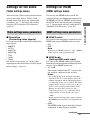
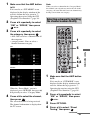
You can use the Audio settings menu to make
settings for the audio to suit your preference.
Select “Audio” in the Settings menu. For
details on adjusting the parameters, see “7:
Operating the receiver using the GUI
(Graphical User Interface)” (page 38).
Audio settings menu parameters
x A/V Sync
(Synchronizes audio and video
output)
• This function is useful when you use a large LCD
or plasma monitor or a projector.
• This function does not work in the following cases.
– The multi-channel input is selected.
– “2ch Analog Direct” is being used.
x Dual Mono
(Digital broadcast language
selection)
Lets you select the language you want to listen
to during a digital broadcast. This feature only
functions for Dolby Digital sources.
• MAIN/SUB
Sound of the main language will be output
through the front left speaker, and sound of
the sub language will be output through the
front right speaker simultaneously.
• MAIN
Sound of the main language will be output.
• SUB
Sound of the sub language will be output.
56GB
When set to “AUTO” and the sound from the digital
audio jacks (for a CD, etc.) is interrupted when
playback starts, set to “PCM.”