1
Timer
Falling asleep to music
Waking up to music
— Daily Timer
— Sleep Timer
You can set the system to turn off after a
certain time, so that you can fall asleep to
music.
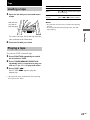
Press SLEEP on the remote.
Each time you press the button, the minute
display (the turn-off time) changes cyclically as
follows:
AUTO* t 90min t 80min t … t 10min
t OFF
* The system automatically turns off after the current
VIDEO CD, CD or tape finishes playing (up to 100
minutes).
When the function is TUNER, the system turns off
after 100 minutes.
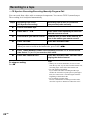
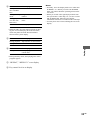
To
Press
Check the
remaining
time**
SLEEP on the remote once.
Change the
time to turn off
SLEEP on the remote to select the
time you want.
Cancel the
Sleep Timer
function
SLEEP on the remote repeatedly
until “SLEEP OFF” appears.
You can wake up to music at a preset time.
Make sure you have set the clock (see “Setting
the clock” on page 10).
1 Prepare the sound source you want to
play.
• Disc: Place a disc. To start from a
specific track, make a program (see
“Programing VIDEO CD/CD tracks” on
page 15).
• Tape: Insert a tape.
• Radio: Tune in a station (see
“Listening to the radio” on page 22).
2 Press VOL + or – on the remote to
adjust the volume.
3 Press CLOCK/TIMER SET on the
remote.
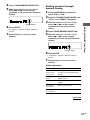
“DAILY SET?” appears.
4 Press ENTER.
**You cannot check the remaining time if you set to
“AUTO.”
“ON” appears and the hour indication
flashes.
5 Set the time to start playing.
Press R or r on the remote to set the hour,
then press ENTER.
The minute indication flashes.
Press R or r on the remote to set the minute,
then press ENTER.
6 Set the time to stop playing following
the procedure in step 5.
7 Press R or r on the remote to select the
desired sound source.
The indication changes as follows:
t TUNER y CD PLAY T
t TAPE PLAY T
28GB