1
filename[F:\My Document\mdss50\4230403131\4230403131\423040313MDSS50U2\GB05OPE-U2.fm]
masterpage:Left
(3 column)
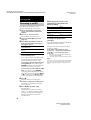
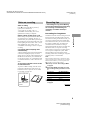
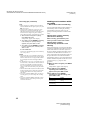
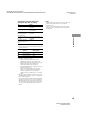
Playing MDs
Repeat Play Operations
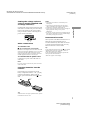
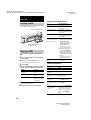
Loading an MD
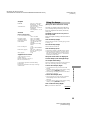
Load an MD as illustrated below.
With the labeled side up
To
Do the following
Repeat only one track
Press REPEAT repeatedly
until “Repeat 1” appears in
the display.
Repeat all tracks
Press REPEAT repeatedly
until “Repeat All” appears in
the display.
Cancel Repeat Play
Press REPEAT repeatedly
until “Repeat Off” appears
in the display.
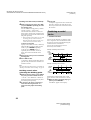
Repeat a specific
portion within a track
(Repeat A – B Play)
1 While the deck is
playing, press AyB on
the remote at the
starting point (point A)
of the portion to be
played repeatedly.
“REP A-” lights up and
“B” flashes in the display.
2 Continue playing the
track or press M on
the remote to locate the
ending point (point B),
then press AyB on the
remote.
“REP A-B” lights up and
Repeat A-B Play starts.
Cancel Repeat A – B
Play
Press REPEAT or CLEAR
on the remote.
With the arrow pointing
toward the deck
Playing an MD
— Normal Play/Shuffle Play/Repeat
Play
1 Turn on the amplifier and select MD on
the amplifier.
2 Press ?/1 to turn on the deck.
The STANDBY indicator turns off.
3 Load an MD.
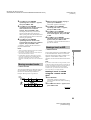
4 Press PLAY MODE repeatedly until the
mode you want appears in the display.
Other Operations
To
Press or turn
Stop play
x
To play
Pause play
NX (or X)
Blank (no PLAY MODE
indication)
The MD in original
order.
Resume play after
pausing
NX (or press N or X)
SHUF
The tracks in random
order.
PGM
The tracks in the
order you want them
to be played.
Go to the next or a
AMS1) clockwise (or press
succeeding track during > repeatedly).
play
Select
5 Press NX.
The deck starts to play.
6 Adjust the volume on the amplifier.
Go to a preceding track AMS counterclockwise (or
during play
press . repeatedly).
Go to the beginning of AMS counterclockwise (or
the current track during press . once).
play
Go to a specific track
while the deck is
stopped
AMS (or press ./>
repeatedly) until the track
number you want to go to
flashes in the display, then
press AMS or NX (or
N).
16
model name1[MDS-S50]]
[4-230-403-13(1)]