1
Features
High brightness LCD panel
Because of the monitor’s high brightness, high contrast
and wide viewing angle technology, it can be used under
various lighting conditions. Use the light intercepting
hood, connector protector and carrying handle (optional
Sony VF-509 monitor ENG kit) for outdoor use.
Rack mount monitors
The LMD-9050, LMD-9030 and LMD-9020 can be
installed in a standard 19-inch rack using an optional
rack mounting bracket MB-525. This is essential when
space is paramount in crowded OB vehicles.
Monitor stand
You can set the monitor display in 90 degrees by using the
stand.
Lightweight, thin design/AC power adaptor
mount function
The lightweight, thin design reduces the load for an OB
vehicle and the space needed for the equipment. Also,
an AC power adaptor can be installed to the rear of the
monitor for easy use.
External sync input
When the EXT SYNC button is in the on position, the
unit can be operated on the sync signal supplied from an
external sync generator.
Automatic termination (connector with
mark only)
The input connector is terminated internally at 75 ohms
when nothing has been connected to the output
connector. If a cable is connected to the output
connector, the internal terminal is automatically released
and the signals input to the input connector are output to
the output connector (loop-through).
Select color temperature and gamma mode
You can select the color temperature from among two
(high and low) settings and gamma mode from among
five settings. You can also adjust the color temperature
to the appropriate setting.
Aspect setting
You can set the monitor to 4:3 or 16:9 display mode
according to the input video signal.
Various markers
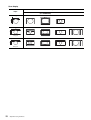
Displays frame boundaries such as the center marker,
etc. and supports the various film aspect ratios.
3-color tally lamp
The tally lamp lights in red, green or amber to monitor
each input picture and check the on-air mode.
Scan setting
You can set the display size to 0%/5% over scan, -3%
under scan or zoom mode.
Monaural speaker
The monitor has a monaural speaker to reproduce sound.
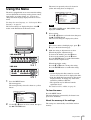
On-screen menus
You can set the appropriate settings according to the
connected system by using the on-screen menus.
Two color systems available
The monitor can display NTSC and PAL signals by
connecting this unit. The appropriate color system is
selected automatically.
Blue only mode
In the blue only mode, the blue element of the input
signal is displayed. This mode is convenient for chroma
and phase adjustment, and for monitoring VTR noise.
SDI (HD/D1-SDI) input connectors (for LMD9050/9030)
The HD-SDI signal (LMD-9050) or D1-SDI signal
(LMD-9050/9030) of the video equipment is input.
Analog RGB/component input connectors
Analog RGB or component signals from video
equipment can be input through these connectors.
Key inhibit function
You can inhibit a key, function to prevent misoperation.
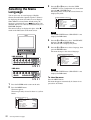
Select language display
You can select from seven display languages English,
German, French, Italian, Spanish, Japanese and
Chinese.
External remote control function
You can directly select the input signal, aspect, etc., by
operating the equipment connected to the PARALLEL
REMOTE terminal.
Battery operation function
You can operate this unit for about three hours with the
lithium ion battery pack BP-L40A or for about four and
half hours with the BP-L90A.
Y/C input connectors
The video signal, split into the luminance signal (Y) and
the chrominance signal (C), can be input through this
connector.
Features
13