1
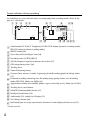
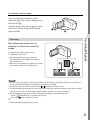
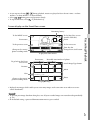
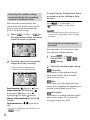
Playback For information on your camcorder model, see the following page: Functions and equipment p.11 You can search for recorded images by date and time of recording (Event View) or location of recording (Map View (models with GPS)). 1 Open the LCD screen and press the button on the camcorder to enter the playback mode. 2 Select / to move the desired event to the center () and then select it (). 3 You can enter the playback mode by on the LCD screen (p. 28). selecting MENU The camcorder displays recorded images as an event automatically, based on the date and time. 1 1 2013 Highlight 1 1 2013 GB 00:00:00 1 19 Select the appropriate buttons on the LCD screen for various playback operations. Volume / Previous/Next Delete / Fast-reverse/fast-forward Context / Play/Pause Stop 30 12 The camcorder plays from the selected image to the last image in the event. 1 18 2013 4 1-2 2013 Select the image. Play/stop slide show Some buttons described above may not appear, depending on the image being played back.