1
98-10-08
15.53
Page 1 (6,1)
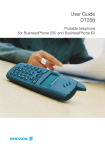
BusinessPhone DT310 / DT360 / DT368 Portable Telephones
DT3XC_R1B
User´s Guide
BUSINESSPHONE 250
BUSINESSPHONE 50
Portable Telephones
DT310 / DT360 / DT368
DT3xxEn_R2A_C.qxd
00-06-29
13.50
Sida 2 (1,1)
QUICK REFERENCE GUIDE - DT360 AND DT368
ANSWER CALLS
ACCOUNT NUMBER
Answer:
Costs on a selected account no.:
QUICK REFERENCE CARD
These cards are used for DISA and to check messages.
(Account number)
Suppress ringing:
MESSAGES
MAKE CALLS
(New no.)
INQUIRY
Cancel internal diversion:
Ericsson Austria AG
Pottendorfer Strasse 25-27
A-1121 Vienna, Austria
Telephone: +43-1-81 100-5450
Telefax:
+43-1-81 100-5437
http://www.ericsson.at
(Call 3rd party)
Follow me, re-direct from
answering extension:
CONFERENCE
Ongoing conversation:
Cancel from answ. extension:
TRANSFER
(Own no.)
Transfer a call:
(Call 3rd party)
Bypass call forwarding:
(Go “on hook” before or after answer)
(Extension no.)
REMINDER
INFORMATION
Reminder (24 hours):
Enter information (pre-text):
(Reminder time)
(Select ”info code” from list below)
Cancel reminder:
(Enter ”completing info”)
VOLUME CONTROL
2
BusinessPhone 250 / BusinessPhone 50
Portable DT310 / DT360 / DT368
info code
Earpiece volume (during call):
or
Ringer volume (at rest/ringing):
or
BusinessPhone 250 / BusinessPhone 50
Portable DT310 / DT360 / DT368
Personal code
(New no.)
(To establish)
(End the call to leave)
Message system
(Own no.)
(Call 3rd party)
Time of return
Date of return
Lunch
Meeting
Vacation
Illness
1.
2.
3.
4.
5.
6.
completing info
hour (00-23) minute (00-59)
month (01-12) day (01-31)
back at, hour minute
back at, hour minute
back, month day
back, month day
Personal code
Ongoing conversation:
ERICSSON MAKES NO WARRANTY OF ANY KIND WITH REGARD TO
THIS MATERIAL, INCLUDING, BUT NOT LIMITED TO, THE IMPLIED
WARRANTIES OF MERCHANTABILITY AND FITNESS FOR A
PARTICULAR PURPOSE. Ericsson shall not be liable for errors contained herein nor
for incidental or consequential damages in connection with the furnishing,
performance or use of this material.
Individual internal diversion:
Intrusion:
Message system
(Keep handset off hook)
DISA Number
Camp on:
DISA Number
(Go “off hook” when called back)
Company number
Fixed diversion:
(Go “on hook”)
Company number
CALL FORWARDING
Automatic call-back:
DISA and Message check:
The information in this document is subject to alteration without prior notice.
Receive messages:
YOU GET BUSY TONE OR NO ANSWER
DISA and Message check:
This document contains proprietary information which is protected by copyright. No
part of this document may be reproduced or transmitted in any form or by any means,
electronic or mechanical, including photocopying, recording, or by any
information storage and retrieval system, or translated into another language, without
prior written consent of Ericsson Austria AG, Vienna, Austria.
Send:
Personal code
(Abbreviated no. 0-9)
Speak
DISA Number
Last external number redial:
Re-record:
Message system
Copyright © 2000. Ericsson Austria AG. All rights reserved.
Play-back:
DISA Number
USER’S GUIDE
Individual abbreviated number:
Speak
Personal code
Voice:
Company number
(Abbreviated no.)
Company number
Common abbreviated number:
DISA and Message check:
(Internal or external no.)
DISA and Message check:
Normal calls:
Message system
”Call me”:
BUSINESSPHONE 250 / BUSINESSPHONE 50 – VERSION 5.0
PORTABLE TELEPHONES DT310 / DT360 / DT368
DT3X_TXF
98-10-08
15.46
Page 1 (2,1)
TELEFAX FORM
number)
Speak
k
You can help us
make this manual
even better!
)
no.)
o code” from list below)
mpleting info”)
0-59)
-31)
0 / BusinessPhone 50
0 / DT360 / DT368
This is a part of EN/LZTBS 102 124 R1B. Subject to alteration without prior notice
)
Email ..................................................................................
Fax ......................................................................................
Tel ......................................................................................
Postcode .............................. Country..............................
City ....................................................................................
Address ..............................................................................
Company ............................................................................
13.44
Position ..............................................................................
I have found some errors/ I suggest these improvements:
Page
..........
..........................................................................................
..........
..........................................................................................
..........
..........................................................................................
..........
..........................................................................................
..........
..........................................................................................
..........
..........................................................................................
..........
..........................................................................................
..........
..........................................................................................
..........
..........................................................................................
..........
..........................................................................................
Please feel free to add pages if you need more space!
Size and format:
Instructions:
Symbols and illustrations:
Description of functions:
Quick reference guide:
te
ua
d
q
e
d
oo d
G A Ba
00-06-29
Name ..................................................................................
This is my opinion on the
BusinessPhone 250 / BusinessPhone 50
Portable Telephones User´s Guide, article
number EN/LZTBS 102 124 R2A:
We try to make this documentation as user-friendly as possible.
You can help us make it better, by returning this form with suggested improvements.
Fax the form to Ericsson Austria at +43-1-81 100-5437 or send an e-mail to:
[email protected]
TELEFAX FORM
DT3xxEn_R2A_TF.qxd
Sida 2 (1,1)
QUICK REFERENCE GUIDE - DT310
ANSWER CALLS
ACCOUNT NUMBER
Answer:
Costs on a selected account no.:
Suppress ringing:
(Account number)
MAKE CALLS
MESSAGES
Normal calls:
(Dial tone)
”Call me”:
(Internal or external no.)
Common abbreviated number:
Individual abbreviated number:
(Abbreviated no. 0-9)
Last external number redial:
Camp on:
(Go “off hook” when called back)
INQUIRY
Ongoing conversation:
(Call 3rd party)
Ongoing conversation:
Transfer a call:
(Call 3rd party)
VOLUME CONTROL
Earpiece volume (during call):
or
Ringer volume (at rest/ringing):
or
BusinessPhone 250 / BusinessPhone 50
Portable DT310 / DT360 / DT368
Voice:
Speak
(Abbreviated no.)
Play-back:
Re-record:
Speak
Send:
Receive messages:
YOU GET BUSY TONE OR NO ANSWER
CALL FORWARDING
Automatic call-back:
Fixed diversion:
(Keep handset off hook)
Individual internal diversion:
Intrusion:
(New no.)
Cancel internal diversion:
Follow me, re-direct from
answering extension:
CONFERENCE
(Call 3rd party)
(Own no.)
(To establish)
(New no.)
(To leave)
Cancel from answ. extension:
TRANSFER
(Own no.)
Bypass call forwarding:
(Before or after answer)
(Extension no.)
REMINDER
INFORMATION
Reminder (24 hours):
Enter information (pre-text):
(Reminder time)
(Select ”info code” from list below)
Cancel reminder:
(Enter ”completing info”)
Time of return
Date of return
Lunch
Meeting
Vacation
Illness
info code
1.
2.
3.
4.
5.
6.
hour (00-23) minute (00-59)
month (01-12) day (01-31)
back at, hour minute
back at, hour minute
back, month day
back, month day
completing info
Welcome to the User´s Guide for the following portable telephones from Ericsson: DT310,
DT360 and the DT368 in the BusinessPhone 250 / BusinessPhone 50 system.
It is a state-of-the-art business communications system. Its alliance of features and facilities
effectively improves communications for virtually any kind of organization. To take full
advantage of these advanced features and facilities there is a line of phones, designed for ease
of use in every situation.
Note: The features described in this user´s guide are related to version 5.0 of the BusinessPhone
250 / BusinessPhone 50 system, some features described in this guide might not work in earlier
version of the system.
Some features described in this user´s guide might be protected by a hardware dongle that has to be
bought separately.
The portable telephones are DECT (Digital Enhanced Cordless Telephony) business cordless
telephones.
Your organisations premises is covered by a number of cells which forms the coverage area.
You can make and answer calls anywhere within this area, outside the area you will lose contact with the system.
Company coverage
To get the most from your portable telephone and this User´s guide, we recommend to read
the ”Important” and ”Basics” sections first.
The User´s Guide describes the facilities of the BusinessPhone system and the portable telephones with a factory defaults programming. There may be some differences in the way your
phone is programmed. Please consult your system administrator if you need further information.
This Portable Telephone complies with the requirements of the following European Council Directives:
91/263/EEC concerning telecommunications terminal equipment
73/ 23/EEC concerning electrical safety
89/336/EEC concerning electromagnetic compatibility
Portable DT310 / DT360 / DT368
BusinessPhone 250 / BusinessPhone 50
BusinessPhone 250 / BusinessPhone 50
Portable DT310 / DT360 / DT368
3
TABLE OF CONTENTS
Table of Contents
page
Important ................................................................................5
Portable - DT310 ....................................................................6
Portable - DT360 ..................................................................10
Portable - DT368 ..................................................................16
Outgoing calls ........................................................................22
During calls ............................................................................24
Call forwarding ......................................................................29
Information ............................................................................33
Internal messages ....................................................................37
Mailbox system ......................................................................40
Abbreviated numbers ..............................................................43
Group facilities ......................................................................47
Other useful facilities ..............................................................50
Security ..................................................................................55
Least Cost Routing ................................................................58
Phone book ............................................................................59
Adjustments............................................................................63
Installation..............................................................................64
Trouble shooting ....................................................................68
Glossary ..................................................................................70
Useful hints ............................................................................72
Index ......................................................................................73
Quick reference guide - DT310..............................................78
4
BusinessPhone 250 / BusinessPhone 50
Portable DT310 / DT360 / DT368
IMPORTANT
GUIDELINES
Consider these suggestions and guidelines to keep your
telephone in good shape and working properly.
Intrinsic safety
The portable is not specified as intrinsically safe, so do not
use it in hazardous areas.
Battery handling
The battery contains environmental polluting material.
If damaged, return it to a collecting point.
Cleaning
Clean the portable only with a soft, water dampened cloth.
Using soap or any other cleaning materials may discolour or
damage the portable.
Treatment
Do not expose the portable to direct sunlight for long
periods. Keep the portable away from excessive heat and
moisture.
HOW TO USE THIS
MANUAL
Find out which portable telephone you have, and then read
the related ”Basics” section. This will give you a good basic
understanding about the specific portable you are using.
Note: To see which portable telephone you have, see your
portable above the right display corner.
The following sections describe the BusinessPhone functions
for all three portable telephones, which means that the keys
differ between the telephones.
Therefore, if the function procedure is the same on all three
telephones, the DT368 keys are displayed to describe the
function. See example below.
Example :
The ”ON/MUTE”-key is different on all three telephone
types. It is displayed with the DT368-key.
Press shortly to mute the ringing or warning for
the moment
BusinessPhone 250 / BusinessPhone 50
Portable DT310 / DT360 / DT368
5
PORTABLE - DT310
DESCRIPTION DT310
GENERAL
This section gives you a short description of your DT310
portable telephone, how to switch on/off your portable and
how to answer and make calls.
Note: To see which portable telephone you have, see your
portable above the right display corner.
DESCRIPTION
PORTABLE DT310
Antenna
Warning Light
(Ringing, Battery low,
exit cover area).
Earpiece
Control key
Memory: Recall a number
from memory.
Prog: Store a number in
memory, confirm.
Display (2 rows)
Display at rest.
See section ”Display info”.
Control key
Put your portable
on or off hook.
Control key
Redial the last number.
Volume Up
On hook: raise ringer
volume.
Off hook: raise earpiece
volume.
Control key
Activate functions
with blue text.
Volume Down
On hook: lower ringer
volume.
Off hook: lower earpiece
volume.
Keypad
R-key
On / Mute or Off
Microphone
Accessory Connector
6
Battery
BusinessPhone 250 / BusinessPhone 50
Portable DT310 / DT360 / DT368
PORTABLE - DT310
Display info
The display gives you visual feedback on the current status
by showing different statuses, visualised by icons.
The DT310 display
Display icons
Standby
On when your portable is locked to the system and flashes
when you are outside the coverage area.
Call
On when your portable is off hook and flashes during
ringing.
Battery
Flashes fast when the battery is low or being charged and is
on when charging is completed.
Ringer off
On when the ringer is suppressed or switched off.
Program
Flashes when you have to choose a short number key and is
on when entering a telephone number.
BusinessPhone 250 / BusinessPhone 50
Portable DT310 / DT360 / DT368
7
PORTABLE - DT310
SWITCHING ON/OFF
THE PORTABLE
Switch on the DT310
Press until the display lights up
If the portable does not switch on or the battery icon starts
flashing, the battery is low. Charge the battery. While
charging, you can use your portable normally.
Switch off the DT310
Note: During calls, you cannot switch off your telephone.
Press
Press
The display turns blank and your portable is switched off.
8
BusinessPhone 250 / BusinessPhone 50
Portable DT310 / DT360 / DT368
PORTABLE - DT310
ANSWER CALLS
A ringing signal indicates an incoming call. The ringing type
tells you whether the call is an internal, external or call back
call.
Press to answer
If the portable rings at an inconvenient moment:
Press to suppress the ringing for the moment
Note: Calls can be answered at any time, no matter if you are
programming, or keying in a number etc.
End the call
Press
MAKE CALLS
How to make internal and external calls.
Press
Dial tone. The call icon shows that the portable is off hook.
Enter the telephone number
Press to end the call
Note: If you receive a call while keying in the number, simply
press hook to answer. You can make your calls faster by using
abbreviated numbers.
BusinessPhone 250 / BusinessPhone 50
Portable DT310 / DT360 / DT368
9
PORTABLE - DT360
DESCRIPTION DT360
GENERAL
This section gives you a short description of your DT360
portable telephone, how to switch on/off your portable and
how to answer and make calls.
Note: To see which portable telephone you have, see your
portable above the right display corner.
DESCRIPTION
PORTABLE DT360
Antenna
Warning Light
(Ringing, Battery low,
exit cover area)
Earpiece
Control key
Scroll up through menus or
name list.
Move left in choices.
Backspace when editing text.
Display (3 rows)
Display at rest, 888 is (your)
extension number.
See section ”Display info”.
CallName
888
Control key
Answer call/end call,
access menu, accept.
Control key
Return to main menu,
cancel/reject
Volume Up
On hook: raise ringer
volume.
Off hook: raise earpiece
volume.
Control key
Scroll down through menus,
name list.
Move right in choices.
Space when editing text.
Pause when entering
telephone number.
Volume Down
On hook: lower ringer
volume.
Off hook: lower earpiece
volume.
Keypad
R-key
On / Mute
Microphone
Accessory Connector
10
Battery
BusinessPhone 250 / BusinessPhone 50
Portable DT310 / DT360 / DT368
PORTABLE - DT360
The display gives you visual feedback on all actions that you
perform, and also textual warnings. The upper two rows are
text rows (12 possible characters in each row), showing
menus that you can access, names and numbers that you edit
or dial, your phone id etc. The lower row displays different
statuses, visualised by icons.
Display info
The DT360 display
Signs in the text rows
Menu pointer
Shows the menu that can be accessed by pressing yes.
Key sign
Indicates that the name displayed is part of the fixed phone
book and cannot be edited.
<
Number too long for display
There are more digits to the left.
–
Dash
Indicates that a pause is programmed in the telephone number.
Ringer Melody
Is an option you can choose from the Ringer Tones menu, to
compose your own Ringing Melody. In other menus it marks
a phone number as already called.
!
Exclamation Mark
Marks an unread entry in an entry list.
(continued)
BusinessPhone 250 / BusinessPhone 50
Portable DT310 / DT360 / DT368
11
PORTABLE - DT360
DESCRIPTION
PORTABLE DT360
(continued)
Display icons
Standby
On when your portable is locked to the system and flashes
when you are outside the coverage area.
Call
On when your portable is off hook and flashes during
dialling and ringing.
Ringer off
On when the ringer is suppressed or switched off.
Message
Message received. Only available if your portable supports
“message waiting” or “page messaging”.
Battery gauge
Flashes fast when the battery is being charged and is on
when charging is completed. Indicates the amount of talk
and standby time left:
100% left
75% left
50% left
25% left
Additional display
features
Depending on which portable you have and which network
you are connected to, additional display features are available.
For example displaying of date, time and the number of an
incoming call.
Ask your system administrator if you require additional
display features.
12
BusinessPhone 250 / BusinessPhone 50
Portable DT310 / DT360 / DT368
PORTABLE - DT360
SWITCHING ON/OFF
THE PORTABLE
Switch on the DT360
Press until the display lights up
If the portable does not switch on or the battery icon starts
flashing, the battery is low. Charge the battery. While
charging, you can use your portable normally.
Note: If the signal strength icon is off and the message
” NoSystem” is displayed you cannot make or answer calls.
Switch off the DT360
Note: During calls, you cannot switch off your telephone.
Press until ”PowerOff” is selected
Press
The display turns blank and your portable is switched off.
BusinessPhone 250 / BusinessPhone 50
Portable DT310 / DT360 / DT368
13
PORTABLE - DT360
ANSWER CALLS
A ringing signal indicates an incoming call. The ringing type
tells you whether the call is an internal, external or call back
call and the display indicates an incoming call.
Display example:
Intern.Call
4736
Press to answer
If the portable rings at an inconvenient moment:
Press to suppress the ringing for the moment
Note: Calls can be answered at any time, no matter if you are
programming, or keying in a number etc.
End the call
Press
14
BusinessPhone 250 / BusinessPhone 50
Portable DT310 / DT360 / DT368
PORTABLE - DT360
MAKE CALLS
How to make internal and external calls.
Enter the telephone number and press
Your portable will go off hook and dial the number. On the
display ” EndCall” is shown, this being your next choice.
EndCall
0654321
Press to end the call
Note:
Correct a wrong entry by pressing the up key.
If you decide not to make the call while keying in the
number, press ”no” to stop.
If you receive a call while keying in the number, simply
press yes to answer.
You can make your calls faster by using abbreviated
numbers or dial-by-name.
Off Hook
If you prefer to dial a number off hook:
Press until ”OffHook” is selected
Press to confirm
Dial tone.
Key your number on-line
BusinessPhone 250 / BusinessPhone 50
Portable DT310 / DT360 / DT368
15
PORTABLE - DT368
DESCRIPTION DT368
GENERAL
This section gives you a short description of your DT368
portable telephone, how to switch on/off your portable and
how to answer and make calls.
Note: To see which portable telephone you have, see your
portable above the right display corner.
DESCRIPTION
PORTABLE DT368
Antenna
Warning Light
(Ringing, Battery low,
exit cover area)
Earpiece
Control key
Scroll up through menus or
name list.
Move left in choices.
Backspace when editing text.
Display (3 rows)
Display at rest, 888 is (your)
extension number.
See section ”Display info”.
Private
888
15:37
Control key (Off hook/Yes)
Answer call, accept.
Control key (On hook/No)
End call, one menu back,
cancel/reject
Volume Up
On hook: raise ringer
volume.
Off hook: raise earpiece
volume.
Control key
Scroll down through menus,
name list.
Move right in choices.
Space when editing text.
Pause when entering
telephone number.
Volume Down
On hook: lower ringer
volume.
Off hook: lower earpiece
volume.
Keypad
R-key
Put call on hold (inquiry),
take call off hold.
Microphone
Accessory Connector
16
Battery
On/Mute / Off
Switch phone on / Switch
phone off (pressed for two
seconds).
When phone is on and
shortly pressed: ringer/
warning sound off.
During call: microphone off.
During call and warning:
warning sound off.
BusinessPhone 250 / BusinessPhone 50
Portable DT310 / DT360 / DT368
PORTABLE - DT368
The display gives you visual feedback on all actions that you
perform, and also textual warnings. The upper two rows are
text rows (12 possible characters in each row), showing
menus that you can access, names and numbers that you edit
or dial, your phone id etc.
The lower row displays different statuses, visualised by icons.
Display info
The DT368 display
Signs in the text rows
Menu pointer
Shows the menu that can be accessed by pressing yes.
Key sign
Indicates that the name displayed is part of the fixed phone
book and cannot be edited.
<
Number too long for display
There are more digits to the left.
–
Dash
Indicates that a pause is programmed in the telephone number.
Ringer Melody
Is an option you can choose from the Ringer Tones menu, to
compose your own Ringing Melody. In other menus it marks
a phone number as already called.
!
Exclamation Mark
Marks an unread entry in an entry list.
(continued)
BusinessPhone 250 / BusinessPhone 50
Portable DT310 / DT360 / DT368
17
PORTABLE - DT368
DESCRIPTION
PORTABLE DT368
(continued)
Display icons
Signal strength
On when your portable is locked to the system. The bars
indicate reception quality. Four bars indicate optimal reception.
Ringer off
On when the ringer is suppressed or switched off.
Message
Message received.
Call
On when your portable is off hook and flashes during
ringing.
Battery gauge
The battery cells are flashing sequentially when the battery is
being charged and is on when charging is completed.
Indicates the amount of talk and standby time left.
Battery low!
Charge battery
When the icon is flashing the battery is low. Four squares
indicate a fully charged battery.
Additional display
features
Depending on which portable you have and which network
you are connected to, additional display features are available.
For example displaying of date, time and the number of an
incoming call.
Ask your system administrator if you require additional
display features.
18
BusinessPhone 250 / BusinessPhone 50
Portable DT310 / DT360 / DT368
PORTABLE - DT368
SWITCHING ON/OFF
THE PORTABLE
Switch on the DT368
Press until the display lights up
If the portable does not switch on or the battery icon starts
flashing, the battery is low. Charge the battery. While
charging, you can use your portable normally.
Note: If the signal strength icon is off and the message
” NoSystem” is displayed you cannot make or answer calls.
Switch off the DT368
Note: During calls, you cannot switch off your telephone.
Press
The display turns blank and your portable is switched off.
BusinessPhone 250 / BusinessPhone 50
Portable DT310 / DT360 / DT368
19
PORTABLE - DT368
ANSWER CALLS
A ringing signal indicates an incoming call. The ringing type
tells you whether the call is an internal, external or call back
call and the display indicates an incoming call.
Display example:
> Intern.Call
4736
Press to answer
If the portable rings at an inconvenient moment:
Press to suppress the ringing for the moment
Note: Calls can be answered at any time, no matter if you are
programming, or keying in a number etc.
End the call
Press
20
BusinessPhone 250 / BusinessPhone 50
Portable DT310 / DT360 / DT368
PORTABLE - DT368
MAKE CALLS
How to make internal and external calls.
Enter the telephone number and press
Your portable will go off hook and dial the number. On the
display the duration time of the call is shown.
Press to end the call
Note:
Correct a wrong entry by pressing the up key.
If you decide not to make the call while keying in the
number, press ”no” to stop.
If you receive a call while keying in the number, simply
press yes to answer.
You can make your calls faster by using abbreviated
numbers or dial-by-name.
Off Hook
If you prefer to dial a number off hook:
Press
Dial tone.
Key your number on-line
BusinessPhone 250 / BusinessPhone 50
Portable DT310 / DT360 / DT368
21
OUTGOING CALLS
OUTGOING CALLS
GENERAL
LAST EXTERNAL
NUMBER REDIAL
Sometimes you make a call but the person isn´t available.
These functions will help you in your attempts to establish
contact with the called party.
When you initiate an external call the system automatically
stores all the dialled digits, irrespective of whether the call
was successful or not.
Press to redial the saved number
REDIAL NUMBER
FROM LAST
DIALLED LIST
Note: This chapter only applies to the DT360 and DT368 telephones.
The last ten (twenty on the DT368) dialled numbers are
memorised by your portable. You can redial one of these
numbers by selecting the number from the Last Dialled list.
Access ”LastDialled”
LastDialled
Scroll, select number and confirm
A number marked with “!” means new number. You can
store numbers permanently by adding them to your phone
book, see section ”Phonebook”.
Note: The Last Dialled list will be cleared if the power of your
portable is lost.
22
BusinessPhone 250 / BusinessPhone 50
Portable DT310 / DT360 / DT368
OUTGOING CALLS
AUTOMATIC
CALL-BACK
You call an extension and receive busy tone or get no answer.
Press and go ”on hook”
Verification tone. You are called back if the extension finishes
the ongoing call or the next time the extension finishes a new
call. You have to answer within eight seconds otherwise the
call-back service is cancelled.
BUSY EXTENSION
You call an extension and receive busy tone.
Camp-on
You can notify a busy extension of your call by a muted
ringing call (if this function is allowed).
Press to camp on
Keep the handset off hook. When the called extension
replaces the handset, it will be called automatically.
Note: If you receive the busy tone again, the desired extension
does not allow camp-on.
Intrusion
You can intrude on an ongoing call on a busy extension
(if this function is allowed).
Press to intrude
Intrusion tone is heard and a three-party call is established.
When the called extension replaces the handset and you keep
off hook, the called extension will be recalled automatically.
Note: If you still hear the busy tone, then your extension does not
have the authority to intrude or the desired extension is protected
against intrusion.
BusinessPhone 250 / BusinessPhone 50
Portable DT310 / DT360 / DT368
23
DURING CALLS
DURING CALLS
GENERAL
TRANSFER
AND INQUIRY
This BusinessPhone system allows you to handle calls in
many different ways. You can make an inquiry, transfer the
call, create a conference, mute the microphone and ringer,
change the dial mode or put the call on hold to perform
other tasks.
You have an ongoing internal or external conversation and
you want to transfer the ongoing call.
Press to put the current call on hold
Dial tone.
Call the third party
You can transfer the call before answer or wait for answer.
Note: Make sure, that you are connected to the desired party.
Please read the notes and warnings in section ”Useful hints”.
Press to return to your caller
or
Go ”on hook” to transfer the call
Note: Sometimes the ”R”-key must be pressed twice.
Whether you can put internal calls on hold or transfer calls to
external lines depends on your PBX. Consult your system
administrator.
Transfer to a busy
extension
24
You can even transfer calls to busy extensions. The other party
will hear a muted signal (camp-on), and the call will be
extended, as soon as the ongoing call is terminated (if campon is allowed).
BusinessPhone 250 / BusinessPhone 50
Portable DT310 / DT360 / DT368
DURING CALLS
Call-back
Inquiry via the
phone book on
DT360 and DT368
You are called back, if you have transferred an external call and
the other extension has not answered the call within a certain
time. Your telephone will ring again.
If you don’t know the number by heart, you can make an
inquiry to a second party in the phone book during a call.
Access ”R(inquiry)”
R(inquiry)
Access ”CallName” and search for second party
CallName
Confirm name when found
The portable puts the call on hold and dials the second
party.
Press to return to your caller
Note: When the second party answers, you can switch
between the calls.
or
Go ”on hook” to transfer the call
BusinessPhone 250 / BusinessPhone 50
Portable DT310 / DT360 / DT368
25
DURING CALLS
CONFERENCE
You have a conversation and you want to establish a
telephone conference.
Press
Dial tone.
Call the third party
Press to establish a three party conference
Now you have established a three party conference. To mark
the conference, all conference members will hear a periodical
conference tone.
Repeat the procedure to include other persons to
the conference
In this way, you can include up to six parties in a
conversation. How many of them can be external callers
depends on the programming of the system.
End the call to leave the conference
MUTE MICROPHONE
To mute the microphone, during an ongoing conversation:
Press and hold
The caller will not hear the conversation in your room.
or
Press shortly, to turn the microphone off
Short pulse sounds confirm that the microphone is off.
Press again, to turn the microphone on
Note: It is advised to use this feature instead of putting a call on
hold. A call on hold may be diverted to your operator,
directly or after some time.
26
BusinessPhone 250 / BusinessPhone 50
Portable DT310 / DT360 / DT368
DURING CALLS
MUTE RINGER OR
WARNING
If the portable rings or a warning sounds at an inconvenient
moment, e.g. when the battery runs low you will be warned
by a battery low sound (4 short beeps).
Press shortly to mute the ringing or warning for
the moment
The Ringer Off icon turns on to indicate that ringing is
suppressed.
Note for DT368: If you mute a warning sound, do not press
longer than two seconds, otherwise you will turn off the phone.
When a warning occurs during a call and you want to mute
the microphone, the first press always mutes the
warning sound. The second press mutes the microphone.
DIAL MODE
When calling interactive tele services, you must press certain
keys (post dial) to give your response. If your portable uses
tone dialling (DTMF) to make the call, just press the keys
requested by the tele service. If your portable uses pulsedialling, you must manually change to tones, after the call is
established:
Note: After you end the call, dialling is always reset to the
default method.
Change to tones
on DT310
Press to switch to tones
Press any key to respond
Some services do not work on standard DTMF tones. They
require ring tones.
(continued)
BusinessPhone 250 / BusinessPhone 50
Portable DT310 / DT360 / DT368
27
DURING CALLS
DIAL MODE
(continued)
Change to tones
on DT360 and DT368
Access ”DialMode”
DialMode
Select ”Switch” or ”GotoDTMF”
Press to confirm the change to tones
Press any key to respond
Some services do not work on standard DTMF tones.
They require ring tones. If so:
Access ”SendTones”
SendTones
Send a dial tone
pause on DT368
If you want to send a dial tone pause when the phone is off
hook, you can use ”Dial Mode - SendPause”.
Select ”SendPause” and press to confirm
A ”-” is displayed and the dial tone pause is sent.
If you are entering a phone number on hook:
Press to enter a dial tone pause
28
BusinessPhone 250 / BusinessPhone 50
Portable DT310 / DT360 / DT368
CALL FORWARDING
CALL FORWARDING
GENERAL
When you are not available to take calls or decide to answer
your calls on another extension, it is useful to forward your
calls to an alternate answering position. If you urgently need
to talk to someone who has forwarded his calls, the system is
also equipped with a bypass function. Depending on the
type of diversion you are also able to record your personal
greeting, see section “Personal greeting”.
Note: You can still make calls as usual.
Diversion on no reply
If you are not available to answer incoming calls (internal
or external), your system administrator can program your
portable to automatically divert calls to a programmed
diversion address (default time: 15 seconds).
Diversion on busy
If your portable is busy and you receive an incoming call
(internal or external), your system administrator can program
your portable to automatically divert the call to a
programmed diversion address.
FIXED DIVERSION
This function directs your calls to a pre-programmed
answering position (e.g. secretary).
Activate fixed diversion
Dial
Special dial tone. All calls to your extension are directed to a
pre-programmed address. On the DT368 display the actual
diversion state is shown.
Cancel diversion
Dial
Special dial tone.
BusinessPhone 250 / BusinessPhone 50
Portable DT310 / DT360 / DT368
29
CALL FORWARDING
INDIVIDUAL
DIVERSION
This feature gives you the possibility to divert your calls to
internal and external positions, e.g. to any directory number,
a colleague’s extension, an external number or a common
abbreviated number (e.g. your car telephone).
Note: In order to prevent misuse, individual external diversion
can be blocked for your extension, see section “Security”.
Program and activate
internal diversion
Divert your calls to an internal position.
Dial
Enter the new diversion address and press
Verification tone. You can make outgoing calls as usual.
A special dial tone reminds you that ”Call forwarding” is
active. On the DT368 display the actual follow me state is
shown.
Note: An individual internal diversion cannot be activated if an
individual external diversion is already activated.
Cancel internal
diversion
Dial
Individual diversion is cancelled.
30
BusinessPhone 250 / BusinessPhone 50
Portable DT310 / DT360 / DT368
CALL FORWARDING
Program and activate
a new external
diversion address
To set a new individual external diversion address:
Dial
Dial the digit(s) for external call access and enter
the new external diversion address
A maximum of 24 digits.
Press to activate the individual diversion
Verification tone.
Note: Individual external diversion can also be used via the
DISA function, see section “Other useful facilities”.
Cancel external
diversion
Dial
Note: The programmed diversion address is not removed from
the memory, the diversion is just inactive.
Re-activate external
diversion
Divert your calls to an external position.
Dial to activate the programmed external diversion
You can make outgoing calls as usual. A special dial tone
reminds you that ”Call forwarding” is active. On the DT368
display the activated external diversion is shown.
BusinessPhone 250 / BusinessPhone 50
Portable DT310 / DT360 / DT368
31
CALL FORWARDING
FOLLOW ME
To activate Follow me, ”Individual Diversion” must be active
on your telephone.
Activate Follow me
Note: This procedure has to be executed from the telephone the
calls are diverted to.
Dial
Dial your number and press
Dial the new number to where incoming calls
should be diverted
Press
Special dial tone.
Cancel Follow me
Follow me and individual diversion can also be cancelled
from the answering position.
Dial
Dial your number and press
Dial tone.
BYPASS CALL
FORWARDING
Bypass call forwarding makes it possible to call a specific
extension, even if call forwarding is activated on this extension.
Dial
Dial the extension number and press
You will be connected to the specified extension, regardless
of which type of call forwarding the called extension has
activated.
32
BusinessPhone 250 / BusinessPhone 50
Portable DT310 / DT360 / DT368
INFORMATION
INFORMATION
GENERAL
If you are not in the office for a certain period of time (e.g.
meeting, vacation, lunch, illness), this feature allows you to
inform your callers why you are absent.
Note: When you have activated a diversion with a personal
greeting, callers will receive this greeting instead of your
activated absence information.
You can inform your callers with:
1) Pre-defined texts
Enter the reason for your absence and the date and time of
your return. Internal callers receive the information on the
display or as spoken information (depending on telephone
type). External callers will be routed to the operator who also
has access to your absent info.
2) Voice information
Record a voice message and name your absent information.
Internal callers will hear the information via the handset or the
loudspeaker. External callers will be routed to the operator who
also has access to your absent info.
BusinessPhone 250 / BusinessPhone 50
Portable DT310 / DT360 / DT368
33
INFORMATION
ENTER INFORMATION
To store text or voice information.
Dial to enter the information mode
Select ”Pre-defined text” or ”Voice information”
Pre-defined texts
Enter ”Code” and
Enter ”Completing info” from the table below
Code
Time of return
Date of return
Lunch
Meeting
Vacation
Illness
1
2
3
4
5
6
Completing info
hour (00-23) minute (00-59)
month (01-12) day (01-31)
back at, hour minute
back at, hour minute
back, month day
back, month day
Press to enter the information
On the DT368 the programmed absence info will be shown
in the display.
Pre-defined texts
Example:
Vacation, back June 27
If you do not know the time of return, just press #.
Information active.
34
BusinessPhone 250 / BusinessPhone 50
Portable DT310 / DT360 / DT368
INFORMATION
Voice information
Dial to enter the information mode
Press and speak
Press to play-back and listen to your recording
Press and speak to re-record
Press to send
Information active.
Note: You can dial your own extension number if you want to
check your information.
BusinessPhone 250 / BusinessPhone 50
Portable DT310 / DT360 / DT368
35
INFORMATION
SAVE INFORMATION
When the information is active:
Dial
Press
Verification tone. Information is passive and stored for later use.
Use saved information
When the information is switched off:
Dial
Press to activate saved info
Verification tone. Information is active.
ERASE INFORMATION
Dial to erase info
Verification tone.
36
BusinessPhone 250 / BusinessPhone 50
Portable DT310 / DT360 / DT368
INTERNAL MESSAGES
INTERNAL MESSAGES
GENERAL
SEND MESSAGE
When you call an internal number and receive busy tone or
get no answer, you can send a message to that extension. The
BusinessPhone 250/50 system is also equipped with a
dictaphone function.
You call an extension and receive the busy tone or no answer.
Two possibilities exist:
1) Call-back message
2) Voice message
See also section ”Mailbox System“.
Call-back
Press to send a ”call me” message
Voice
If you want, you can send a voice message instead:
Press and speak
Press to play-back
Press and speak to re-record
Press to send
BusinessPhone 250 / BusinessPhone 50
Portable DT310 / DT360 / DT368
37
INTERNAL MESSAGES
CHECK AND STORE
RECEIVED
MESSAGES
On the DT368 received messages are indicated with a
message icon and the number of queued messages. On the
DT310 and DT360 a special dial tone is used to indicate
waiting messages.
Received messages are divided into following three categories:
• New messages (not heard or read)
• Heard/Read messages
• Stored messages
Note: Messages are deleted from the system after a certain time.
The time depends on which category the message belongs to.
Please ask your system administrator regarding this.
Dial
You can check and store your received messages. Up to 20
messages can be stored.
Voice messages will be heard. ”Call me” messages will call the
sender automatically (these messages cannot be stored).
Note: Depending on the configuration, you might be asked for
your password before you can retrieve your messages.
See section ”Security”.
38
BusinessPhone 250 / BusinessPhone 50
Portable DT310 / DT360 / DT368
INTERNAL MESSAGES
DICTAPHONE
If you want to record and retrieve personal voice messages
you can use the dictaphone. A dictaphone message is treated
as a normal message. How to retrieve dictaphone messages,
see section “Check and store received messages”.
Record message
To start the recording:
Dial and record your message
The maximum recording time is four minutes and 15 seconds.
Select options below:
Press to play-back
Press and speak to re-record
Go “on hook” to stop recording and save the message
BusinessPhone 250 / BusinessPhone 50
Portable DT310 / DT360 / DT368
39
MAILBOX SYSTEM
MAILBOX SYSTEM
GENERAL
INDIVIDUAL MAILBOX
SYSTEM
Activate
While you are away from the office, callers can leave
messages in your individual mailbox. You are also able to
record your personal greeting, see section “Personal greeting”.
If you are not in the office, you can give the service to the
caller to leave a message in your mailbox.
Divert your extension to the mailbox system.
Dial
Dial the number to the mailbox system
Ask the system administrator for your defined mailbox number.
Press
Special dial tone.
Deactivate
Dial
Special dial tone.
40
BusinessPhone 250 / BusinessPhone 50
Portable DT310 / DT360 / DT368
MAILBOX SYSTEM
Retrieve messages
internally
When you receive a special dial tone or when the message
icon appears in the display.
Note: A special dial tone is also used to indicate an activated
diversion.
Dial
See section “Check and store received messages”.
Retrieve messages externally
To retrieve your messages from an external position:
Go ”off hook”
Dial your company´s telephone number
Dial the number to the mailbox system
During the procedure you will be asked for your extension
number and your password.
BusinessPhone 250 / BusinessPhone 50
Portable DT310 / DT360 / DT368
41
MAILBOX SYSTEM
PERSONAL
GREETING
Depending on the type of diversion you want to activate,
you can leave three different personal greetings to the caller.
The diversion state can be on no reply, on busy or an activated individual diversion.
Dial
Press
During the procedure you will be asked for your extension
number and your password.
Press to configure your personal greeting
Enter diversion code
Select an option below and follow the voice announcements.
Type of diversion
Diversion greeting on busy
Diversion greeting on no reply
Individual diversion greeting
Code
1
2
3
Press to store the recorded greeting
When you activate the diversion, the recorded greeting is
played to the next caller.
Press to end
Note: When you have activated a diversion with a personal
greeting, callers will receive this greeting instead of your
activated absence information.
42
BusinessPhone 250 / BusinessPhone 50
Portable DT310 / DT360 / DT368
ABBREVIATED NUMBERS
ABBREVIATED
NUMBERS GENERAL
By using abbreviated numbers, you can make calls simply
by pressing a few keys.
Frequently used external numbers are stored as ”common
abbreviated numbers” in the exchange.
Up to 10 ”individual abbreviated numbers” (your personal
most frequently used external numbers) can be stored and
used on the keys ”**0” to ”**9”.
COMMON
ABBREVIATED
NUMBERS
External numbers are stored centrally in your BusinessPhone
system. Common abbreviated numbers have a maximum of
4 digits and can be dialled from every extension that has the
authority to do so.
Dial the common abbreviated number
Please refer to your telephone directory.
See section ”Phone book”.
INDIVIDUAL
ABBREVIATED
NUMBERS
You can program and activate your most frequently used
external numbers on the keys 0 to 9.
Press
Enter the abbreviated number
A number between 0 and 9. Verification tone.
(continued)
BusinessPhone 250 / BusinessPhone 50
Portable DT310 / DT360 / DT368
43
ABBREVIATED NUMBERS
INDIVIDUAL
ABBREVIATED
NUMBERS
(continued)
Program individual
abbreviated number
How to program external numbers on the keys 0 to 9.
Enter programming mode
Select an abbreviated number between 0 and 9
and press
Dial the number and press
The number can consist of up to 24 digits. Verification tone.
Cancel one specific
individual abbreviated
number
Dial
Select an abbreviated number between 0 and 9
and press
Verification tone.
Cancel all individual
abbreviated numbers
Dial
Verification tone.
44
BusinessPhone 250 / BusinessPhone 50
Portable DT310 / DT360 / DT368
ABBREVIATED NUMBERS
DIAL-BY-NAME
Note: This section only applies to the DT360 and DT368
telephones.
You can call someone by pressing the first character(s) of a
name and then scroll through the name list to search for the
name and number.
Example:
Call “kim” (ext. no. 123):
Press and hold until the display shows the first
name beginning with “k”
kate
432
Note: Display is only principal.
Scroll up or down the name list until you find “kim”
kim
123
Note: Display is only principal.
Confirm and Kim’s number will be dialled
Note: With this method you cannot correct key presses.
(continued)
BusinessPhone 250 / BusinessPhone 50
Portable DT310 / DT360 / DT368
45
ABBREVIATED NUMBERS
DIAL-BY-NAME
(continued)
Call Name menu
You can also call someone by accessing the Call Name menu.
Access ”CallName”
CallName
Press to confirm
The display shows the first name beginning with a “k”.
Scroll up or down the name list until you find “kim”
or
Key more characters or the full name in the
second step and press
Confirm and Kim’s number will be dialled
Note: This method allows you to correct key presses.
How to write text, see section ”Phone book”.
46
BusinessPhone 250 / BusinessPhone 50
Portable DT310 / DT360 / DT368
GROUP FACILITIES
GROUP FACILITIES
GENERAL
GROUP HUNTING
When you are working together in a team the following
group facilities can be very useful.
Your telephone can be included in one or several hunt groups.
In a hunt group all members are represented with one common
directory number. 16 hunt groups can be programmed, each
containing 1 to 20 members. A member can be either an
extension number, an operator console or a fictive number.
Please ask your system administrator if you require this function.
Note: The number of cordless extensions in a hunt group are
limited to eight (including tandem configurations).
Incoming calls to the hunt group are directed to free extensions in the group. The hunt order within the group can be
changed to suit your needs. If no one answers an incoming
call before the programmed time, the call is forwarded to the
programmed answering position (e.g. operator).
Note: If all members in a hunt group are busy, the call-back or
intrusion functions are not available, however the camp-on function can still be used.
Log in
Before you can answer group hunting calls, you must log in.
To log in to one hunt group:
Dial
Dial the hunt group code
Please ask your system administrator for the configured number.
Press
(continued)
BusinessPhone 250 / BusinessPhone 50
Portable DT310 / DT360 / DT368
47
GROUP FACILITIES
GROUP HUNTING
(continued)
To log in to all hunt groups:
Dial
Press
Answer calls
Answer group hunting calls in the normal way.
Log out
To log out from one hunt group:
Dial
Dial the hunt group code
Please ask your system administrator for the configured number.
Press
Note: If you are logged in to more than one huntgroup and log
out from one of them, the display (DT368 only) will show a
“logged out-message”.
To log out from all hunt groups:
Dial
Press
48
BusinessPhone 250 / BusinessPhone 50
Portable DT310 / DT360 / DT368
GROUP FACILITIES
GROUP CALL
PICK UP
In a pick up group, any member can answer any individual
call to group members. You answer a call to a group member
by dialling a special answering number. Please ask your
system administrator for the configured number.
Dial the group call pick up code
Ask your system administrator for the group call pick up code.
COMMON BELL
The common bell facility allows all extensions of the system
(operator included) to pick up the call from an extension
that has been predefined as a common bell extension.
Dial the common bell pick up code
Ask your system administrator for the common bell pick up
code.
If two or more extensions simultaneously attempt to answer
a call from the common bell extension, only the first extension will pick it up. The other extensions will receive the
”number unobtainable” tone. This will also happen if you
dial the common bell pick up code and there are no calls
waiting at the common bell extension.
BusinessPhone 250 / BusinessPhone 50
Portable DT310 / DT360 / DT368
49
OTHER USEFUL FACILITIES
OTHER USEFUL
FACILITIES GENERAL
REMINDER
By using these facilities your productivity will be increased,
e.g. you can set reminders for important meetings, place the
costs for external calls on separate accounts and much
more...
The phone can be set to remind you at any time within the
next 24 hours (multiple settings are allowed).
Dial
Dial reminder time and press
(00-23) hour + (00-59) minute. When the time is reached
your phone rings with recall signal.
Note: If you receive busy tone, your extension does not have the
authority to set a reminder.
Cancel reminder
Dial to cancel all settings
ACCOUNT NUMBER
You can place costs for external calls on a selected account
number (up to 15 digits).
Dial
Enter account number and press
Internal dial tone, make the external call.
50
BusinessPhone 250 / BusinessPhone 50
Portable DT310 / DT360 / DT368
OTHER USEFUL FACILITIES
DOORPHONE
The doorphone is used to monitor the admission to your
company, i.e you can open the doorlock from your phone.
Answering doorphone calls
Press
You will be in speech connection with the calling party.
Opening of the
doorlock
After you have answered the doorphone, you can open the
door making an inquiry to the door-opener’s directory number
Press
Dial the door-opener´s directory number
Please ask your system administrator for the number.
TANDEM
CONFIGURATION
The tandem configuration is a unit, consisting of two telephones
using the same directory number. One of the telephones is
defined as the ”Primary” and the other one as the ”Secondary”.
This function enhances the communication for users that, for
example, have a wired phone on their desk (the ”primary
telephone”) and need to be mobile within their company’s
building with their own portable (the ”secondary telephone”).
Basically the tandem configuration works as follows:
To activate the
tandem configuration
Dial to log on the secondary telephone
The DT368 display indicates that a second user is logged on.
For incoming calls:
• Both telephones are treated as 1 single extension.
(continued)
BusinessPhone 250 / BusinessPhone 50
Portable DT310 / DT360 / DT368
For outgoing calls:
• Both telephones are treated as 2 separate extensions.
51
OTHER USEFUL FACILITIES
TANDEM
CONFIGURATION
(continued)
To deactivate the
tandem configuration
Dial to log off the secondary telephone
For incoming calls:
• The ”secondary” telephone cannot be called and the ”primary”
telephone works as a normal ”stand-alone” telephone.
For outgoing calls:
• Both telephones are treated as 2 separate extensions.
Transferring a call
between the members
of a tandem unit
Press
Dial own directory number
Go ”on hook” to transfer the call
AUTOMATED
ATTENDANT
The Automated Attendant facility sends voice instructions to
external and internal callers, informing them of all possible
options they can choose. Voice instructions lead the callers
step by step to the desired destination.
Dial the automated attendant directory number
Please ask your system administrator for the Automated
Attendant directory number.
52
BusinessPhone 250 / BusinessPhone 50
Portable DT310 / DT360 / DT368
OTHER USEFUL FACILITIES
DIRECT INWARD
SYSTEM ACCESS
(DISA)
If you are working externally and you have the need to make
business calls, call your company and use the company PBX
to build up an external call to the desired party. You just pay
the costs for the phone call to your company. The other costs
will automatically be placed on your extension number or on
a special project.
Note: To activate this function, you have to change the default
password from “0000” to a personal one. Which code to use and
how to change it, see section ”Select password”.
You can also divert calls from your office extension to your
external position, see section “Call forwarding”.
During the procedure you will be prompted for your
password. See last page for a card to remember these specific
numbers.
Go ”off hook” and dial the public number of your
company
followed by the DISA number
Please ask the system administrator for the defined DISA number.
or
Use the external diversion function
Procedure, see section “Call forwarding”.
Note: If you program a new diversion address, remember to reset it when you return to your office.
BusinessPhone 250 / BusinessPhone 50
Portable DT310 / DT360 / DT368
53
OTHER USEFUL FACILITIES
NETWORKING
Networking is the connection of several premises within a
company. The connection can be set up via leased lines, public
lines, Local Area Network (LAN) or Wide Area Network
(WAN). Ask your system administrator about details regarding
networking.
IP CALLS
IP calls are internal calls sent via an internal data network
(LAN or WAN) and the transfer of data and voice is made on
the same line. If you are connected to an internal data network
the IP connection is made automatically. To minimise the
traffic on the network the speech quality is decreased.
If the speech quality is not acceptable you can disconnect the
IP call and switch to a non-IP call (alternative network). The
switch from the IP net to the non-IP net is made during the
call, so the call does not have to be disconnected.
If you want to switch to a non-IP net during the call:
Press
Dial
During the procedure the other party is put on hold. When
the procedure is ready you will receive a special ringing tone
and the call is resumed in the non-IP net.
Note: A switch to a non-IP call can only be performed if the
original call is an IP call, otherwise you will receive a blocking
tone.
54
BusinessPhone 250 / BusinessPhone 50
Portable DT310 / DT360 / DT368
SECURITY
SECURITY
GENERAL
You can block your extension in order to prevent
unauthorized use of your telephone, e.g if your external calls
are placed on a specific account number.
BLOCK EXTENSION
Dial to block your extension
Verification tone, your extension is blocked.
Un-block extension
Dial to re-open
Dial your password and press to re-open
Verification tone, your extension is open for use.
BusinessPhone 250 / BusinessPhone 50
Portable DT310 / DT360 / DT368
55
SECURITY
SELECT
PASSWORD
You can use your four-digit password for blocking your
phone from unauthorized use or for making external calls
from any blocked extension.
Press
Dial to select a new password
Dial your present password
Press
The default password is ”0000”
Dial your new password
Press
Verification tone.
56
BusinessPhone 250 / BusinessPhone 50
Portable DT310 / DT360 / DT368
SECURITY
BYPASS BLOCKED
EXTENSION
In order to make a call, you can temporarily bypass a
blocked extension. You can make one call from the extension.
Bypass own
extension
Dial
Dial your password
Press
Dial tone. You can make one call from the extension.
Bypass another
extension
This makes it possible to make a call on another, blocked
extension, by using your password.
Dial
Dial your password
Press
Dial your extension number
Press
Dial tone. You can make one call from the extension.
BusinessPhone 250 / BusinessPhone 50
Portable DT310 / DT360 / DT368
57
LEAST COST ROUTING
LEAST COST
ROUTING
GENERAL
LEAST COST
ROUTING
Least Cost Routing (LCR) automatically selects the cheapest
way to establish the connection to the desired external
number. Please ask your system administrator if this function
is installed in your system.
If the extension has been configured to use LCR, each
external call will be analysed and the cheapest way will be
selected.
Use least cost
routing
Dial the digit(s) for external call access and the
external number
The usual way of making an outgoing external call.
Calling least cost
routing
If LCR has been installed in your system, but your extension
is not configured to use it automatically, you also have the
opportunity to get the cheapest connection by dialling the
LCR code before you dial an external number.
Dial the LCR code
Please ask your system administrator for the LCR code.
Dial the digit(s) for external call access and the
external number
58
BusinessPhone 250 / BusinessPhone 50
Portable DT310 / DT360 / DT368
PHONE BOOK
PHONE BOOK
GENERAL
Note: This chapter only applies to the DT360 and DT368
telephones.
Your portable is equipped with a fixed phone book
(a pre-programmed directory for up to 1000 names) that is
useful to people in your organisation. These names are
marked with a key-sign when displayed, to indicate that you
cannot edit or delete them.
Your system administrator is responsible for the definition of
the fixed phone book. The fixed phone book is often the
same as your organisations general telephone directory.
In addition, you can create a personal directory with up to
100 names, which you can edit and erase.
The two directories are merged and alphabetically sorted in a
name list.
ACCESS THE
PHONE BOOK
To access the names and numbers of the phone book.
Access ”CallName”
CallName
BusinessPhone 250 / BusinessPhone 50
Portable DT310 / DT360 / DT368
59
PHONE BOOK
WHO CALLED LIST
Note: This section only applies to the DT368 and DT360
telephones.
Your phone keeps a list of people who have called you (if
supported by the network). Whenever there are entries in the
who called list, you can view or call back the numbers with
the ”WhoCalled” option. Each entry in the list is displayed
with a number in the upper left corner of the display.
When you switch off the phone, the who called list is erased.
Note: An exclamation mark (!) after an entry number means
that you have not read that entry yet. A bell icon means that you
have already called that caller, irrespective whether you have had
contact or not.
Call back callers
Access ”WhoCalled”
WhoCalled
A list of numbers is displayed. If the number is in the phone
book, the name is shown instead.
Scroll up or down the name list until you find the
number you want to call back
Press to dial the number
60
BusinessPhone 250 / BusinessPhone 50
Portable DT310 / DT360 / DT368
PHONE BOOK
WRITE TEXT
The characters that you can enter, are written above each key.
Use the keypad to write text, e.g. when you are sending
a text message. Below is explained how to write text in the
Add menu.
Access ”Add” (DT360 only)
or
Access ”Add” (DT368 only)
The portable changes to text entry mode automatically.
Add
Example :
Press a digit
1 time
result
2 times
result
3 times
result
4 times
result
J
K
L
5
Note for DT360: Characters å, ø and ç are at key 1. Other
European characters are composed by pressing * or #, followed by
the relevant key. The ‘æ’ and ‘ß’ are not included.
Note for DT368: Key ”1” is reserved for national characters.
The ‘æ’ and ‘ß’ are not included.
Press to enter a space
Press to confirm your edit and exit the menu
(continued)
BusinessPhone 250 / BusinessPhone 50
Portable DT310 / DT360 / DT368
61
PHONE BOOK
WRITE TEXT
(continued)
Example : DT310
To enter ü press # followed by 8
Key 8 has to be pressed only once here, because the portable
recognises invalid combinations with “t” and “v”.
Press to confirm your edit and exit the menu
Example : DT368
To enter
1 time
2 times
3 times
4 times
ü press * followed by 8 (four times)
result t
result u
result v
result ü
Press to confirm your edit and exit the menu
62
BusinessPhone 250 / BusinessPhone 50
Portable DT310 / DT360 / DT368
ADJUSTMENTS
ADJUSTMENTS
GENERAL
The BusinessPhone 50/250 system is equipped to set and
adjust a personal volume.
VOLUME CONTROL
Use the volume keys to adjust the volume in the earpiece or
the volume of the ringer. The volume keys have an auto
repeat function. Location of volume controls, see section
”Description”.
Earpiece Volume
When you are making a call, the volume keys affect the
earpiece volume. This is useful when e.g. you enter a
machinery or a computer room. The earpiece volume can
be set to 10 different levels.
or
To adjust the earpiece volume during a call
When the portable is at rest or ringing, the volume keys
affect the ringer level. Each time you press the key, you will
hear a short ring burst so that you can verify the new volume
immediately. There are 7 ringer levels. At the lowest level, the
ringer is shut off.
Ringer Volume
or
BusinessPhone 250 / BusinessPhone 50
Portable DT310 / DT360 / DT368
To adjust the ringer volume
63
INSTALLATION
INSTALLATION
GENERAL
BATTERIES
Connecting the
Battery
This chapter describes the batteries (how to connect and
charge) and how to connect the clip to the back of your
portable.
Your portable is supplied with either a standard battery or an
optional, high capacity battery.
Attach the battery to the portable as shown in the figure below.
Note: Because the status of a newly received battery is
uncertain, always charge it to ensure that you have sufficient
talk and standby time.
64
BusinessPhone 250 / BusinessPhone 50
Portable DT310 / DT360 / DT368
INSTALLATION
Battery description
On the surface that connects to the portable you can see
which battery you have, see the figure below.
Battery type
Part number
Battery
The table below indicates the difference in performance.
Talk time Standby time Charge time
(hours)
(hours)
(minutes)
High capacity for
DT310, DT360 9
45
90
High capacity
for DT368
50
90
10
Note: The batteries for the DT310 and DT360 phones are
compatible with the DT368, but may give lower talk- and
standby times.
(continued)
BusinessPhone 250 / BusinessPhone 50
Portable DT310 / DT360 / DT368
65
INSTALLATION
BATTERIES
(continued)
Basic charger
When the battery requires charging, you will hear a warning
sound and the display will indicate it. Use the charger that is
delivered with your portable to charge the battery. Regarding
charge time, see section ”Battery description”.
Note: For the DT368 the basic charger must be purchased separately.
To charge the battery:
Connect the adaptor to the mains socket and the
charger as shown in the figure below
The charging process will start automatically, indicated by a
fast flashing battery icon. When charging is complete, the
icon stops flashing. While charging, you can use your
portable normally.
Note: Do not connect your portable to the charger without a battery.
Connect the
Basic charger
Disconnect the
Basic charger
Note: You can remove the connector from your portable at any
time. If you wish, you can leave the adaptor in the mains socket
when you remove the connector. Use the self adhesive cable
clamp to tie the adaptor cable.
66
BusinessPhone 250 / BusinessPhone 50
Portable DT310 / DT360 / DT368
INSTALLATION
CONNECTING
THE CLIP
Connect/disconnect the clip to the back of the portable as
shown in the figure below.
Clip connection
Clip disconnection
Note: Do not put your fingers on the display when you press.
You can remove the clip, but don’t do this too often, because this
may wear out the fastening.
BusinessPhone 250 / BusinessPhone 50
Portable DT310 / DT360 / DT368
67
TROUBLE SHOOTING
TROUBLE SHOOTING
GENERAL
This section contains information on how to solve common
operational problems, and warnings you may receive.
TROUBLE SHOOTING
Go through the following lists if you encounter any problems.
If this checklist does not solve the problem, contact your
system administrator. If others have similar problems, there
may be a system error.
Fault check list
Fault
Probable cause
Action & Comment
No display
Battery low or portable defect
Charge battery
Display shows program and battery icon (DT310)
Display shows ”Connect battery” (DT360 and DT368)
Battery not properly fit or defect
Check battery or contact system administrator
No ringing
Ringer off icon on or portable defect
Off icon on=Adjust volume
Standby icon flashes (DT310 and DT360)
Signal strength icon off (DT368)
Out of coverage area, system or portable defect
Enter coverage area or contact system
administrator
Battery icon flashes slowly
Battery low
Charge battery
Call icon and/or program icon on for 2 seconds (DT310)
Call icon on for 2 seconds (DT360 and DT368)
Portable defect
Contact system administrator
68
BusinessPhone 250 / BusinessPhone 50
Portable DT310 / DT360 / DT368
TROUBLE SHOOTING
Battery icon on
Charging complete, charger still connected
Disconnect the charger
“PhoneBook empty”
No names stored in the phone book
Add names
“MemoryFull”
Memory full, you can not add names
Delete a name
“EnterXXX” (DT368) (where XXX=IPEI, PIN or UPI)
IPEI code, PIN code or UPI number missing
Enter required IPEI, PIN or UPI
“KeyLock” (DT368)
The key pad is locked
Press ”Yes” twice to unlock
“NoAccess” (DT368 & DT360)
Network in range, but no access rights
Select another network or resubscribe
“NoSystem” (DT368 & DT360)
Cannot connect to selected network
Select another network, subscribe or contact
system administrator
“PINBlocked Unblock” (DT368)
Phone blocked, wrong PIN code entered three times
Press ”Yes” and enter IPEI code
Contact your system administrator if one of these error
messages is displayed:
- SystemList Error
- BuzzerData Error
- FixedPhone-bookError
- UserData Error
- UserPhone-bookError
- Error xx (where xx=any number)
BusinessPhone 250 / BusinessPhone 50
Portable DT310 / DT360 / DT368
69
GLOSSARY
GLOSSARY
ABBREVIATED NUMBER
DIALLING
Initiating a call to a pre-programmed number by dialling a code or pressing a key.
Short numbers can be: 1. Common, which means that all extensions can use them.
2. Individual, which means that they are programmed and used by each extension separately
(10 numbers). See section ”Abbreviated numbers”.
ACCOUNT NUMBER
To place costs for external calls on a selected account number (up to 15 digits).
See section ”Other useful facilities”.
AUTOMATED ATTENDANT
A facility which sends voice instructions to internal and external callers, providing all
options which can be chosen. Voice instructions lead the caller to the desired
destination. See section ”Other useful facilities”.
CALL-BACK
An indication to a busy extension, to inform the person that you want to speak to
him/her. See sections ”Internal messages” and ”Outgoing calls”.
CAMP ON
To place (queue) a call to a busy extension. See section ”Outgoing calls”.
DIAL-BY-NAME
Initiation of a call by operating a single key. Internal numbers (or common abbreviated
numbers) can be stored on each extension. See section ”Abbreviated numbers”.
DIRECTORY NUMBER
Numbers with 1-8 digits which are assigned to extensions or external lines or as
common abbreviated numbers.
DIRECT INWARD
SYSTEM ACCESS (DISA)
If you are working externally, the DISA function enables you to make external calls
(long distance) via the company PBX. You only pay for the call to your company.
See section ”Other useful facilities”.
DIVERSION
Incoming calls to an extension are diverted to another directory number
(extension, common abbreviated number or the operator). There are three possibilities:
1. Direct, which means that all calls to an extension are forwarded directly. 2. On no reply,
which means that a call is forwarded if it is not answered within a certain time. 3. On
busy, which means that a call is forwarded if the extension is busy.
See section ”Call forwarding”.
DIVERSION BYPASS
This is useful for letting urgent calls through to an extension where diversion is active.
See section ”Call forwarding”.
EXTENSION
All telephones connected to the PBX have a unique internal number (upto 8 digits).
If your telephone is equipped with a display, you can see your number.
INFORMATION
Internal callers are informed about absence and time of return.
External callers are diverted to the operator, where the same information is available.
Information can be of two kinds: 1. Pre-programmed text information. 2. Voice
information.
INTRUSION
To intrude on an ongoing call when a requested extension is busy.
See section ”Outgoing calls”.
IP CALL
Internal call sent via an internal data network (LAN or WAN).
ISDN
Integrated Services Digital Network. Provides your system with supplementary services
from the public net.
LEAST COST ROUTING
A function that automatically selects the cheapest way to connect your external call
(not necessarily the shortest distance). See section ”Least cost routing”.
70
BusinessPhone 250 / BusinessPhone 50
Portable DT310 / DT360 / DT368
GLOSSARY
MAILBOX
The mailbox system controls the messages that are left for or sent by you when you are
absent. See section ”Mailbox system”.
MESSAGE
A message can be sent to any extension. This is useful when you receive the busy tone
or get no answer. There are two kinds of message: 1.”Call me” message. 2. Voice
message. See section ”Internal messages”.
MUTE MICROPHONE
To switch the microphone temporarily off. See section ”During calls”.
PASSWORD
A four-digit code needed to e.g. block your extension and retrieve messages from the
mailbox system. You can set your own password. See section ”Security”.
PBX
Public Branch Exchange. Your telephone switching system (e.g. BusinessPhone 250).
PRE-DEFINED TEXT
Pre-programmed absent information. See section ”Information”.
THIRD PARTY
A third connection (person), which can be included in an ongoing two person
conversation. The connection can be internal or external. See section ”During calls”.
TIE LINE
An external line from the private network.
TRANSFER
During an internal or external ongoing call you can make an inquiry and then
transfer the call to another party (internal or external).
See section ”During calls” and ”Useful hints”.
TRUNK LINE
A trunk line is the same as an external line. Can be either digital or analogue.
BusinessPhone 250 / BusinessPhone 50
Portable DT310 / DT360 / DT368
71
USEFUL HINTS
CONNECTIONS
BETWEEN
EXTERNAL LINES
With your BusinessPhone PBX, you can establish an external
call diversion or a conference with more than one external
party or transfer an external call to another external
destination (e.g. a mobile phone). These features are very
useful for everyday business life.
Note: When these features are used, your BusinessPhone will
occupy at least two external lines.
However, there may be disadvantages in connecting to
several external lines. We would therefore like to draw your
attention to the following:
•
Please do not transfer external calls to an
external mailbox, to information systems or
to external parties before they have answered
•
Try to avoid diverting calls to third parties
before they have answered
•
If you are connected to two external lines,
cancel one call by pressing the ”R”-key and
the ”1”-key
If the external parties are not persons (mailbox, automated
information or attendant systems, etc.), connections on
external lines can last a long time, which can be costly.
Moreover, such calls may occupy two of your system’s
external lines. You can restrict connections between the
external lines by re-programming your system.
Please ask your system administrator or contact our service
center for more information.
72
BusinessPhone 250 / BusinessPhone 50
Portable DT310 / DT360 / DT368
INDEX
Page
Abbreviated numbers ......................................43
Access the phone book....................................59
Account number.............................................50
Adjustments....................................................63
Answer calls DT310 .........................................9
Answer calls DT360 .......................................14
Answer calls DT368 .......................................20
Automated attendant ......................................52
Automatic call-back ........................................23
Batteries..........................................................64
Block extension...............................................55
Busy extension ................................................23
Bypass blocked extension ................................57
Bypass call forwarding ....................................32
Call forwarding...............................................29
Call me message .............................................37
Call-back ........................................................23
Camp-on ........................................................23
Charger...........................................................66
Check and store received messages..................38
Common abbreviated numbers.......................43
Common bell .................................................49
Conference .....................................................26
Connecting the battery ...................................64
Connecting the clip ........................................67
Description DT310 ..........................................6
Description DT360 ........................................10
Description DT368 ........................................16
Dial mode.......................................................27
Dial-by-name..................................................45
Dictaphone.....................................................39
Direct Inward System Access (DISA)..............53
Display info DT310 .........................................7
Display info DT360 .......................................11
Display info DT368 .......................................17
Diversion ........................................................29
Doorlock ........................................................51
Doorphone .....................................................51
During calls ....................................................24
BusinessPhone 250 / BusinessPhone 50
Portable DT310 / DT360 / DT368
Page
Earpiece volume .............................................63
Erase information ...........................................36
Fixed diversion................................................29
Follow me.......................................................32
Glossary..........................................................70
Group call pick up..........................................49
Group facilities ...............................................47
Group hunting ...............................................47
Guidelines ........................................................5
How to use this manual....................................5
Important .........................................................5
Individual abbreviated numbers......................43
Individual diversion ........................................30
Individual mailbox system ..............................40
Information ....................................................33
Inquiry ...........................................................24
Installation......................................................64
Internal messages ............................................37
Intrusion.........................................................23
IP calls ............................................................54
Last external number redial.............................22
Least Cost Routing .........................................58
Mailbox system...............................................40
Make calls DT310 ............................................9
Make calls DT360 ..........................................15
Make calls DT368 ..........................................21
Mute microphone...........................................26
Mute ringer or warning ..................................27
Networking.....................................................54
Opening of the doorlock ................................51
Other useful facilities......................................50
Outgoing calls ................................................22
Password .........................................................56
Personal greeting.............................................42
Phone book ....................................................59
Portable - DT310 .............................................6
Portable - DT360 ...........................................10
Portable - DT368 ...........................................16
Post dial..........................................................27
73
INDEX
Page
Pre-defined texts .............................................34
Redial number ................................................22
Redial number from last dialled list ................22
Refer back.......................................................24
Reminder........................................................50
Ringer volume ................................................63
Save information.............................................36
Second telephone............................................51
Security...........................................................55
Select password ...............................................56
Send message ..................................................37
Short numbers ................................................43
Switching on/off the DT310 portable ..............8
Switching on/off the DT360 portable ............13
Switching on/off the DT368 portable ............19
Tandem configuration ....................................51
Transfer...........................................................24
Trouble shooting.............................................68
Two telephones ...............................................51
Un-block extension.........................................55
Useful hints ....................................................72
Voice information ...........................................35
Voice messages ................................................37
Volume control...............................................63
When you receive busy tone ...........................23
Who called list................................................60
Write text........................................................61
74
BusinessPhone 250 / BusinessPhone 50
Portable DT310 / DT360 / DT368
NOTES
BusinessPhone 250 / BusinessPhone 50
Portable DT310 / DT360 / DT368
75
NOTES
76
BusinessPhone 250 / BusinessPhone 50
Portable DT310 / DT360 / DT368
NOTES
BusinessPhone 250 / BusinessPhone 50
Portable DT310 / DT360 / DT368
77
QUICK REFERENCE GUIDE - DT310
ANSWER CALLS
ACCOUNT NUMBER
Answer:
Costs on a selected account no.:
(Account number)
Suppress ringing:
MESSAGES
MAKE CALLS
”Call me”:
Normal calls:
(Dial tone)
(Internal or external no.)
Voice:
Speak
Play-back:
Common abbreviated number:
(Abbreviated no.)
Re-record:
Individual abbreviated number:
Speak
Send:
(Abbreviated no. 0-9)
Last external number redial:
Receive messages:
CALL FORWARDING
YOU GET BUSY TONE OR NO ANSWER
Fixed diversion:
Automatic call-back:
(Go “off hook” when called back)
Camp on:
Individual internal diversion:
(Keep handset off hook)
(New no.)
Intrusion:
Cancel internal diversion:
INQUIRY
Ongoing conversation:
(Call 3rd party)
Follow me, re-direct from
answering extension:
CONFERENCE
(Own no.)
Ongoing conversation:
(Call 3rd party)
(New no.)
(To establish)
Cancel from answ. extension:
(To leave)
(Own no.)
TRANSFER
Transfer a call:
(Call 3rd party)
Bypass call forwarding:
(Extension no.)
(Before or after answer)
REMINDER
INFORMATION
Reminder (24 hours):
Enter information (pre-text):
(Select ”info code” from list below)
(Reminder time)
(Enter ”completing info”)
Cancel reminder:
info code
VOLUME CONTROL
Earpiece volume (during call):
or
Ringer volume (at rest/ringing):
or
78
Time of return
Date of return
Lunch
Meeting
Vacation
Illness
1.
2.
3.
4.
5.
6.
completing info
hour (00-23) minute (00-59)
month (01-12) day (01-31)
back at, hour minute
back at, hour minute
back, month day
back, month day
BusinessPhone 250 / BusinessPhone 50
Portable DT310 / DT360 / DT368
DT3xxEn_R2A_C.qxd
00-06-29
13.50
Sida 2 (1,1)
QUICK REFERENCE GUIDE - DT360 AND DT368
ANSWER CALLS
ACCOUNT NUMBER
Answer:
Costs on a selected account no.:
QUICK REFERENCE CARD
These cards are used for DISA and to check messages.
(Account number)
Suppress ringing:
MESSAGES
MAKE CALLS
(New no.)
INQUIRY
Cancel internal diversion:
Ericsson Austria AG
Pottendorfer Strasse 25-27
A-1121 Vienna, Austria
Telephone: +43-1-81 100-5450
Telefax:
+43-1-81 100-5437
http://www.ericsson.at
(Call 3rd party)
Follow me, re-direct from
answering extension:
CONFERENCE
Ongoing conversation:
Cancel from answ. extension:
TRANSFER
(Own no.)
Transfer a call:
(Call 3rd party)
Bypass call forwarding:
(Go “on hook” before or after answer)
(Extension no.)
REMINDER
INFORMATION
Reminder (24 hours):
Enter information (pre-text):
(Reminder time)
(Select ”info code” from list below)
Cancel reminder:
(Enter ”completing info”)
VOLUME CONTROL
2
BusinessPhone 250 / BusinessPhone 50
Portable DT310 / DT360 / DT368
info code
Earpiece volume (during call):
or
Ringer volume (at rest/ringing):
or
BusinessPhone 250 / BusinessPhone 50
Portable DT310 / DT360 / DT368
Personal code
(New no.)
(To establish)
(End the call to leave)
Message system
(Own no.)
(Call 3rd party)
Time of return
Date of return
Lunch
Meeting
Vacation
Illness
1.
2.
3.
4.
5.
6.
completing info
hour (00-23) minute (00-59)
month (01-12) day (01-31)
back at, hour minute
back at, hour minute
back, month day
back, month day
Personal code
Ongoing conversation:
ERICSSON MAKES NO WARRANTY OF ANY KIND WITH REGARD TO
THIS MATERIAL, INCLUDING, BUT NOT LIMITED TO, THE IMPLIED
WARRANTIES OF MERCHANTABILITY AND FITNESS FOR A
PARTICULAR PURPOSE. Ericsson shall not be liable for errors contained herein nor
for incidental or consequential damages in connection with the furnishing,
performance or use of this material.
Individual internal diversion:
Intrusion:
Message system
(Keep handset off hook)
DISA Number
Camp on:
DISA Number
(Go “off hook” when called back)
Company number
Fixed diversion:
(Go “on hook”)
Company number
CALL FORWARDING
Automatic call-back:
DISA and Message check:
The information in this document is subject to alteration without prior notice.
Receive messages:
YOU GET BUSY TONE OR NO ANSWER
DISA and Message check:
This document contains proprietary information which is protected by copyright. No
part of this document may be reproduced or transmitted in any form or by any means,
electronic or mechanical, including photocopying, recording, or by any
information storage and retrieval system, or translated into another language, without
prior written consent of Ericsson Austria AG, Vienna, Austria.
Send:
Personal code
(Abbreviated no. 0-9)
Speak
DISA Number
Last external number redial:
Re-record:
Message system
Copyright © 2000. Ericsson Austria AG. All rights reserved.
Play-back:
DISA Number
USER’S GUIDE
Individual abbreviated number:
Speak
Personal code
Voice:
Company number
(Abbreviated no.)
Company number
Common abbreviated number:
DISA and Message check:
(Internal or external no.)
DISA and Message check:
Normal calls:
Message system
”Call me”:
BUSINESSPHONE 250 / BUSINESSPHONE 50 – VERSION 5.0
PORTABLE TELEPHONES DT310 / DT360 / DT368
Personal code
Message system
DISA Number
Personal code
Message system
Company number
Company number
DISA Number
DISA and Message check:
DISA and Message check:
Message system
Personal code
DISA Number
Personal code
Message system
Company number
Company number
15.54
DISA Number
DISA and Message check:
68
98-10-08
DISA and Message check:
DT3XC_R1B
Page 2 (6,1)
QUICK REFERENCE CARD
These cards are used for DISA and to check messages.
DT3xxEn_R2A_C.qxd
00-06-29
13.50
Sida 1 (1,1)
Project name
Account number
Account number
Special account numbers for business calls:
1
2
3
Communication is our business
Ericsson is the leading communications supplier, combining innovation
in mobility and Internet in creating the new era of mobile Internet.
Ericsson provides total solutions covering everything from systems and
applications to mobile phones and other communications tools. With
more than 100,000 employees in 140 countries, Ericsson simplifies
communications for customers all over the world.
Read more at http://www.ericsson.com/pressroom
This is a part of EN/LZTBS 102 124 R2A
Austria
Ericsson Austria AG
Pottendorfer Strasse 25-27
A-1121 Vienna, Austria
Telephone: +43-1-81 100-5450
Telefax:
+43-1-81 100-5437
http://www.ericsson.at
Account number
Australia
Ericsson Australia Pty Ltd.
Ericsson Business Systems
126-142 Trenerry Crescent
Abbotsford Vic 3067, Australia
Telephone, sales:
+61-13-1374
Service:
+61-1800-033-216
Telefax:
+61-9284-5776
http://www.ericsson.com.au/AU/
United Kingdom
Enterprise Distribution
Enterprise Networks and Datacomms
Telecommunications Centre
Ericsson Way, Burgess Hill
West Sussex RH15 9UB
Telephone: +44-(0)1444-234567
Telefax:
+44-(0)1444-874299
http://www.ericsson.co.uk
EN/LZTBS 102 124 R2A
© Ericsson Austria AG 2000
User´s Guide
BUSINESSPHONE 250
BUSINESSPHONE 50
Printed on chlorine free paper
Project name
Account number
This is a part of EN/LZTBS 102 124 R2A
Special account numbers for business calls:
1
2
3
4
Project name
Special account numbers for business calls:
1
2
3
4
This is a part of EN/LZTBS 102 124 R2A
4
Project name
Special account numbers for business calls:
1
2
3
4
This is a part of EN/LZTBS 102 124 R2A
BusinessPhone DT310 / DT360 / DT368 Portable Telephones
QUICK REFERENCE CARD
Portable Telephones
DT310 / DT360 / DT368
DT3xxEn_R2A_C.qxd
00-06-29
13.50
Sida 1 (1,1)
Project name
Account number
Account number
Special account numbers for business calls:
1
2
3
Communication is our business
Ericsson is the leading communications supplier, combining innovation
in mobility and Internet in creating the new era of mobile Internet.
Ericsson provides total solutions covering everything from systems and
applications to mobile phones and other communications tools. With
more than 100,000 employees in 140 countries, Ericsson simplifies
communications for customers all over the world.
Read more at http://www.ericsson.com/pressroom
This is a part of EN/LZTBS 102 124 R2A
Austria
Ericsson Austria AG
Pottendorfer Strasse 25-27
A-1121 Vienna, Austria
Telephone: +43-1-81 100-5450
Telefax:
+43-1-81 100-5437
http://www.ericsson.at
Account number
Australia
Ericsson Australia Pty Ltd.
Ericsson Business Systems
126-142 Trenerry Crescent
Abbotsford Vic 3067, Australia
Telephone, sales:
+61-13-1374
Service:
+61-1800-033-216
Telefax:
+61-9284-5776
http://www.ericsson.com.au/AU/
United Kingdom
Enterprise Distribution
Enterprise Networks and Datacomms
Telecommunications Centre
Ericsson Way, Burgess Hill
West Sussex RH15 9UB
Telephone: +44-(0)1444-234567
Telefax:
+44-(0)1444-874299
http://www.ericsson.co.uk
EN/LZTBS 102 124 R2A
© Ericsson Austria AG 2000
User´s Guide
BUSINESSPHONE 250
BUSINESSPHONE 50
Printed on chlorine free paper
Project name
Account number
This is a part of EN/LZTBS 102 124 R2A
Special account numbers for business calls:
1
2
3
4
Project name
Special account numbers for business calls:
1
2
3
4
This is a part of EN/LZTBS 102 124 R2A
4
Project name
Special account numbers for business calls:
1
2
3
4
This is a part of EN/LZTBS 102 124 R2A
BusinessPhone DT310 / DT360 / DT368 Portable Telephones
QUICK REFERENCE CARD
Portable Telephones
DT310 / DT360 / DT368