1
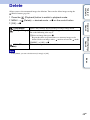
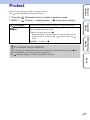
Allows you to select unwanted images for deletion. You can also delete images from the MENU
button (page 48).
1 Press the
2
Table of
contents
Delete
(Playback) button to switch to playback mode.
(Delete) button t desired mode t z on the control button
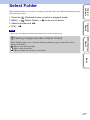
Deletes all images in the selected folder at once.
Press [OK] t z after step 2.
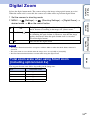
Multiple Images
Allows you to select and delete multiple images.
Do as the following after step 2.
2MENU t [OK] t z
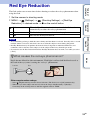
This Image
Deletes the currently displayed image in single-image
mode.
Exit
Cancels the deletion.
MENU/Settings
Search
1Select an image then press z.
Repeat the above steps until there are no more images to
be deleted. Select an image with a
mark again to
release the
mark.
Operation
Search
All in This Folder
Note
zYou can switch between index and single-image
Index
• In Easy Mode, you can delete only the currently displayed image.
mode when selecting images
Press the button (T) of the W/T (zoom) button in index mode
to return to single-image mode, and press the
(Index) button
(W) in single-image mode to return to index mode.
• You can also switch between index and single-image mode in
[Protect], [DPOF] or [Print].
26GB