1
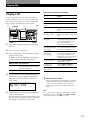
Playing CDs
6
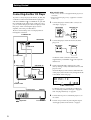
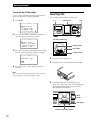
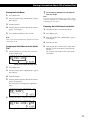
Labeling the program Z
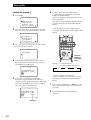
1
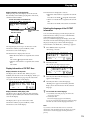
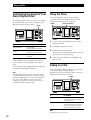
Press MENU.
CD1
N ame s e a r c h
P r o g r am p l a y
P r o g r am i n p u t
Ar t i s t se l ec t
2
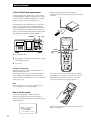
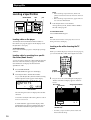
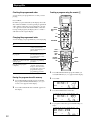
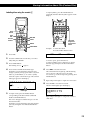
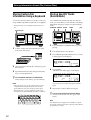
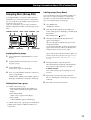
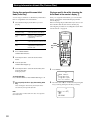
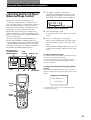
To input a letter, press the number button
corresponding to the desired letter (indicated
beside each number button).
The cursor disappears and the first space for the
Disc Name flashes.
Each time you press the button, the letter changes
cyclically among the ones indicated beside the
button.
To input symbols, press the number button 1
repeatedly until the desired symbol appears in the
display.
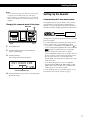
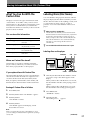
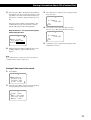
Move the cursor (B) to “Program input” by using
the Easy scroll key, then press the Easy scroll key.
CD1
A : P r o g r am
B : P r o g r am
C : P r o g r am
D : P r o g r am
PUSH ENTER
A
B
C
D
DISC
DEL
&!?
ABC
1
GHI
3
PQRS
SCROLL
CAPS
DEF
2
JKL
4
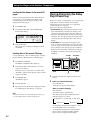
Move the cursor to the program you want to label,
then press the Easy scroll key.
GROUP
SPACE
3
MNO
5
TUV
CHECK CLEAR
6
ARTIST
MODE
WXYZ
7
8
10
10/0
HIT
LIST
9
–– MEGA ––
ENTER X-FADE NO DELAY
CD1
NAME INPUT
[ P r o g r am A
1:
2:
3:
4
]
CURSOR
ENTER
Characters
assigned to
each number
button
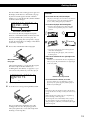
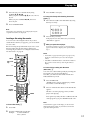
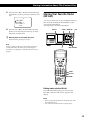
Push the Easy scroll key up to move the cursor to
the program name, then push the Easy scroll key.
The flashing cursor (b) appears.
Example: To select the letter E
Press the number button 3 twice.
CD1
tD
P r o g N ame W r i t e
P r o g r am A : ( AB )
[
]
5
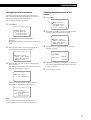
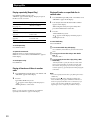
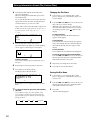
Press CAPS to find the desired letter type.
Each time you press the button, the letter type
changes cyclically among capital letters (AB), small
letters (ab), and numbers (12). To select a symbol,
select the capital or small letter type.
Letter type
24
tF
Press 3.
Press 3.
To insert a space, press SPACE once.
To input a number, press CAPS twice to change
the letter type, then press the desired number
button.
7
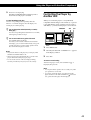
Press another number button or > to go to the
next space, then repeat steps 4 to 6 to input more
characters.
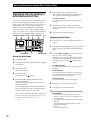
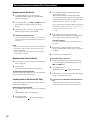
8
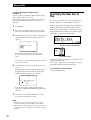
Press ENTER when you finish inputting
characters.
CD1
P r o g N ame W r i t e
P r o g r am A : ( AB )
[
]
tE
Press 3.