1
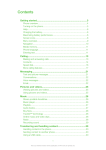
Transferring and handling content...........................................35
Handling content in the phone..........................................................35
Sending content to another phone....................................................35
Using a USB cable............................................................................35
Transferring content to and from a computer....................................36
Phone name.....................................................................................37
Using Bluetooth™ wireless technology..............................................37
Backing up and restoring..................................................................38
Updating your phone.................................................................40
Updating your phone using Sony Ericsson PC Suite..........................40
Updating your phone wirelessly.........................................................40
Messaging...................................................................................41
Text and picture messages...............................................................41
Conversations...................................................................................42
Voice messages................................................................................42
Email.................................................................................................42
Internet .......................................................................................45
To access the web browser toolbar..................................................45
Web browser shortcuts.....................................................................45
Bookmarks.......................................................................................45
History pages....................................................................................46
More browser features......................................................................46
Internet security and certificates........................................................46
File transfers......................................................................................46
Web feeds........................................................................................47
Facebook™ application....................................................................48
Twitter™ application.........................................................................48
Connected home........................................................................49
Wi-Fi™..............................................................................................49
DLNA™............................................................................................49
GPS..............................................................................................51
Using GPS........................................................................................51
Google Maps™ for mobile................................................................52
Tracker.............................................................................................52
Synchronising.............................................................................54
Synchronising using a computer.......................................................54
Synchronising using an Internet service.............................................54
More features.............................................................................55
Flight mode.......................................................................................55
Alarms..............................................................................................55
Calendar...........................................................................................56
Notes................................................................................................56
2
This is an Internet version of this publication. © Print only for private use.