1
Firewall > QoS Mapping
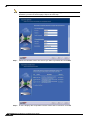
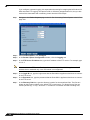
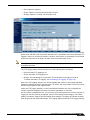
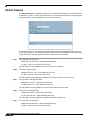
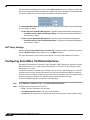
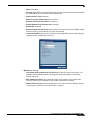
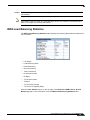
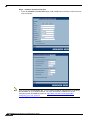
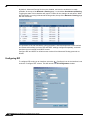
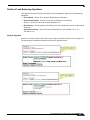
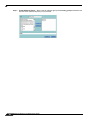
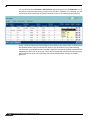
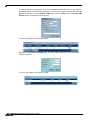
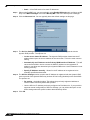
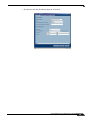
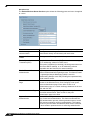
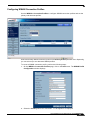
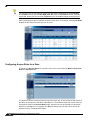
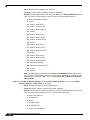
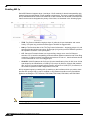
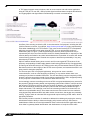
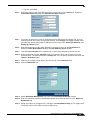
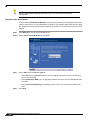
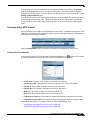
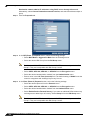
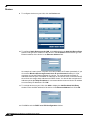
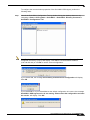
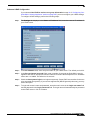
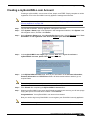
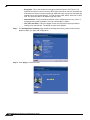
Each of these mappings can be reconfigured. If you wanted to change the outbound mapping
of 802.1p tag 4 from its default DSCP value of 32 to a DSCP value of 43, you can click the
Configure icon for 4 – Controlled load and select the new To DSCP value from the drop-down
box:
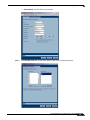
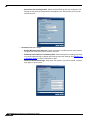
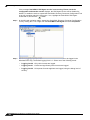
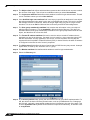
802.1p CoS 1 end-range remap
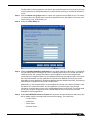
802.1p CoS 2 start-range remap
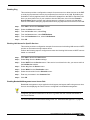
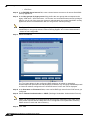
You can restore the default mappings by clicking the Reset QoS Settings button.
Managing QoS Marking
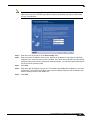
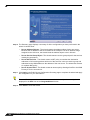
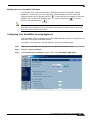
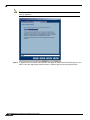
QoS marking is configured from the QoS tab of Access Rules under the Firewall > Access
Rules page of the management interface. Both 802.1p and DSCP marking as managed by
SonicOS Enhanced Access Rules provide 4 actions: None, Preserve, Explicit, and Map. The
default action for DSCP is Preserve and the default action for 802.1p is None.
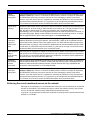
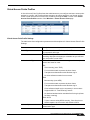
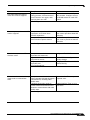
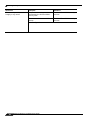
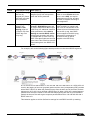
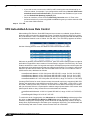
The following table describes the behavior of each action on both methods of marking:
Action
802.1p (layer 2 CoS) DSCP (layer 3)
Notes
None
The DSCP tag is explicitly set (or
When packets
matching this class of reset) to 0.
traffic (as defined by
the Access Rule) are
sent out the egress
interface, no 802.1p
tag will be added.
If the target interface for this class
of traffic is a VLAN sub-interface,
the 802.1p portion of the 802.1q
tag will be explicitly set to 0. If this
class of traffic is destined for a
VLAN and is using 802.1p for
prioritization, a specific Access
Rule using the Preserve,
Explicit, or Map action should be
defined for this class of traffic.
Preserve Existing 802.1p tag
will be preserved.
476
Existing DSCP tag value will be
preserved.
SonicOS Enhanced 4.0 Administrator Guide