1
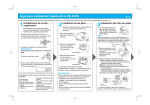
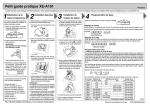
XE-A106 Quick Start Guide English The following describes how to get your cash register ready to operate. Follow these steps when you use the cash register for the first time. 1 Initializing the Cash Register To ensure the cash register operates properly, initialize it using the following procedure: 1. With the power cable unplugged, insert the supplied mode key into the mode switch and turn it to the REG position. OFF VOID REG 2 Installing Batteries Install batteries for back-up of sales data and programmed contents. 1.Push the printer cover forward and detach it. IMPORTANT Before placing a new paper roll in the paper roll cradle, cut off the pasted (taped) part of the paper and confirm that the cut end of the paper is straight. 2.Open the battery cover next to the paper roll cradle. This operation must be performed without batteries loaded. View from rear The buzzer will sound three times. 3. Now the cash register has been initialized. The register display will show “0.00” with “ ” . 1.Place a paper roll in the paper roll cradle so that the paper unrolls from the bottom. NOTE X/Flash Z/PGM 2. Insert the plug of the power cable into the AC outlet. 3 Installing a Paper Roll 3.Insert three new “AA” batteries. (Batteries are not supplied with the cash register.) View from rear 4. When the batteries are properly installed, “ ” on the display will disappear. Close the battery cover. 2.Insert the paper straight into the paper inlet, and press the key. The inserted end comes out at the printing area. 3. (For journal printing) Insert the top end of the paper into the slit in the take-up spool shaft and fold the inserted end toward you. Wind the paper two or three turns. Mount the supplied paper holding plate onto the take-up spool. Put the spool shaft in the larger hole of the paper holding plate and push the plate in the direction of the arrow. Place the take-up spool on the bearing. IMPORTANT The following are supplied with your cash register. 1 paper roll 1 mode key 1 drawer lock key 1 instruction manual (English) 1 instruction manual (Spanish) 1 Quick Start Guide (English) 1 Quick Start Guide (Spanish) 1 ink roller (pre-installed) 1 take-up spool 1 paper holding plate 1 mounting bracket Improper use of batteries may damage the cash register. Please take the following precautions. • Be sure that the positive (+) and negative (-) poles of each battery are oriented properly. • Never mix batteries of different types. • Never mix old batteries and new ones. Please read the instruction manual for other battery handling precautions. 4.Attach the printer cover. (For receipt printing, step 3 should be omitted.) 4 5 Basic Programming OFF Turn the mode switch to the Z/PGM position. VOID REG X/Flash Z/PGM Before Starting Entries Setting the Time Enter the time in 4 digits (“hhmm” format) using the 24 hour system. Press the once to program the next item or twice to exit the programming mode. #/ #/ Example: SBTL Now, you are ready! #/ SBTL key SBTL Time (2:30 p.m.) Turn the mode switch to the REG position. VOID Enter the date in 6 digits using the month-day-year format. Press the to program the next item or twice to exit the programming mode. #/ #/ Example: SBTL #/ SBTL key once SBTL Setting Tax Rates (%) X/Flash Z/PGM CLK# CLK# Clerk code Registration Example (When the Customer Pays by Cash) CLK# Date (February 15, 2010) REG Enter a clerk code (1-4) and press . (Once the clerk code entered, re-entry of the clerk code is not needed until the clerk is changed.) 1 Setting the Date OFF Clerk code 1 Price and dept. 5 3 7 #/ SBTL Price and dept. Specify a tax rate (%) for calculation of tax on each taxable subtotal using the following sequence: 9 #/ SBTL Tax number (1-4)* @/TM R @/TM Q Amount tendered R: Tax rate (0.0000% to 99.9999%) x 10000 (Enter the rate in 6 digits. Leading zeros may be omitted.) Q: Minimum taxable amount (0.01 to 99.99) x 100 (Smallest amount for which tax must be collected. ) *Up to 4 types of tax are programmable. Reading and Resetting Example 1: Tax rate 7.0000%, Min. taxable amount $0.11 for Tax 1 #/ SBTL @/TM Tax 1 @/TM Tax rate (7.0000%) Min. taxable amount ($0.11) Example 2: Tax rate 4.0000%, Min. taxable amount $0.00 for Tax 2 #/ SBTL NOTE @/TM X Reports (reading) . Turn the mode switch to the X/Flash position and press Z Reports (reading and resetting) In the Z/PGM mode, press .(In this case, grand total resetting is not performed.) Flash Reports (displayed but not printed) In the X/Flash mode: Press dept. key for dept. sales reports Press for sales total reports Press for cash-in-drawer reports #/ SBTL Tax 2 Tax rate (4.0000%) Your cash register is pre-programmed so that you can use it with minimum set-up. To change the settings, see the instruction manual. Initial settings Departments 1-4: Taxable 1 ; Departments 5-8: Non-taxable CH For further information, please read the instruction manual. Printed in China O(TCADH2554RCZZ)