1
Menu operation n Page 41
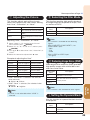
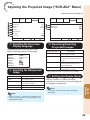
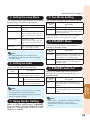
5 Setting the Lamp Mode
This function allows you to select the usage of
the two lamps installed in the projector.
Selectable items
Both Lamps
Description
Both lamps are used for greater
brightness.
Lamp 1 Only
The lamp 1 is used.
When the lamp 1 burns out, the
lamp 2 automatically switches in
use.
Lamp 2 Only
The lamp 2 is used.
When the lamp 2 burns out, the
lamp 1 automatically switches in
use.
Equal Use
The lamp whose remaining life
time is the longer is used.
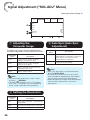
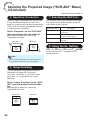
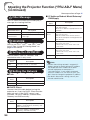
8 Fan Mode Setting
This function changes the fan rotation speed.
Selectable
items
Normal
Suitable for normal environments.
High
Set when using the projector at
altitudes of approximately 1,200 meters
(4,000 feet) or more.
When “Fan Mode” is set to “High”, the fan rotation
speeds up, and the fan noise becomes louder.
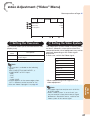
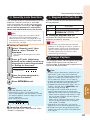
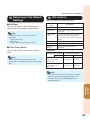
9 STANDBY Mode
When set to “Eco”, power consumption is
reduced in Standby mode.
Selectable
items
Note
• For lamp protection, this function is not
available for several minutes when changing
the lamp mode.
Selectable
items
Description
Description
Standard
The monitor output, LAN/RS232C and
Network functions are activated even if
the projector is in Standby mode.
Eco
The monitor output, LAN/RS232C and
Network functions are switched off in
Standby mode.
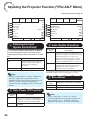
6 Setting the Audio
You can set the following Audio items.
Description
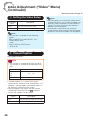
0 STANDBY Audio Out
You can set audio output from the AUDIO
OUTPUT terminal of the projector that is in
Standby mode.
Volume
You can change the volume level.
The adjustable range is 0 to 60.
Speaker
On
The audio signal is output
from the internal speaker.
Selectable
items
Off
The audio signal is not output
from the internal speaker.
On
The audio signal is output from the
AUDIO OUTPUT terminal in Standby
mode.
Off
The audio signal is not output from the
AUDIO OUTPUT terminal in Standby
mode.
• The audio signal is not output from the speaker
of the projector when the audio cable is
connected to the audio output terminal and you
cannot change the setting.
Useful
Features
Note
Description
Note
Using the Ex. Setting
Select “Ex. Setting” and then press
(ENTER)
to set “Fan Mode”, “STANDBY Mode”, “STANDBY
Audio Out”, “Filter Message”, “3D MODE”, “LAN/
RS232C” or “Network”.
• When “Eco” is selected for “STANDBY Mode”,
“STANDBY Audio Out” is set to “Off”
automatically and you cannot change the
setting.
53