1
Sharpdesk(Pastel)_install_E.book
0 ページ
2005年7月25日 月曜日 午後2時35分
Please read
● The explanations in this manual assume that the person who will install the product and the users
of the product have a working knowledge of Microsoft Windows.
detailed information on the software in the CD-ROM, please view the user's guide (PDF
format) that is included on the CD-ROM.
● For information on the operating system, please refer to your operating system manual or the
online Help function.
● The explanations of screens and procedures in this manual are for Windows XP. The screens
may vary depending on your Windows version and settings.
● For
Warranty
While every effort has been made to make this operation manual as accurate and helpful as
possible, SHARP Corporation makes no warranty of any kind with regard to its content. All
information included herein is subject to change without notice. SHARP is not responsible for any
loss or damages, direct or indirect, arising from or related to the use of this operation manual.
© Copyright SHARP Corporation 2005. All rights reserved. Reproduction, adaptation or translation
without prior written permission is prohibited, except as allowed under copyright laws.
Trademark information
● Sharpdesk
is a trademark of Sharp Corporation.
Windows operating system is a registered trademark or trademark of the Microsoft
Corporation in the U.S.A. and other countries.
● Windows 98, Windows Me, Windows 2000, and Windows XP are registered trademarks or
trademarks of Microsoft Corporation in the U.S.A. and other countries.
● Netscape Navigator is a trademark of Netscape Communications Corporation.
● Adobe, the Adobe logo, Acrobat, the Adobe PDF logo, and Reader are registered trademarks or
trademarks of Adobe Systems Incorporated in the United States and other countries.
● All other company names and product names appearing in this manual are the trademarks of their
respective owners.
● Microsoft
Table of Contents
Sharpdesk CD-ROM (for Windows)................................................................... 1
Software Programs .................................................................................................................. 1
Sharpdesk (Desktop Document Management Software)...................................................... 1
Network Scanner Tool .......................................................................................................... 1
SHARP TWAIN AR/DM ........................................................................................................ 1
User's Guides for Software Programs ................................................................................... 2
Installing the Software Program ............................................................................................. 3
Installing Sharpdesk and Network Scanner Tool .................................................................. 3
Installing SHARP TWAIN AR/DM ......................................................................................... 5
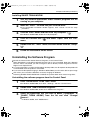
Uninstalling the Software Program ........................................................................................ 5
Uninstalling the software program from the Control Panel ................................................... 5