1
Connecting to computer
RS232C terminal specifications
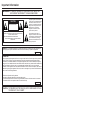
■ When a program is set, the LCD Monitor can be controlled from the computer using the RS232C
terminal. The input signal (computer/video) can be selected, the volume can be adjusted and
various other adjustments and settings can be made, enabling automatic programed playing.
■ Attach an RS232C cable cross-type (commercially available) to the supplied Din-D/sub RS232C for
the connections.
This operation system should be used by a person who is accustomed to using computers.
Note
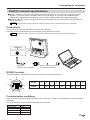
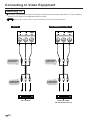
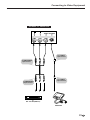
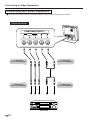
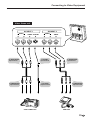
Connections
Connect this unit with the RS232C terminal of the computer.
Send the control commands from the computer via the RS232C terminal.
Mount the cable clamps when connecting cables to the rear terminal section (see page 6).
Note
CONTROL
Din-D/sub
RS232C cable (supplied)
RS232C cable cross-type
(commercially available)
RS232C terminal
The specifications of the RS232C terminal of this unit are described below.
8
9
7
6
3
Pin No.
1
2
3
4
5
6
7
8
9
Signal
-
RD
SD
-
SG
-
RS
-
-
4
5
2
1
Communication conditions
Set the RS232C communications settings on the computer to match the LCD Monitor’s communications
conditions.
The LCD Monitor’s communications settings are as follows:
Baud rate
Data length
Parity bit
Stop bit
Flow control
9,600 bps
8 bits
None
1bit
None
19
US