1
COPY FUNCTIONS
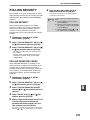
TWO-SIDED COPIES OF TWO-SIDED ORIGINALS
(ONLY WHEN USING THE RSPF)
• Paper sizes that can be used are 11" x 17", 8-1/2" x 14", 8-1/2" x 13", 8-1/2" x 11", 8-1/2" x 11"R, A3, B4, A4, A4R,
B5, B5R and A5.
• Automatic two-sided copying is not possible when the bypass tray is used.
• This copy function cannot be used in combination with dual page copy.
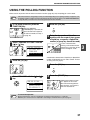
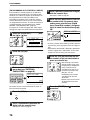
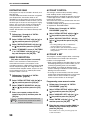
1
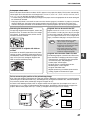
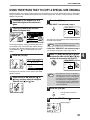
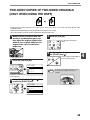
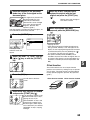
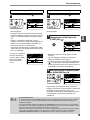
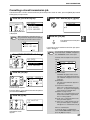
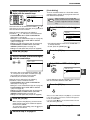
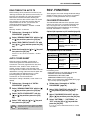
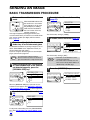
Make sure that an original does not
remain on the document glass, and
then adjust the original guides to the
width of your originals and place the
originals face up in the document
feeder tray.
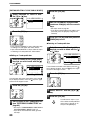
4
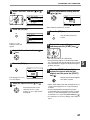
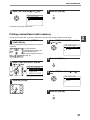
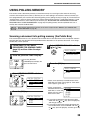
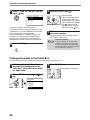
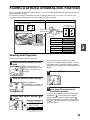
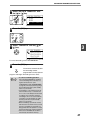
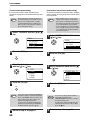
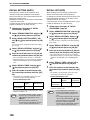
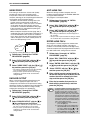
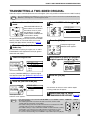
Press the [OK] key.
BACK
OK
GHI
5
Set the number of copies and press
the [START] key ( ).
WXYZ
2
You will return to the base
screen.
To stop copying in the middle of
a run, press the [C] key.
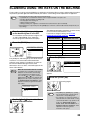
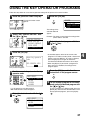
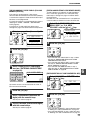
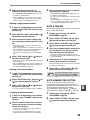
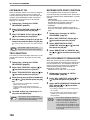
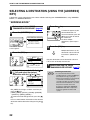
Press the [DUPLEX] key.
O % OUTPUT DUPLEX
SPECIAL FUNCTI
MAT ORIGINAL SIZE DUPLEX SCAN
CAST ORIGINAL SIZE DUPLEX SCAN
COPY MODE
1 to 1
1 to 2
2 to 2
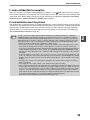
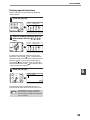
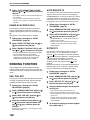
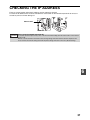
Note
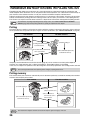
Do not touch an original (A) that is on the
reversing tray. Doing so may cause a
misfeed.
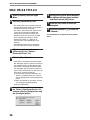
The duplex mode selection
screen appears.
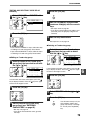
3
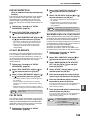
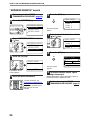
Select "2 to 2" with the [ ] or [ ] key,
or with the [DUPLEX] key.
GH
PQR
DUPLEX
SPECIAL FUNCTION
(A)
COPY MODE
1 to 1
1 to 2
2 to 2
DUPLEX SCAN
59
4























































































































![3 Pulse la tecla [OK].](http://vs1.manualzilla.com/store/data/006242630_1-7a1c03e0b02b6620550bbf18f6c5e232-150x150.png)