1
Adjusting the Phone’s Volume Settings
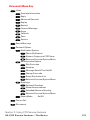
To adjust the Ringer/Key volume:
1. Press
to access the main menu.
2. Select Settings and press
3. Select Sounds and press
.
.
4. Select Ringer/Key Vol. and press
.
5. Select the item you wish to change and press
.
Ringer Volume to adjust Ringer tone volume.
Start-up/Pw-off to adjust Start-up/Power-off tone volume.
Key Beep to adjust Key Beep tone volume.
6. Adjust a volume level by using / on the Navigation key and
press
.
Ringer Off to set the Voice Call ringer volume to off. (Only
appears in Ringer Volume setting.)
Silence All to set all the ringer volume to off. (Only appears
in Ringer Volume setting. See “Silence All” on page 51.)
To adjust the Earpiece or Speaker volume:
1. Follow steps 1-3 above.
2. Select Receiver Vol. and press
.
3. Select either Earpiece or Speaker and press
.
When you use speakerphone mode, select Speaker during
step 3 above.
4. Adjust a volume level by using / on the Navigation key and
press
.
Tip: You can adjust the ringer volume in standby mode by using the Side Volume
key, and adjust earpiece volume during a call by using / on the Navigation
key or the Side Volume key.
Section 2: Understanding Your PCS Phone
2B: Controlling Your Phone’s Settings
49