Transcript
Quick Setup Guide
QSG v1.0 (1.0.1.0) (EN/F/E)
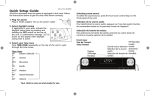
A built-in automatic time set system is equipped in this clock. Follow the
instructions below to get the clock time to show correctly:
1. Plug for power
Plug in AC/DC adaptor into an AC power outlet.
2. Select daylight saving
If your region is currently observing Daylight Savings
Time, then press and hold the DST button on the
top of the unit. This button offers a simple way to
change the clock time in the spring or fall when
Daylight Savings starts or ends. A confirmation
shows on the display when
message
daylight saving time is active.
3. Select your time zone
Press TIME ZONE repeatedly on the top of the unit to cycle through the
time zones.
What happens when you
dock your iPhone or iPod
Time Zone
touch?
EST
Eastern (default)
The first time you dock your
CST
Central
iPhone or iPod touch, you’ll be
prompted to download the RCA
MST
Mountain
N-hance App from the iTunes
store. You are encouraged to
PST
Pacific
download and install this app
(right on your iPhone or iTouch) in
AKST
Alaskan
order to enjoy the wide variety of
features which are available with
HST
Hawaii-Aleutian
N-hance. See the User Guide inside
the app for more information.
AST
Atlantic
Your clock is now set and ready for use.
Selecting sound source
To select the sound source, press the four touch control keys on the front panel of
the unit.
Sélection de la source audio
Pour sélectionner la source audio, appuyez sur l’une des quatre touches de
commandes situées sur le panneau frontal de l’appareil.
Selección de fuente de música
Para seleccionar la fuente de sonido, presione las cuatro teclas de control en la
parte superior de la unidad
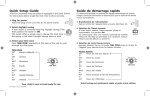
Front view
Vue de l’avant
Vista frontal
Display
Affichage
Pantalla
Sound source selection
Sélection de la source
audio
Selección de fuente de
sonido
Off (standby
mode)
(mode d’attente)
(modo standby)