1
25260
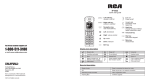
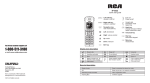
Intercom, Page
Directory, Caller ID
Delete, Privacy
DND, Exit
To choose a soft key option, press the button directly under
that part of the screen.
Intercom
Page
Directory
Caller ID
Delete
Privacy
Wirelessly connecting your 25260 to another RCA phone:
First, make sure your 25260 is in
EXT/WIRELESS mode by going into the
SELECT MODE menu and choosing
EXT/WIRELESS. Your phone will switch
over to wireless mode and will be ready to
register to another wired RCA phone.
When your 25260 is in EXT/WIRELESS mode,
there’s no need for a phone jack! It connects
to your phone system wirelessly.
SELECT MODE
MAIN/WIRED
=>EXT/WIRELESS
BACK
SELECT
If you have a 25255RE2 or 25270RE3:
If you have a 25210RE1, 25250RE1, 25212 or 25252:
While your 25260 display says “REGISTERING…” press and hold the
PAGE button on your 25255RE2 or 25270RE3 desk phone for 5 seconds.
Your phones will automatically detect each other and be ready to
use in seconds!
While your 25260 display says “REGISTERING…” press and hold the
PAGE button on your 25210RE1, 25250RE1, 25212 or 25252 base for
2 seconds. Your phones will automatically detect each other and be
ready to use in seconds!
If you are wirelessly connecting to another 25260:
While your 25260 display says “REGISTERING…” press and hold the
PAGE MAIN button on the 25260 for 5 seconds. Your phones will
automatically detect each other and be ready to use in seconds!
Vol+
Vol-
PRESS “REG”
TO INITIATE
REGISTRATION
REG
REG
When you are ready to begin pairing your
phones, press the REG soft key.
NOTE : Before you begin pairing your phones together,
you may wish to set them up in the same room. This
will make accessing both phones easier. But don’t
worry, you can unplug and move either phone
afterwards.
NOTE: To connect two 25260 phones wirelessly, one of them must be operating in
MAIN/WIRED mode and be connected to a phone jack.
REGISTERING
If registration was successful, the LCD
on the base phone will read
REGISTRATION COMPLETE!
If registration fails, try moving the phones
closer together and try again.
REGISTRATION
COMPLETE!
If registration was successful, the LCD
on the base phone will read
REGISTRATION COMPLETE!
If registration fails, try moving the phones
closer together and try again.
REGISTRATION
COMPLETE!
If registration was successful, the LCD
on the base phone will read
REGISTRATION COMPLETE!
If registration fails, try moving the phones
closer together and try again.
REGISTRATION
COMPLETE!